
CLAISON T9-PRO
CLAISON T9-PRO Portable Bluetooth Speaker User Manual
Model: T9-PRO
Brand: CLAISON
Introduction
Thank you for choosing the CLAISON T9-PRO Portable Bluetooth Speaker. This speaker is designed to deliver high-quality audio with deep bass, featuring IPX7 waterproof protection, dynamic RGB lighting, and True Wireless Stereo (TWS) pairing capabilities. This manual provides essential information for setting up, operating, and maintaining your speaker.
Please read this manual thoroughly before using the product to ensure proper operation and to maximize its lifespan.
Safety Information
- Do not expose the speaker to extreme temperatures or direct sunlight for extended periods.
- Keep the speaker away from heat sources, sharp objects, and corrosive materials.
- Do not disassemble, repair, or modify the speaker yourself. Contact qualified service personnel if needed.
- Ensure the charging port cover is securely closed when using the speaker near water to maintain IPX7 waterproof rating.
- Use only the provided charging cable or a certified equivalent.
- Avoid listening at high volume levels for prolonged periods to prevent hearing damage.
Package Contents
Please check the package for the following items:
- CLAISON T9-PRO Portable Bluetooth Speaker
- USB Charging Cable
- AUX Audio Cable
- Shoulder Strap
- User Manual
Product Overview
Familiarize yourself with the speaker's components and controls.
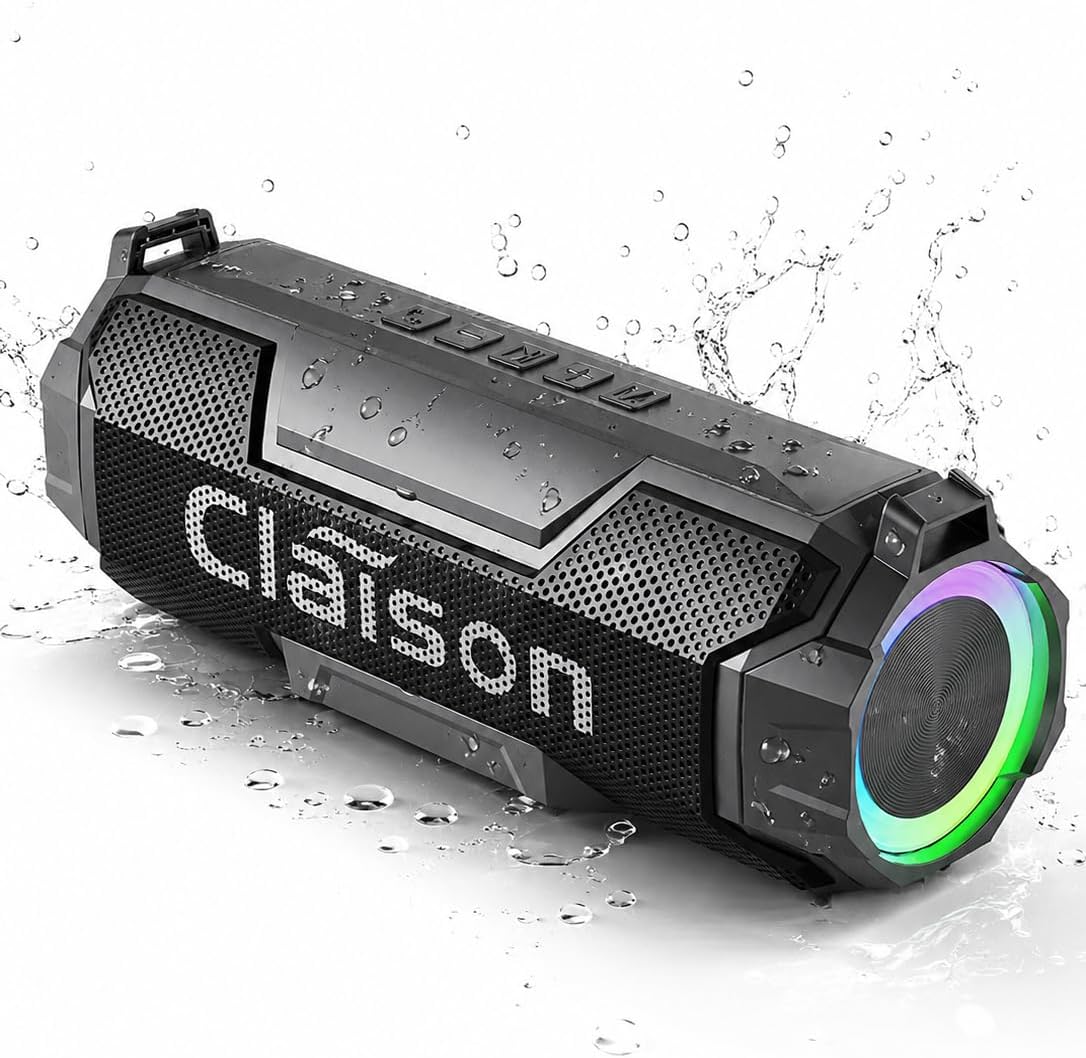
Image: Front view of the CLAISON T9-PRO Portable Bluetooth Speaker.

Image: Internal view of the CLAISON T9-PRO speaker, highlighting dual drivers and deep bass technology.
Control Panel
The control buttons are located on the top surface of the speaker.
- Power Button: Press and hold to power on/off. Short press to play/pause.
- Volume Up (+): Short press to increase volume. Long press for next track.
- Volume Down (-): Short press to decrease volume. Long press for previous track.
- Mode Button (M): Short press to switch between Bluetooth, TF Card, AUX, and USB modes.
- RGB Light Button: Short press to cycle through RGB light modes. Press and hold to turn lights off/on.
- TWS Button: Press to initiate True Wireless Stereo pairing.
Ports
The ports are located under a protective cover on the side of the speaker.
- USB Port: For USB drive playback.
- TF Card Slot: For TF (Micro SD) card playback.
- AUX Input: For connecting external audio devices via 3.5mm audio cable.
- DC 5V Charging Port: For charging the speaker.
Setup
1. Charging the Speaker
- Open the protective cover on the side of the speaker.
- Connect the USB charging cable to the DC 5V charging port on the speaker.
- Connect the other end of the USB cable to a USB power adapter (not included) or a computer USB port.
- The charging indicator light will illuminate during charging and turn off when fully charged.
- A full charge provides up to 24 hours of playtime.
2. Powering On/Off
- To Power On: Press and hold the Power button for 2-3 seconds until you hear an audible prompt and the indicator light turns on.
- To Power Off: Press and hold the Power button for 2-3 seconds until you hear an audible prompt and the indicator light turns off.
3. Bluetooth Pairing
- Ensure the speaker is powered on and in Bluetooth mode (the indicator light will flash blue). If not, press the Mode button to switch to Bluetooth mode.
- Enable Bluetooth on your device (smartphone, tablet, computer).
- Search for "CLAISON T9-PRO" in your device's Bluetooth list and select it to connect.
- Once connected, you will hear an audible confirmation, and the indicator light will turn solid blue.
- The speaker will automatically reconnect to the last paired device when powered on, if available.

Image: Two CLAISON T9-PRO speakers connected for True Wireless Stereo (TWS) pairing.
4. True Wireless Stereo (TWS) Pairing
To achieve a wider stereo soundstage, you can pair two CLAISON T9-PRO speakers together.
- Ensure both CLAISON T9-PRO speakers are powered on and in Bluetooth mode, but not connected to any device.
- On one of the speakers (this will be the primary speaker), short press the TWS button. You will hear an audible prompt, and the speaker will start searching for another TWS speaker.
- The two speakers will automatically connect to each other. Once connected, you will hear an audible confirmation.
- Now, connect your device to the primary speaker via Bluetooth as described in step 3. The audio will play in stereo across both speakers.
5. Connecting via AUX, TF Card, or USB
- AUX Mode: Connect one end of the 3.5mm audio cable to the AUX input port on the speaker and the other end to your audio device's headphone jack. Press the Mode button until you hear the "AUX mode" prompt.
- TF Card Mode: Insert a TF (Micro SD) card with audio files into the TF card slot. The speaker will automatically switch to TF card mode and begin playback. If not, press the Mode button to switch.
- USB Mode: Insert a USB flash drive with audio files into the USB port. The speaker will automatically switch to USB mode and begin playback. If not, press the Mode button to switch.
Operating Instructions
Basic Playback Controls
- Play/Pause: Short press the Power button.
- Volume Up: Short press the '+' button.
- Volume Down: Short press the '-' button.
- Next Track: Long press the '+' button.
- Previous Track: Long press the '-' button.
RGB Light Modes
The CLAISON T9-PRO features dynamic RGB lighting.
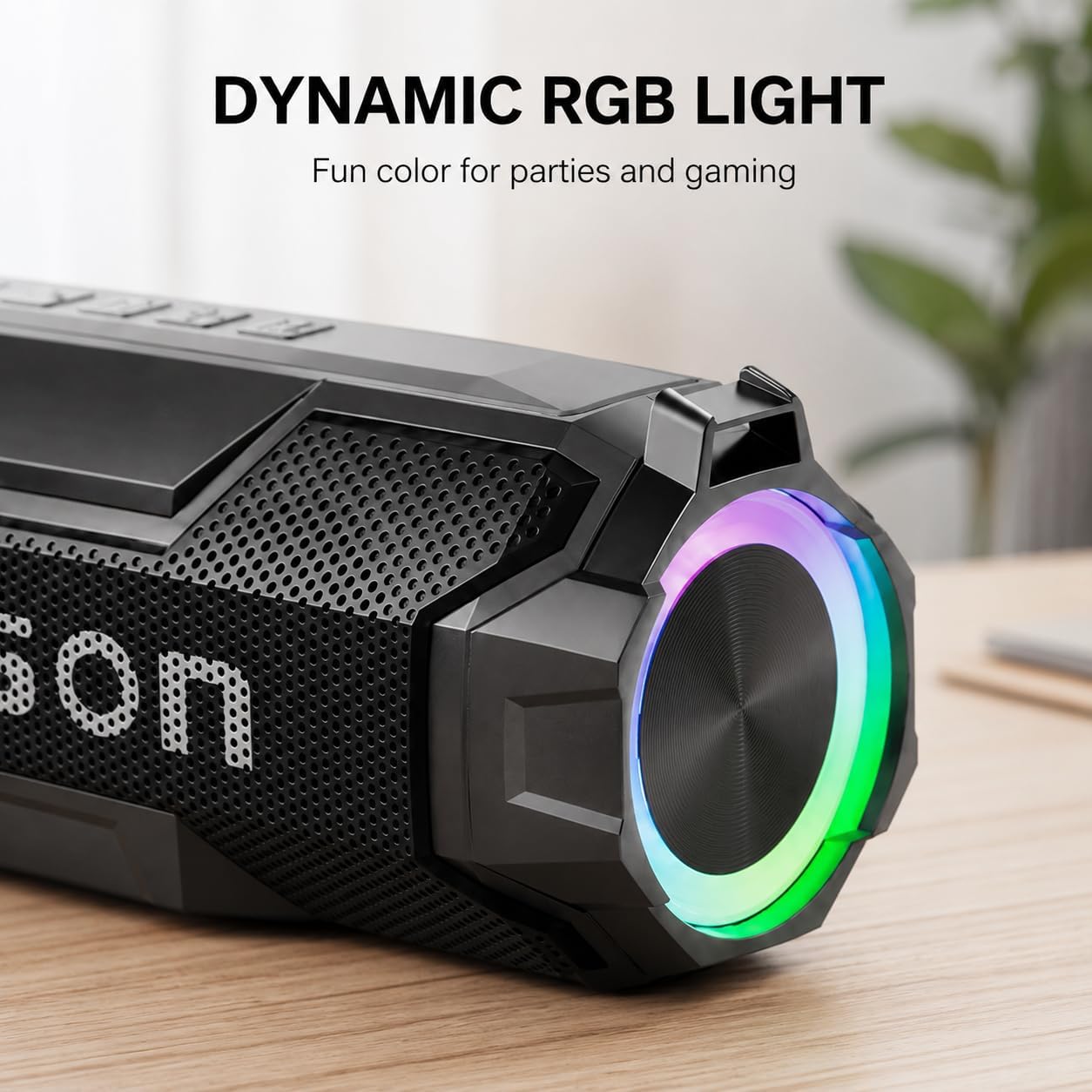
Image: Close-up view of the dynamic RGB lighting on the CLAISON T9-PRO speaker.
- Change Light Mode: Short press the RGB Light button to cycle through various lighting effects.
- Turn Lights On/Off: Press and hold the RGB Light button for 2-3 seconds.
IPX7 Waterproof Usage
The speaker has an IPX7 waterproof rating, meaning it can be submerged in water up to 1 meter for 30 minutes.

Image: The CLAISON T9-PRO speaker partially submerged in water, demonstrating its IPX7 waterproof capability.
- Always ensure the rubber cover for the charging and input ports is securely sealed before exposing the speaker to water.
- Do not expose the speaker to saltwater or other chemicals, as this may damage the device.
- After exposure to water, wipe the speaker dry with a soft cloth before charging.
Maintenance
- Cleaning: Use a soft, damp cloth to clean the speaker's surface. Do not use harsh chemicals or abrasive cleaners.
- Storage: Store the speaker in a cool, dry place away from direct sunlight and extreme temperatures.
- Battery Care: To prolong battery life, charge the speaker at least once every three months if not used regularly.
Troubleshooting
| Problem | Solution |
|---|---|
| Speaker does not power on. | Ensure the speaker is fully charged. Press and hold the Power button for a few seconds. |
| Cannot pair via Bluetooth. | Make sure the speaker is in Bluetooth pairing mode (flashing blue light). Ensure your device's Bluetooth is on and within range. Forget previous pairings on your device and try again. |
| No sound or low volume. | Check volume levels on both the speaker and your connected device. Ensure the correct input mode (Bluetooth, AUX, TF, USB) is selected. |
| TWS pairing fails. | Ensure both speakers are CLAISON T9-PRO models and are not connected to any other Bluetooth device before initiating TWS pairing. Keep them close to each other. |
| RGB lights are not working. | Short press the RGB Light button to cycle through modes. Press and hold the RGB Light button to turn them on if they are off. |
Specifications
- Brand: CLAISON
- Model Number: T9-PRO
- Speaker Maximum Output Power: 20 watts
- Frequency Response: 60 hertz
- Connectivity Technology: Bluetooth, TF Card, Wireless
- Bluetooth Version: 6.0
- Audio Output Mode: Stereo
- Mounting Type: Tabletop Mount
- Enclosure Material: Acrylonitrile Butadiene Styrene (ABS)
- Speaker Type: Portable Speaker
- Water Resistance Level: IPX7 (Waterproof)
- Maximum Bluetooth Range: 10 meters (67 feet)
- Control Method: Push Button
- Battery Average Life: 24 hours
- Item Weight: 1.5 pounds
- Compatible Devices: Desktop, Laptop, Smartphone
- Power Source: Battery Powered
Warranty and Support
The CLAISON T9-PRO Portable Bluetooth Speaker comes with a 1-year limited warranty from the date of purchase.
This warranty covers manufacturing defects and workmanship. It does not cover damage caused by misuse, accidents, unauthorized modifications, or normal wear and tear.
For warranty claims or technical support, please contact CLAISON customer service through the retailer where the product was purchased or visit the official CLAISON website for contact information.
Official Product Videos
Watch these official videos from CLAISON for more information on your speaker's features and usage.
Claison Portable Speaker 360 Stereo Sound
Video: An overview of the CLAISON Portable Speaker, highlighting its 360-degree stereo sound capabilities.
Claison Speaker Deep Bass, IPX7 & Multi-Input
Video: Demonstrates the deep bass performance, IPX7 waterproof rating, and various input options (AUX, TF Card, USB) of the CLAISON speaker.
Ask a question about this manual
Ask about setup, troubleshooting, compatibility, parts, safety, or missing instructions. Manuals+ will review the question and use this page’s manual context to help answer it.