
1. Introduction
This manual provides detailed instructions for the Fajocru 4G Senior GPS Smart Watch, model v46. This device is designed to enhance the safety and connectivity of elderly users through features such as fall detection, real-time GPS tracking, SOS alerts, and two-way communication. Please read this manual thoroughly before using the watch to ensure proper operation and to utilize all available functions.
2. Product Overview
The Fajocru v46 Smart Watch integrates several key technologies to provide a comprehensive safety and communication solution. It features a 1.56-inch HD touchscreen, a lightweight ABS case, and a comfortable silicone strap. Key functionalities include:
- 4G Cellular Connectivity: Enables calls, messages, and data transmission.
- Advanced Fall Detection: Automatically detects falls and sends SOS alerts.
- Real-time GPS Tracking: Provides accurate location monitoring and geo-fencing capabilities.
- SOS Emergency Calling: Dedicated button for immediate assistance.
- Health Monitoring: Tracks heart rate, blood pressure, blood oxygen, and temperature.
- Two-way Communication: Supports video calls and voice messaging.
- IP67 Water Resistance: Protects against splashes and brief immersion.

Image: The Fajocru Smart Activity Watch, designed for a healthier lifestyle.

Image: The watch facilitates connection between seniors and their family members.
3. Package Contents
Verify that all items are present in your package:
- Fajocru 4G Senior GPS Smart Watch (v46)
- Charging Cable
- User Manual (this document)
- Pre-installed Data-only SIM card (1 year free data service)
4. Setup Guide
4.1. SIM Card Installation
The watch comes with a pre-installed data-only SIM card for location tracking. For voice calls, you will need to insert your own standard SIM card with voice service. Follow these steps:
- Ensure the watch is powered off.
- Locate the SIM card slot on the side of the watch.
- Carefully insert your standard SIM card into the slot, ensuring correct orientation.
4.2. Initial Power On and App Binding
To begin using your watch, you need to power it on and bind it to the companion mobile application.
- Power On: Press and hold the power button until the screen illuminates.
- Access QR Code: On the watch screen, tap to find and display the "QR code" or "APP code".
- Download App: On your smartphone, scan the QR code displayed on the watch or search for the recommended app (e.g., "Setracker2") in your app store (available for iOS and Android).
- Register/Bind Device: Open the downloaded app. Follow the on-screen instructions to register an account if you don't have one. Then, select the option to "Add Device" or "Bind Device" and scan the QR code from the watch again to complete the binding process.

Image: Step-by-step guide for SIM card installation and app binding.
5. Operating Instructions
5.1. Basic Navigation
The watch features a touch screen for navigation. Swipe left/right or up/down to access different functions and menus. Tap an icon to select it.
5.2. Fall Detection and SOS Alerts
The watch is equipped with an advanced fall detection system. If a sudden fall is detected, the watch will automatically trigger an SOS alarm and send notifications to pre-set emergency contacts. For immediate assistance, you can also manually activate the SOS function.
- Automatic Fall Detection: The watch continuously monitors for sudden impacts. Upon detection, it will attempt to contact emergency numbers.
- Manual SOS: Press and hold the dedicated SOS button on the watch for a few seconds. The watch will then cycle through pre-programmed emergency contacts until one answers.

Image: The watch detecting a fall and initiating an alert.
Video: This video demonstrates the SOS call function, showing how the watch can dial a family member for help with a single key press.
5.3. Real-time GPS Tracking & Geo-Fencing
Monitor the wearer's location in real-time using the companion mobile app. The watch utilizes GPS, Beidou, LBS, WiFi, TDOA, and inertial gyroscope for precise positioning.
- Real-time Location: Open the app and select the tracking feature to view the watch's current location on a map.
- Location History: The app stores up to one month of location history, allowing you to review past routes.
- Geo-Fencing: Set up safe zones (electronic fences) within the app. You will receive instant alerts if the watch wearer enters or exits these designated areas.

Image: Illustration of multiple positioning modes for precise location tracking via a smartphone app.
5.4. Communication Features
- Two-Way Calling: Make and receive calls directly from the watch. Use the dial pad or select contacts from the phone book.
- Video Calls: The watch supports video calls for face-to-face communication.
- Voice Messaging: Send and receive short voice messages through the watch.

Image: Overview of the watch's communication features including call function, dial keypad, phone book, and voice chat.
5.5. Health Monitoring
The watch provides various health metrics to help monitor well-being.
- Heart Rate Monitor: Access the heart rate function on the watch to measure your pulse.
- Blood Pressure & Blood Oxygen: Use the dedicated functions to check blood pressure and blood oxygen saturation levels.
- Temperature Check: Measure body temperature directly from the watch.
- Pedometer: Tracks daily steps.
- Sleep Monitor: Monitors sleep patterns.

Image: The watch displaying comprehensive health metrics, including heart rate and blood oxygen saturation.
5.6. Other Features
- Alarms: Set reminders for medication or appointments.
- Calculator: Basic calculator function.
- Chronometer: Stopwatch function.
- Sedentary Reminder: Alerts you to move after periods of inactivity.
- Medicine Reminder: Set reminders for taking medication.

Image: A visual representation of the watch's special functions, including SOS, fall alert, health monitoring, pedometer, and more.
6. Maintenance
6.1. Charging
Charge the watch using the provided magnetic charging cable. Connect the cable to a USB power adapter (not included) and attach the magnetic end to the charging points on the back of the watch. A full charge typically takes about 2 hours.
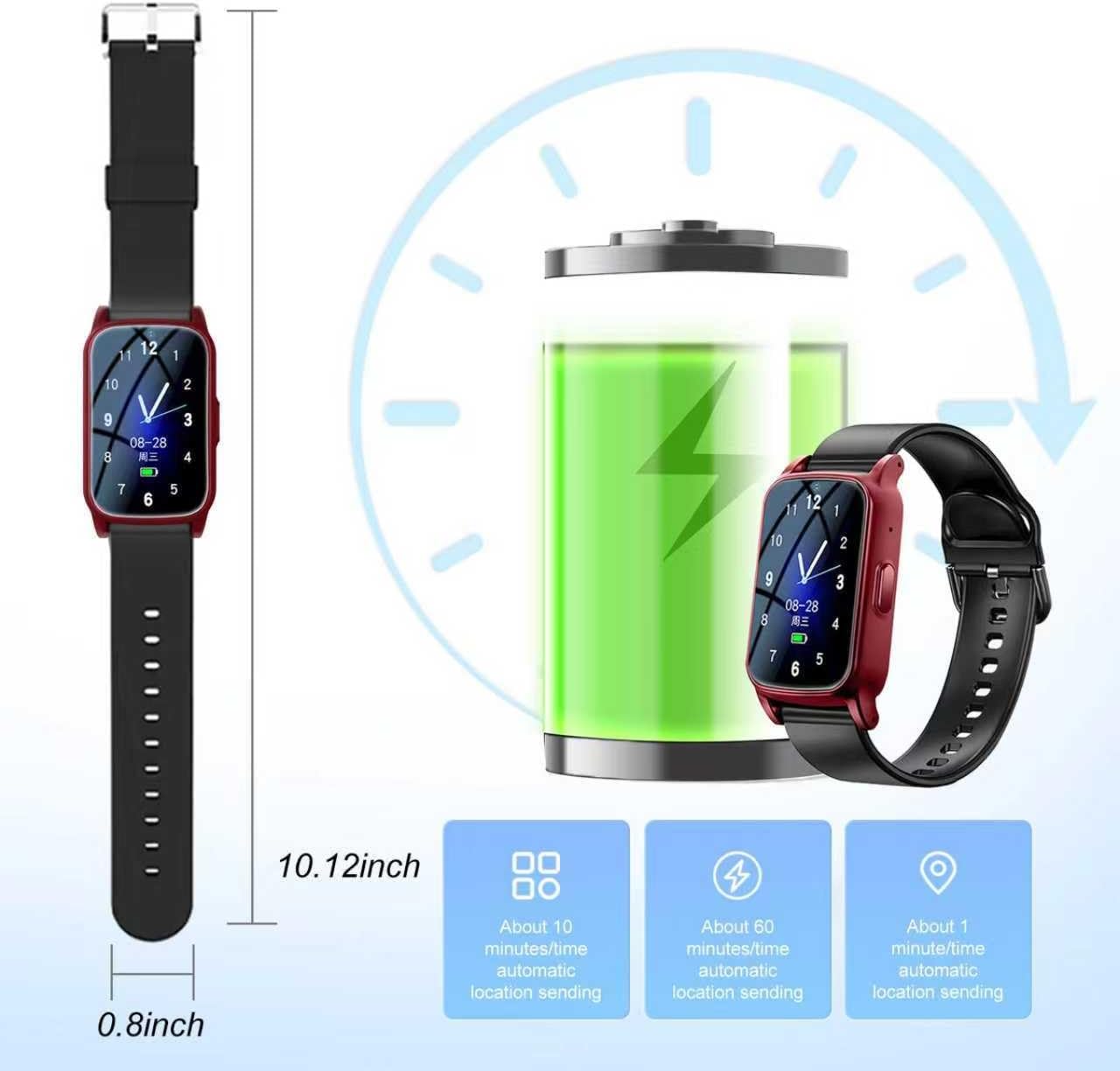
Image: The watch connected to its magnetic charging cable, illustrating the charging process and battery life.
6.2. Water Resistance (IP67)
The Fajocru v46 Smart Watch is rated IP67 water-resistant. This means it is protected against dust ingress and can withstand immersion in water up to 1 meter for up to 30 minutes. It is suitable for daily use, such as hand washing or accidental splashes, but it is not recommended for swimming, bathing, or diving.
6.3. Cleaning
Wipe the watch and strap with a soft, damp cloth. Avoid using harsh chemicals or abrasive materials, as these can damage the device.
7. Troubleshooting
- Watch not powering on: Ensure the watch is fully charged. Connect it to the charger for at least 30 minutes before attempting to power it on again.
- No network signal/cannot make calls:
- Verify that a standard SIM card with voice service is correctly inserted.
- Check if the SIM card is active and has sufficient balance/plan.
- Ensure you are in an area with 4G cellular coverage.
- Inaccurate GPS location:
- Ensure the watch has a clear view of the sky for optimal GPS signal reception.
- Location accuracy can be affected by dense buildings, indoor environments, or poor network coverage.
- Fall detection not working:
- Ensure the watch is worn securely on the wrist.
- False alarms can occur due to sudden movements or impacts. Adjust sensitivity settings in the app if available.
- Verify emergency contacts are correctly set up in the app.
- App not connecting to watch:
- Ensure both the watch and your smartphone have an active internet connection.
- Restart both the watch and the app.
- Re-bind the device in the app if necessary.
8. Specifications
| Feature | Detail |
|---|---|
| Model Name | Fajocru v46 |
| Operating System | Android Wear 1.0 |
| Connectivity Technology | 4G Cellular |
| GPS | Built-in GPS (GPS, Beidou, LBS, WiFi, TDOA, Inertial Gyroscope) |
| Screen Size | 1.56 inches |
| Battery Capacity | 600 mAh Lithium Polymer |
| Battery Charge Time | Approximately 2 hours |
| Water Resistance | IP67 (Waterproof) |
| Case Material | Acrylonitrile Butadiene Styrene (ABS) |
| Band Material | Faux Leather (Silicone strap also mentioned in feature bullets) |
| Memory Storage Capacity | 1 GB |
| Supported Applications | Messages, Companion App (e.g., Setracker2) |
| Compatible Devices | Android Devices, iOS Devices |

Image: Detailed dimensions of the watch and its components, including the charging cable.
9. Warranty and Support
The Fajocru 4G Senior GPS Smart Watch comes with a Limited Warranty. Please refer to the warranty card included in your package for specific terms and conditions.
For technical support, troubleshooting assistance, or any questions regarding your device, please contact Fajocru customer support. Contact information can typically be found on the product packaging or the official Fajocru website.


