
1. Introduction
Thank you for choosing the VECELO Floor TV Stand. This stand is designed to provide a versatile and space-saving solution for mounting your television. It features height adjustment, 360° swivel, and tilt functions to help you achieve an optimal viewing experience. Constructed from robust steel, it ensures stability for televisions between 14 and 32 inches. This manual provides essential information for safe assembly, operation, and maintenance of your TV stand.
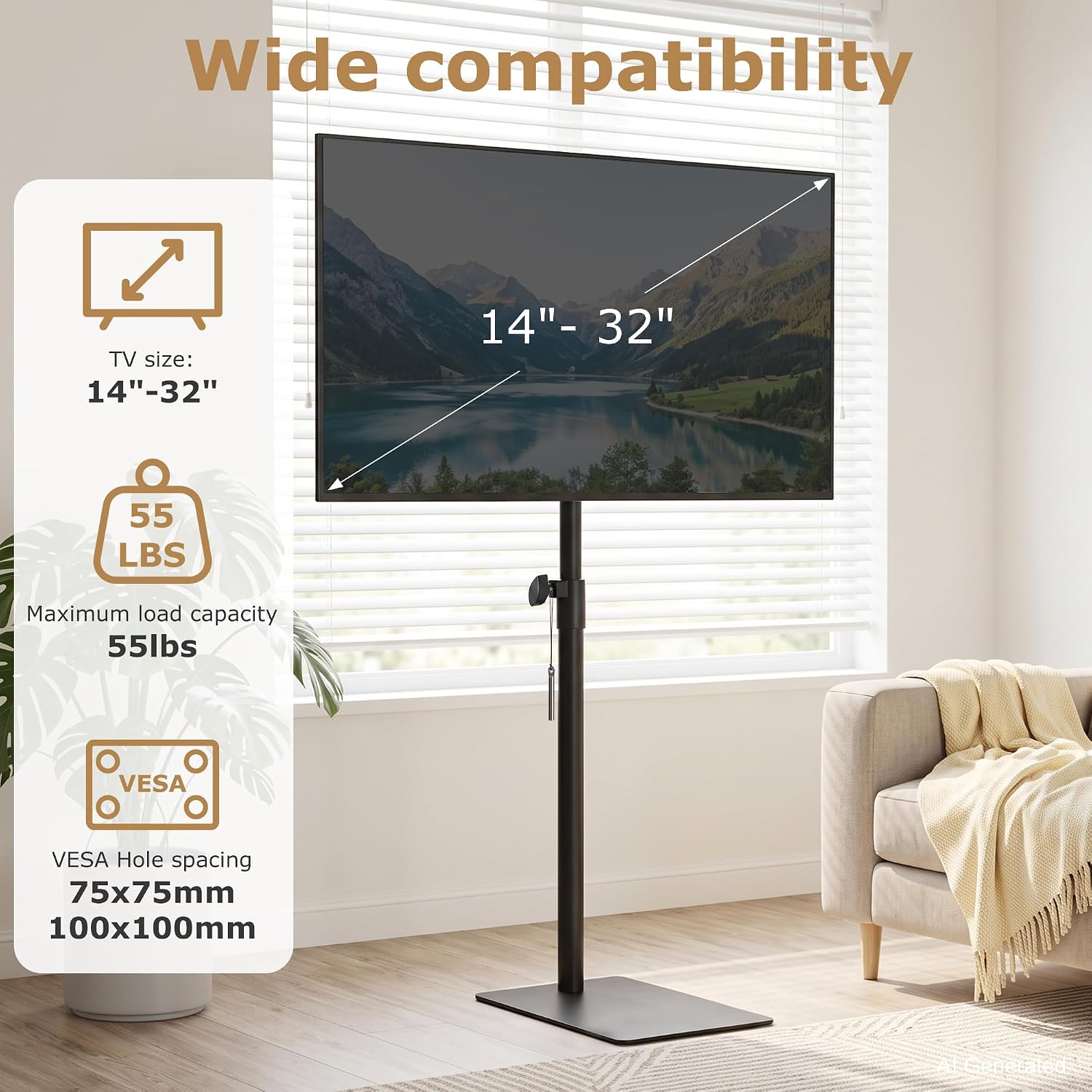
Image 1.1: VECELO Floor TV Stand highlighting compatibility with 14-32 inch TVs, 55 lbs load capacity, and VESA 75x75mm/100x100mm.
2. Safety Information
- Read all instructions carefully before assembly and use.
- Do not exceed the maximum weight capacity of 55 lbs (25 kg) or the recommended screen size of 14-32 inches.
- Ensure the TV stand is placed on a stable, level surface to prevent tipping.
- Keep children and pets away from the TV stand during assembly.
- Periodically check all screws and connections to ensure they remain tight and secure.
- Do not attempt to modify the product. Any modifications may compromise safety and void the warranty.
- Use only the provided hardware. If any parts are missing or damaged, contact customer support.
3. Package Contents
Please verify that all components are present before beginning assembly:
- 1 x TV Stand (Base, Pole, TV Mount)
- 1 x Instruction Manual (This document)
- 1 x Accessory Kit (Includes all necessary screws, washers, and tools for assembly)
4. Specifications
| Feature | Specification |
|---|---|
| Model Number | B0H9499X3S |
| Material | Steel |
| Color | Black |
| Compatible TV Sizes | 14 - 32 inches |
| Maximum Load Capacity | 55 lbs (25 kg) |
| VESA Compatibility | 75x75mm, 100x100mm |
| Movement Type | Swivel, Tilt, Height Adjustment |
| Tilt Adjustment | Up to 15 degrees (forward/backward) |
| Swivel Adjustment | 360 degrees |
| Product Dimensions (Base) | 15.75" x 6.69" (40cm x 17cm) |
| Overall Height | Adjustable, up to 47.2 inches (120cm) |

Image 4.1: Product dimensions of the VECELO Floor TV Stand.

Image 4.2: Compatibility guide for the VECELO Floor TV Stand.
5. Assembly Instructions
Follow these steps carefully to assemble your VECELO Floor TV Stand. A full hardware kit is included for tool-free assembly.
Step 1: Identify Components
Unpack all parts and compare them with the package contents list and the image below to ensure everything is present and undamaged.
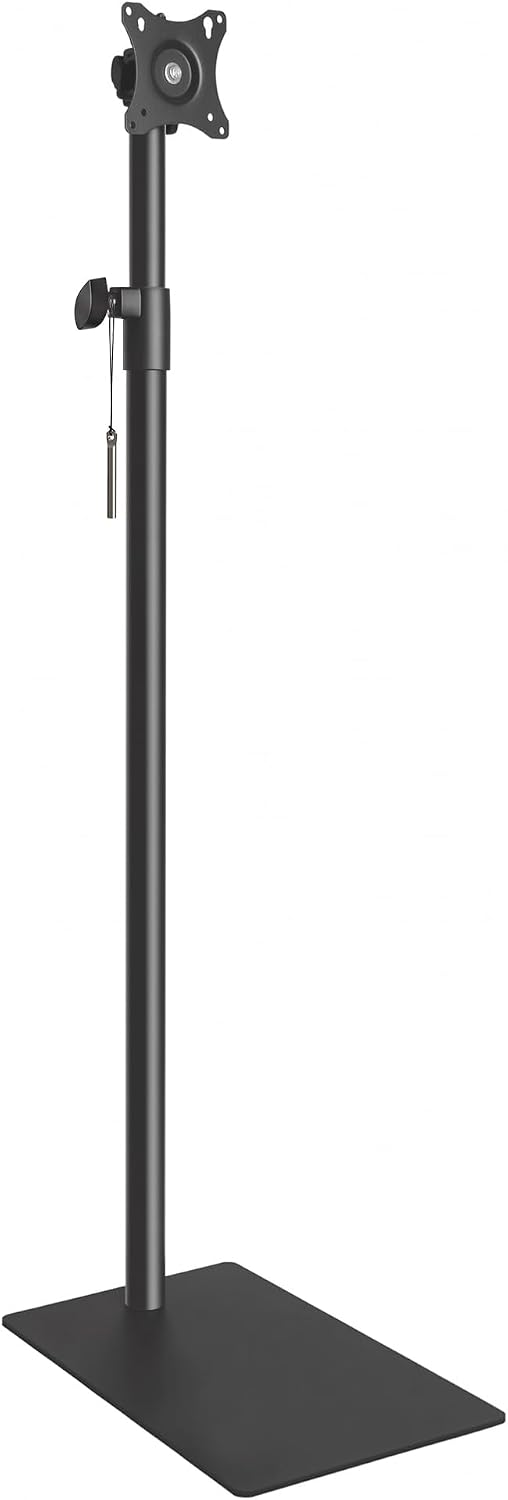
Image 5.1: Main components of the TV stand.
Step 2: Attach the Pole to the Base
Securely attach the main support pole to the heavy-duty flat steel base. Ensure the connection is firm for maximum stability.

Image 5.2: The solid flat steel base provides reliable stability.
Step 3: Secure the Dual Locking Mechanism
The pole features a dual locking mechanism to hold your desired height firmly. Ensure this mechanism is properly engaged after adjusting the pole height during assembly.

Image 5.3: Dual Locking Mechanism for secure height adjustment.
Step 4: Attach TV Mount to Television
Attach the VESA mounting bracket to the back of your television using the appropriate screws and spacers from the accessory kit. Ensure the screws are tightened securely but do not overtighten.
Step 5: Mount Television to Stand
Carefully lift your television and hook the mounted bracket onto the top of the stand's pole. Secure the TV to the stand using the provided locking mechanism or screws to prevent accidental dislodgement.

Image 5.4: The stable structure ensures secure TV mounting.
6. Operating Instructions
Height Adjustment
To adjust the height of your television, loosen the knob on the main pole (refer to Image 6.1). Carefully slide the TV up or down to your desired viewing height. Once the desired height is reached, tighten the knob firmly to secure the TV in place. The dual locking mechanism helps maintain the set height.

Image 6.1: Adjusting the TV stand height for optimal viewing.
Tilt Adjustment
The TV mount allows for a tilt adjustment of up to 15 degrees forward or backward. This feature helps reduce glare and provides a comfortable viewing angle. Gently push or pull the top or bottom of your TV screen to achieve the desired tilt. The mount is designed to hold the position once set.
Swivel Adjustment
The VECELO Floor TV Stand offers a full 360° swivel capability. This allows you to easily rotate your TV to face different areas of a room without moving the entire stand. Simply grasp the sides of your TV and gently rotate it to the desired angle.

Image 6.2: Demonstrating the 360° swivel and tilt functionality.

Image 6.3: Product details showing adjustable length and knob locking.
7. Maintenance
- Cleaning: Wipe the stand with a soft, dry cloth. For stubborn marks, a slightly damp cloth can be used, followed by immediate drying. Avoid harsh chemicals or abrasive cleaners.
- Inspection: Periodically check all bolts and screws to ensure they are tight. Re-tighten if necessary.
- Movement: When moving the stand, always lift it rather than dragging it to prevent damage to the base or floor. Remove the TV before moving the stand over long distances.
8. Troubleshooting
Issue: TV Stand feels unstable.
Solution:
- Ensure all assembly screws are fully tightened.
- Verify the stand is on a flat, level surface.
- Check that your TV's weight and size are within the specified limits (max 55 lbs, 14-32 inches).
Issue: Difficulty adjusting height.
Solution:
- Ensure the height adjustment knob is fully loosened before attempting to move the TV.
- Check for any obstructions along the pole.
Issue: TV is not tilting or swiveling smoothly.
Solution:
- Ensure no cables are snagged or preventing movement.
- Check that the TV is securely mounted and not binding against the bracket.
9. Warranty and Support
For warranty information, please refer to the documentation included with your purchase or visit the official VECELO website. If you encounter any issues or have questions regarding your VECELO Floor TV Stand, please contact VECELO customer support through their official channels.
Manufacturer: VECELO
Website: Visit the VECELO Store on Amazon