
Introduction
Thank you for choosing the Antarctic Star Evaporative Air Cooler. This manual provides essential information for the safe and efficient operation, maintenance, and troubleshooting of your appliance. Please read it thoroughly before use and retain it for future reference.
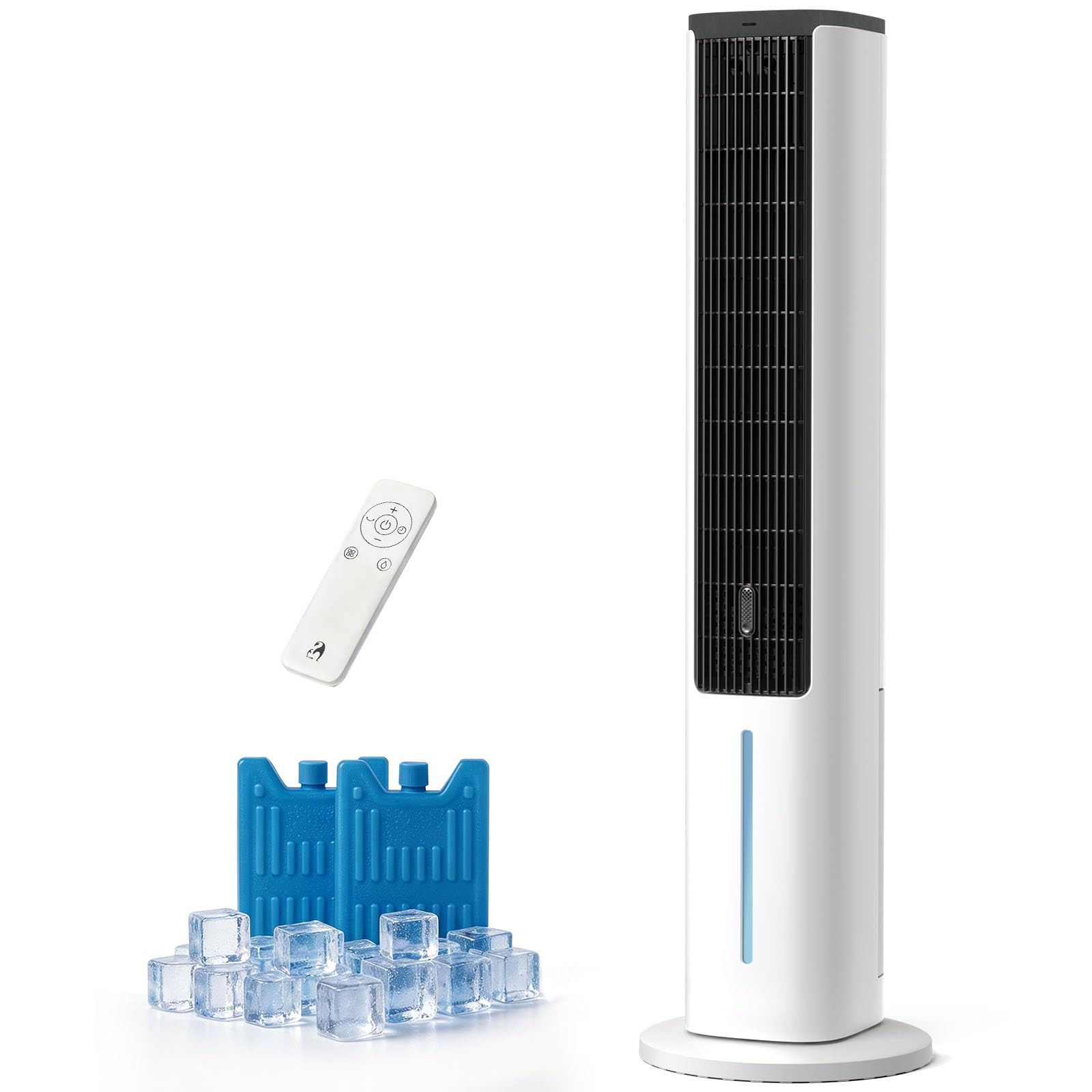
Figure 1: Antarctic Star Evaporative Air Cooler
Important Safety Instructions
- Read all instructions before using this appliance.
- Do not operate any appliance with a damaged cord or plug.
- Do not use the appliance near water or in wet conditions.
- Always unplug the appliance before cleaning or servicing.
- Keep the appliance out of reach of children. The bladeless design enhances safety for households with children and pets.
- Ensure the appliance is placed on a stable, level surface.

Figure 2: Bladeless design for enhanced safety
Setup
Unpacking and Assembly
- Carefully remove the air cooler from its packaging.
- Verify all components are present: main unit, remote control, and ice packs.
- The unit features tool-free assembly. Follow any specific instructions for attaching the base if required.

Figure 3: Key features including tool-free assembly
Filling the Water Tank
- Locate the water tank, which has a capacity of 1.32 gallons (5 liters).
- Fill the tank with clean water. Do not exceed the maximum fill line.
- For enhanced cooling, place the included reusable ice packs into the water tank after freezing them.

Figure 4: Water tank and ice pack placement
Operating Instructions
Control Panel and Remote Control
The air cooler can be operated using the integrated control panel on top of the unit or the provided remote control. The digital display shows current settings.
Modes and Fan Speeds
The unit offers 5 operational modes and 4 fan speeds for personalized comfort:
- Normal Mode: Provides a consistent airflow at your selected speed.
- Natural Mode: Simulates a natural breeze with varying fan speeds.
- Sleep Mode: Operates quietly with reduced fan speed for undisturbed rest.
- Cold Mode: Utilizes the evaporative cooling function for maximum cooling effect.
- Humidify Mode: Adds moisture to the air, preventing dryness.

Figure 5: Available operating modes and fan speeds
Oscillation Function
Activate the 80° wide-angle oscillation function to distribute cool air evenly across the room. This feature ensures a broad coverage area of approximately 250 sq. ft. with a maximum range of 27 feet.

Figure 6: 80° wide oscillation for room coverage
Timer Function
Set the integrated timer for up to 15 hours of continuous operation. This allows you to schedule the unit to turn off automatically.

Figure 7: Quiet operation and 15-hour timer
Aroma Pad
The built-in aroma pad allows for the addition of essential oils to infuse the air with a fresh scent. Locate the aroma pad compartment, add a few drops of your preferred essential oil, and enjoy fragrant air.

Figure 8: Adding essential oils to the aroma pad
Maintenance
Regular maintenance ensures optimal performance and longevity of your evaporative air cooler. Always unplug the unit before performing any maintenance.
Cleaning the Water Tank
- Drain the water tank regularly to prevent mineral buildup and mold growth.
- Remove the water tank and clean it with a mild detergent and water. Rinse thoroughly.
- Ensure the tank is completely dry before reinserting it into the unit.
Cleaning the Cooling Pad/Filter
- The unit features a honeycomb cooling pad. Periodically remove and rinse the cooling pad under running water to remove dust and debris.
- Allow the cooling pad to air dry completely before placing it back into the unit.

Figure 9: Internal components including the honeycomb cooling pad
External Cleaning
- Wipe the exterior of the unit with a soft, damp cloth. Do not use abrasive cleaners or solvents.
Troubleshooting
If you encounter issues with your air cooler, refer to the following common problems and solutions:
| Problem | Possible Cause | Solution |
|---|---|---|
| Unit does not turn on | No power supply; Power cord not plugged in; Power button not pressed. | Check power outlet; Ensure power cord is securely plugged in; Press the power button. |
| No cool air / Air is not cold enough | Water tank is empty; Ice packs not used or frozen; Cooling pad is dirty; High humidity in the room. | Fill water tank; Use frozen ice packs; Clean cooling pad; Evaporative coolers perform best in dry climates. |
| Weak airflow | Fan speed set too low; Air inlet/outlet blocked; Cooling pad dirty. | Increase fan speed; Clear any obstructions; Clean cooling pad. |
| Unusual noise | Unit not on a level surface; Foreign object inside; Water pump issue. | Place on a flat surface; Unplug and check for obstructions; Contact customer support if noise persists. |
| Water leakage | Water tank overfilled; Drain plug not secured. | Do not overfill the water tank; Ensure drain plug is tightly closed. |
For issues not listed above or if problems persist, please contact Antarctic Star customer support.
Specifications
| Feature | Detail |
|---|---|
| Brand | Antarctic Star |
| Model Name | Evaporative Air Cooler |
| Model Number | KSWA-05X62Dg |
| Material | Acrylonitrile Butadiene Styrene (ABS) |
| Mounting Type | Freestanding |
| Color | White |
| Controls Type | Remote |
| Reservoir Capacity | 1.32 gallons (5 Liters) |
| Item Dimensions (D x W x H) | 11.42"D x 11.42"W x 40.16"H |
| Special Features | Adjustable Speed, Auto Fill, Digital Display, Portable, Timer, 80° Oscillation, Aroma Pad |
| Included Components | Ice Pack |
Warranty Information
This Antarctic Star Evaporative Air Cooler comes with a 1-Year Manufacturer Warranty. Please retain your proof of purchase for warranty claims. The warranty covers defects in materials and workmanship under normal use.
For detailed warranty terms and conditions, please refer to the warranty card included with your product or contact Antarctic Star customer support.
Customer Support
If you have any questions, require technical assistance, or need to make a warranty claim, please contact Antarctic Star customer support. Refer to the contact information provided in your product packaging or visit the official Antarctic Star website.