
1. Introduction
This manual provides essential instructions for the safe and effective use of your JUSTHERO Foldable Electric Wheelchair. This motorized wheelchair is designed for adults and seniors, offering enhanced mobility and independence. It features a widened seat for comfort, powerful motors, and a long-range dual battery system. The design is airline-approved for convenient travel.
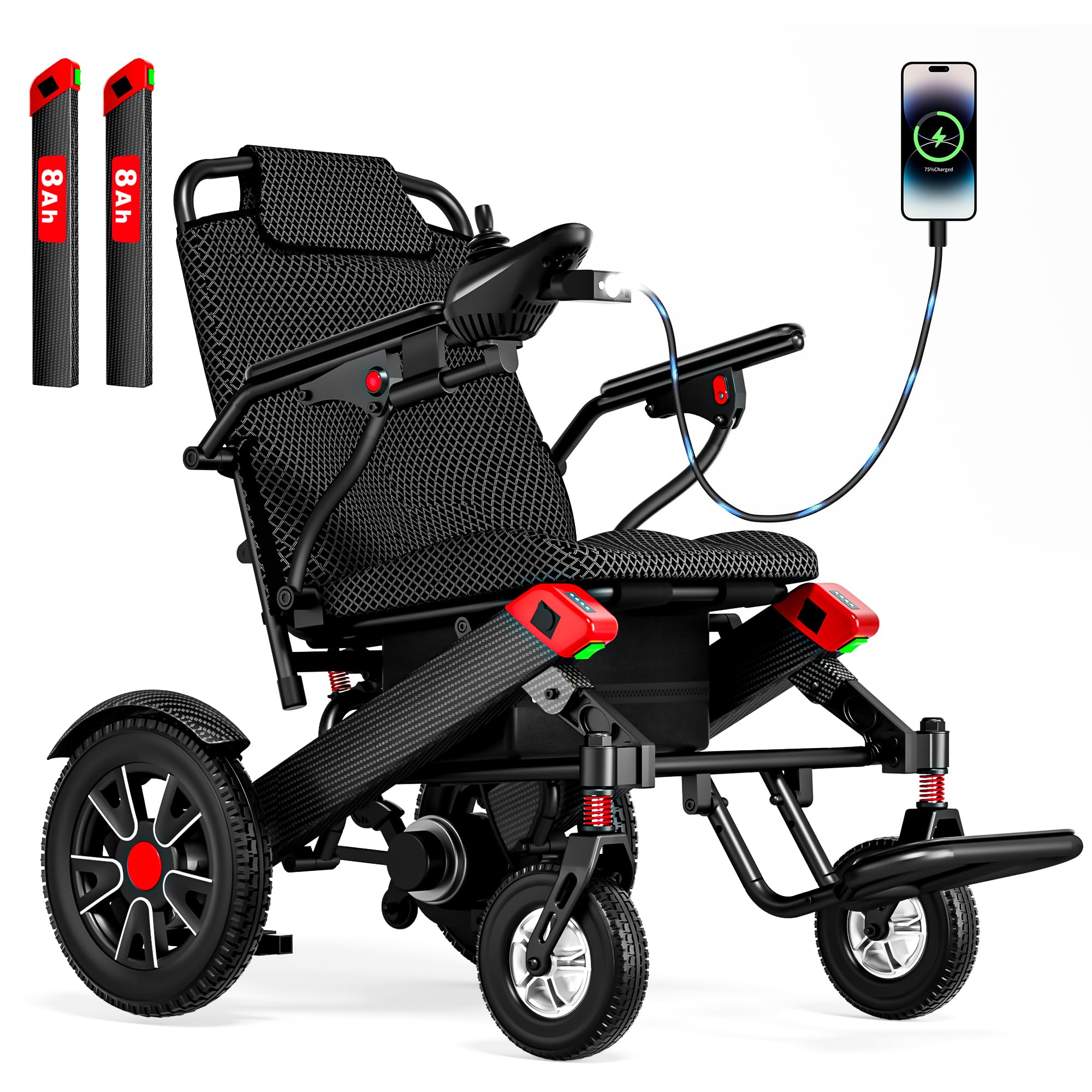
Image 1.1: The JUSTHERO Foldable Electric Wheelchair, showcasing its compact and modern design.
2. Setup and Assembly
Your JUSTHERO electric wheelchair features a one-step folding design for quick setup and storage. Follow these steps for initial assembly and preparation:
- Unfolding the Wheelchair: Place the folded wheelchair on a flat surface. Gently pull the backrest upwards and outwards until the frame locks into place. Ensure all locking mechanisms are secure.
- Attaching the Joystick Controller: The joystick controller can be mounted on either the right or left armrest, depending on user preference. Slide the controller into the designated slot on the armrest until it clicks securely. Connect the cable to the corresponding port.
- Battery Installation: Insert the batteries into the dual battery compartments located under the seat. Ensure the battery switches are in the 'ON' position for operation.
- Footrest Adjustment: Adjust the footrest to a comfortable position for the user.

Image 2.1: Illustration showing the flexibility of mounting the joystick controller on either the right or left side of the armrest.

Image 2.2: The footrest can be folded in two ways for compact storage or to facilitate user entry/exit.
3. Operating Instructions
3.1 Power On/Off and Driving
To power on the wheelchair, press the power switch on the joystick controller. The battery display will illuminate. Use the 360-degree joystick to control direction and speed. Push the joystick gently in the desired direction to move. Release the joystick to stop.

Image 3.1: Detailed view of the 360-degree joystick controller, showing the power switch, speed controls, battery display, alarm horn, LED light, and USB/Type-C charging ports.
3.2 Speed Settings
The wheelchair features 5-speed settings. Use the 'Speed+' and 'Speed-' buttons on the joystick to adjust the speed according to your environment and preference. The current speed setting is indicated on the speed display.
3.3 Braking System
The intelligent auto-braking system activates automatically when the joystick is released, ensuring the wheelchair stops safely, even on slopes. This prevents unintended movement and enhances user safety.

Image 3.2: The intelligent electronic brake system ensures safety by automatically activating when the controller is released, preventing rollback on inclines. Dual anti-tip wheels provide additional stability.
3.4 Manual and Electric Modes
Easily switch between electric and manual modes. To engage manual mode, push the levers located near the rear wheels downwards. To return to electric mode, push the levers upwards. This allows a caregiver to push the wheelchair manually when needed.

Image 3.3: Visual guide for switching between electric (push up) and manual (push down) modes using the levers near the rear wheels.
3.5 Charging the Batteries
The wheelchair is equipped with dual battery compartments. Each battery provides approximately 12 miles of range, totaling up to 24 miles with both batteries. Ensure the battery switch is 'ON' during charging. You can charge the batteries while installed in the wheelchair or remove them for off-board charging.

Image 3.4: The wheelchair batteries can be charged directly while installed or removed for charging via an external adapter.
3.6 LED Light and USB Ports
The integrated LED light can be activated via the joystick controller to illuminate the path in low-light conditions. The joystick also includes USB and Type-C charging ports, allowing you to charge your mobile devices while on the go.
3.7 Official Product Video
Video 3.1: This video demonstrates the JUSTHERO Widened Space Electric Wheelchair in operation, highlighting its features and ease of use.
4. Maintenance
Regular maintenance ensures the longevity and optimal performance of your electric wheelchair.
- Cleaning: Wipe down the frame and seat with a damp cloth. Avoid using abrasive cleaners or excessive water directly on electronic components.
- Battery Care: Always fully charge the batteries before first use and after each use. If storing the wheelchair for an extended period, charge the batteries every 1-2 months to maintain their health.
- Tire Inspection: Regularly check the pneumatic rear tires for proper inflation and wear. The front solid rubber tires require minimal maintenance.
- Motor Maintenance: The 500W dual motors are designed for low maintenance. Keep the motor areas free from debris.
- General Inspection: Periodically check all bolts, screws, and connections to ensure they are tight and secure.
5. Troubleshooting
If you encounter issues with your wheelchair, consider the following common troubleshooting steps:
- Wheelchair does not power on: Ensure the batteries are fully charged and correctly installed. Check that the battery switches are in the 'ON' position.
- Wheelchair does not move: Verify the joystick controller is securely connected. Ensure the wheelchair is in electric mode and not manual mode.
- Reduced range: Ensure both batteries are fully charged. Battery performance can be affected by extreme temperatures or heavy loads.
- Unusual noises: Inspect for any loose parts or obstructions around the wheels and motors.
For persistent issues or concerns not addressed here, please contact JUSTHERO customer support.
6. Specifications
| Feature | Specification |
|---|---|
| Model | B0H82ZS795 |
| Brand | JUSTHERO |
| Weight Capacity | Up to 350 LBS |
| Seat Width | 20.3 inches |
| Motor Power | 500W (Dual 250W Motors) |
| Battery Type | 2 x Nonstandard Battery (7.5 Ah each) |
| Max Range | Up to 24 miles (with dual batteries) |
| Front Tires | 7.6 inch Solid Rubber |
| Rear Tires | 13 inch Pneumatic |
| Max Climbing Angle | 12° |
| Wheelchair Weight (without battery) | 40 lbs |
| Airline Approval | Yes |

Image 6.1: Key dimensions of the wheelchair, including seat width, overall length, height, and weight capacity of 350 LBS.

Image 6.2: The dual battery compartment design, illustrating the range provided by single (12 miles) and dual (24 miles) batteries.

Image 6.3: Illustration of the powerful dual 500W motors, designed for handling slopes and uneven terrain with smooth power delivery and zero maintenance.
7. Warranty and Support
For warranty information, technical support, or any questions regarding your JUSTHERO Foldable Electric Wheelchair, please contact JUSTHERO customer service. Refer to your purchase documentation for specific warranty terms and contact details.