
Introduction
Thank you for choosing the oraolo S320 Portable Bluetooth Speaker. This manual provides detailed instructions to help you set up, operate, and maintain your speaker for an optimal audio experience. The S320 speaker delivers 40W audio performance with 360° stereo sound effects, IPX7 waterproofing, and up to 32 hours of playtime, making it suitable for various indoor and outdoor activities.
What's in the Box
- oraolo S320 Portable Bluetooth Speaker
- USB Charging Cable
- User Manual
- Auxiliary Audio Cable (if applicable, not specified but common)
Product Overview
Familiarize yourself with the speaker's components and controls.

Image: The oraolo S320 Portable Bluetooth Speaker, showcasing its cylindrical design and control buttons.
Control Buttons (Typical Layout)
- Power Button: Press and hold to turn on/off.
- Bluetooth Pairing Button: Activates Bluetooth pairing mode.
- Volume Up (+): Increases volume. Press and hold for next track.
- Volume Down (-): Decreases volume. Press and hold for previous track.
- Play/Pause Button: Plays or pauses audio. Answers/ends calls.
- TWS Button: Initiates True Wireless Stereo pairing.
- Charging Port: USB-C or Micro-USB for charging.
- Aux-in Port: For wired audio connection.
Setup
1. Charging the Speaker
Before first use, fully charge the speaker. Connect the provided USB charging cable to the speaker's charging port and the other end to a USB power adapter (not included) or a computer's USB port. The charging indicator light will show the charging status and turn off or change color when fully charged.
2. Powering On/Off
- To Power On: Press and hold the Power button for approximately 2-3 seconds until you hear an audible prompt and the indicator light illuminates.
- To Power Off: Press and hold the Power button for approximately 2-3 seconds until you hear an audible prompt and the indicator light turns off.
3. Bluetooth Pairing
- Ensure the speaker is powered on and in Bluetooth pairing mode (indicator light will flash).
- On your device (smartphone, tablet, computer), enable Bluetooth.
- Search for available Bluetooth devices and select "oraolo S320" from the list.
- Once connected, you will hear a confirmation sound, and the indicator light will become solid.
4. True Wireless Stereo (TWS) Pairing (Optional)
To achieve 80W stereo surround sound, you can pair two oraolo S320 speakers together.

Image: Two oraolo S320 speakers wirelessly connected, demonstrating True Wireless Stereo pairing for enhanced sound.
- Ensure both S320 speakers are powered on and not connected to any other Bluetooth device.
- On one speaker, press the TWS button. It will enter TWS pairing mode.
- The two speakers will automatically connect to each other. You will hear a confirmation sound once paired.
- Connect your device to one of the paired speakers via Bluetooth as described in step 3. Both speakers will now play audio in stereo.
Operating
Basic Audio Playback
- Play/Pause: Press the Play/Pause button once.
- Volume Up: Press the '+' button.
- Volume Down: Press the '-' button.
- Next Track: Press and hold the '+' button.
- Previous Track: Press and hold the '-' button.
Hands-Free Calling
When connected to your smartphone via Bluetooth, the S320 speaker can be used for hands-free calls.
- Answer Call: Press the Play/Pause button once.
- End Call: Press the Play/Pause button once during a call.
- Reject Call: Press and hold the Play/Pause button for 2 seconds.
IPX7 Waterproof Feature
The oraolo S320 speaker is IPX7 waterproof, meaning it can be immersed in water up to 1 meter for 30 minutes. This makes it suitable for use near water, such as by the pool, beach, or in the shower.
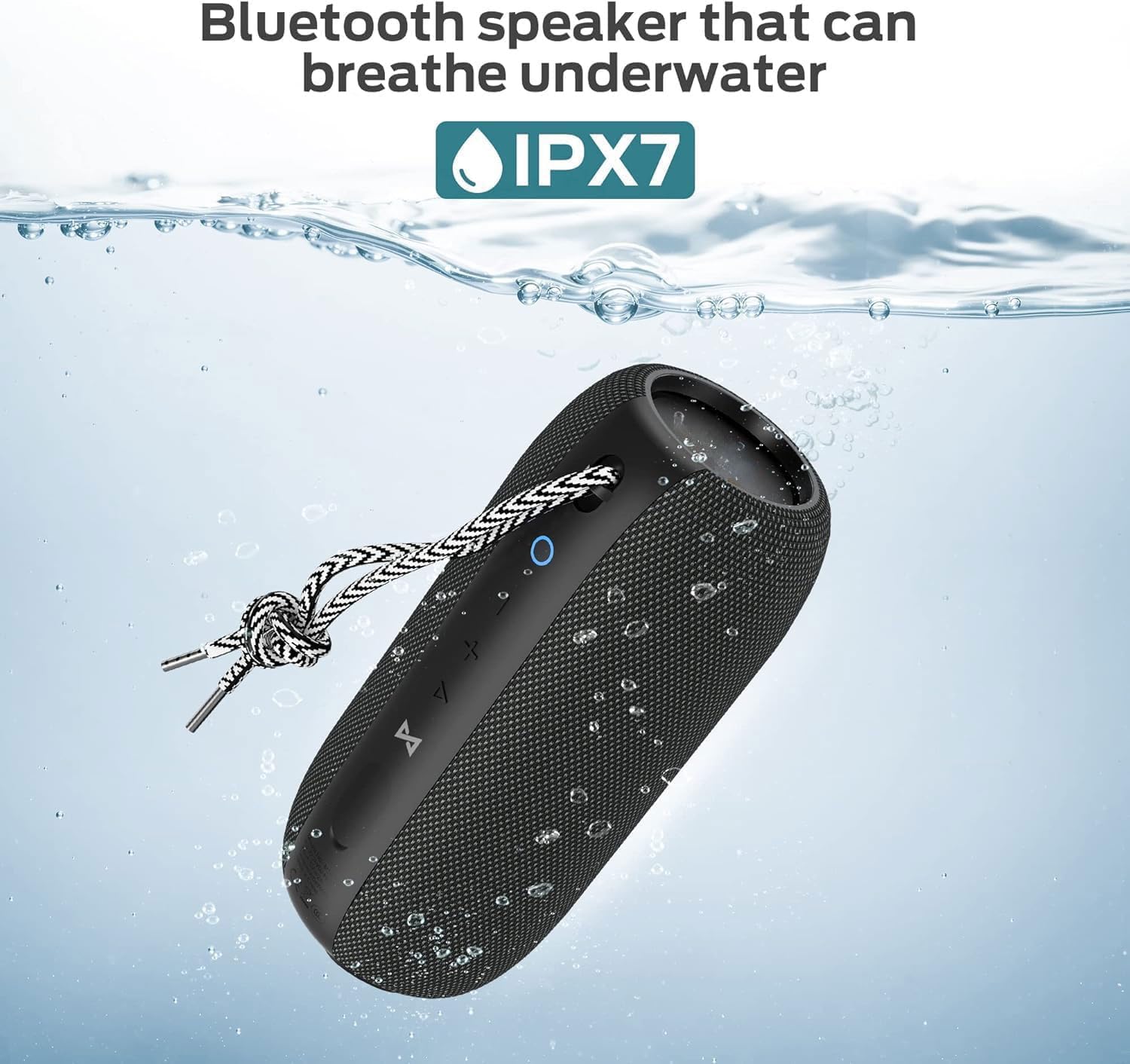
Image: The oraolo S320 speaker partially submerged in water, highlighting its IPX7 waterproof capability.
Important: Ensure the charging port cover is securely closed before exposing the speaker to water.
Extended Playtime
The S320 offers up to 32 hours of continuous music playtime at medium volume on a full charge, providing extended entertainment.

Image: A group of people enjoying music outdoors, illustrating the speaker's long battery life for extended use.
Maintenance
Cleaning
- Wipe the speaker with a soft, damp cloth.
- Do not use abrasive cleaners, alcohol, or chemical solvents.
- Ensure the charging port is dry before charging after exposure to water.
Storage
- Store the speaker in a cool, dry place away from direct sunlight and extreme temperatures.
- If storing for an extended period, charge the battery to about 50% every few months to prolong battery life.
Battery Care
- Avoid fully discharging the battery frequently.
- Do not expose the battery to high temperatures.
- Use only the provided or certified charging cables.
Troubleshooting
| Problem | Possible Solution |
|---|---|
| Speaker does not turn on | Ensure the battery is charged. Connect to a power source and try again. |
| Cannot pair via Bluetooth | Ensure the speaker is in pairing mode. Turn off and on your device's Bluetooth. Forget "oraolo S320" from your device's Bluetooth list and re-pair. Ensure no other devices are connected to the speaker. |
| No sound or low volume | Increase volume on both the speaker and your connected device. Ensure the speaker is properly connected via Bluetooth or Aux-in. |
| TWS pairing fails | Ensure both speakers are not connected to any other Bluetooth device. Try resetting both speakers and repeating the TWS pairing process. |
| Poor sound quality | Move the speaker closer to your Bluetooth device. Ensure there are no obstructions between the speaker and the device. Check the audio source quality. |
Specifications
- Model: S320
- Product Dimensions: 4 x 3 x 5 cm; 720 g
- Speaker Output Power: 40 Watts
- Connectivity: Bluetooth
- Audio Output Mode: Stereo
- Speaker Type: Portable Speaker
- Waterproof Rating: IPX7
- Battery Life: Up to 32 Hours (at medium volume)
- Power Source: Battery Powered

Image: An exploded view of the oraolo S320 speaker, highlighting its internal components responsible for 40W HiFi sound and 360° full surround audio.
Warranty
The oraolo S320 Portable Bluetooth Speaker comes with a 1-year warranty from the date of purchase. This warranty covers manufacturing defects. Please retain your proof of purchase for warranty claims. The warranty does not cover damage caused by misuse, accidents, unauthorized modifications, or normal wear and tear.
Support
For technical support, warranty claims, or any questions regarding your oraolo S320 speaker, please contact the manufacturer.
- Manufacturer: oraolo
- Manufacturer Contact Information: monster (Please refer to your product packaging or official oraolo website for the most current contact details.)


