
MMWOWARTS H2
MMWOWARTS H2 Hybrid Active Noise Cancelling Bluetooth Headphones User Manual
Model: H2
Thank you for choosing MMWOWARTS H2 Headphones. Please read this manual carefully before use and retain it for future reference.
1. Product Overview
The MMWOWARTS H2 headphones are designed to provide an immersive audio experience with advanced features for comfort and connectivity.
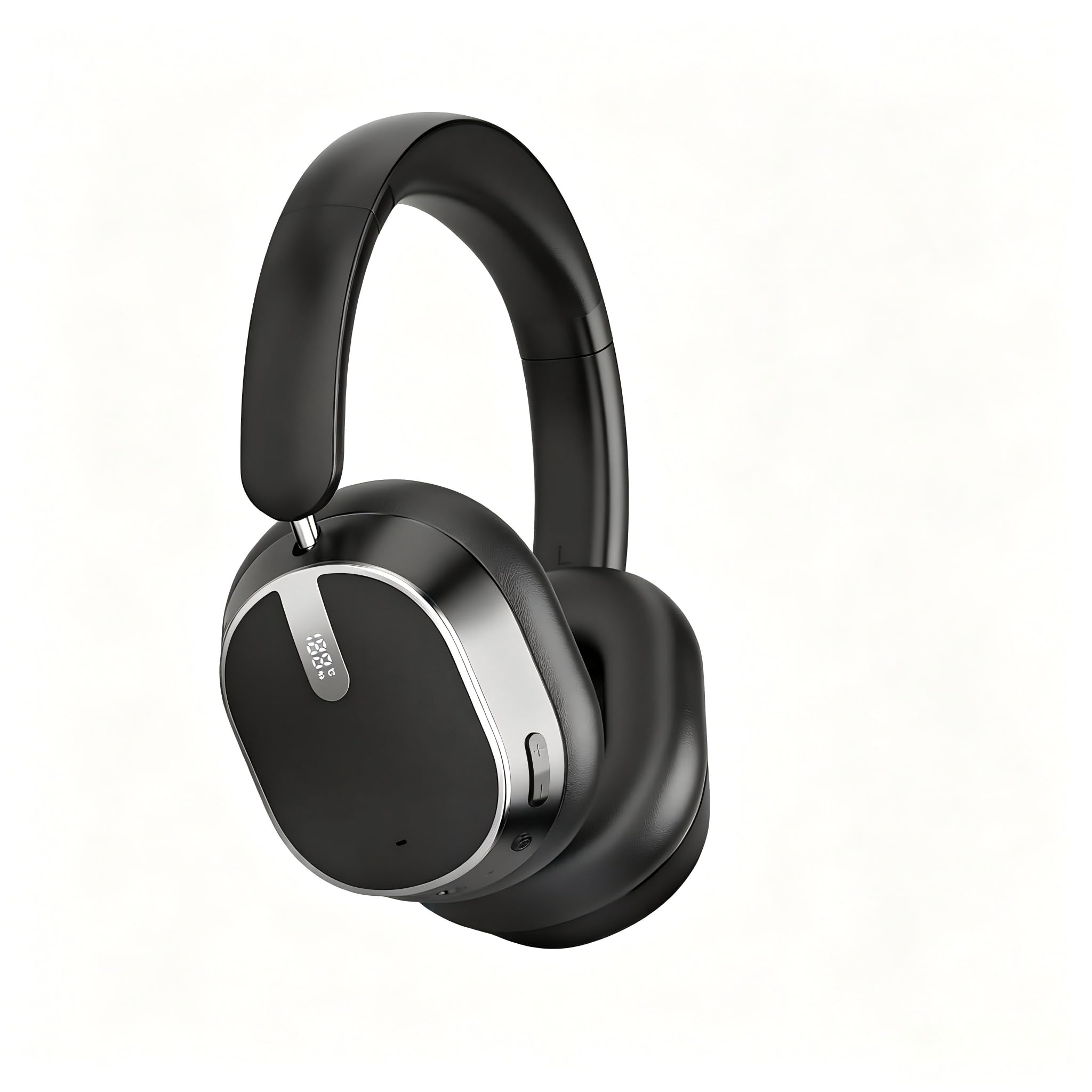
Image: MMWOWARTS H2 Hybrid Active Noise Cancelling Bluetooth Headphones, showcasing the sleek design.
Key Features:
- Hybrid Active Noise Cancellation (ANC) up to 45dB
- Up to 120 hours of playtime
- Bluetooth 6.0 for seamless connectivity
- 40mm dynamic drivers for Hi-Res Audio and deep bass
- 6-microphone system with Environmental Noise Cancellation (ENC) for clear calls
- 360° Spatial Audio with head-motion tracking
- Comfort-driven design with memory foam ear cups and adjustable headband
- Foldable and rotatable earcups for portability
2. What's in the Box
Please check the package contents upon unboxing:
- MMWOWARTS H2 Hybrid Active Noise Cancelling Headphones
- USB-C Charging Cable
- 3.5mm AUX Audio Cable
- User Manual (this document)

Image: The MMWOWARTS H2 headphones, USB-C cable, 3.5mm AUX cable, and user manual laid out, indicating the package contents.
3. Setup
3.1 Charging the Headphones
- Connect the USB-C charging cable to the charging port on the headphones.
- Connect the other end of the cable to a USB power adapter (not included) or a computer's USB port.
- The LED indicator will show charging status. A full charge provides up to 120 hours of playtime.
- A 5-minute quick charge can provide approximately 4 hours of playback.

Image: Headphones displaying a battery icon and '120H Playback', illustrating the long battery life and power display feature.
3.2 Bluetooth Pairing
- Ensure the headphones are charged.
- Press and hold the Power button for 3 seconds until the LED indicator flashes blue and red, indicating pairing mode.
- On your device (smartphone, tablet, laptop), enable Bluetooth and search for available devices.
- Select "MMWOWARTS H2" from the list of devices.
- Once connected, the LED indicator will turn solid blue.
- The headphones will automatically reconnect to the last paired device when powered on, if within range.

Image: A smartphone screen showing 'H2' in the Bluetooth device list, demonstrating the seamless Bluetooth 6.0 pairing process.

Image: Headphones surrounded by various devices (phone, laptop, watch), illustrating the one-step pairing and wide compatibility.
3.3 Wearing the Headphones
- Adjust the headband to fit comfortably over your head.
- Ensure the earcups fully cover your ears for optimal sound and noise cancellation.
- The earcups are designed with soft memory foam for extended comfort.

Image: A collage showing the headphones' foldable design, rotatable earcups, and soft memory foam, highlighting comfort and portability.
4. Operating Instructions
4.1 Button Controls
The headphones feature intuitive button controls for various functions:

Image: A visual representation of the headphone buttons and their corresponding functions for power, volume, playback, calls, and ANC.
- Power On/Off: Press and hold the Power button for 3 seconds.
- Play/Pause: Press the Multi-function button once.
- Volume Up/Down: Press the '+' or '-' buttons.
- Next Track: Press and hold the '+' button.
- Previous Track: Press and hold the '-' button.
- Answer/End Call: Press the Multi-function button once.
- Reject Call: Press and hold the Multi-function button for 2 seconds.
- Activate Voice Assistant: Double-press the Multi-function button.
4.2 Active Noise Cancellation (ANC)
The H2 headphones feature Hybrid Active Noise Cancellation to reduce ambient noise.
- Turn ANC On/Off: Press the ANC button once. The LED indicator will light up when ANC is active.
- ANC can reduce up to 95% of low-frequency ambient noise, providing a quieter listening experience.

Image: Headphones with a visual representation of sound waves being cancelled, highlighting the -45dB ANC capability and 95% low-frequency noise reduction.

Image: A person wearing the headphones on a train, illustrating the effective noise reduction in noisy environments.
4.3 AUX Wired Mode
You can use the headphones in wired mode even when the battery is low or with non-Bluetooth devices.
- Connect the provided 3.5mm AUX audio cable to the audio jack on the headphones.
- Connect the other end to your audio source.
- In wired mode, Bluetooth and ANC functions may be limited or unavailable depending on battery level.

Image: Headphones with an AUX cable connected, demonstrating the wired listening option.
4.4 Call Management
The H2 headphones feature a 6-microphone system with Environmental Noise Cancellation (ENC) for clear calls.

Image: A person wearing headphones, with text indicating 'Focused On Your Voice' and '6-Mic ENC Sound Sensors', illustrating clear call technology.

Image: A diagram showing an 'ENC Chip' and '6 microphones', emphasizing the technology for clear voice capture and ambient noise suppression.

Image: A person smiling while wearing headphones in a busy city street, illustrating the clarity of calls even in noisy environments.
5. Maintenance
- Clean the headphones regularly with a soft, dry cloth.
- Avoid using abrasive cleaners or solvents.
- Store the headphones in a cool, dry place when not in use.
- Do not expose to extreme temperatures or humidity.
- Avoid dropping or subjecting the headphones to strong impacts.
6. Troubleshooting
| Problem | Solution |
|---|---|
| Headphones won't turn on | Ensure the headphones are fully charged. |
| Cannot pair with device |
|
| No sound or low volume |
|
| ANC not working effectively |
|
7. Specifications
| Feature | Detail |
|---|---|
| Brand | MMWOWARTS |
| Model Number | H2 |
| Ear Placement | Over Ear |
| Noise Control | Hybrid Active Noise Cancellation |
| Connectivity Technology | Wireless (Bluetooth), Wired (AUX) |
| Bluetooth Version | 6.0 |
| Audio Driver Type | 40mm Dynamic Driver |
| Battery Life | Up to 120 hours |
| Control Type | Button Control |
| Material | Plastic (Enclosure) |
| Color | Greyish-black |
| Water Resistance Level | Waterproof |
8. Warranty & Support
8.1 Warranty Information
The MMWOWARTS H2 headphones come with a 90-day manufacturer's warranty from the date of purchase. This warranty covers manufacturing defects. It does not cover damage caused by misuse, accidents, unauthorized modifications, or normal wear and tear.
Please retain your proof of purchase for warranty claims.
8.2 Customer Support
For any questions, technical support, or warranty claims, please contact MMWOWARTS customer service through the retailer where you purchased the product or visit the official MMWOWARTS website for contact information.
You can also visit the MMWOWARTS Store on Amazon for more information and support resources.
9. Safety Information
- Do not use the headphones at high volume for extended periods to prevent hearing damage.
- Do not use the headphones while driving, cycling, or in situations where you need to hear ambient sounds.
- Keep out of reach of children and pets.
- Do not disassemble, repair, or modify the product.
- Dispose of the product and batteries according to local regulations.
Ask a question about this manual
Ask about setup, troubleshooting, compatibility, parts, safety, or missing instructions. Manuals+ will review the question and use this page’s manual context to help answer it.