
Introduction
This manual provides essential instructions for the safe and efficient operation of your Jensen JTV3225DCS 32-inch 12V Smart TV. Please read this manual thoroughly before using the television and retain it for future reference. The JTV3225DCS is a lightweight, energy-efficient 12V DC television designed for mobile environments, featuring a high-resolution LCD display and an integrated HDTV ATSC tuner.
Important Safety Information
Always follow basic safety precautions when using this television to reduce the risk of fire, electric shock, and injury.
- Power Source: Connect the TV only to a 12V DC power source as specified. Do not use other power sources.
- Ventilation: Ensure proper ventilation. Do not block ventilation openings.
- Water and Moisture: Do not expose the TV to rain or moisture. Do not place objects filled with liquids on the TV.
- Heat: Keep the TV away from heat sources such as radiators, heat registers, stoves, or other apparatus that produce heat.
- Cleaning: Unplug the TV from the power source before cleaning. Use a soft, dry cloth.
- Servicing: Do not attempt to service this product yourself. Refer all servicing to qualified service personnel.
- Mounting: When mounting the TV, ensure the mounting surface is strong enough to support the weight of the TV.
Package Contents
Verify that all items are present in the package:
- Jensen JTV3225DCS 32-inch 12V Smart TV
- IR Remote Control
- User Manual (this document)
- Power Cable (12V DC)
- Mounting Hardware (if included with specific model variant)
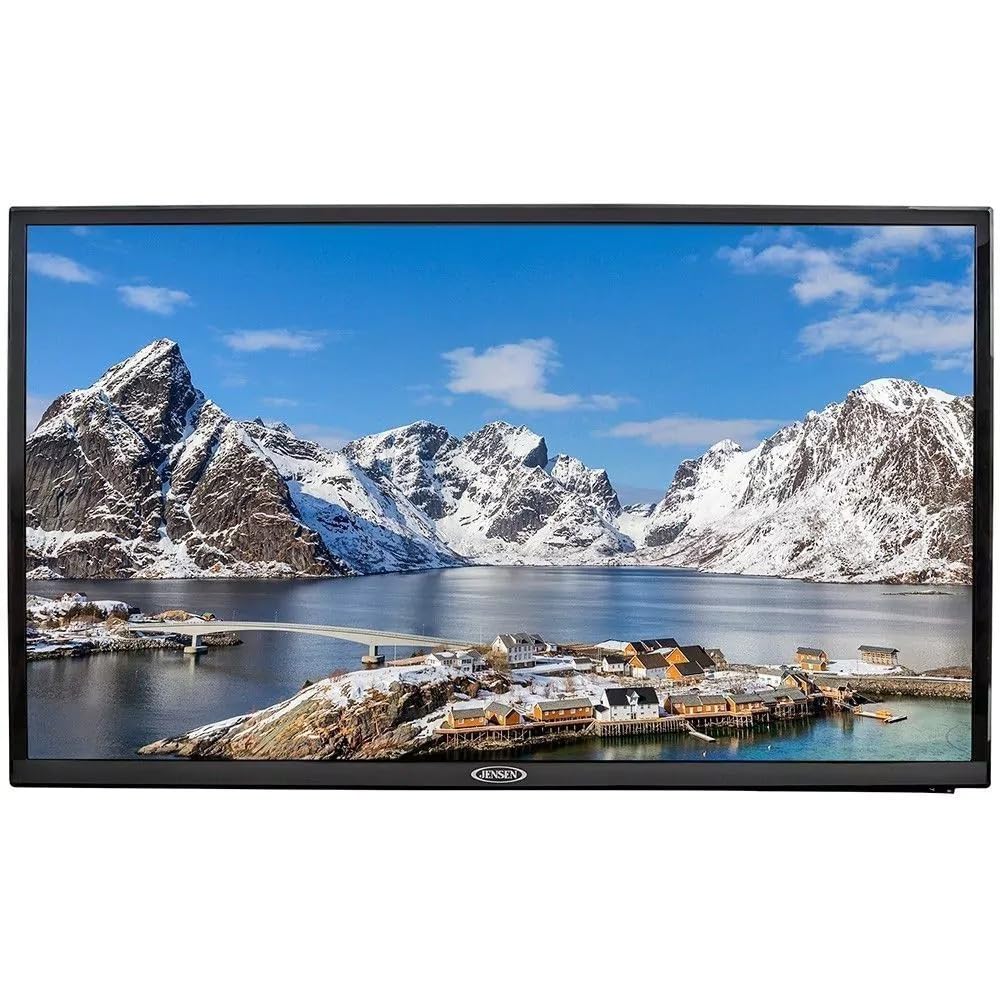
Image 1: Front view of the Jensen JTV3225DCS 32-inch 12V Smart TV. This image displays the television's screen and bezel, providing a general overview of its appearance.
Setup Instructions
1. Placement and Mounting
Choose a stable, flat surface or a suitable wall mount location. Ensure adequate space around the TV for ventilation. This TV is built for mobile use with conformal-coated circuit boards, making it suitable for RVs, boats, and other vehicles.
- If using a stand (sold separately), attach it securely according to its instructions.
- If wall-mounting, use a VESA-compatible mount (not included) and follow the mount manufacturer's instructions.
2. Power Connection
Connect the provided 12V DC power cable to the TV's DC input port and then to a compatible 12V DC power source. Ensure the connection is secure.
3. Antenna/Cable Connection
For over-the-air broadcasts, connect a digital antenna (not included) to the "ANT/CABLE IN" port on the back of the TV. For cable TV services, connect the coaxial cable from your wall outlet to the same port.
4. Connecting External Devices
The JTV3225DCS offers multiple input options for external devices.
- HDMI Devices: Connect HDMI cables from your devices (e.g., Blu-ray player, game console) to the HDMI input ports on the TV. This TV features multiple HDMI inputs.
- USB Devices: Insert USB drives into the USB input ports to view media files.
- Other Devices: Refer to the TV's port layout for other connection types if available (e.g., composite video, audio out).
5. Initial Power On and First-Time Setup
- Ensure all connections are secure.
- Press the Power button on the TV or the remote control.
- Follow the on-screen prompts to select your language, time zone, and perform an automatic channel scan for over-the-air or cable channels.
- If connecting to a network for smart TV features, follow the on-screen instructions to connect to your Wi-Fi network.
Operating Instructions
1. Remote Control Overview
The included IR remote control allows for convenient operation of your TV. Familiarize yourself with the button layout.
- Power Button: Turns the TV on or off.
- Input/Source Button: Selects the input source (HDMI 1, HDMI 2, USB, TV, etc.).
- Volume Up/Down: Adjusts the audio volume.
- Channel Up/Down: Changes TV channels.
- Menu Button: Accesses the main menu for settings adjustments.
- Navigation Buttons (Arrow Keys): Used to navigate through menus and options.
- OK/Enter Button: Confirms selections.
- Smart TV Buttons: Dedicated buttons for accessing smart TV applications (if applicable).
2. Basic TV Functions
- Power On/Off: Press the POWER button on the remote or TV.
- Adjusting Volume: Use the VOL+ and VOL- buttons.
- Changing Channels: Use the CH+ and CH- buttons.
- Mute: Press the MUTE button to silence the audio.
3. Input Source Selection
To switch between connected devices (e.g., HDMI, USB, TV tuner):
- Press the INPUT or SOURCE button on the remote.
- Use the arrow keys to highlight the desired input source.
- Press OK/ENTER to confirm.
4. Menu Navigation and Settings
Access the TV's settings menu to customize picture, sound, network, and other options.
- Press the MENU button on the remote.
- Use the arrow keys to navigate through menu categories (e.g., Picture, Sound, Network, Channel, System).
- Press OK/ENTER to enter a sub-menu or adjust a setting.
- Use the EXIT or BACK button to return to the previous menu or exit the menu entirely.
5. Smart TV Features
As a Smart TV, the JTV3225DCS allows access to various online streaming services and applications when connected to the internet. Specific applications and features may vary.
- Ensure the TV is connected to a stable Wi-Fi network (refer to "Network Settings" in the menu).
- Use dedicated Smart TV buttons on the remote or navigate to the "Smart Hub" or "Apps" section in the main menu.
- Select and launch desired applications.
Maintenance
1. Cleaning the TV
To maintain the appearance and performance of your TV:
- Always unplug the TV from the power source before cleaning.
- Screen: Gently wipe the screen with a soft, lint-free cloth. For stubborn marks, lightly dampen the cloth with water or a specialized screen cleaner (do not spray directly onto the screen).
- Cabinet: Wipe the cabinet and frame with a soft, dry cloth. Avoid using abrasive cleaners, waxes, or solvents.
2. Storage
If storing the TV for an extended period:
- Disconnect all cables and the power supply.
- Store the TV in a cool, dry place, away from direct sunlight and extreme temperatures.
- Use the original packaging or similar protective materials to prevent dust and damage.
Troubleshooting
Before contacting customer support, try the following solutions for common issues:
| Problem | Possible Cause / Solution |
|---|---|
| No Power |
|
| No Picture, but Sound is Present |
|
| No Sound |
|
| Poor Picture Quality / No Channels |
|
| Remote Control Not Working |
|
| Smart TV Features Not Working / No Internet |
|
Specifications
The following are the technical specifications for the Jensen JTV3225DCS 32-inch 12V Smart TV:
| Feature | Detail |
|---|---|
| Brand | Jensen |
| Model Name | Jensen JTV3225DCS |
| Screen Size | 32 inches |
| Display Technology | LCD |
| Resolution | 1366 x 768 |
| Aspect Ratio | 16:9 |
| Signal Format | ATSC (Integrated HDTV Tuner) |
| Connectivity Technology | HDMI, USB |
| Hardware Interface | HDMI, Infrared, USB |
| Audio Input | HDMI |
| Control Method | Remote |
| Special Feature | Lightweight, Energy-efficient, Built for mobile use (conformal-coated circuit boards) |
| Item Weight | 11.7 pounds |
| Power Source | 12V DC |
| UPC | 681787025082 |
| ASIN | B0H5Y447JS |
Warranty and Support
Jensen products are designed for reliability and performance. For specific warranty details, please refer to the warranty card included with your product or visit the official Jensen website. For technical support, troubleshooting assistance beyond this manual, or to inquire about service, please contact Jensen customer support through their official channels.
Please retain your proof of purchase for warranty claims.


