
1. Product Overview
The LICAEVEY HRD-787DAB+ is a versatile portable radio offering both DAB and FM reception, along with Bluetooth 5.2 connectivity and TF card playback. Designed for home, travel, and outdoor use, it includes emergency features such as an SOS alarm and a flashlight. The device can also be controlled via a mobile application.
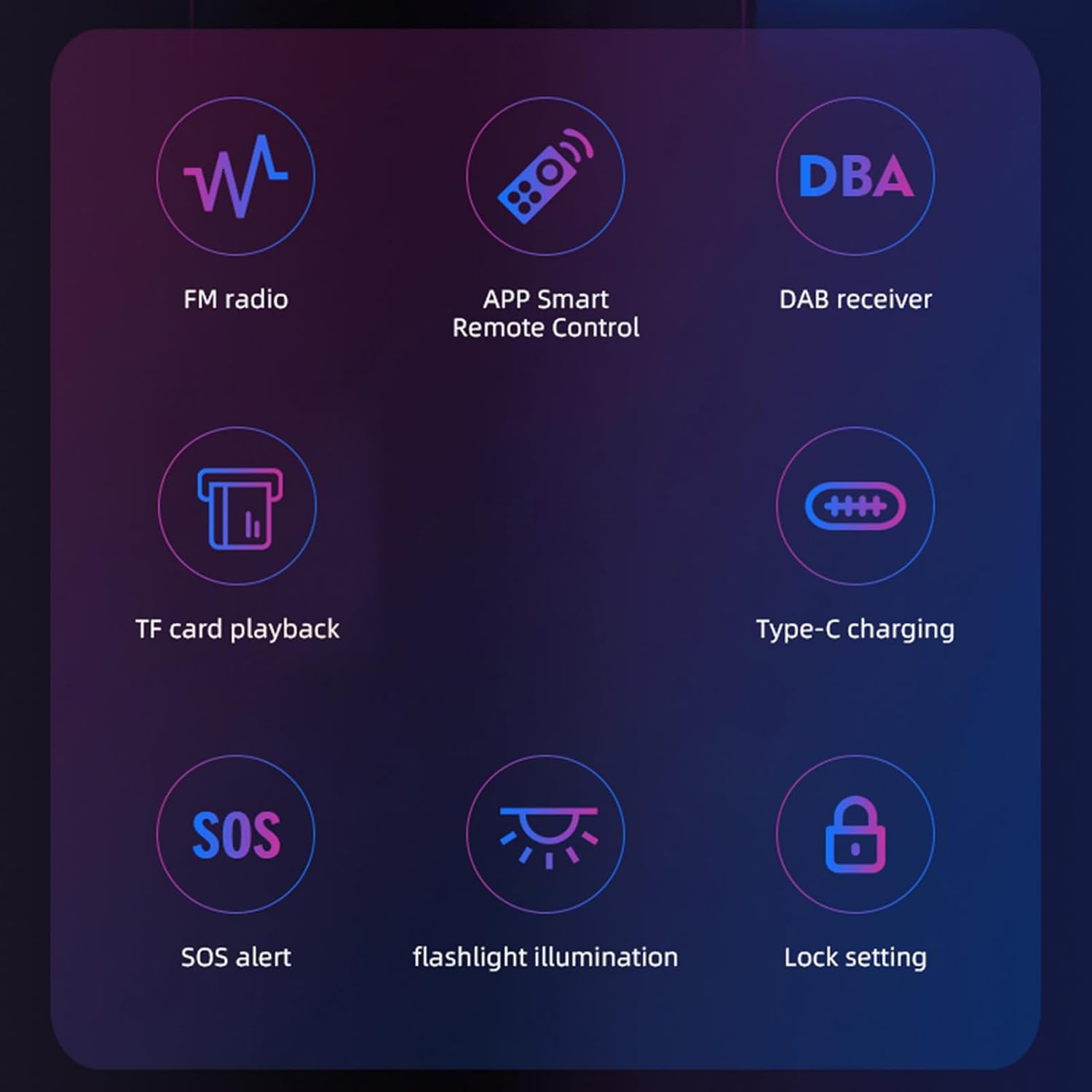
Image 1.1: Overview of HRD-787DAB+ key features.
2. Package Contents
Please check the package for the following items:
- 1 x HRD-787DAB+ Portable Radio
- 1 x Lanyard
- 1 x Storage Bag
- 1 x USB Type-C Charging Cable
- 1 x User Manual

Image 2.1: Contents included in the HRD-787DAB+ package.
3. Controls and Display
The HRD-787DAB+ features an intuitive layout with a clear display and accessible buttons for easy operation. The front panel includes the speaker and display, while side controls manage power, volume, and mode selection.

Image 3.1: Front view of the HRD-787DAB+ radio, highlighting the display and control buttons.
Key Controls:
- MENU Button: Accesses settings and options.
- EQ Button: Adjusts equalizer settings.
- ENT/MEMO Button: Confirms selections or saves presets.
- VOL+ / VOL- Buttons: Adjusts volume levels.
- Up/Down Arrows: Navigates menus or tunes frequencies.
- Power/Mode Button: Turns the device on/off and switches between modes (FM, DAB, BT, TF).
- SOS Button: Activates the emergency alarm.
- Flashlight Button: Turns the flashlight on/off.
4. Setup
4.1 Charging the Device
Before initial use, fully charge the HRD-787DAB+ radio. Connect the provided USB Type-C charging cable to the radio's Type-C port and the other end to a standard USB power adapter (DC 5.0V, not included) or a computer's USB port.
- The charging indicator light will illuminate during charging.
- The indicator will change or turn off once charging is complete.
4.2 Initial Power On
Press and hold the Power/Mode button to turn on the radio. The display will light up, indicating the device is active.
5. Operating Instructions
5.1 Mode Selection
Press the Power/Mode button repeatedly to cycle through available modes: FM Radio, DAB Radio, Bluetooth, and TF Card Playback.
5.2 FM Radio Operation
- Switch to FM mode.
- Press the 'MENU' button, then use the arrow buttons to select 'Auto Scan' or 'Manual Tune'.
- Press 'ENT/MEMO' to start scanning or confirm frequency.
- To save a station, tune to the desired frequency, then press and hold 'ENT/MEMO'. Use arrow buttons to select a preset number and press 'ENT/MEMO' again to save.
5.3 DAB Radio Operation
- Switch to DAB mode.
- The radio will automatically scan for available DAB stations upon first use or when entering DAB mode.
- Use the arrow buttons to navigate through the list of found stations.
- Press 'ENT/MEMO' to select and listen to a station.
5.4 Bluetooth Pairing
- Switch to Bluetooth mode. The radio will enter pairing mode, indicated by a flashing Bluetooth icon on the display.
- On your mobile device, enable Bluetooth and search for available devices.
- Select "HRD-787DAB+" from the list to pair.
- Once paired, the Bluetooth icon will become solid, and you can stream audio from your device.
5.5 TF Card Playback
- Insert a TF card (up to 256GB, not included) with MP3/FLAC/APE/WAV/WMA audio files into the TF card slot.
- Switch to TF Card mode. The radio will automatically detect and begin playing audio files from the card.
- Use the navigation buttons to skip tracks or adjust playback.
5.6 App Remote Control
The HRD-787DAB+ supports remote control via a dedicated mobile application. Download the app (refer to the user manual for QR code or app store name) and connect it to your radio via Bluetooth. The app allows for channel selection, mode switching, and settings management.

Image 5.1: The HRD-787DAB+ radio controlled by a mobile application.
5.7 SOS Alarm Function
In an emergency, press the dedicated SOS button to activate a loud alarm signal. This feature is designed to provide an added layer of safety during outdoor activities or unexpected situations.
5.8 Flashlight Operation
Press the Flashlight button to turn on the integrated LED flashlight. This can be used for pathway illumination or as a general light source in low-light conditions.

Image 5.2: The HRD-787DAB+ with its flashlight activated.
5.9 Headphone Use
For private listening, connect standard 3.5mm headphones to the headphone jack located on the top of the device. This will mute the external speaker.

Image 5.3: The HRD-787DAB+ featuring a 3.5mm headphone jack.
6. Maintenance
- Cleaning: Use a soft, dry cloth to clean the radio's surface. Avoid using abrasive cleaners or solvents.
- Storage: Store the radio in a cool, dry place away from direct sunlight and extreme temperatures.
- Battery Care: To prolong battery life, avoid fully discharging the battery frequently. Charge the device regularly, even if not in use for extended periods.
- Water Exposure: This device is not waterproof. Avoid exposure to rain, splashes, or immersion in water.
7. Troubleshooting
7.1 No Power / Device Not Turning On
- Ensure the battery is charged. Connect the radio to a power source using the charging cable.
- Press and hold the Power/Mode button for a few seconds.
7.2 Poor Radio Reception (FM/DAB)
- Extend the telescopic antenna fully.
- Relocate the radio to an area with better signal reception, away from obstructions or electronic interference.
- Perform an auto-scan for stations again.
7.3 Bluetooth Not Connecting
- Ensure the radio is in Bluetooth pairing mode (flashing icon).
- Make sure Bluetooth is enabled on your mobile device and it is within 10 meters of the radio.
- Forget the device from your mobile's Bluetooth settings and attempt to pair again.
7.4 TF Card Not Playing
- Ensure the TF card is inserted correctly and fully into the slot.
- Check that the audio files on the card are in a supported format (MP3/FLAC/APE/WAV/WMA).
- Verify the TF card is not corrupted or empty.
8. Specifications
| Feature | Specification |
|---|---|
| Receiving Frequency Range | FM: 87.5-108MHz, DAB: 168.00-240.00MHz |
| Bluetooth Version | V5.2 |
| Bluetooth Transmission Distance | ≤10m / 32.81ft |
| Speaker | Diameter 40mm / 4 Ohm / 3W |
| Preset Stations | 30 (FM mode) |
| TF Card Playable Formats | MP3 / FLAC / APE / WAV / WMA |
| TF Card Maximum Support Capacity | 256GB (not included) |
| Battery Capacity | 3.7V 1000mAh (Built-in) |
| External Input Voltage | DC 5.0V |
| Minimum Operating Voltage | 3.4V |
| Standby Current | ≤70 μA |
| Maximum Operating Current | ≤820 mA |
| Stereo Separation | ≥30dB |
| Dimensions (L×W×H) | Approx. 92×53.2×26mm / 3.62×2.09×1.02in |
| Weight | Approx. 97g / 3.42oz |

Image 8.1: Dimensions of the HRD-787DAB+ radio.
9. Warranty and Support
This product comes with a manufacturer warranty for 90 days from the date of purchase. Please retain your proof of purchase for warranty claims.
For technical support or warranty inquiries, please contact LICAEVEY customer service through the retailer where the product was purchased or refer to the contact information provided on the product packaging.