
Introduction
This manual provides detailed instructions for the Fajocru 4G Senior GPS Smart Watch. This device is designed to enhance the safety and connectivity of seniors through features such as real-time GPS tracking, fall detection, and emergency SOS alerts. Please read this manual thoroughly before using the watch to ensure proper operation and to utilize all available functions.
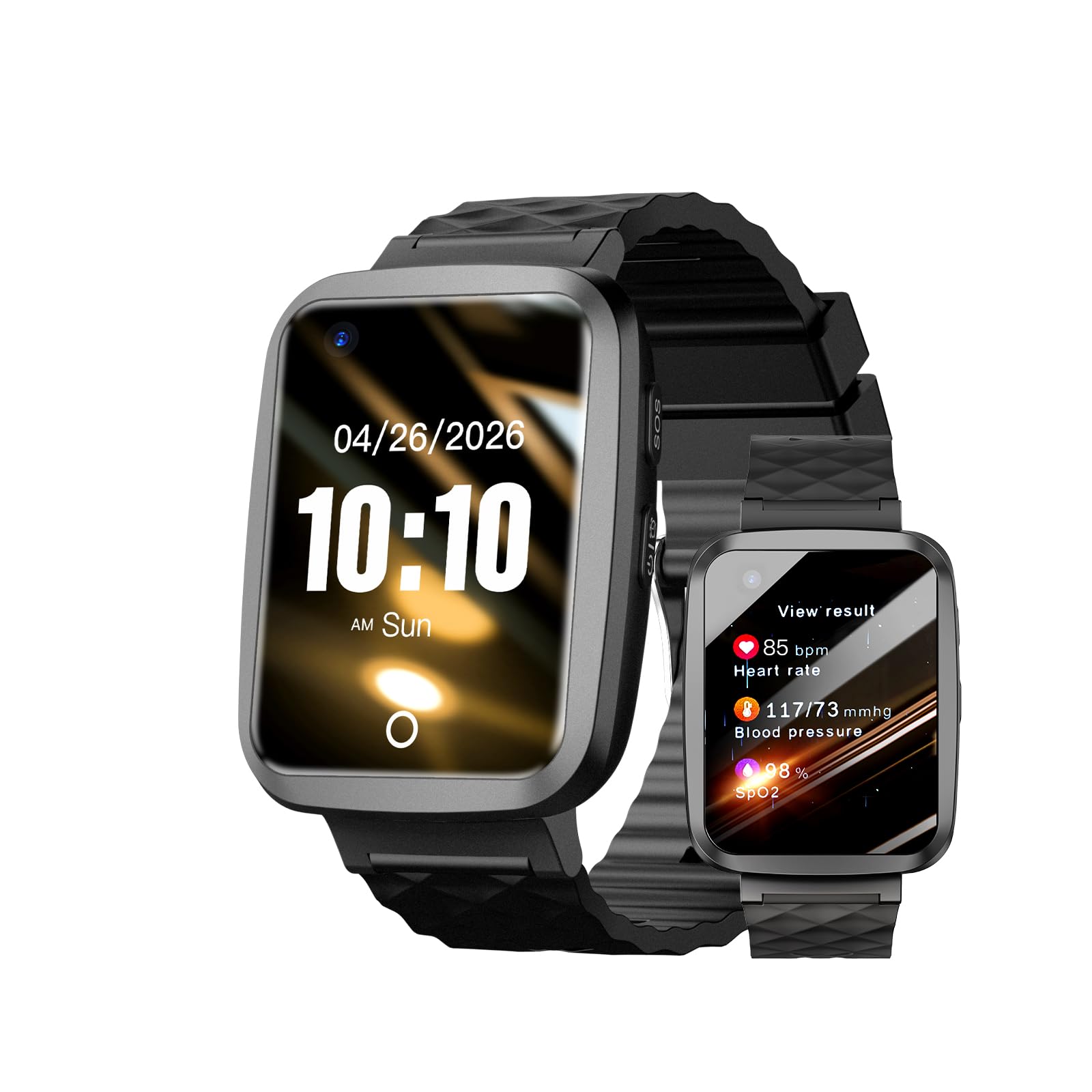
Image: The Fajocru 4G Senior GPS Smart Watch, showcasing its design and display.
Package Contents
Verify that all items are present in the package:
- Fajocru 4G Senior GPS Smart Watch
- Charging Cable
- User Manual (this document)
- Data-only SIM card (pre-installed, 1 year free data service)

Image: Diagram showing the smart watch, charging cable, and strap components with dimensions.
Setup Guide
1. SIM Card Installation
The watch comes with a pre-installed data-only SIM card for location tracking. For voice calls and automatic fall detection calls, you must insert your own standard SIM card with voice service. Ensure the watch is powered off before inserting or removing any SIM card.
- Power off the smart watch.
- Locate the SIM card slot on the side of the watch.
- Carefully insert your standard SIM card into the slot, ensuring correct orientation.
- Close the SIM card slot cover securely.
2. App Download and Registration
To manage the watch and access its features, download the companion application (AnyTracking or Setracker) on your smartphone. Follow these steps:

Image: Visual guide for downloading and registering the companion app.
- Step 01: Insert the SIM card while the watch is powered off.
- Step 02: Turn on the watch and tap the "QR code" icon on the screen.
- Step 03: Click on "APP code" to display the QR code for app download.
- Step 04: Scan the QR code with your smartphone to download the app. Alternatively, visit www.myaqsh.com/setracker.html to download the app directly.
- Step 05: Choose the appropriate app version for your smartphone (iPhone or Android) and download it.
- Step 06: Open the app and select "Add Device".
- Step 07: Log in by scanning the device ID QR code or manually entering the 10-digit ID number found on the watch.
- Step 08: Complete the registration process by following the on-screen prompts.
3. Initial Device Pairing
After app registration, ensure the watch is connected to the network. The app will guide you through adding the watch as a device. Once paired, you can configure emergency contacts, safety zones, and other settings within the application.
Operating Instructions
1. Power On/Off
- Power On: Press and hold the power button until the screen illuminates.
- Power Off: Press and hold the power button, then select "Power Off" on the screen. Alternatively, you can power off the device remotely via the companion app.
2. Charging
Connect the magnetic charging cable to the charging points on the back of the watch and plug the USB end into a standard USB power adapter (not included). A full charge takes approximately 2 hours. The watch features a 600mAh lithium polymer battery.

Image: The smart watch display showing a battery indicator, illustrating its low power consumption and long battery life.
3. Fall Detection and SOS
The watch is equipped with high-precision sensors to detect accidental falls. When a fall is detected, an emergency alert is automatically sent to designated contacts via the app. For this feature to include automatic calls, a standard SIM card with voice service must be installed.
- Automatic Fall Alert: If a fall is detected, the watch will initiate an alert sequence.
- Manual SOS: In an emergency, press and hold the power button for 3 seconds to trigger an SOS alert to preset contacts.

Image: A visual representation of the fall detection system, showing an alert on the watch and a notification on a smartphone.
4. GPS Tracking and Location History
Utilizing advanced GPS technology, the watch provides real-time location tracking. You can view the current location and one month of location history through the companion app. This feature is active with the pre-installed data-only SIM card.

Image: A smartphone screen displaying a map with the watch's location, demonstrating the GPS tracking capability.
5. Two-Way Calling and Voice Messaging
The watch supports two-way calling and voice messaging with pre-approved contacts. To enable voice calls, a standard SIM card with voice service is required. Voice messages can be sent and received via the app.
6. Medication Reminder
Set medication reminders through the companion app. The watch will ring continuously for one minute at the scheduled time to remind the user to take their medication.

Image: A close-up of the smart watch displaying a medication reminder notification.
7. Water Resistance (IP67)
The watch is IP67 water-resistant, meaning it can withstand splashes, rain, and short-term immersion. It is suitable for daily use and can endure accidental spills and showers. Do not use for swimming, bathing, or any situation involving prolonged immersion in water. Avoid high-temperature water exposure.

Image: A person's hand wearing the smart watch under running water, illustrating its IP67 water resistance.
8. Health Monitoring
The watch includes various health monitoring functions:
- Heart Rate Monitor: Measures heart rate.
- Blood Pressure & Blood Oxygen: Provides reference measurements for blood pressure and blood oxygen levels.
- Pedometer: Tracks daily steps.
- Sleep Monitor: Monitors sleep patterns.
These features are for informational purposes and should not be used for medical diagnosis or treatment.
9. Other Features
The watch also includes a camera, video phone call and text capabilities, chronometer, alarm, calculator, and notification display. The watch automatically adjusts time based on location and supports over 460 kinds of APN for wide network compatibility.
Maintenance
- Cleaning: Wipe the watch and strap with a soft, dry cloth. For stubborn dirt, use a slightly damp cloth and dry thoroughly. Avoid harsh chemicals or abrasive materials.
- Battery Care: To prolong battery life, avoid fully discharging the watch frequently. Charge the watch regularly, even if not in constant use. Store in a cool, dry place if not used for extended periods.
- Water Exposure: While IP67 rated, avoid prolonged exposure to water, hot water, or steam. Ensure the SIM card slot cover is properly sealed after installation.
Troubleshooting
| Issue | Possible Cause | Solution |
|---|---|---|
| Watch does not power on | Low battery; power button not held long enough. | Charge the watch for at least 30 minutes. Press and hold the power button for 5-10 seconds. |
| No network signal / Cannot make calls | SIM card not installed correctly; SIM card has no voice service; poor network coverage. | Ensure SIM card is correctly inserted. Verify SIM card has active voice service. Move to an area with better network coverage. |
| GPS location is inaccurate | Weak GPS signal (indoors, dense urban areas); data connection issues. | Move to an open outdoor area. Ensure the data SIM card has active service. |
| App cannot connect to watch | Incorrect device ID; watch not connected to network; app issues. | Verify the 10-digit device ID. Ensure the watch has network connectivity. Restart the app and watch. |
| Fall detection not working | Feature not enabled in app; watch not worn correctly; specific fall type not detected. | Ensure fall detection is enabled in the companion app. Wear the watch snugly on the wrist. Note that not all fall types may be detected. |
Specifications
- Model: B0GYL5Y5QN
- Operating System: Android Wear 1.0
- Memory Storage Capacity: 1 GB
- Battery Capacity: 600 mAh Lithium Polymer
- Battery Charge Time: Approximately 2 hours
- Connectivity Technology: Cellular (4G LTE)
- Wireless Provider: Unlocked
- GPS: Built-in GPS
- Screen Size: 1.56 inches
- Case Material: Acrylonitrile Butadiene Styrene (ABS)
- Water Resistance Level: IP67 (Waterproof)
- Metrics Measured: Heart Rate, Pedometer, Blood Pressure Reference
- Human Interface Input: Microphone, Touchscreen
- Compatible Devices: Smartphones (Android Devices, iOS Devices)
- Color: Charcoal
Warranty Information
The Fajocru 4G Senior GPS Smart Watch comes with a 1-year manufacturer's limited warranty from the date of purchase. This warranty covers defects in materials and workmanship under normal use. It does not cover damage caused by misuse, accidents, unauthorized modifications, or failure to follow the instructions in this manual. Please retain your proof of purchase for warranty claims.
Customer Support
For technical assistance, troubleshooting, or warranty inquiries, please contact Fajocru customer support. Refer to the contact information provided with your product packaging or visit the official Fajocru website for support resources.


