
Introduction
This manual provides comprehensive instructions for the setup, operation, and maintenance of your BLAUPUNKT 24WGC5501S 24-inch HD Ready Smart TV. This compact television features Google TV with integrated Chromecast, a clear 1366x768 LED display, Dolby Audio, Wi-Fi, Bluetooth 5.0, and various connectivity options. Please read this manual thoroughly before using your TV to ensure proper functionality and safety.
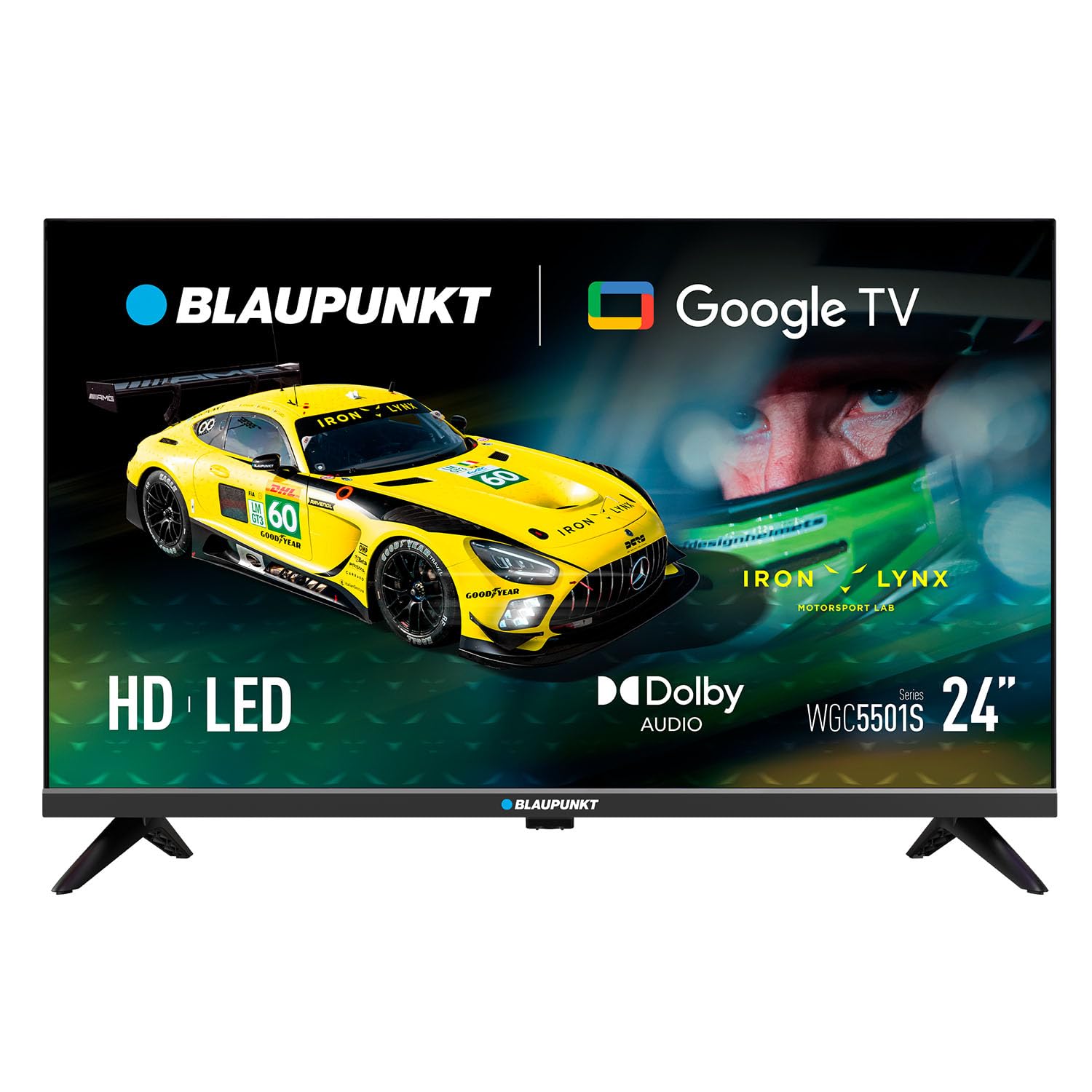
Image: Front view of the BLAUPUNKT 24WGC5501S 24-inch Smart TV, showcasing its sleek design and display.
Safety Information
Always follow basic safety precautions when using this television to reduce the risk of fire, electric shock, and injury. Keep the TV away from water and moisture. Do not block ventilation openings. Use only attachments/accessories specified by the manufacturer. Unplug the TV during lightning storms or when unused for long periods. Refer to the full safety guidelines in the included printed manual.
Key Features
The BLAUPUNKT 24WGC5501S Smart TV offers a range of features designed for a comprehensive entertainment experience:
- HD Ready Display: 24-inch LED LCD screen with 1366 x 768 pixel resolution for clear visuals.
- Google TV 5.0: Intuitive smart TV platform with access to a wide array of streaming applications.
- Chromecast Built-in: Easily cast content from your mobile devices directly to the TV.
- Dolby Audio: Enhanced sound quality with 8W (2x4W) stereo speakers.
- Versatile Connectivity: Includes Wi-Fi, Bluetooth 5.0, 2 HDMI ports, 1 USB port, Ethernet, AV Mini, and SPDIF Optical Out.
- Integrated Tuner: Supports DVB-T/T2/C/S/S2 for various digital broadcasting standards.
- Practical Functions: Features like EPG, Teletext, PVR recording, HDMI-ARC, and HDMI-CEC for convenience.
- Compact Design: Lightweight and VESA compatible (200 x 100 mm) for flexible placement.
What's in the Box
Verify that all components are present upon unpacking:
- BLAUPUNKT 24WGC5501S Smart TV
- Remote control
- Power cable
- User manual (printed version)
- Stand (2 pieces)
Setup
1. Attaching the Stand
- Carefully place the TV face-down on a soft, flat surface to prevent screen damage.
- Align each stand piece with the corresponding slots on the bottom of the TV.
- Secure the stands using the screws provided (typically included with the stand pieces).

Image: Rear view of the TV, illustrating the VESA mounting points and the areas where the stand legs attach.
2. Wall Mounting (Optional)
This TV supports VESA standard 200 x 100 mm wall mounts. Ensure you use a compatible wall mount bracket and follow the instructions provided with the mount. Disconnect the stand before wall mounting.
3. Connecting External Devices
The TV offers various ports for connecting external devices:
- HDMI (x2): Connect Blu-ray players, game consoles, or set-top boxes.
- USB 2.0 (x1): For media playback from USB drives.
- LAN (RJ45): For wired internet connection.
- AV Mini: For older analog devices.
- SPDIF Optical Out: For digital audio output to soundbars or home theater systems.
- CI+ Slot: For conditional access modules (CAM) for encrypted channels.
- Antenna/Satellite Input: For DVB-T/T2/C/S/S2 tuner connection.

Image: Left side view of the TV, detailing the HDMI, USB, and CI+ ports for various connections.

Image: Right side view of the TV, showing the power input connection.
4. Power Connection
Connect the power cable to the TV's AC input and then plug it into a suitable wall outlet (100–240 V AC).
5. Initial Setup
Upon first power-on, the TV will guide you through the initial setup process:
- Language Selection: Choose your preferred language.
- Network Connection: Connect to your Wi-Fi network or use an Ethernet cable.
- Google Account Login: Sign in with your Google account to access Google TV features and apps.
- Channel Scan: The TV will scan for available digital channels via the connected antenna or satellite.
Operating Instructions
1. Remote Control
Use the provided remote control to navigate the TV's functions. Insert two AAA batteries (not included) into the remote control, observing polarity.
- Power Button: Turns the TV on or off.
- Volume +/-: Adjusts the volume level.
- Channel +/-: Changes TV channels.
- Navigation Buttons: Used to move through menus and select options.
- Home Button: Accesses the Google TV home screen.
- App Buttons: Direct access to popular streaming services like Netflix, YouTube, Prime Video, Disney Plus.
2. Google TV Interface
The Google TV interface provides a personalized experience with recommendations based on your viewing habits. From the home screen, you can access:
- Apps: Download and manage your favorite streaming applications.
- Live TV: Access broadcast channels.
- Library: Your purchased or rented content.
- For You: Personalized content recommendations.

Image: The Google TV 5.0 interface, showing various streaming app icons and content recommendations.
3. Chromecast Built-in
With Chromecast built-in, you can cast content from your compatible smartphone, tablet, or computer directly to your TV. Look for the Cast icon (a rectangle with three curved lines in the bottom-left corner) within supported apps on your mobile device.
4. Tuner Functions
- DVB-T/T2/C/S/S2: Supports various digital terrestrial, cable, and satellite broadcasting standards.
- EPG (Electronic Program Guide): View upcoming program schedules.
- Teletext: Access text-based information services.
- PVR (Personal Video Recorder): Record TV programs to a connected USB storage device.
5. Audio and Video Features
The TV features Dolby Audio for enhanced sound quality. The integrated stereo speakers provide 2 x 4 W (8 W total) output. It also supports HDR for improved contrast and color depth.

Image: Visual representation of Dolby Audio, emphasizing balanced and harmonious sound.

Image: Visual representation of HDR technology, highlighting enhanced detail in both bright and dark scenes.
Maintenance
1. Cleaning
- Screen: Gently wipe the screen with a soft, lint-free cloth. For stubborn marks, use a screen-specific cleaning solution applied to the cloth, not directly to the screen.
- TV Body: Wipe with a soft, dry cloth. Avoid using abrasive cleaners or solvents.
- Always unplug the TV before cleaning.
2. Software Updates
The TV may receive software updates to improve performance and add new features. Ensure your TV is connected to the internet to receive these updates. You can usually check for updates in the TV's settings menu. Guaranteed software updates are not specified beyond the initial purchase.
Troubleshooting
If you encounter issues with your TV, refer to the following common solutions:
- No Power: Check if the power cable is securely connected to both the TV and the wall outlet. Try a different outlet.
- No Picture/Sound: Ensure the correct input source is selected. Check all cable connections to external devices.
- No Internet Connection: Verify your Wi-Fi password. Restart your router and the TV. If using Ethernet, check the cable connection.
- Remote Control Not Working: Replace the batteries. Ensure there are no obstructions between the remote and the TV's IR sensor.
- App Issues: Try restarting the app or clearing its cache in the TV's settings.
For more detailed troubleshooting, consult the full user manual (PDF) or contact customer support.
Specifications
| Feature | Detail |
|---|---|
| Model Name | 24WGC5501S |
| Screen Technology | LED LCD HD Ready |
| Resolution | 1366 x 768 px |
| Screen Size | 24" (59.9 cm) |
| Aspect Ratio | 16:9 |
| Typical Contrast | 2250:1 |
| Brightness | 150–180 nits |
| Refresh Rate | 60 Hz |
| Viewing Angle | 178° (H) / 178° (V) |
| Response Time | 9.5 ms |
| Colors | 16.7 million |
| Audio Power | 2 × 4 W (8 W total) |
| Audio Technology | Dolby Audio |
| Tuner Support | DVB-T/T2/C/S/S2 |
| CI+ Slot | 1 |
| Smart TV OS | Google TV 5.0 |
| CPU | ARM Cortex-A55 Quad Core 1.45 GHz |
| GPU | G31MP2 Dual Core |
| RAM | 1 GB |
| Flash Memory | 8 GB |
| Chromecast | Integrated |
| Wi-Fi | 2T2R Integrated |
| Bluetooth | Version 5.0 |
| HDMI Ports | 2 |
| USB 2.0 Port | 1 |
| LAN (RJ45) | 1 |
| AV Mini Input | 1 |
| SPDIF Optical Out | 1 |
| Power Supply | 100–240 V AC |
| Operating Consumption | 17 W |
| Standby Consumption | ≤ 0.5 W |
| Network Standby Consumption | 2 W |
| Energy Class SDR/HDR | E |
| Dimensions with Stand (L×W×H) | 536 × 156 × 360 mm |
| Dimensions without Stand (L×W×H) | 536 × 77 × 330 mm |
| Net Weight with Stand | 2.25 kg |
| VESA Mounting | 200 × 100 mm |
| EAN | 8594213441658 |
| Country of Origin | Czech Republic |

Image: The energy efficiency label for the 24WGC5501S model, showing its Class E rating and power consumption.
For more details on energy efficiency, scan the QR code or visit: https://eprel.ec.europa.eu/qr/2522775
Warranty
This BLAUPUNKT television comes with a two-year manufacturer's warranty. Please retain your proof of purchase for warranty claims. The warranty covers manufacturing defects under normal use. It does not cover damage caused by misuse, accidents, unauthorized modifications, or normal wear and tear. For specific terms and conditions, refer to the warranty documentation included with your product or contact BLAUPUNKT customer service.
Support
For technical assistance, product inquiries, or warranty support, please contact BLAUPUNKT customer service. Contact information can typically be found on the manufacturer's official website or in the printed user manual. Ensure you have your model number (24WGC5501S) and serial number ready when contacting support.


