
1. Important Safety Information
Before operating the MJWW Walking Pad, please read and understand all safety instructions. Retain this manual for future reference.
- Always place the walking pad on a flat, stable surface.
- Ensure adequate clear space around the walking pad (at least 2 feet on all sides).
- Keep children and pets away from the walking pad during operation.
- Do not use the walking pad if you weigh more than 300 lbs (136.08 kg).
- Always use the safety key. The walking pad will stop if the safety key is disengaged.
- Wear appropriate athletic footwear.
- Consult a physician before starting any new exercise program.
2. Product Overview
The MJWW Walking Pad is a compact, under-desk treadmill designed for walking and light jogging. It features a 6% manual incline to enhance calorie burn and muscle engagement.
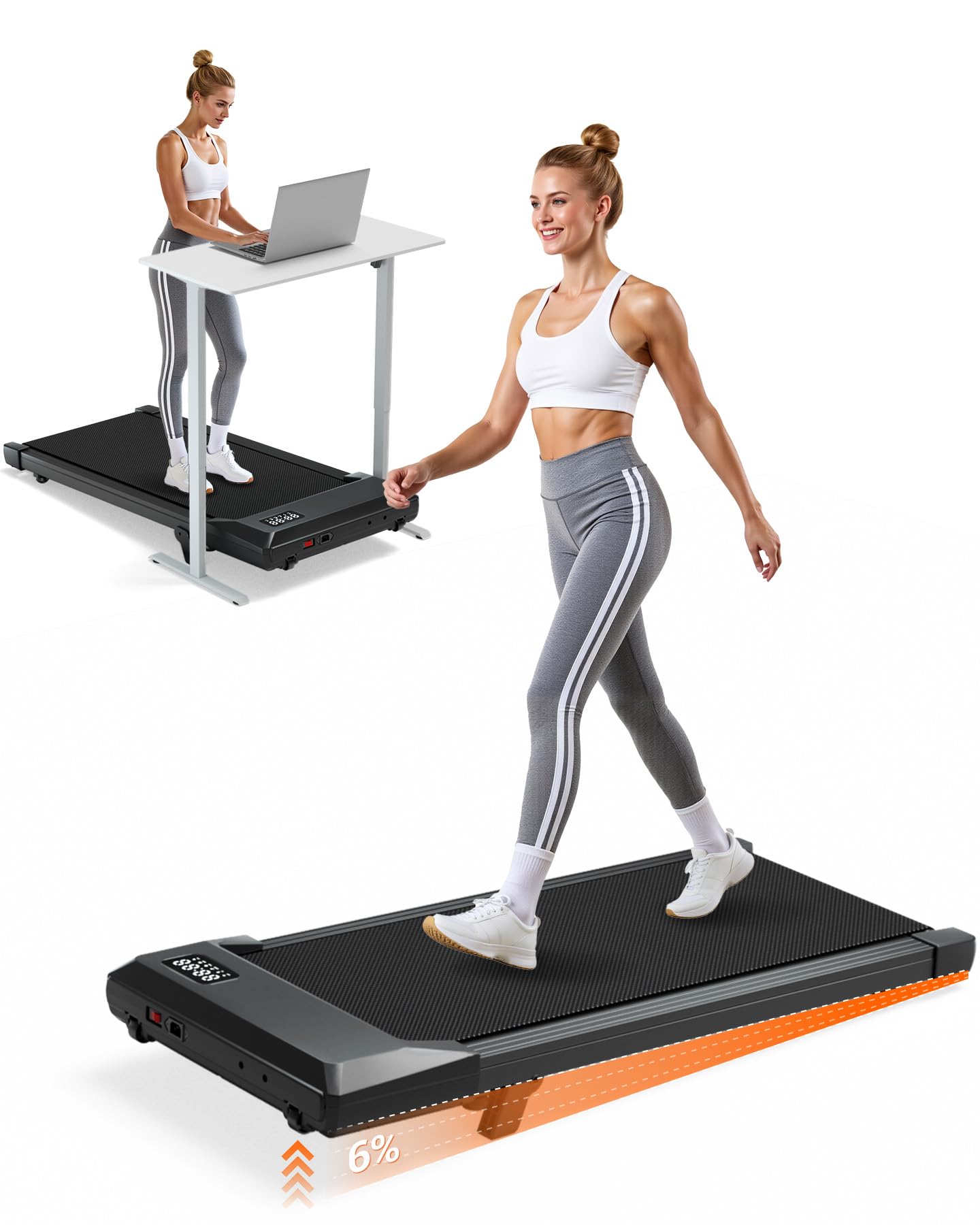
Image: The MJWW Walking Pad, a compact treadmill with a sleek design.
Key Features:
- 6% Manual Incline: Provides an elevated walking experience for increased calorie expenditure.
- Quiet 2.5 HP Motor: Operates at less than 45 dB for minimal disturbance.
- Adjustable Speed: Range from 0.6 to 3.8 MPH (1 to 6 km/h).
- LED Display: Shows time, speed, distance, and calories burned.
- Remote Control & APP Connectivity: For convenient operation and workout tracking.
- 300 lbs (136.08 kg) Weight Capacity: Robust steel frame construction.
- Compact & Portable: Designed for easy storage under furniture or vertically.
3. Setup
The MJWW Walking Pad arrives 100% assembled, requiring no complex setup.
Unboxing and Placement:
- Carefully remove the walking pad from its packaging.
- Place the walking pad on a firm, level surface. Ensure there is sufficient space around the unit for safe operation.
- Plug the power cord into a grounded electrical outlet.
- Attach the safety key to your clothing and insert the other end into the designated slot on the walking pad. The walking pad will not operate without the safety key in place.

Image: A user demonstrating how to move and store the walking pad under a bed or upright against a wall.
Adjusting the Incline:
The walking pad features a manual 6% incline. To activate the incline, locate the adjustable feet or mechanism at the rear of the walking pad and adjust them to the desired incline position. Ensure both sides are evenly set.
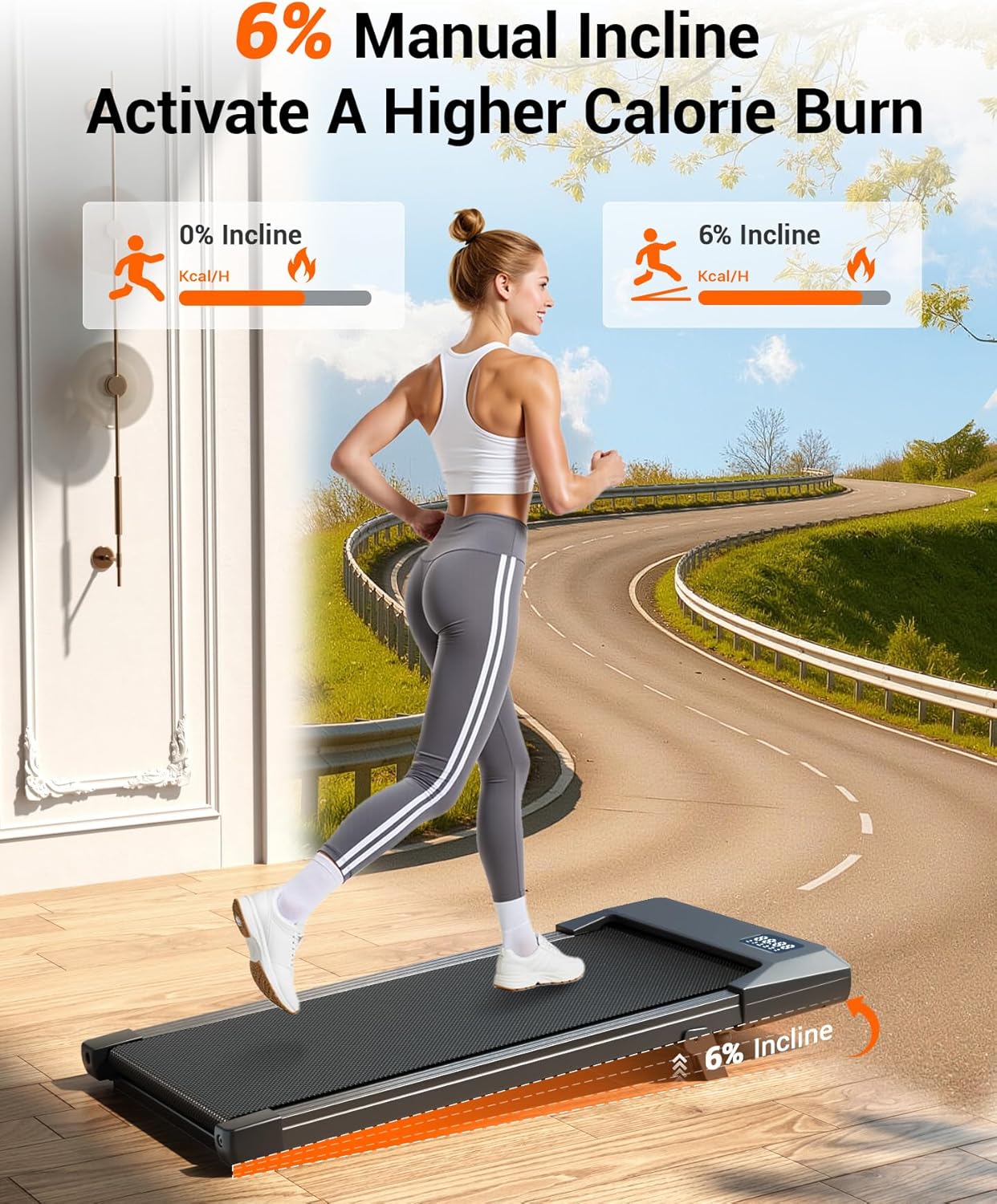
Image: A visual representation of the 6% manual incline feature, showing increased calorie burn compared to a flat surface.
4. Operating Instructions
The MJWW Walking Pad can be controlled via the included remote control or a dedicated mobile application.
Using the Remote Control:
- Ensure the walking pad is plugged in and the safety key is inserted.
- Press the power button on the remote control to turn on the walking pad.
- Use the speed adjustment buttons (+/-) to increase or decrease the walking speed. The speed range is 0.6 to 3.8 MPH (1 to 6 km/h).
- To stop the walking pad, press the stop button on the remote or pull the safety key.

Image: A close-up of the LED display showing time, speed, distance, and calories, with the remote control in hand.
Using the Mobile Application (PitPat App):
- Download the PitPat App from your device's app store.
- Follow the in-app instructions to pair your device with the MJWW Walking Pad via Bluetooth.
- The app allows for speed control, tracking of workout data, and access to additional features.
Workout Modes:
The walking pad supports various activity levels:
- Working Mode (0.6–1.5 MPH): Ideal for use under a desk while working.
- Walking Mode (1.6–2.6 MPH): Suitable for brisk walking.
- Jogging Mode (2.6–3.8 MPH): For light jogging to boost cardiovascular health.

Image: A visual guide illustrating the three distinct workout modes: Working, Walking, and Jogging, with corresponding speed ranges.
5. Maintenance
Regular maintenance ensures the longevity and optimal performance of your walking pad.
Cleaning:
- Always unplug the walking pad before cleaning.
- Wipe down the surface of the walking pad with a damp cloth after each use to remove sweat and dust.
- Avoid using abrasive cleaners or solvents that could damage the finish.
Belt Lubrication:
The walking belt may require periodic lubrication to ensure smooth operation and prevent wear. Refer to the full product manual for specific instructions on how and when to lubricate the belt. Typically, silicone-based treadmill lubricant is applied under the belt.
Belt Adjustment:
If the walking belt becomes off-center or slips, it may need adjustment. Consult the full product manual for detailed instructions on how to adjust the belt tension and alignment using the provided tools.
6. Troubleshooting
If you encounter issues with your MJWW Walking Pad, refer to the following common troubleshooting steps.
Common Issues:
- Walking Pad Does Not Power On:
- Ensure the power cord is securely plugged into a functional outlet.
- Check that the safety key is fully inserted into its slot.
- Verify the power switch (if present) is in the 'ON' position.
- Belt Stops or Hesitates:
- Check if the safety key has been disengaged.
- Ensure the walking pad is on a level surface.
- The belt may require lubrication or adjustment (refer to Maintenance section).
- Unusual Noises:
- Inspect the walking pad for any loose parts.
- Ensure the belt is properly aligned and lubricated.
- Remote Control Not Responding:
- Replace the batteries in the remote control.
- Ensure there are no obstructions between the remote and the walking pad's receiver.
If these steps do not resolve the issue, please contact MJWW customer support for further assistance.
7. Specifications
| Feature | Specification |
|---|---|
| Model Name | BA10 |
| Product Dimensions (L x W x H) | 108.3 x 50 x 10 cm (42.6 x 19.7 x 3.9 inches) |
| Item Weight | 17.1 kg (37.7 lbs) |
| Motor Horsepower | 2.5 HP |
| Speed Range | 0.6 - 3.8 MPH (1 - 6 km/h) |
| Incline | 6% Manual Incline |
| Maximum Weight Recommendation | 136.08 kg (300 lbs) |
| Noise Level | <45 dB |
| Running Belt Dimensions (L x W) | 90 x 38 cm (35.43 x 14.96 inches) |
| Material | Alloy Steel |
| Included Components | Safety Key |
8. Warranty and Support
Warranty Information:
The MJWW Walking Pad comes with a 1 Year Manufacturer Warranty. This warranty covers defects in materials and workmanship under normal use. Please retain your proof of purchase for warranty claims.
Customer Support:
For technical assistance, warranty claims, or any questions regarding your MJWW Walking Pad, please contact MJWW customer support. Refer to the product packaging or the official MJWW website for contact details.
