
1. Introduction
Thank you for choosing the PuRuiKai PRK-28B Window Cleaning Robot. This device is designed to automate the cleaning of various glass surfaces, including windows, mirrors, and shower doors. It features a powerful brushless motor, automatic spray nozzles, and intelligent navigation for efficient and thorough cleaning. Please read this manual carefully before operating the robot to ensure safe and optimal performance.
2. Safety Instructions
To prevent injury or damage, always adhere to the following safety guidelines:
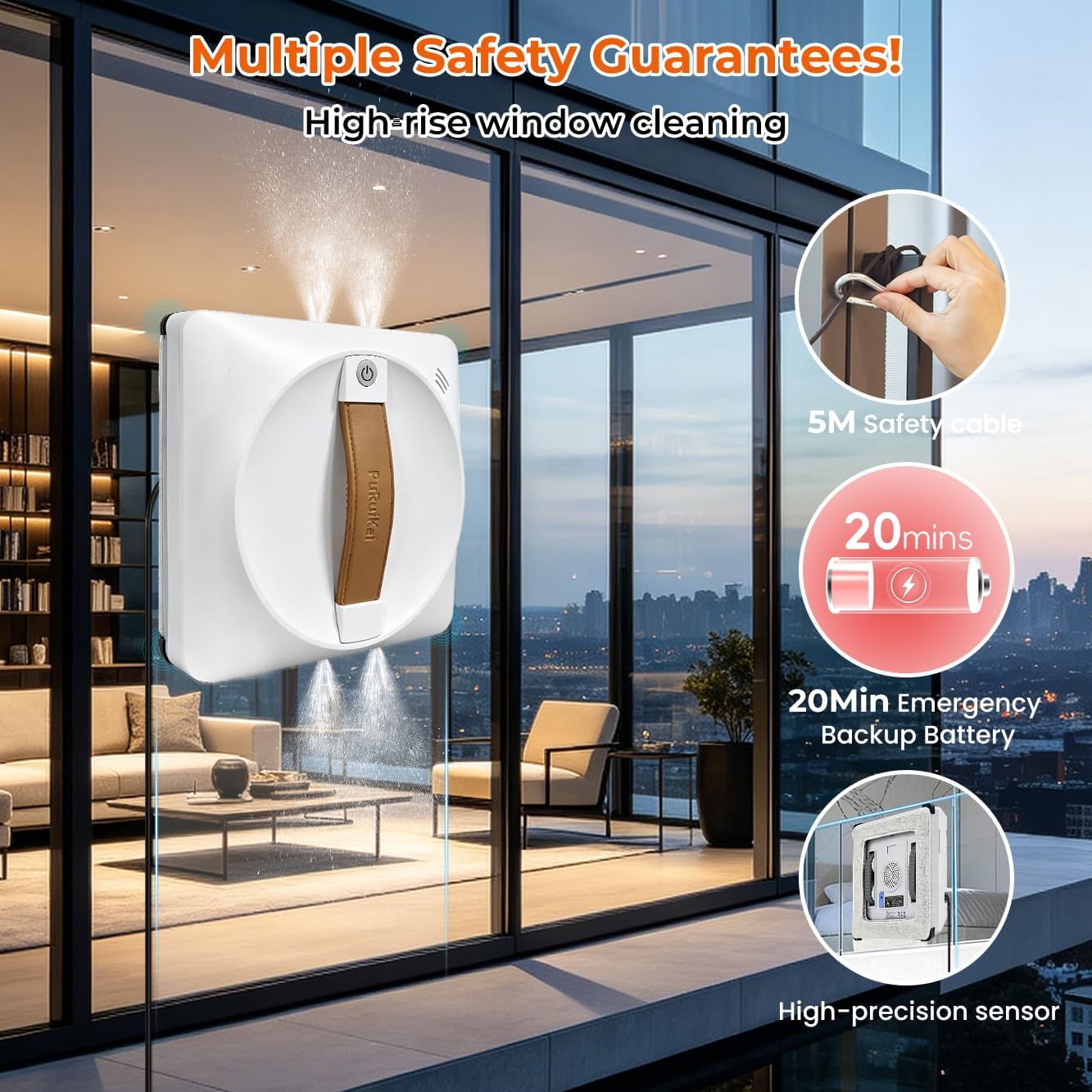
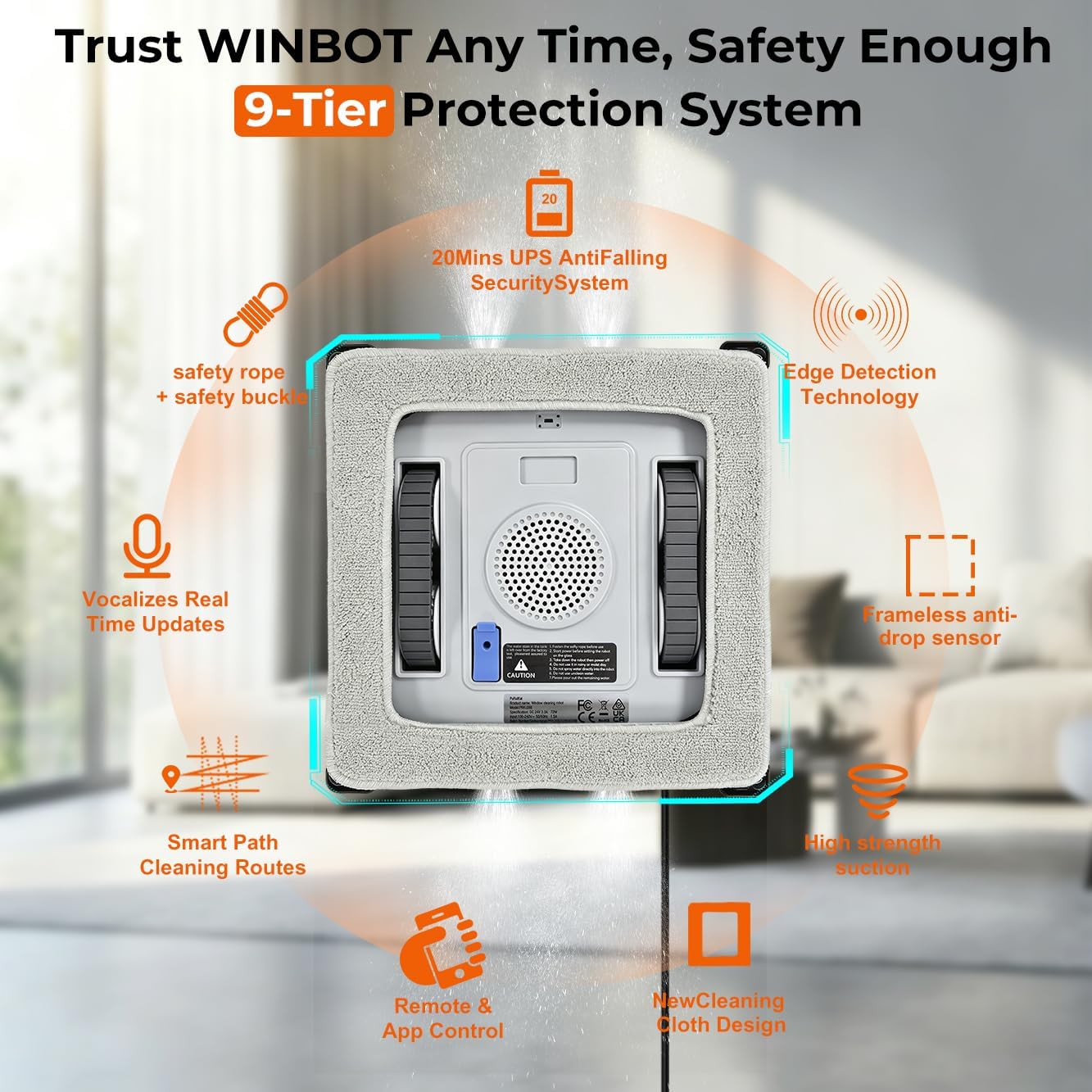
- Ensure the safety rope is securely attached to a fixed object and the robot before each use, especially when cleaning high or outdoor windows.
- Always connect the power adapter to the robot and a power outlet during operation. The internal UPS battery is for emergency backup only (20-30 minutes) in case of power interruption.
- Do not use the robot on cracked or damaged glass surfaces.
- Keep hands, hair, and loose clothing away from the robot's moving parts.
- Do not operate the robot in rainy or extremely humid conditions.
- Ensure the cleaning cloths are properly attached and clean before starting a cleaning cycle.
- Keep the robot out of reach of children and pets.
- Use only the recommended cleaning solution or distilled water in the spray tank.
3. Package Contents
Verify that all items are present in the package:
- PuRuiKai PRK-28B Window Cleaning Robot
- Power Adapter and Power Cord
- Remote Control
- Safety Rope
- Adding Water Bottle
- Cleaning Cloths (4 pieces)
- User Manual

4. Product Overview
The PuRuiKai PRK-28B is equipped with advanced features for effective window cleaning:
- Brushless Motor: Provides strong suction and durability.
- 4 Automatic Spray Nozzles: Ensures even distribution of cleaning solution for optimal dirt removal.
- Square Design: Allows for 90-degree corner cleaning, minimizing uncleaned areas.
- High-Precision Sensors: Detects edges and frameless surfaces to prevent falls.
- Dual Control: Operable via a smartphone application and an included remote control.
- UPS Backup Battery: Provides emergency power for 20-30 minutes in case of main power loss.

5. Setup
- Charge the Battery: Before first use, fully charge the robot's internal lithium-ion battery. Connect the power adapter to the robot and a power outlet. The charging indicator will show the status.
- Attach Cleaning Cloths: Securely attach the provided cleaning cloths to the robot's cleaning pads. Ensure they are clean and dry, or slightly damp with cleaning solution.
- Fill Water Tank: Open the water tank cap and fill the 100ml tank with clean water or a recommended window cleaning solution using the provided water bottle. Close the cap tightly.
- Connect Safety Rope: Attach one end of the safety rope to the robot's safety loop and the other end to a sturdy, fixed object indoors, such as a heavy piece of furniture or a window frame anchor. Ensure there is enough slack for the robot to move freely but not fall.
- Connect Power: Plug the power cord into the robot and then into a grounded electrical outlet. The robot requires continuous power during operation.
- Place Robot on Surface: Place the robot on the glass surface, ensuring it is flat against the glass. Press the power button on the robot or the remote control to activate suction. The robot will adhere to the glass.
6. Operating Instructions
6.1 Powering On/Off
- Power On: After connecting power and attaching the safety rope, press the power button on the robot or the remote control. The robot will start its suction motor and adhere to the glass.
- Power Off: Press and hold the power button on the robot or remote control until the suction stops. Carefully remove the robot from the glass.
6.2 Control Methods
The robot can be controlled via the included remote control or a smartphone application.
- Remote Control: Use the directional buttons and mode selection buttons on the remote to guide the robot and select cleaning patterns.
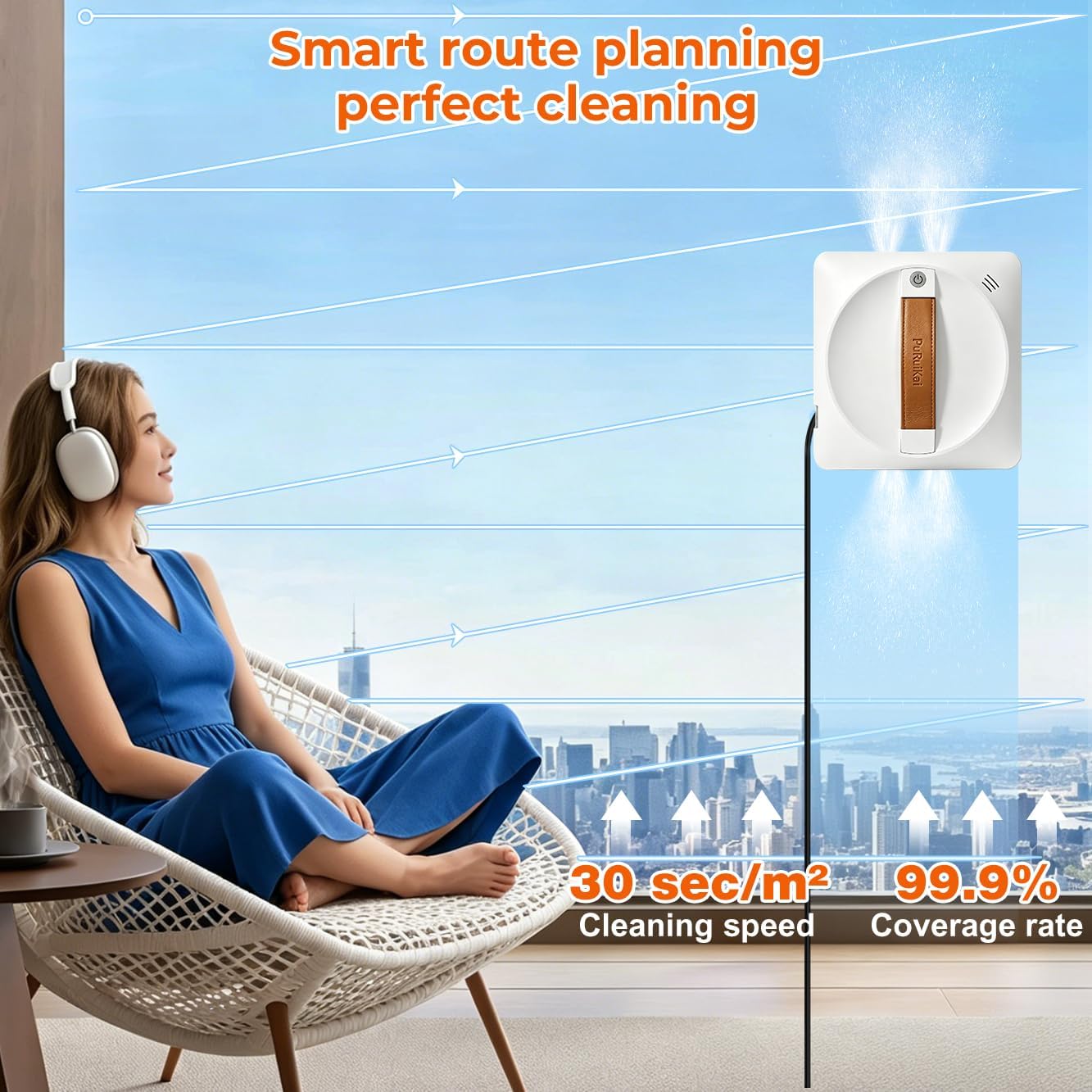
- Smartphone App (Tuya Smart App): Download the Tuya Smart App from your device's app store. Follow the in-app instructions to pair your robot. The app allows for more detailed control, including setting cleaning trajectories (Z-shape, N-shape, Spot Cleaning) and monitoring status.

6.3 Cleaning Modes and Features
- Automatic Cleaning: The robot will automatically detect the window size and plan an optimal cleaning path (Z-shape or N-shape) to cover the entire surface.
- Spot Cleaning: For heavily soiled areas, use the spot cleaning mode to focus the robot's cleaning efforts on a specific region.
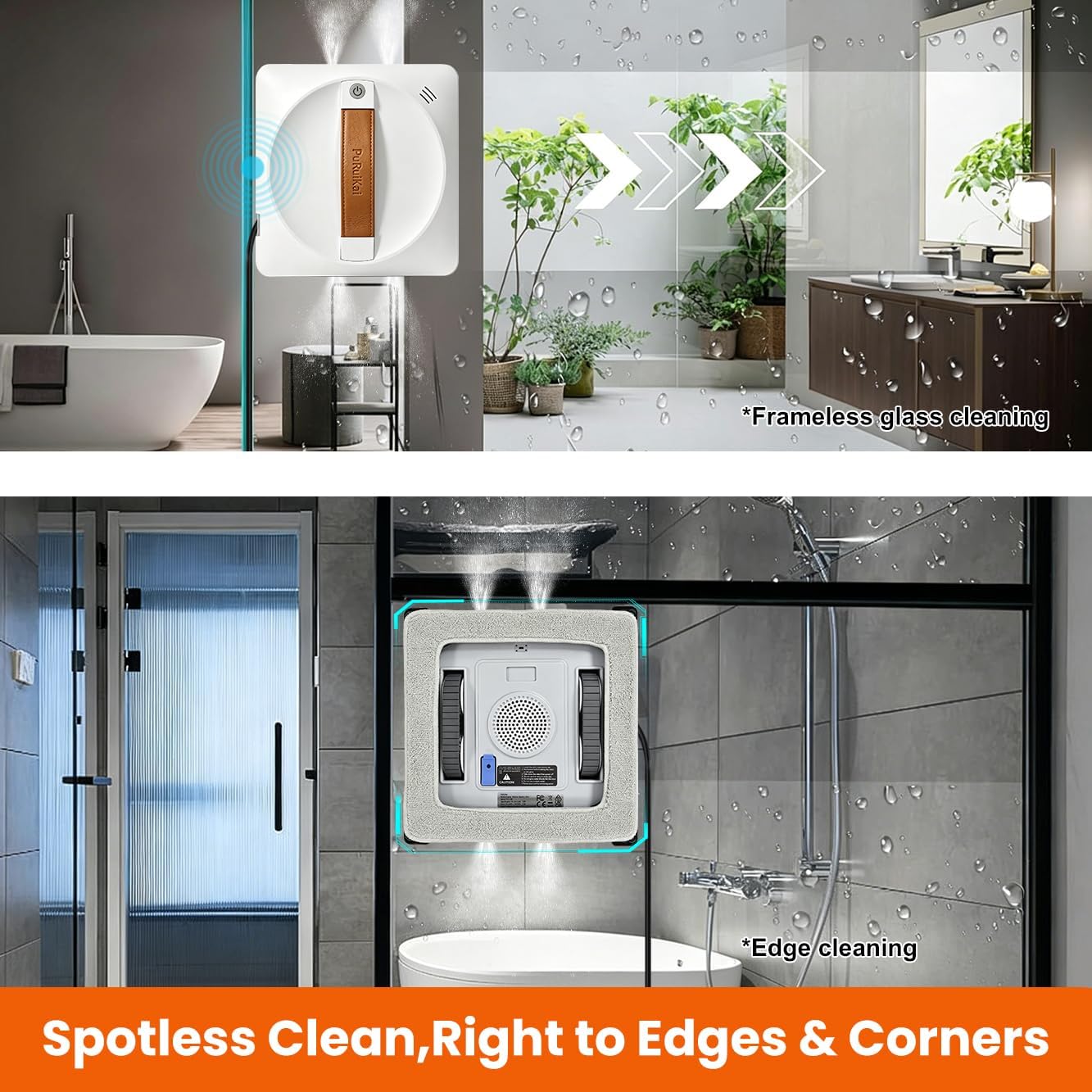
- Frameless Window Detection: High-precision sensors allow the robot to safely clean frameless glass surfaces, such as shower doors or glass railings, by detecting edges and preventing falls.
- Edge Cleaning: The square design ensures thorough cleaning right up to the edges and corners of windows.


7. Maintenance
Regular maintenance ensures the longevity and optimal performance of your robot.
- Clean Cleaning Cloths: After each use, remove the cleaning cloths and wash them. They can be hand-washed or machine-washed. Ensure they are completely dry before reattaching.
- Clean Robot Body: Wipe the robot's exterior with a soft, dry cloth. Do not use abrasive cleaners or immerse the robot in water.
- Empty Water Tank: If using cleaning solution, empty any remaining solution from the tank after use and rinse with clean water to prevent residue buildup.
- Inspect Sensors: Periodically check the sensors for dirt or debris and clean them gently with a soft cloth to ensure accurate edge detection.
- Store Properly: When not in use, store the robot in a cool, dry place, away from direct sunlight and extreme temperatures.
8. Troubleshooting
If you encounter issues with your PuRuiKai PRK-28B, refer to the following common problems and solutions:
| Problem | Possible Cause | Solution |
|---|---|---|
| Robot does not adhere to glass. | No power, insufficient suction, dirty cleaning cloths. | Ensure power cord is securely connected. Check for obstructions on suction cups. Clean or replace cleaning cloths. |
| Poor cleaning performance. | Dirty cloths, empty water tank, incorrect cleaning solution. | Replace or wash cleaning cloths. Refill water tank. Use appropriate cleaning solution or distilled water. |
| Robot stops mid-cycle. | Power disconnected, low battery (UPS), obstacle detected. | Check power connection. If power is lost, the UPS battery will provide temporary power; retrieve the robot promptly. Clear any obstacles. |
| Robot falls from frameless window. | Sensors obstructed, surface too dirty. | Clean the edge detection sensors. Ensure the glass surface is not excessively dirty, which can interfere with sensor operation. Always use the safety rope. |
9. Specifications
| Feature | Detail |
|---|---|
| Model Name | PuRuiKai Robot de Nettoyage de vitres Automatique PRK-28B |
| Model Number | PRK-28B |
| Brand | PuRuiKai |
| Dimensions (L x W x H) | 22L x 22W x 7H centimeters |
| Weight | 2.35 Kilograms |
| Power Source | Electric Cable |
| Battery Type | Lithium-ion (included) |
| UPS Backup Battery | 20-30 minutes runtime |
| Water Tank Capacity | 100 ml |
| Control Method | Application, Remote Control |
| Special Features | Low noise level, Obstacle avoidance, Edge cleaning, Anti-fall protection, Frameless window detection, 4 spray nozzles, Brushless motor |
| Recommended Surface | Glass, Tile, Mirror, Shower door |
10. Warranty and Support
The PuRuiKai PRK-28B Window Cleaning Robot comes with a standard manufacturer's warranty. For specific warranty details, please refer to the warranty card included in your package or contact PuRuiKai customer support.
If you require technical assistance, have questions about operation, or need to report a defect, please contact PuRuiKai customer support through the retailer where you purchased the product or visit the official PuRuiKai website for contact information.


