
1. Introduction
This manual provides detailed instructions for the assembly, operation, and maintenance of your Halitaa Executive Desk with Fluted Drawers. Please read all instructions carefully before beginning assembly and retain this manual for future reference.
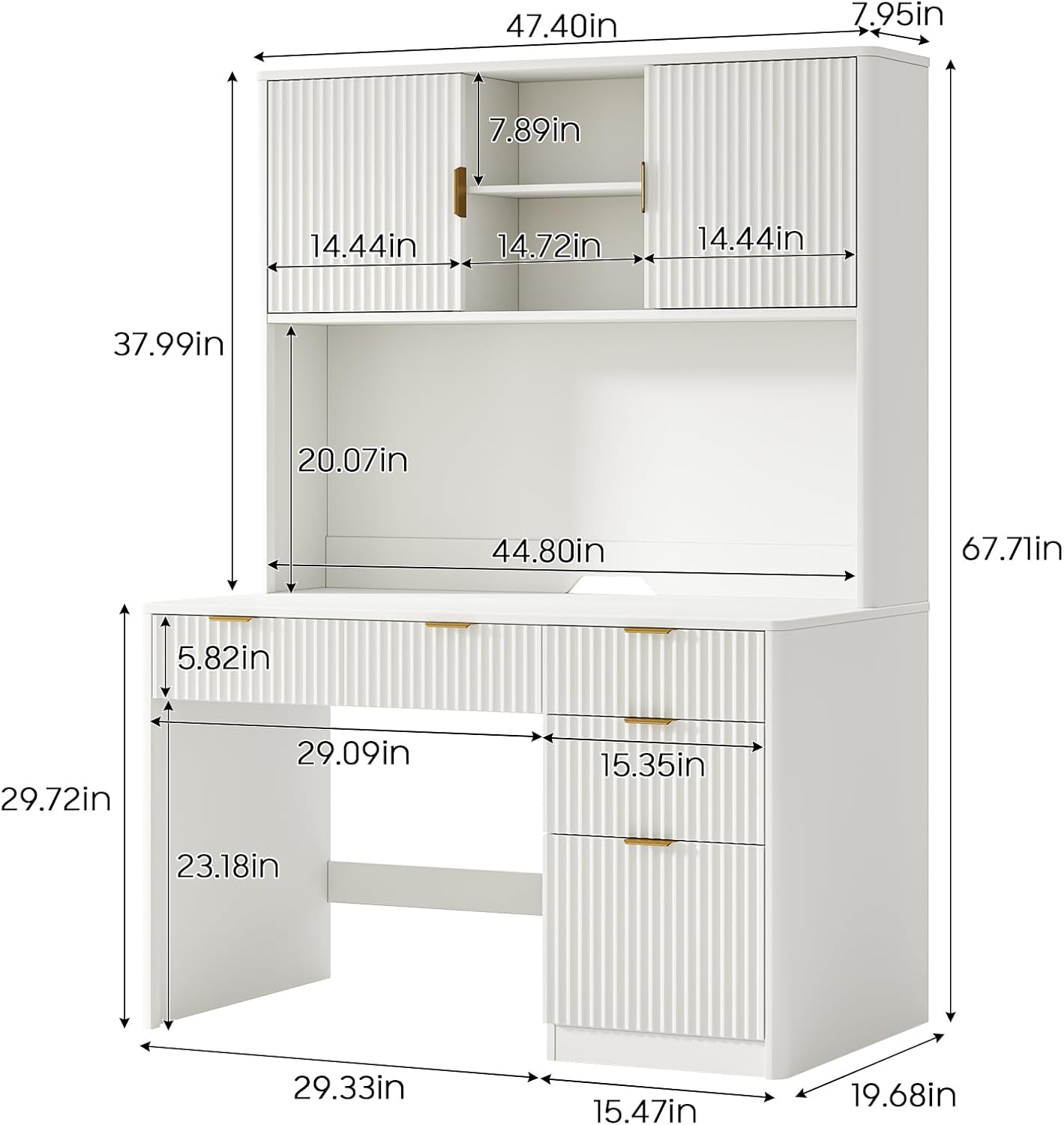
Image 1.1: Front view of the Halitaa Executive Desk.
2. Safety Information
- Always follow assembly instructions carefully.
- Ensure all hardware is securely tightened before use. Periodically check and re-tighten as needed.
- Do not overload drawers or shelves. Distribute weight evenly.
- Keep small parts and packaging materials away from children.
- Use on a level surface to prevent tipping.
- Avoid placing hot items directly on the desk surface without protection.
3. Package Contents
The Halitaa Executive Desk is shipped in two separate packages. Please ensure you have received both packages before beginning assembly. Verify all parts and hardware are present against the included parts list in your physical manual.

Image 3.1: The desk ships in two packages.
4. Assembly Instructions
Assembly of the Halitaa Executive Desk requires attention to detail. Step-by-step diagrams and clearly labeled panels are provided in the physical instruction booklet to guide you. A second pair of hands is recommended for easier and safer assembly, though not strictly mandatory.
General Assembly Tips:
- Unpack all components and lay them out on a clean, soft surface to prevent scratches.
- Identify all parts using the provided labels and diagrams.
- Use the correct hardware for each step as indicated in the instructions.
- Do not overtighten screws, as this can damage the engineered wood.
- If you encounter any difficulties, refer to the troubleshooting section or contact customer support.
5. Usage and Features
The Halitaa Executive Desk is designed for optimal organization and functionality, featuring a layered storage layout and a spacious desktop.
Desktop Area:
The wide desktop (47.2 inches) provides ample space for a laptop, printer, textbooks, and other work essentials. Its surface is designed to accommodate various tasks without crowding.
Upper Storage Cabinets:
The upper section features two storage cabinets with adjustable side shelves and multiple compartments. These are ideal for storing books, decorative items, or office supplies.

Image 5.1: Adjustable shelves in the upper storage cabinets.
Lower Storage Drawers:
The lower part of the desk includes three storage drawers for organizing various office supplies and personal items.

Image 5.2: View of the desk with drawers open, showcasing storage capacity.
Adjustable File Drawer:
A dedicated file drawer is located at the bottom, equipped with an adjustable metal hanging rod. This rod can be resized to accommodate standard A4 files, letter-sized documents, and various folders, facilitating organized document storage and quick access.

Image 5.3: Detailed view of the adjustable file drawer.

Image 5.4: Overview of the desk's storage layout.
6. Care and Maintenance
- Cleaning: Wipe surfaces with a soft, damp cloth. Avoid harsh chemicals or abrasive cleaners, which can damage the finish.
- Spills: Clean spills immediately to prevent staining or damage to the engineered wood.
- Sunlight: Avoid prolonged exposure to direct sunlight to prevent fading or discoloration.
- Heat: Use coasters or protective pads under hot items to prevent heat marks.
- Humidity: Maintain a stable room temperature and humidity level to prevent warping or cracking.
7. Troubleshooting
Missing Parts:
If you find any parts are missing or damaged upon opening the packages, please contact customer support immediately. Do not attempt to assemble the desk with incomplete or damaged parts.
Assembly Difficulties:
If you encounter issues during assembly, double-check the instruction diagrams and ensure all parts are oriented correctly. Sometimes, a slight adjustment or re-reading of a step can resolve the problem. Ensure all cam locks and screws are properly aligned and tightened.
Desk Instability:
Ensure all screws and fasteners are fully tightened. Verify the desk is placed on a flat, level surface. If the floor is uneven, use furniture levelers if available, or place shims under the legs to stabilize.
8. Specifications
| Feature | Detail |
|---|---|
| Brand | Halitaa |
| Model Number | B0H45RMXTV |
| Product Dimensions (D x W x H) | 19.7"D x 47.2"W x 67.9"H |
| Color | Cream White |
| Material Type | Engineered Wood |
| Number of Drawers | 4 (3 storage, 1 file) |
| Number of Cabinets | 2 (upper storage) |
| Number of Shelves | 2 (adjustable within cabinets) |
| Mounting Type | Freestanding |
| Recommended Use | Office |
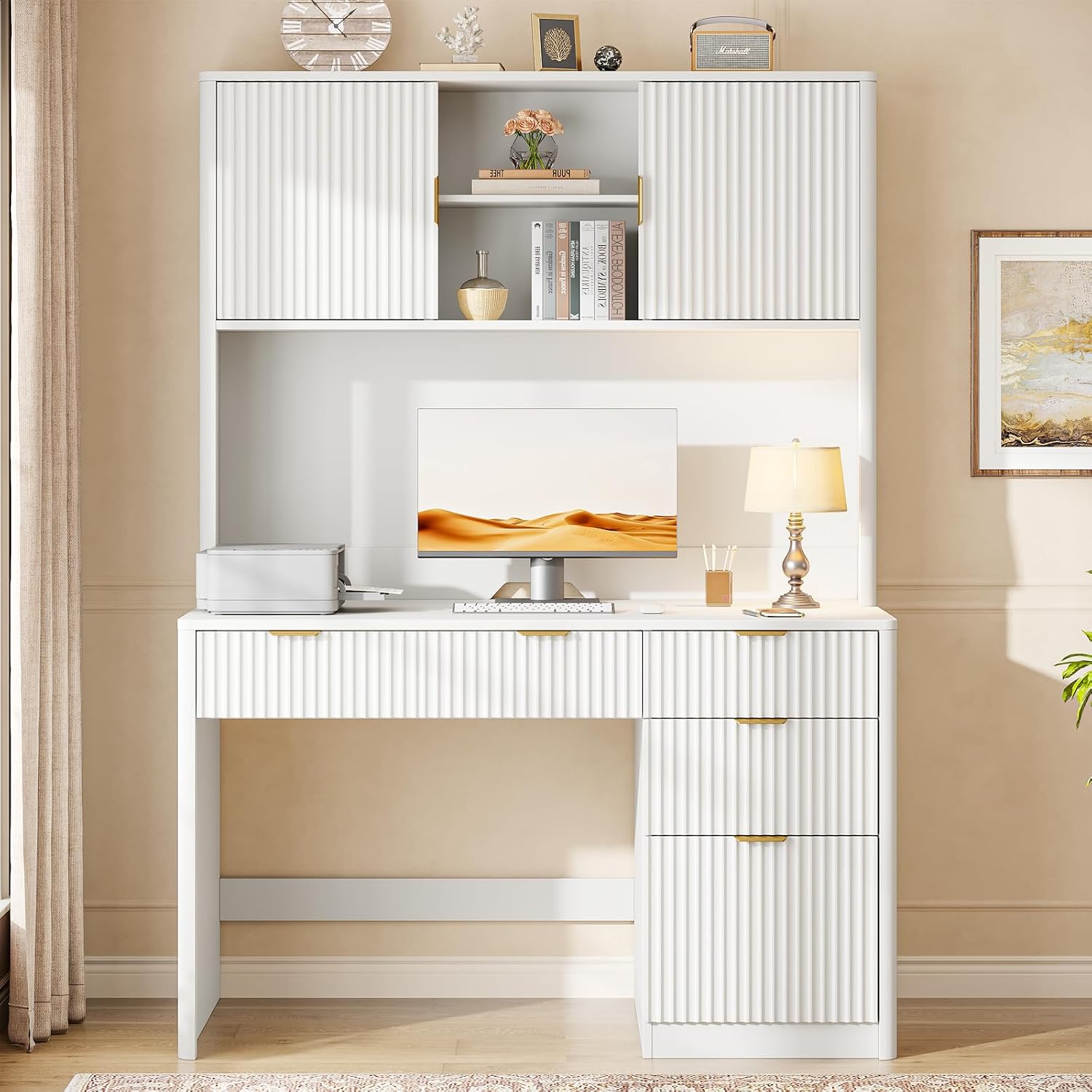
Image 8.1: Product dimensions.
9. Warranty and Support
For warranty information, replacement parts, or technical support, please refer to the contact details provided in the original product packaging or visit the official Halitaa website. Please have your model number (B0H45RMXTV) and purchase date available when contacting support.