
1. Introduction
Thank you for choosing the Aiwa AWA408 Portable Bluetooth Speaker. This manual provides essential information for setting up, operating, and maintaining your speaker to ensure optimal performance and longevity. Please read this manual thoroughly before use.
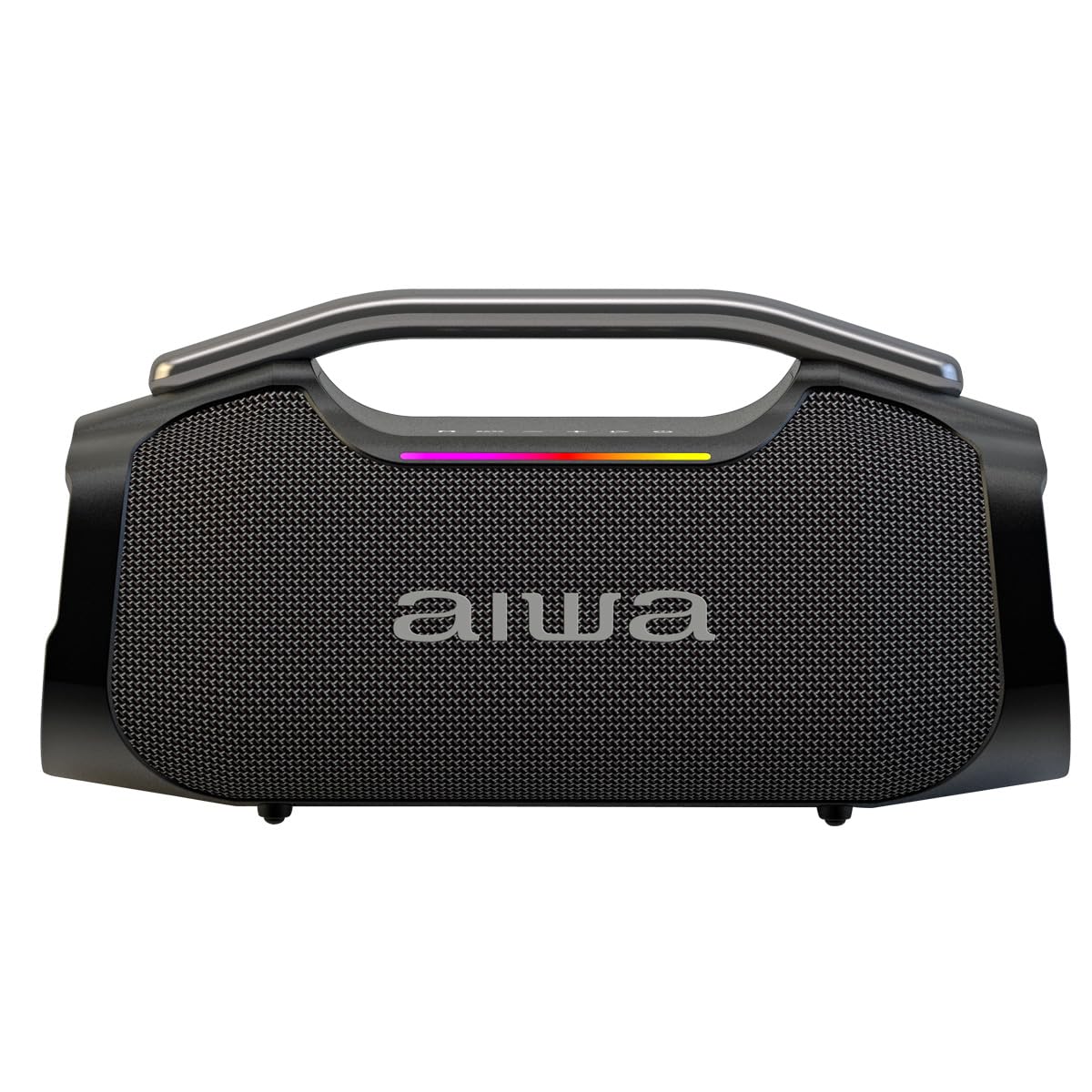
Figure 1: Aiwa AWA408 Portable Bluetooth Speaker. This image shows the speaker with its "Bass Boost" feature, emphasizing its powerful audio capabilities.
2. Package Contents
Ensure all items are present in the package:
- Aiwa AWA408 Portable Bluetooth Speaker
- Microphone
- USB Type-C Charging Cable
- User Manual (this document)

Figure 2: Packaging of the Aiwa AWA408 speaker. The image displays the product box, indicating the contents and key features.
3. Product Features
- Powerful 55W RMS Sound: 2.1 channel configuration for balanced audio.
- Bluetooth 5.3: Stable wireless connection up to 10 meters.
- LED Multicolor Effects: 3 lighting modes synchronized with music.
- True Wireless Stereo (TWS): Pair two AWA408 speakers for wider stereo sound.
- Microphone Input: For karaoke and entertainment.
- Long-lasting Battery: 2600 mAh rechargeable lithium battery, up to 6.5 hours playback at 80% volume.
- Multiple Connectivity: Bluetooth, USB, AUX.
- Portable Design: Integrated handle for easy transport.

Figure 3: Key features of the Aiwa AWA408. This image emphasizes the 55W RMS powerful sound and the 6.5-hour battery life.
4. Setup
4.1 Charging the Speaker
- Connect the USB Type-C charging cable to the speaker's charging port.
- Connect the other end of the cable to a compatible USB power adapter (not included) or a computer's USB port.
- The charging indicator light will illuminate. It will turn off or change color once fully charged.
- A full charge provides up to 6.5 hours of playback at 80% volume.

Figure 4: Battery duration of the Aiwa AWA408. The image highlights the speaker's 6.5-hour battery life at 80% volume.
4.2 Powering On/Off
- To power on, press and hold the Power button until the indicator lights illuminate.
- To power off, press and hold the Power button again until the indicator lights turn off.
5. Operating Instructions
5.1 Bluetooth Connection
- Ensure the speaker is powered on and in Bluetooth pairing mode (indicator light will flash).
- On your device (smartphone, tablet, laptop), enable Bluetooth and search for available devices.
- Select "AWA408" from the list of devices.
- Once connected, the speaker will emit a confirmation sound, and the Bluetooth indicator light will become solid.
5.2 True Wireless Stereo (TWS) Pairing
To achieve a wider stereo sound, you can pair two Aiwa AWA408 speakers together:
- Ensure both AWA408 speakers are powered on and not connected to any Bluetooth device.
- On one speaker, press and hold the TWS button (refer to the speaker's control panel for exact button). The speaker will enter TWS pairing mode.
- The two speakers will automatically search for and connect to each other. A confirmation sound will indicate successful pairing.
- Once paired, connect your device to one of the speakers via Bluetooth as described in section 5.1. Both speakers will now play audio in stereo.

Figure 5: Two Aiwa AWA408 speakers demonstrating True Wireless Stereo (TWS) pairing for enhanced sound.
5.3 Using the Microphone Input
The AWA408 speaker includes a microphone input for karaoke or public speaking:
- Connect the provided microphone to the microphone input jack on the speaker.
- Adjust the microphone volume using the dedicated control (if available) or the main volume control.
- Start singing or speaking.

Figure 6: The Aiwa AWA408 speaker being used for karaoke, showcasing its microphone input feature.
5.4 USB and AUX Playback
- USB Playback: Insert a USB flash drive containing audio files into the USB port. The speaker will automatically switch to USB mode and begin playback.
- AUX Playback: Connect an audio device using a 3.5mm AUX cable (not included) to the AUX input port. The speaker will switch to AUX mode.
5.5 LED Light Effects
The speaker features multicolor LED lights that synchronize with the music. Press the LED button (if available) to cycle through different lighting modes or turn them off.

Figure 7: The Aiwa AWA408 speaker displaying its dynamic LED light effects, which react to music.
6. Maintenance
- Cleaning: Use a soft, dry cloth to clean the speaker's surface. Do not use abrasive cleaners or solvents.
- Storage: Store the speaker in a cool, dry place away from direct sunlight and extreme temperatures.
- Battery Care: To prolong battery life, fully charge the speaker before first use and recharge it regularly, even if not in use for extended periods. Avoid fully discharging the battery frequently.
- Water Resistance: This speaker is not waterproof. Avoid exposure to water or excessive moisture.
7. Troubleshooting
| Problem | Possible Cause | Solution |
|---|---|---|
| Speaker does not turn on. | Battery is depleted. | Charge the speaker using the USB Type-C cable. |
| Cannot connect via Bluetooth. | Speaker is not in pairing mode or too far from device. | Ensure speaker is in pairing mode. Move device closer to speaker (within 10 meters). Disconnect from other devices. |
| No sound. | Volume is too low or muted. Incorrect input source. | Increase volume on speaker and connected device. Ensure correct input mode (Bluetooth, USB, AUX) is selected. |
| TWS pairing fails. | Speakers are already connected to a device or too far apart. | Ensure both speakers are disconnected from other devices. Place speakers close to each other during pairing. |
| Microphone not working. | Microphone not properly connected or volume too low. | Check microphone connection. Adjust microphone volume. |
8. Specifications
| Model Name: | AWA408 |
| Brand: | Aiwa |
| Speaker Output Power: | 55W RMS (80 Watts Max) |
| Frequency Response: | 50 KHz |
| Connectivity Technology: | Bluetooth 5.3, USB, AUX |
| Audio Output Mode: | Stereo (2.1 Channels) |
| Bluetooth Range: | Up to 10 meters |
| Battery Type: | Rechargeable Lithium |
| Battery Capacity: | 2600 mAh |
| Battery Life: | Up to 6.5 hours (at 80% volume) |
| Charging Port: | USB Type-C |
| Dimensions (Depth x Width x Height): | 32.5 cm x 33.5 cm x 73 cm |
| Weight: | 12.45 Kilograms |
| Special Features: | LED Lights, TWS Function, Microphone Input |
9. Warranty and Support
This Aiwa AWA408 Portable Bluetooth Speaker comes with a 12-month warranty from the date of purchase. Please retain your proof of purchase for warranty claims.
For technical support, service, or warranty inquiries, please contact Aiwa customer service through their official website or the retailer where the product was purchased.
You can visit the official Aiwa store for more information: Aiwa Official Store


