
1. Introduction and Overview
Thank you for choosing the Breeza Pro 2.0 Portable Air Conditioner. This compact and versatile device is designed to provide personal cooling with its bladeless design, quiet operation, and energy-efficient performance. It features three fan speeds and flexible placement options to suit various environments.
2. Safety Information
- Read all instructions before use and retain for future reference.
- Do not immerse the unit in water or other liquids.
- Keep out of reach of children and pets.
- Ensure the power source matches the specifications (5V input).
- Do not block the air inlet or outlet during operation.
- Avoid placing the unit near heat sources or in direct sunlight.
- Unplug the unit before cleaning or when not in use for extended periods.
- The bladeless design enhances safety, but avoid inserting objects into the air outlet.
3. Package Contents
Please check the box for the following items:
- Breeza Pro 2.0 Portable Air Conditioner Unit
- Remote Control
- User Manual
- USB Type-C Charging Cable (for rechargeable model)
4. Setup
4.1 Charging (Rechargeable Model Only)
Before first use, fully charge the unit. Connect the provided USB Type-C cable to the unit's charging port and to a compatible 5V USB power adapter (not included). The charging indicator will show the charging status.
4.2 Placement Options
The Breeza Pro 2.0 offers flexible placement to suit your needs:
- Vertical Placement: Ideal for desks or tabletops in offices or bedrooms.
- Horizontal Placement: Suitable for wider coverage on shelves or bedside tables.
- Wall-Mounted: The unit features a hidden hook and wall mount hole for easy, drill-free installation.

Figure 4.2.1: Wall-mounting the Breeza Pro 2.0. The unit can be easily installed on a wall using its integrated hook, providing a hole-free setup.

Figure 4.2.2: Versatile placement options. The Breeza Pro 2.0 can be placed horizontally in a bedroom, vertically in an office, wall-mounted in a bathroom or kitchen, or used in a car with its remote control.
5. Operating Instructions
5.1 Power On/Off
Press the power button on the unit or the remote control to turn the device on or off.
5.2 Adjusting Fan Speed
The Breeza Pro 2.0 features 3 fan speeds. Press the speed button on the unit or the remote control to cycle through the low, medium, and high settings.
5.3 Airflow and Coverage
The unit is designed with an upgraded long air outlet and a spiral airflow system to distribute cool air evenly, reducing hot spots and providing efficient cooling. It offers a 60-degree wide air supply for faster cooling.
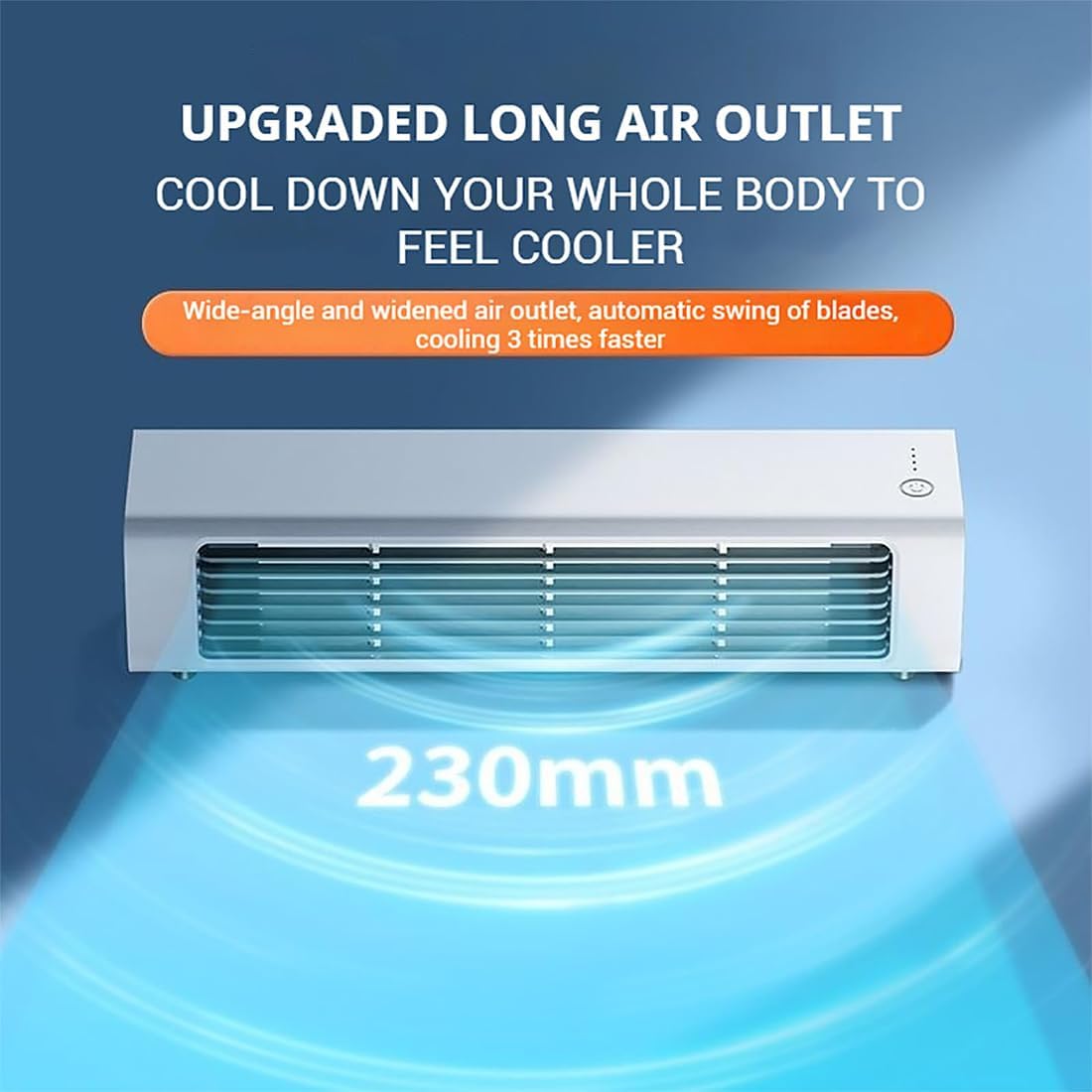
Figure 5.3.1: Upgraded long air outlet. The 230mm wide air outlet ensures a broad and effective cooling area.

Figure 5.3.2: 60-degree wide air supply. This feature allows for rapid and extensive cooling coverage.
6. Maintenance
6.1 Cleaning
The bladeless design of the Breeza Pro 2.0 makes cleaning simple and safe.
- Ensure the unit is turned off and unplugged before cleaning.
- Wipe the exterior surfaces with a soft, damp cloth. Do not use abrasive cleaners or solvents.
- Use a soft brush or vacuum cleaner with a brush attachment to gently clean the air inlet and outlet grilles to remove dust.
- Allow the unit to dry completely before plugging it back in or operating.
6.2 Storage
When not in use for an extended period, clean the unit as described above, then store it in a cool, dry place away from direct sunlight and extreme temperatures.
7. Troubleshooting
| Problem | Possible Cause | Solution |
|---|---|---|
| Unit does not turn on. | No power (plug-in model) or low battery (rechargeable model). | Ensure the power cable is securely connected. For rechargeable models, charge the battery. |
| Weak or no airflow. | Air inlet/outlet blocked, or fan speed is too low. | Check for obstructions and clear them. Increase the fan speed. |
| Unit is making unusual noise. | Obstruction inside, or unit is not on a stable surface. | Turn off and unplug the unit. Check for any foreign objects. Place on a flat, stable surface. |
| Remote control not working. | Battery depleted or obstruction between remote and unit. | Replace the remote control battery. Ensure no objects are blocking the signal path. |
8. Specifications

Figure 8.1: Key features of the Breeza Pro 2.0.
- Model: Breeza Pro 2.0
- Dimensions (Product): 325 x 75.1 x 75 mm (12.8 x 3.0 x 3.0 inches)
- Weight: 670 g (Plug-in model) / 840 g (Rechargeable model)
- Input Voltage: 5 V
- Input Current: 1.5 A
- Rated Power: 2-7 W
- Charging Interface: USB Type-C
- Battery Capacity (Rechargeable Model): 3000 mAh
- Noise Level: Approximately 20 dB
- Fan Speeds: 3
- Air Supply Angle: 60 degrees wide

Figure 8.2: Low noise operation. The Breeza Pro 2.0 operates at approximately 10dB, ensuring a quiet environment.

Figure 8.3: Undisturbed serenity. The quiet operation of the Breeza Pro 2.0 creates a peaceful environment.
9. Warranty and Support
9.1 Limited Warranty
This product comes with a limited warranty. Please refer to your purchase documentation or contact the seller for specific warranty terms and conditions. The warranty period is typically 1 year from the date of purchase, covering manufacturing defects.
9.2 Customer Support
For any questions, technical assistance, or warranty claims, please contact the seller or manufacturer directly through the platform where the product was purchased. Have your order number and product model (Breeza Pro 2.0) ready for faster service.