

Introduction
Thank you for choosing the MVMT Field II 41mm Quartz Watch. This timepiece is designed for everyday wear, combining durable construction with precise Japanese Quartz movement. This manual provides essential information to help you get the most out of your watch, including setup, operation, maintenance, and troubleshooting.
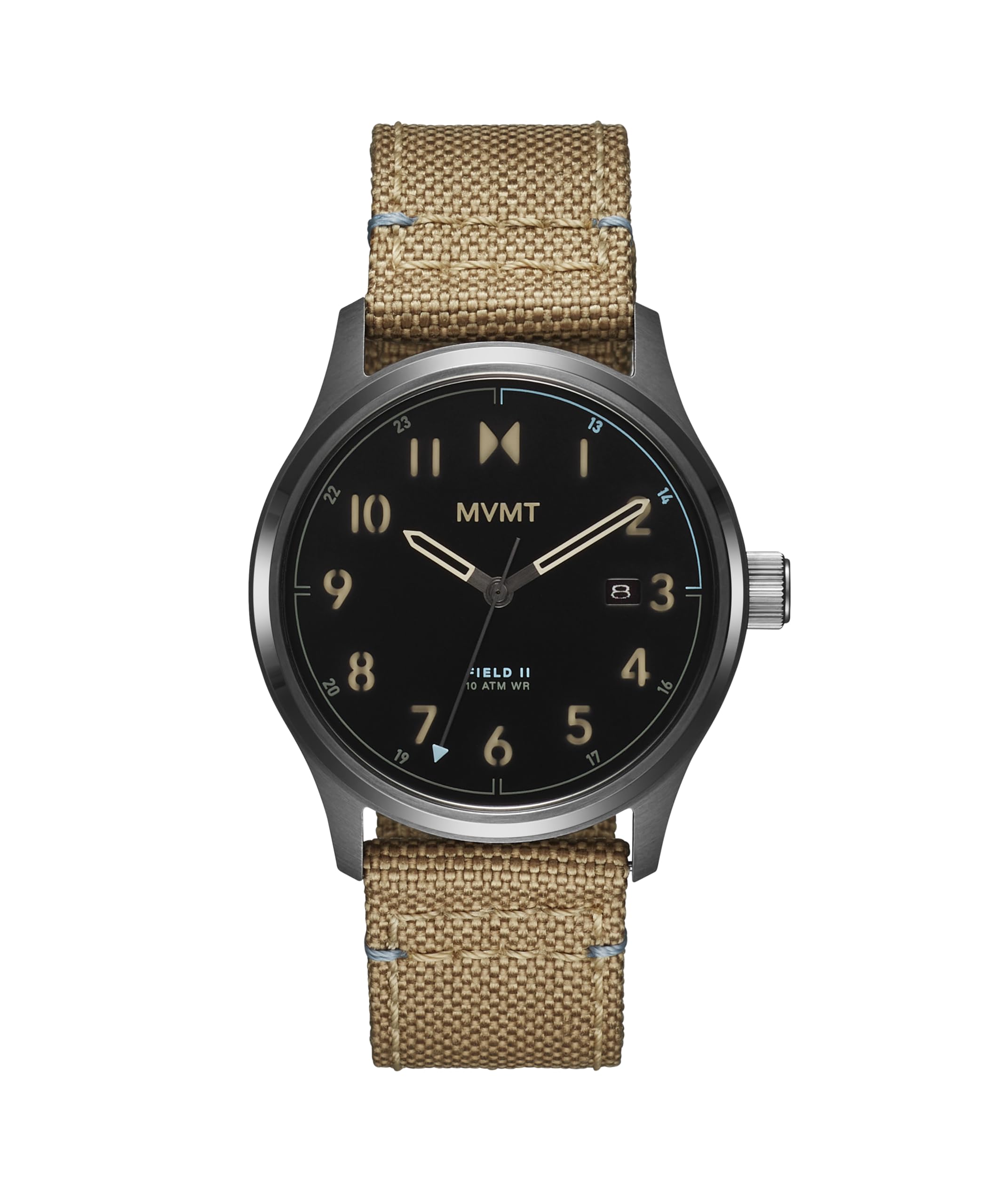
Image: Front view of the MVMT Field II watch with its desert sand nylon strap.
Setup
Setting the Time and Date
Your MVMT Field II watch features a classic 3-hand display with a date window. Follow these steps to set the correct time and date:
- Pull the Crown: Gently pull the crown (the knob on the side of the watch case) out to position 2. This is the first click.
- Set the Date: Rotate the crown clockwise or counter-clockwise to adjust the date. Adjust the date to the previous day. For example, if today is the 15th, set the date to the 14th.
- Pull the Crown Further: Pull the crown out to position 3. This is the second click, which stops the second hand.
- Set the Time: Rotate the crown to advance the hour and minute hands. Continue rotating until the date changes to the current day. This indicates that the watch is set to midnight (AM). Continue rotating to set the correct time, paying attention to AM/PM.
- Push the Crown In: Once the time and date are set, push the crown back into position 1 (normal operating position) to start the watch.
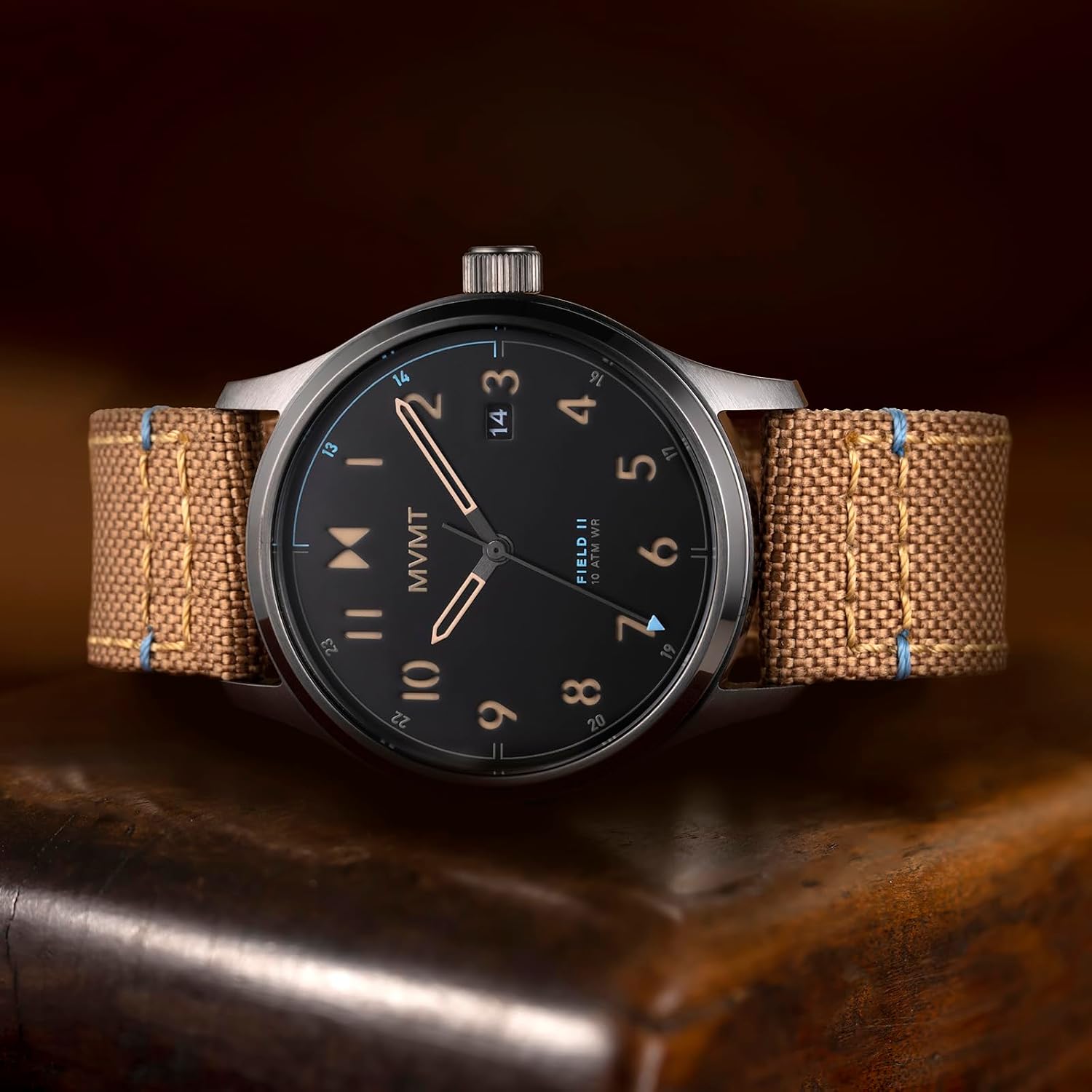
Image: Detailed view of the watch face, highlighting the crown for time and date adjustments.
Adjusting the Strap
The MVMT Field II watch comes with a durable nylon textile strap featuring a buckle clasp. To adjust the fit:
- Unbuckle: Open the buckle by pulling the pin out of the strap hole.
- Position: Place the watch on your wrist and thread the strap through the buckle.
- Secure: Insert the buckle pin into the strap hole that provides a comfortable yet secure fit. Ensure the watch does not slide freely on your wrist but is not uncomfortably tight.

Image: Rear view of the watch, displaying the nylon strap and buckle mechanism.
Operating Your Watch
Timekeeping
Your MVMT Field II watch uses a reliable Japanese Quartz movement, providing accurate timekeeping. The watch displays hours, minutes, and seconds with three distinct hands.
Date Function
The date window automatically advances once every 24 hours. If the date changes during the day, it indicates that the AM/PM setting was incorrect during the initial setup. Refer to the "Setting the Time and Date" section to correct this.
Water Resistance
The MVMT Field II watch is water resistant up to 10 ATM (100 meters). This means it is suitable for short dives, swimming, and surfing. It is not recommended for high-impact water sports or deep-sea diving. Always ensure the crown is fully pushed in before exposing the watch to water.

Image: The MVMT Field II watch positioned in a natural, rugged setting, emphasizing its durability.
Maintenance
General Care
- Avoid exposing your watch to extreme temperatures, direct sunlight for prolonged periods, or strong magnetic fields.
- Clean the watch case and crystal with a soft, damp cloth. For the nylon strap, a mild soap solution and gentle brushing can be used, followed by thorough rinsing and air drying.
- Avoid contact with chemicals, solvents, and detergents, as these can damage the watch components and strap material.
Battery Replacement
Your MVMT Field II watch is powered by a battery. The typical lifespan of a watch battery varies but is generally several years. When the watch stops running, it indicates the battery needs replacement. It is recommended to have the battery replaced by a qualified watch technician to ensure the water resistance seal is maintained.
Do not attempt to open the watch yourself, as this may void the warranty and compromise the watch's water resistance.
Service Interval
MVMT recommends a maintenance interval of every 3 to 5 years for your timepiece, along with any necessary battery replacements. This ensures optimal performance and longevity.
Troubleshooting
- Watch Not Running: If the watch stops, the battery may need replacement. Refer to the "Battery Replacement" section.
- Date Not Changing Correctly: Ensure the time is set correctly for AM/PM. If the date changes at noon, reset the time by advancing the hands 12 hours.
- Condensation Inside Crystal: If condensation appears inside the watch crystal, it indicates a breach in the water resistance. This can happen if the crown was not fully pushed in when exposed to water, or due to extreme temperature changes. Immediately take the watch to a qualified service center to prevent further damage.
- Inaccurate Time: If the watch is consistently fast or slow, it may require servicing. Contact MVMT customer support or a professional watch repair service.
Specifications
| Feature | Detail |
|---|---|
| Model Name | Field II |
| Model Number | 28000367 |
| Movement Type | Japanese Quartz (MIYOTA 2415) |
| Display | Analog, 3-Hand with Date |
| Case Diameter | 41 Millimeters |
| Case Thickness | 11.5 Millimeters |
| Case Material | Stainless Steel |
| Crystal | Mineral |
| Strap Type | Nylon Textile |
| Band Width | 22 Millimeters |
| Clasp Type | Buckle |
| Water Resistance Depth | 100 Meters (10 ATM) |
| Power Source | Battery Powered |
Warranty and Support
Limited Warranty
Your MVMT Field II watch comes with a limited warranty. For specific details regarding coverage, duration, and terms, please refer to the official MVMT website or the warranty card included with your purchase. The warranty typically covers manufacturing defects but does not cover damage resulting from improper use, accidents, or unauthorized repairs.
Customer Support
If you have any questions, require assistance, or need to initiate a warranty claim, please contact MVMT customer support. You can find contact information and frequently asked questions on the official MVMT website: www.mvmtwatches.com.


