
1. Introduction
This manual provides essential information for the safe operation, assembly, maintenance, and troubleshooting of your Roinside Electric Scooter UP8Pro. Please read this manual thoroughly before using the scooter to ensure proper function and safety.
2. Safety Information
Operating an electric scooter requires attention to safety. Always wear a helmet and appropriate protective gear. Observe local traffic laws and regulations.
- Braking System: The scooter is equipped with a dual braking system, featuring a front regenerative brake and a rear disc brake, for effective stopping power.
- Visibility: A bright LED headlight and a rear reflective taillight are integrated to enhance visibility during low-light conditions.
- Water Resistance: The scooter has an IP64 waterproof rating, indicating protection against splashes from any direction, suitable for commuting in light rain. Avoid submerging the scooter in water.
- Weight Limit: Do not exceed the maximum weight capacity of 265 pounds.
3. Package Contents
Upon unpacking, verify that all items are present:
- Roinside Electric Scooter UP8Pro
- Charger
- Instruction Manual
- Assembly Tools (if applicable)
4. Setup
4.1 Assembly
The scooter requires minimal assembly. Carefully unfold the scooter and secure the handlebar stem in the upright position. Attach the handlebars to the stem using the provided screws and tools. Ensure all connections are tightened securely before use.

The image illustrates the scooter's dimensions when unfolded (44 inches high, 42 inches long) and folded (17 inches high, 42 inches long), demonstrating its compact design for storage and portability.
4.2 Initial Charging
Before first use, fully charge the scooter's battery. Connect the charger to the charging port on the scooter and then to a power outlet. The charging indicator on the charger will change when charging is complete. A full charge typically takes approximately 5 hours.
4.3 App Connection
The Roinside Electric Scooter UP8Pro can connect to a dedicated smartphone application via Bluetooth. Refer to the app's instructions for pairing and utilizing smart features.
5. Operating Instructions
5.1 Powering On/Off
To power on the scooter, press and hold the power button located on the central LED display. To power off, press and hold the same button.
5.2 Speed Control
The scooter's speed is controlled by a lever on the right handlebar. Gently press the lever to accelerate. Release to decelerate.
5.3 Cruise Control
To activate cruise control, maintain a consistent speed for a few seconds. The scooter will then maintain this speed automatically. To deactivate, apply the brake or press the acceleration lever.
5.4 Display Information
The central LED display shows current speed, battery level, and selected riding mode.

The scooter features a central LED display on the handlebars to monitor speed, battery life, and riding mode. It can connect to a smartphone app via Bluetooth for additional features and ride management. Cruise control can be activated for consistent speed on longer rides.
5.5 Lights
After powering on, press the power button once to activate the bright LED headlight and rear taillight for improved visibility.
5.6 Folding Mechanism
The scooter features a one-click folding mechanism for easy storage and transport. Follow the instructions in the manual for safe folding and unfolding.
6. Maintenance
6.1 Tire Care
The scooter is equipped with solid tires, which are maintenance-free and do not require inflation. Regularly inspect tires for wear or damage.
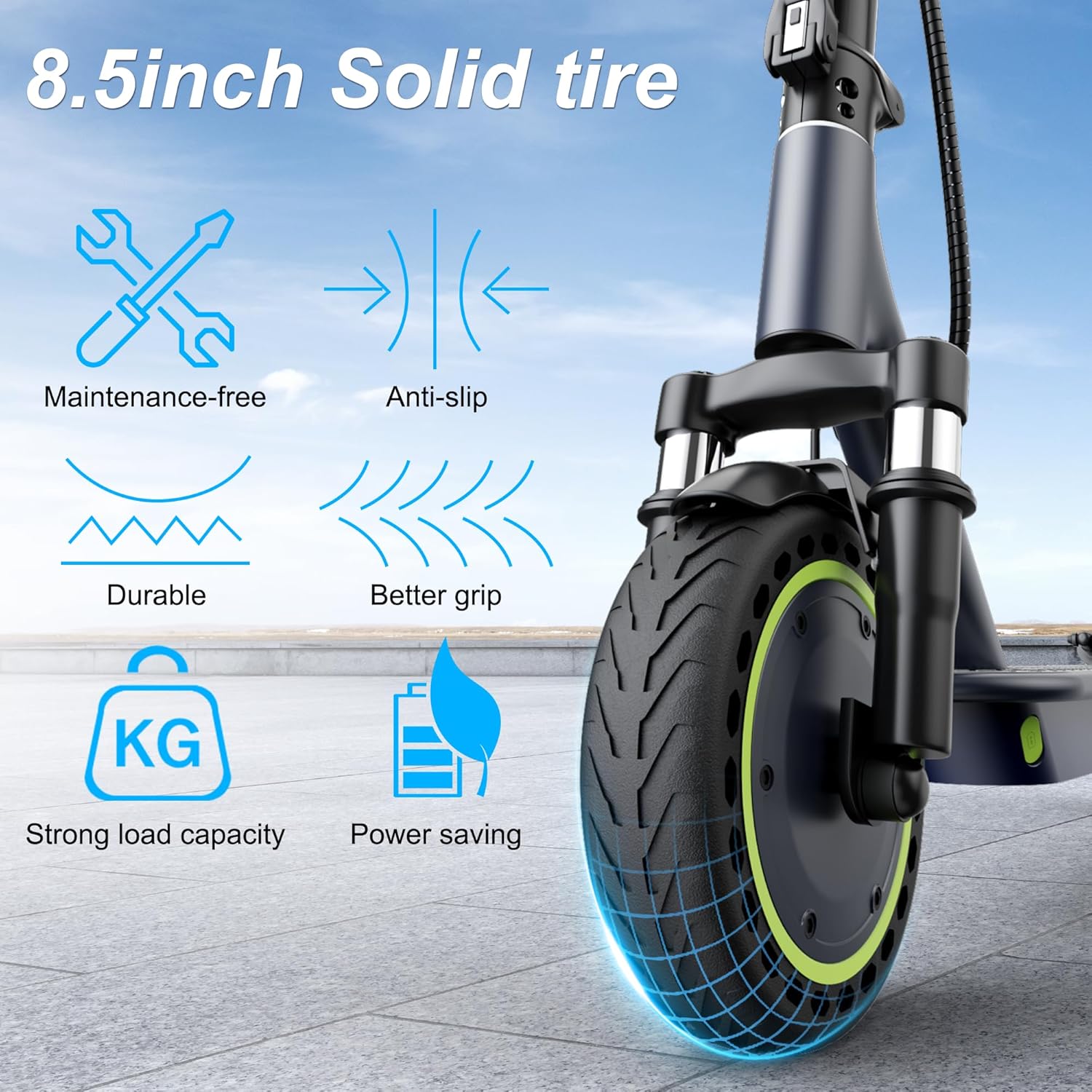
The scooter is equipped with 8.5-inch solid tires, which are maintenance-free and provide reliable grip. Regular inspection of the braking system and keeping the scooter clean will ensure optimal performance and longevity.
6.2 Battery Care
To prolong battery life, charge the scooter regularly, especially after extended periods of non-use. Avoid completely draining the battery.
6.3 Cleaning
Wipe the scooter with a damp cloth to remove dirt and dust. Avoid using high-pressure water or harsh chemicals that could damage electronic components.
6.4 Brake Inspection
Periodically check the functionality of both the regenerative and disc brakes. Ensure they respond promptly and effectively.
7. Troubleshooting
If you encounter issues with your scooter, refer to the following common troubleshooting tips:
- Scooter not powering on: Ensure the battery is charged. Press and hold the power button firmly.
- Reduced range or speed: Check tire pressure (if applicable, though these are solid tires), ensure battery is fully charged, and consider rider weight and terrain.
- Brakes not responding: Inspect brake levers and cables for any obstructions or damage.
- App connectivity issues: Ensure Bluetooth is enabled on your smartphone and the scooter is powered on. Try restarting both devices.
For more complex issues or problems not listed here, please contact customer support.
8. Specifications
| Feature | Specification |
|---|---|
| Brand | Roinside |
| Model Name | UP8Pro |
| Motor | 350W Brushless Hub Motor |
| Maximum Speed | Up to 19 mph |
| Maximum Range | Up to 21 miles (7.8Ah battery) / 23 miles (general spec) |
| Battery | 7.8Ah Lithium Battery |
| Weight Limit | 265 Pounds |
| Wheel Size | 8.5 Inches (Solid) |
| Suspension Type | Dual Suspension (Front and Rear Spring) |
| Braking System | Dual Braking (Front Regenerative, Rear Disc) |
| Waterproof Rating | IP64 |
| Frame Material | Aluminum |
| Handle Height | 45 Inches |
| Uphill Climb | Up to 25% grade |
9. Warranty
The Roinside Electric Scooter UP8Pro comes with a 1-year limited warranty. Please refer to the warranty card included with your product for detailed terms and conditions.
10. Support
For technical assistance, spare parts, or any inquiries not covered in this manual, please contact Roinside customer support through their official channels or the retailer where the product was purchased.