
1. Introduction
Thank you for choosing the OOTDTY 55-inch L-Shaped Gaming Desk, Model HOD. This manual provides detailed instructions for the assembly, operation, and care of your new desk. Please read this manual thoroughly before beginning assembly and retain it for future reference. Proper assembly and use will ensure the longevity and optimal performance of your product.
2. Product Overview
The OOTDTY L-Shaped Gaming Desk is designed for versatility and functionality, featuring a robust carbon fiber board construction and a sturdy metal frame. It includes integrated LED lighting, built-in power outlets, a monitor stand, and ample storage solutions to enhance your gaming or work environment.

Figure 2.1: Overview of the OOTDTY L-Shaped Gaming Desk, highlighting key features such as LED lights, power outlets, monitor stand, adjustable storage shelves, and fabric drawers.
Key Features:
- L-Shaped Design: Offers a spacious and flexible workspace, configurable for left or right-hand orientation.
- Integrated LED Lighting: RGB LED lights with various colors and dynamic modes for an immersive experience.
- Built-in Power Outlets: Includes 2 AC outlets (125V/12A) and 2 USB ports (5V/2A) for convenient device charging.
- Ergonomic Monitor Stand: Elevates your monitor to promote a healthier sitting posture and free up desktop space.
- CPU Tower Stand: A dedicated platform (18.9" D x 13.8" W) to accommodate most computer towers, improving airflow and protection.
- Storage Solutions: Features 3 fabric drawers, 2 side hooks for headphones or bags, and adjustable storage shelves.
- Durable Construction: Made with scratch-resistant, dust-resistant, and waterproof carbon fiber board and a sturdy metal frame with X-shaped crossbars.
3. Specifications
| Feature | Detail |
|---|---|
| Brand | OOTDTY |
| Model Number | HOD |
| Shape | L-Shape |
| Product Dimensions (D x W x H) | 18.9"D x 55.1"W x 45.3"H |
| Color | Black |
| Material Type | Engineered Wood, Metal |
| Maximum Weight Recommendation | 200 Pounds (90.7 kg) |
| Number of Drawers | 3 (Fabric) |
| Number of Shelves | 3 (Adjustable) |
| Power Outlets | 2 AC Outlets (125V/12A), 2 USB Ports (5V/2A) |
| Power Cord Length | 4.9 Feet |
| Special Features | Adjustable Height, Built-In USB Outlet, Monitor Stand, Reversible, LED Lights |
| Assembly Required | Yes |
| Assembly Tools Included | Yes |

Figure 3.1: Product dimensions and weight capacities for various sections of the desk.
4. Package Contents
Before beginning assembly, please verify that all parts listed in the included assembly guide are present and undamaged. The package typically includes:
- Desk panels (L-shaped main desktop, monitor stand, CPU platform, side shelves)
- Metal frame components (legs, crossbars, supports)
- 3 Fabric drawers
- Built-in power strip with AC outlets and USB ports
- LED light strip
- 2 Side hooks
- Assembly hardware (screws, bolts, nuts, etc.)
- Assembly tools (e.g., Allen wrench, screwdriver)
- Instruction manual
If any parts are missing or damaged, please contact customer support immediately.
5. Setup and Assembly
Assembly of the OOTDTY L-Shaped Gaming Desk is designed to be straightforward. Follow the step-by-step instructions provided in the separate assembly manual included in your package. All necessary tools are provided.
Important Assembly Notes:
- Clear Workspace: Ensure you have a clear, spacious area for assembly to prevent damage to parts or injury.
- Two-Person Assembly: While possible for one person, assembly may be easier and safer with two people.
- Reversible Design: The L-shaped configuration can be assembled with the longer side on either the left or right, depending on your preference and room layout. Refer to the assembly manual for specific steps on reversing the orientation.
- Do Not Overtighten: Tighten screws and bolts firmly, but avoid overtightening to prevent stripping or damaging the materials.
- Leveling Feet: The desk includes adjustable leveling feet. Once assembled, adjust these feet to ensure the desk is stable and balanced on uneven surfaces.

Figure 5.1: The reversible design allows for flexible placement in your space.
6. Operating Instructions
6.1. Using the Built-in Power Outlets
The desk features a built-in power strip for convenient access to power. Locate the power strip on the desktop. It includes two standard AC outlets and two USB charging ports.
- AC Outlets: Plug your computer, monitor, or other AC-powered devices directly into the 125V/12A outlets.
- USB Ports: Connect your smartphones, tablets, or other USB-powered devices to the 5V/2A USB ports for charging.
- Safety: Ensure the desk's main power cord is securely plugged into a wall outlet. Do not overload the power strip beyond its rated capacity.

Figure 6.1: The integrated power strip provides easy access to AC and USB charging.
6.2. Controlling the LED Light Strip
The integrated LED light strip offers customizable lighting to enhance your environment. The lights can be controlled via a remote control (if included) or a dedicated mobile application.
- Power On/Off: Use the designated button on the remote or in the app to turn the LED lights on or off.
- Color Selection: Choose from over 60,000 colors to match your mood or setup.
- Dynamic Modes: Select from various pre-programmed dynamic lighting effects.
- Music Mode: Some models may feature a music mode where lights react to audio.
- Timing Mode: Set timers for the lights to turn on or off automatically.
- App Control: Download the recommended app (details usually in the assembly guide or on the product packaging) to access full control features via your smartphone.
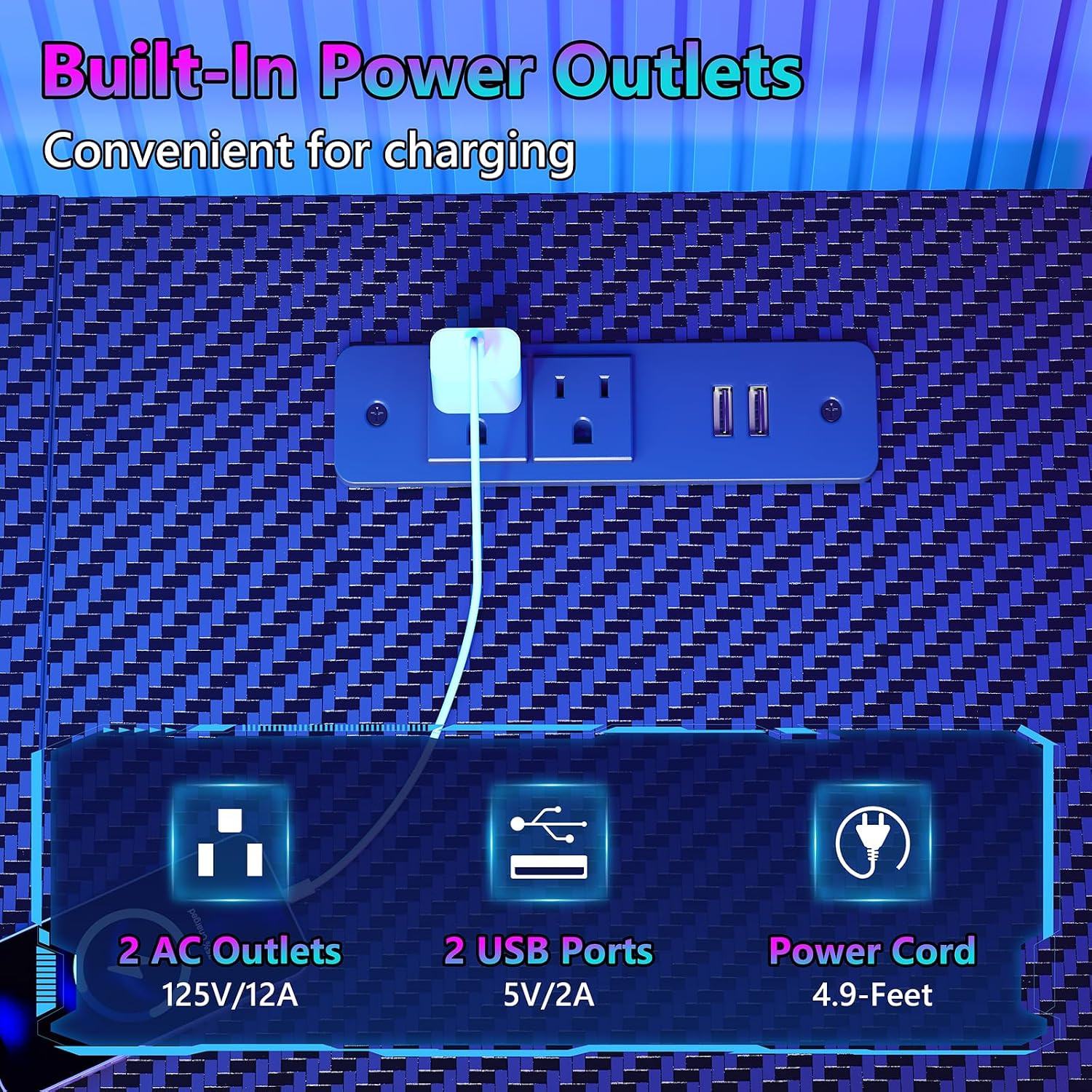
Figure 6.2: The LED light strip offers extensive customization via app control.
6.3. Adjusting Storage Shelves
The side storage shelves are adjustable to accommodate items of various sizes. To adjust a shelf:
- Empty the shelf of all contents.
- Carefully lift the shelf and reposition it to the desired height by aligning it with the available slots on the metal frame.
- Ensure the shelf is securely seated in all four support points before placing items back on it.

Figure 6.3: The adjustable shelves provide flexible storage options.
7. Maintenance
Regular maintenance will help preserve the appearance and functionality of your OOTDTY gaming desk.
- Cleaning the Desktop: The carbon fiber board is scratch-resistant, dust-resistant, and waterproof. Wipe surfaces with a soft, damp cloth. Avoid abrasive cleaners or harsh chemicals that could damage the finish.
- Cleaning Fabric Drawers: For the fabric drawers, spot clean with a mild detergent and a damp cloth. Allow to air dry completely. Do not machine wash.
- Frame Maintenance: Periodically check all screws and bolts to ensure they remain tight. Retighten if necessary to maintain stability.
- Cable Management: Regularly organize cables to prevent tangles and reduce strain on power outlets and device ports.

Figure 7.1: The carbon fiber board is designed for durability and easy cleaning.
8. Troubleshooting
If you encounter any issues with your OOTDTY gaming desk, refer to the following common solutions:
| Problem | Possible Cause | Solution |
|---|---|---|
| Desk is wobbly or unstable. | Loose connections; uneven floor. | Check and tighten all assembly hardware. Adjust the leveling feet on the bottom of the desk to stabilize it. |
| Power outlets or USB ports are not working. | Desk's main power cord unplugged; power strip overloaded; faulty device. | Ensure the desk's power cord is securely plugged into a functional wall outlet. Check if the power strip is overloaded. Test with a different device. If issues persist, contact support. |
| LED lights are not turning on or functioning correctly. | Power connection issue; remote/app issue; faulty LED strip. | Verify the LED light strip is properly connected to its power source. Check remote control batteries or ensure the app is correctly paired. If the problem continues, contact customer support. |
| Fabric drawers do not slide smoothly. | Drawer overloaded; obstruction. | Reduce the weight in the drawer. Check for any items obstructing the drawer's movement. |
9. Warranty and Support
The OOTDTY 55-inch L-Shaped Gaming Desk (Model HOD) comes with a 1-year limited warranty from the date of purchase. This warranty covers manufacturing defects and material flaws under normal use.
For warranty claims, technical assistance, or any questions regarding your product, please do not hesitate to contact our customer support team. We are committed to providing prompt assistance and will reply to your inquiries within 24 hours.
Customer Support:
- Email: support@ootdty.com (Example email, please refer to your product packaging or purchase documentation for actual contact information.)
- Website: Visit the OOTDTY Store on Amazon
Please have your purchase receipt and model number (HOD) ready when contacting support to expedite the process.