
Introduction
Thank you for choosing the JUMMICO XL Ergonomic Gaming Chair. This manual provides essential information for the safe assembly, operation, maintenance, and troubleshooting of your new chair. Please read these instructions carefully before use and retain them for future reference.
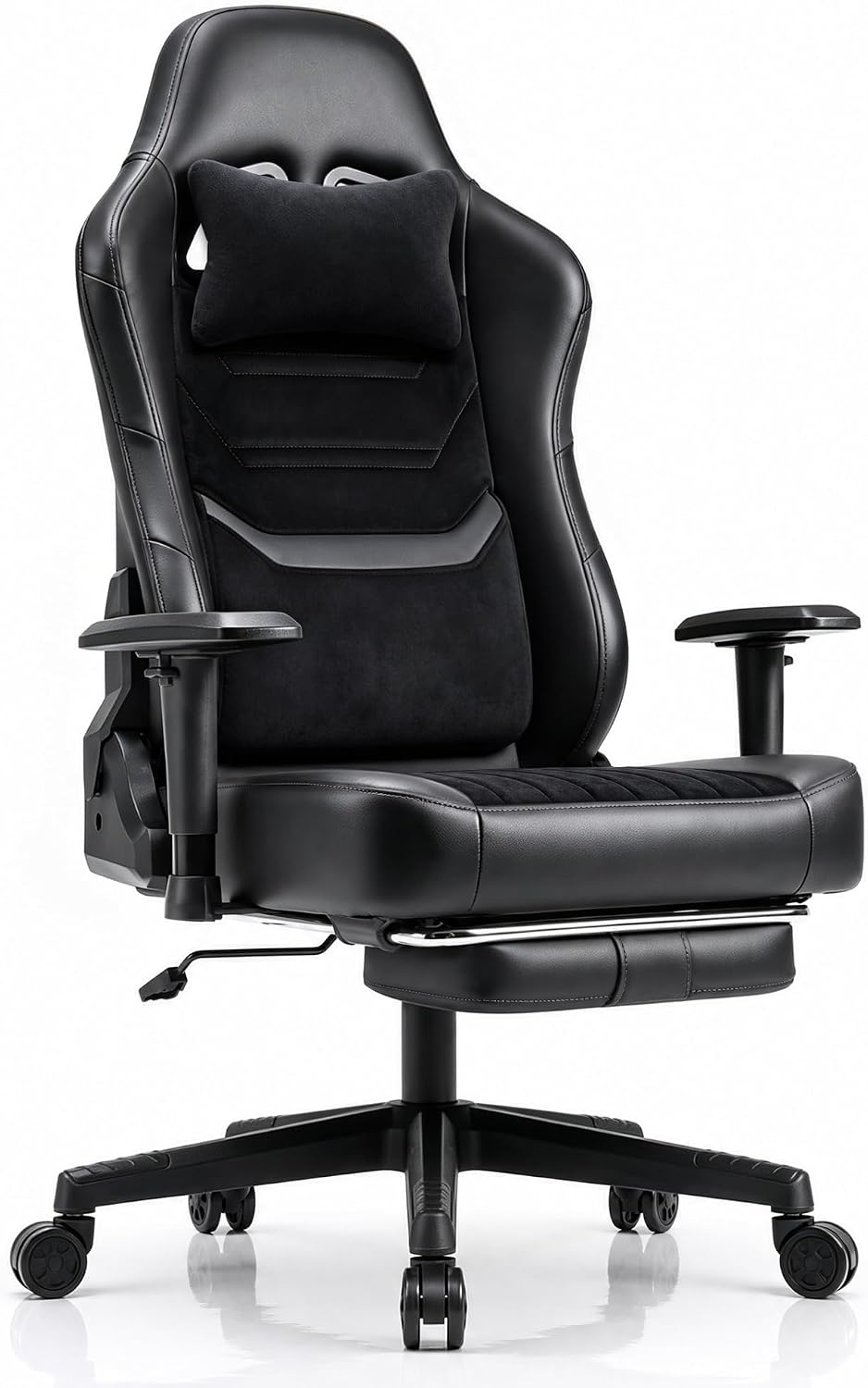
Image: The JUMMICO XL Ergonomic Gaming Chair, black, positioned in a contemporary home office environment.
Setup and Assembly
Assembly is required for this product. Please ensure all components are present before beginning. It is recommended to assemble the chair on a soft, clean surface to prevent damage.
- Unpack Components: Carefully remove all parts from the packaging and lay them out. Verify against the parts list (not provided in this manual, refer to your product packaging for a complete list).
- Attach Casters to Base: Insert the five casters into the holes on the star base until they click securely into place.
- Insert Gas Lift: Place the gas lift cylinder into the center hole of the star base.
- Assemble Seat and Backrest: Attach the backrest to the seat base using the provided screws and tools. Ensure all connections are tight.
- Attach Armrests: Secure the 2D armrests to the seat base.
- Connect Mechanism: Attach the tilt mechanism to the underside of the seat using the designated screws.
- Mount Seat onto Gas Lift: Carefully place the assembled seat onto the gas lift cylinder, ensuring it is centered and stable.
- Attach Cushions: Position the lumbar and headrest cushions as desired.
After assembly, test all functions to ensure proper operation and stability.
Operating Instructions
Your JUMMICO XL Ergonomic Gaming Chair offers multiple adjustment options for personalized comfort.
Chair Height Adjustment
- To raise the chair: While seated, lift the lever located under the seat on the right side. The chair will rise. Release the lever at the desired height.
- To lower the chair: While seated, pull the lever located under the seat on the right side. The chair will lower. Release the lever at the desired height.
Backrest Recline (90°-170°)
- To recline: Pull the recline lever located on the right side of the chair, below the seat. Lean back to the desired angle (between 90° and 170°). Release the lever to lock the backrest in position.
- To return to upright: Pull the recline lever and lean forward slightly. The backrest will return to an upright position. Release the lever to lock.

Image: A person demonstrating the multi-position recline feature (90°-160°) of the JUMMICO gaming chair, with the retractable footrest extended for relaxation.
2D Armrest Adjustment
- Height Adjustment: Press the button on the side of each armrest and move the armrest up or down to your preferred height. Release the button to lock.
- Swivel Adjustment: The armrests can be rotated left and right by 30 degrees to provide optimal support for your arms and prevent elbow fatigue.

Image: A diagram illustrating the 2D armrest adjustments, including height (75mm range) and 30-degree left/right swivel for ergonomic support.
Retractable Footrest
- To extend: Pull the footrest out from under the seat.
- To retract: Push the footrest back under the seat until it is fully stored.
Lumbar and Headrest Cushions
The chair includes adjustable lumbar and headrest cushions for enhanced ergonomic support. Position them to best suit your body's natural curves.

Image: A side view of the JUMMICO gaming chair highlighting its bionic cascade-shaped curve, designed to perfectly adapt to the back without exerting pressure on the kidneys.
Maintenance and Care
Proper care will extend the life and appearance of your JUMMICO gaming chair.
Cleaning
- Synthetic Leather Areas: Wipe regularly with a soft, damp cloth. For stubborn stains, use a mild soap solution and wipe dry immediately. Avoid harsh chemicals or abrasive cleaners.
- Fabric Areas: Use a vacuum cleaner with a brush attachment to remove dust and debris. For spills, blot immediately with a clean, dry cloth. For deeper cleaning, use a fabric cleaner according to its instructions, testing on an inconspicuous area first.
- Base and Casters: Wipe with a damp cloth. Periodically check casters for hair or debris and clean as needed to ensure smooth movement.

Image: A close-up view of the JUMMICO gaming chair's seat, showcasing its mixed material design of breathable fabric and easy-to-clean synthetic leather, ensuring comfort during prolonged sitting.
General Care
- Periodically check all screws and bolts to ensure they are tight. Retighten if necessary.
- Avoid exposing the chair to direct sunlight for extended periods to prevent material fading and degradation.
- Do not stand on the chair or use it for purposes other than sitting.
Troubleshooting
If you encounter issues with your JUMMICO gaming chair, refer to the following common problems and solutions:
| Problem | Possible Cause | Solution |
|---|---|---|
| Chair does not adjust height | Gas lift malfunction or lever not engaged | Ensure the height adjustment lever is fully engaged. If the issue persists, the gas lift may need replacement. |
| Chair is wobbly or unstable | Loose screws or improper assembly | Check all assembly screws and bolts, especially those connecting the seat, backrest, and mechanism to the base. Tighten any loose connections. |
| Casters do not roll smoothly | Debris caught in casters or damaged casters | Remove any hair or debris from the caster wheels. If casters are damaged, they may need replacement. |
| Backrest does not recline or lock | Recline mechanism jammed or lever not engaged | Ensure the recline lever is fully engaged. Check for any obstructions in the recline mechanism. |
If you cannot resolve the issue using the information above, please contact JUMMICO customer support for further assistance.
Specifications
Detailed specifications for the JUMMICO XL Ergonomic Gaming Chair (Model: gaming stuhl 200kg):
- Brand: JUMMICO
- Model Number: gaming stuhl 200kg
- Color: Black
- Material: Synthetic leather, Fabric
- Product Dimensions (Depth x Width x Height): 57P x 58l x 127H cm (57 x 58 x 127 cm)
- Seat Depth: 58 cm
- Recommended Maximum Weight: 200 kg
- Recommended User Height: 150 cm - 190 cm
- Item Weight: 22 kg
- Special Features: Large and tall design, 2D adjustable armrests, Retractable footrest, 90-170° recline, Lumbar and headrest cushions included
- Assembly Required: Yes
- GTIN/UPC: 788418788054
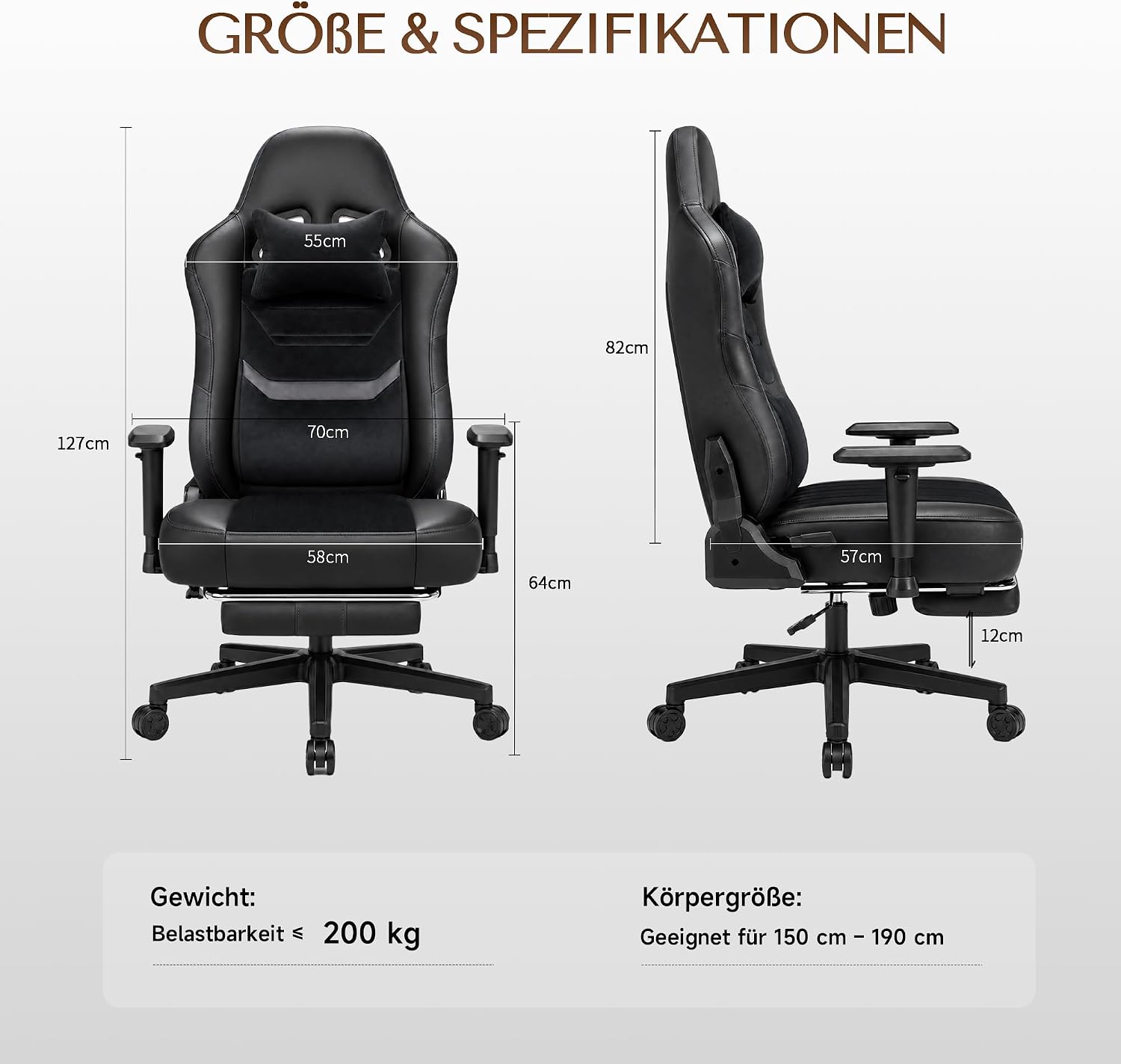
Image: A diagram illustrating the key dimensions and specifications of the JUMMICO gaming chair, including height, width, seat depth, and recommended user height and weight capacity.

Image: This image highlights the extra-large seat dimensions (58cm width) and provides visual examples of different users (Model A: 170cm/60kg, Model B: 190cm/90kg, Model C: 180cm/150kg) comfortably seated and reclining in the JUMMICO gaming chair.
Warranty and Support
For warranty information, please refer to the documentation included with your purchase or contact the retailer. For technical support, spare parts, or any other inquiries, please contact JUMMICO customer service through their official website or the contact information provided with your product.
