
1. Introduction
This manual provides essential information for the safe and efficient use of your Sennheiser Momentum 5 Wireless Headphones. Please read this manual thoroughly before using the product for the first time to ensure proper operation and to prevent damage.
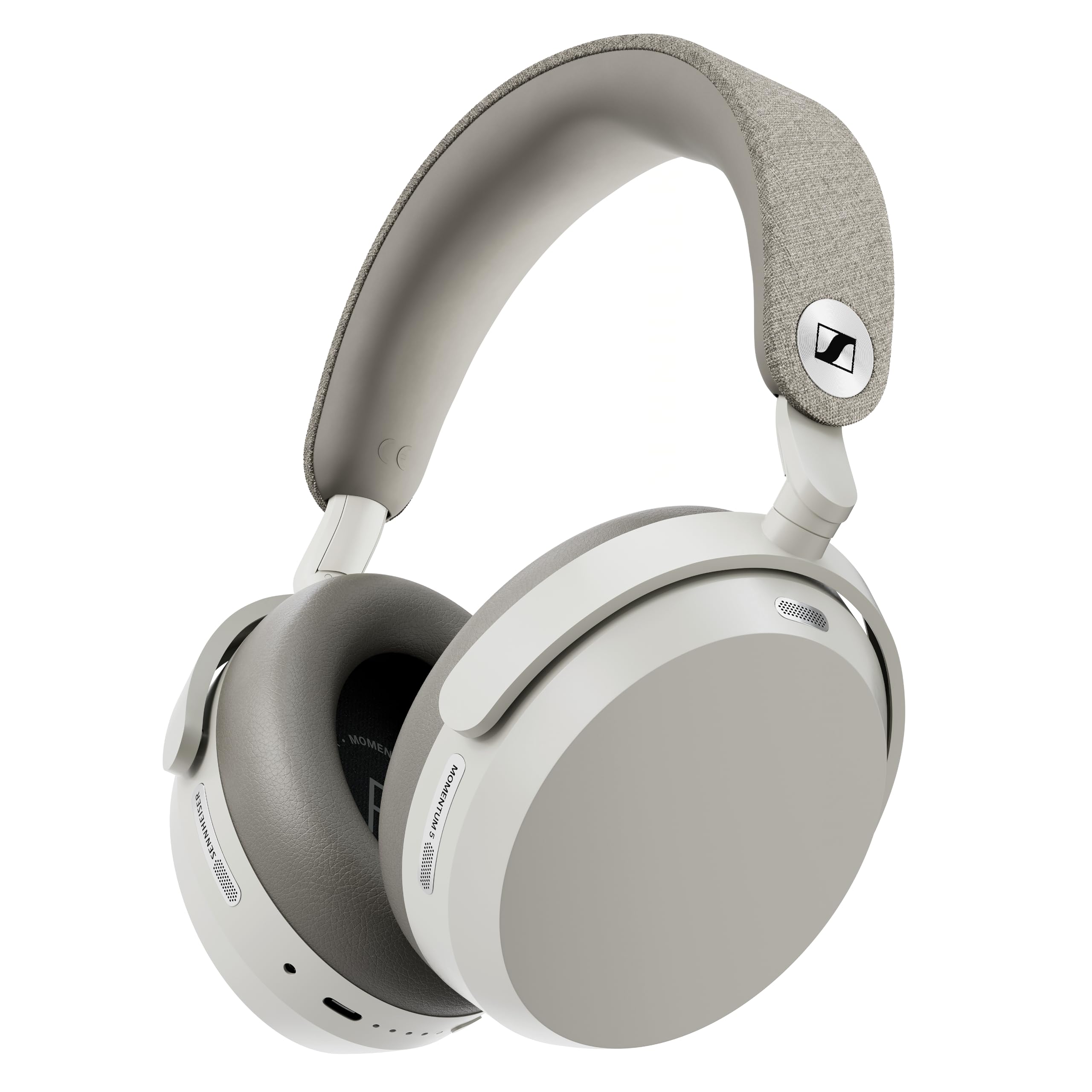
Image 1.1: Sennheiser Momentum 5 Wireless Headphones (White). These over-ear headphones feature active noise cancellation and a comfortable design for extended listening.
2. What's in the Box
Verify that all items listed below are present in your package:
- Sennheiser Momentum 5 Wireless Headphones
- Protective Carrying Case
- USB-C Charging Cable
- Analog Audio Cable (3.5 mm jack)
- User Manual (this document)

Image 2.1: Contents of the Momentum 5 package. The image displays the headphones, USB-C charging cable, analog audio cable, and the protective carrying case.
3. Product Overview
Familiarize yourself with the various components and features of your headphones.

Image 3.1: Key features and components. This diagram highlights the wide headband, textile-covered cushioning, metallic logo, swiveling hinges, touch pad, 8x hybrid adaptive ANC microphones, exchangeable ergonomically shaped foam pads, and synthetic leather earcups.
- Headband: Wide and adjustable for comfort.
- Ear Cups: Feature soft, synthetic leather ear pads for comfort and passive noise isolation.
- Touch Pad (Right Earcup): For controlling volume, playback, ANC, and Transparency Mode.
- Microphones: Integrated for Active Noise Cancellation (ANC) and voice calls.
- USB-C Port: For charging and wired audio connection.
- 3.5mm Audio Jack: For wired analog audio connection.
4. Setup
4.1 Charging the Headphones
Before first use, fully charge the headphones. A full charge takes approximately 2 hours.
- Connect the USB-C charging cable to the USB-C port on the headphones.
- Connect the other end of the USB-C cable to a USB power source (e.g., wall adapter, computer USB port).
- The LED indicator will show charging status and turn off when fully charged.
4.2 Powering On/Off
- To Power On: Press and hold the Power button for approximately 2 seconds.
- To Power Off: Press and hold the Power button for approximately 2 seconds.
4.3 Bluetooth Pairing
To connect your headphones to a smartphone or other Bluetooth device:
- Ensure the headphones are powered off.
- Press and hold the Power button for 5 seconds until the LED flashes blue and red, indicating pairing mode.
- On your device, go to Bluetooth settings and select "Sennheiser Momentum 5" from the list of available devices.
- Once connected, the LED will flash blue.

Image 4.1: Bluetooth connection guide. This illustration shows holding the power button for 5 seconds to enter pairing mode, indicated by a Bluetooth icon on a smartphone.
4.4 Sennheiser Smart Control Plus App
Enhance your listening experience by downloading the Sennheiser Smart Control Plus app. The app allows you to:
- Customize sound with a built-in equalizer.
- Manage noise cancellation levels and transparency mode.
- Update headphone firmware.
- Access additional features and settings.

Image 4.2: Sennheiser Smart Control Plus App. Screenshots show the app's interface for firmware updates, device management, sound customization, and equalizer settings.
5. Operating the Headphones
5.1 Touch Pad Controls
The right earcup features a touch-sensitive surface for various controls:

Image 5.1: Touch pad control guide. This diagram illustrates gestures for volume (vertical swipe), music playback (tap), ANC (pinch), and Transparency Mode (stretch) on the right earcup.
- Volume Control: Swipe up or down vertically on the touch pad.
- Music Playback: Tap once to Play/Pause. Double-tap for next track, triple-tap for previous track.
- Active Noise Cancellation (ANC): Pinch the touch pad to cycle through ANC modes.
- Transparency Mode: Stretch the touch pad to activate/deactivate Transparency Mode.
5.2 Active Noise Cancellation (ANC) and Transparency Mode
Your headphones feature advanced hybrid adaptive ANC to reduce ambient noise and a Transparency Mode to hear your surroundings without removing the headphones.
- ANC: Reduces external noise for an immersive listening experience. Adjust levels via the Smart Control Plus app.
- Transparency Mode: Allows ambient sounds to pass through, useful for awareness in busy environments or conversations.
5.3 Making and Receiving Calls
When connected to a smartphone, you can manage calls using the touch pad:
- Answer/End Call: Tap once on the touch pad.
- Reject Call: Press and hold the touch pad for 2 seconds.
6. Maintenance
6.1 Cleaning
To maintain the performance and appearance of your headphones:
- Wipe ear pads and surfaces with a soft, dry, lint-free cloth.
- Do not use cleaning agents, alcohol, or abrasive materials.
- Avoid getting moisture into openings.
6.2 Battery Replacement
The Sennheiser Momentum 5 features a user-replaceable battery, extending the product's lifespan and reducing electronic waste. Refer to the official video for detailed instructions.
Video 6.1: MOMENTUM 5 Battery Replacement. This official video from Sennheiser Consumer Audio demonstrates the step-by-step process for safely replacing the battery in your Momentum 5 Wireless Headphones.
6.3 Ear Pad Replacement
The ear cushions are user-replaceable, which helps extend the life of the product while maintaining comfort and hygiene. Spare parts are sold separately.

Image 6.1: Ear pad replacement guide. This illustration shows how to detach and reattach the ear pads, indicating the click mechanism for secure fitting.
7. Troubleshooting
If you encounter issues, try the following solutions:
| Problem | Solution |
|---|---|
| No power | Charge the headphones fully. |
| No sound | Check Bluetooth connection, device volume, and headphone volume. Ensure headphones are powered on. |
| Poor sound quality | Ensure headphones are within Bluetooth range of the device. Check for interference. Try a different audio source. |
| Cannot pair via Bluetooth | Ensure headphones are in pairing mode. Turn off and on Bluetooth on your device. Forget the device and re-pair. |
| ANC not working effectively | Ensure ear pads are properly seated and form a good seal. Adjust ANC levels via the Smart Control Plus app. |
8. Specifications
| Feature | Detail |
|---|---|
| Model Name | M5AEBT |
| Model Number | 800078 |
| Ear Placement | Over Ear |
| Noise Control | Active Noise Cancellation (Hybrid Adaptive) |
| Connectivity Technology | Wireless (Bluetooth 5.4), Wired (USB-C, 3.5mm Analog) |
| Bluetooth Version | 5.4 |
| Audio Driver Size | 42 mm |
| Battery Life | Up to 57 hours (with ANC on) |
| Battery Charge Time | Approx. 2 hours |
| Weight | 290 g |
| Control Method | Touch |
| UPC | 810091274149 |
9. Warranty and Support
Your Sennheiser Momentum 5 Wireless Headphones come with a 2-year manufacturer's warranty from the date of purchase. This warranty covers defects in materials and workmanship under normal use.
For warranty claims, technical support, or to purchase spare parts, please visit the official Sennheiser support website or contact your local Sennheiser representative:
Please retain your proof of purchase for warranty service.


