
1. Introduction
This manual provides essential information for the safe and efficient operation of your Orbegozo FDI 125 Split Inverter Air Conditioner. Please read this manual thoroughly before installation and use, and retain it for future reference. This unit is designed to provide both cooling and heating for residential applications, featuring R-32 refrigerant and integrated Wi-Fi connectivity for enhanced control.
2. Safety Information
WARNING: Failure to follow these instructions could result in electric shock, fire, or serious injury.
- Installation must be performed by a qualified professional in accordance with local and national electrical codes.
- Do not attempt to repair or modify the unit yourself. Contact qualified service personnel for all repairs.
- Ensure the power supply matches the unit's specifications (240 Volts).
- Do not block the air intake or outlet vents of either the indoor or outdoor unit.
- Keep children and pets away from the outdoor unit.
- The unit contains R-32 refrigerant, which is mildly flammable. Handle with care and ensure proper ventilation during installation and servicing.
- Always disconnect power before cleaning or performing any maintenance.
3. Product Overview
The Orbegozo FDI 125 is a split-type air conditioning system consisting of an indoor unit and an outdoor unit. The package includes the main air conditioning unit and a user manual.
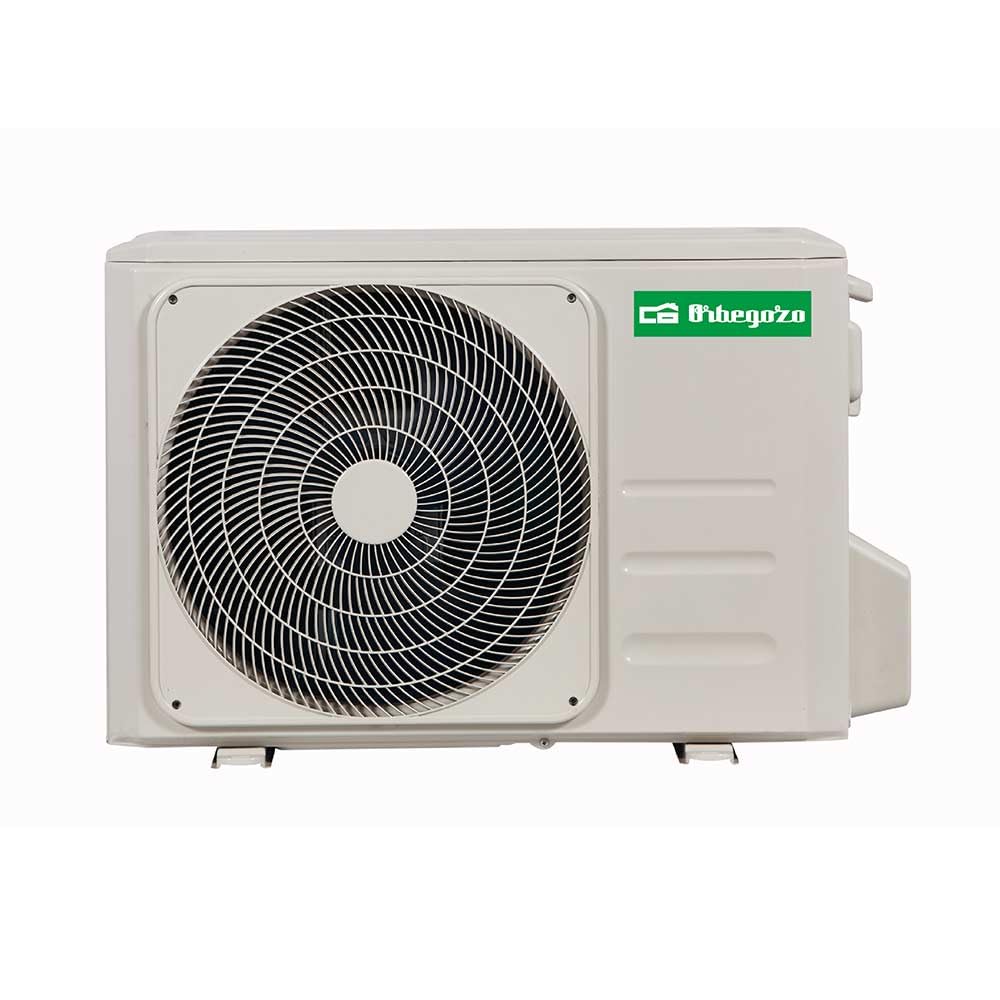
Image: Front view of the Orbegozo FDI 125 indoor unit, showing its sleek white design and the Orbegozo logo.
3.1. Indoor Unit
- Air intake grille
- Air outlet louvers (horizontal and vertical)
- Display panel (temperature, mode indicators)
- Air filter (located behind the intake grille)
3.2. Outdoor Unit
The outdoor unit houses the compressor, condenser, and expansion valve. It is designed to be installed outside the building and requires proper ventilation.
3.3. Remote Control
The remote control allows you to adjust settings such as temperature, operating mode, fan speed, and timer functions from a distance.
4. Installation
IMPORTANT: Installation of this split system air conditioner requires specialized tools and knowledge. It must be installed by a certified HVAC technician to ensure proper functioning, safety, and warranty validity.
4.1. Site Selection
- Indoor Unit: Choose a location that allows for even air distribution, away from direct sunlight or heat sources. Ensure sufficient space around the unit for maintenance and air circulation.
- Outdoor Unit: Select a well-ventilated area, free from obstructions, and away from noise-sensitive areas. Ensure the outdoor unit is placed on a stable, level surface. An outdoor unit is required for operation.
4.2. Electrical Connections
Ensure the electrical supply meets the unit's requirements (240V). All wiring must comply with local electrical codes. A dedicated circuit is recommended.
4.3. Refrigerant Piping
The unit uses R-32 refrigerant. Proper handling and connection of refrigerant lines are crucial to prevent leaks and ensure system efficiency. This task must be performed by a certified technician.
5. Initial Setup
5.1. Power On
After professional installation, turn on the main power supply to the air conditioner. The unit will typically perform an initial self-check.
5.2. Remote Control Pairing
Insert batteries into the remote control. Point the remote at the indoor unit and press the power button. The unit should respond with an audible signal.
5.3. Wi-Fi Connection
The Orbegozo FDI 125 features built-in Wi-Fi for smartphone control. Follow these general steps to connect:
- Download the Orbegozo Smart Home app (or specified app) from your smartphone's app store.
- Create an account or log in.
- Follow the in-app instructions to add a new device. This usually involves putting the air conditioner into pairing mode (refer to the remote control or indoor unit for specific button combinations) and connecting to its temporary Wi-Fi network before configuring it to your home Wi-Fi.
- Once connected, you can control the unit remotely via the app.
6. Operating Instructions
Use the remote control or the smartphone app to operate your air conditioner.
6.1. Basic Functions
- Power ON/OFF: Press the ON/OFF button.
- Mode Selection: Press the MODE button to cycle through modes: Cool, Heat, Fan, Dry, Auto.
- Temperature Adjustment: Use the TEMP UP/DOWN buttons to set the desired temperature. The operating range is -15°C to 50°C for cooling and -15°C to 30°C for heating.
- Fan Speed: Press the FAN button to select fan speed (Low, Medium, High, Auto).
6.2. Advanced Functions
- Timer: Set the unit to turn on or off automatically after a specified period. Refer to the remote control section of the full manual for detailed timer programming.
- Sleep Mode: Adjusts temperature and fan speed for comfortable sleep and energy saving.
- Swing Function: Controls the horizontal and vertical movement of the air louvers for better air distribution.
- Wi-Fi Control: Use the smartphone app to control all functions remotely, schedule operations, and monitor status.
7. Maintenance
Regular maintenance ensures optimal performance and extends the lifespan of your air conditioner. Always disconnect power before performing any maintenance.
7.1. Air Filter Cleaning
Clean the air filters every two weeks or more frequently if the unit is used heavily or in dusty environments.
- Open the front panel of the indoor unit.
- Remove the air filters.
- Wash the filters with lukewarm water and a mild detergent. Rinse thoroughly.
- Allow filters to dry completely in a shaded area before reinstalling. Do not expose to direct sunlight.
7.2. Indoor Unit Cleaning
Wipe the surface of the indoor unit with a soft, damp cloth. Do not use harsh chemicals or abrasive cleaners.
7.3. Outdoor Unit Maintenance
Periodically check the outdoor unit for obstructions (leaves, debris) and clear them. For thorough cleaning of coils and fins, contact a professional technician annually.
8. Troubleshooting
Before contacting service, check the following common issues:
| Problem | Possible Cause | Solution |
|---|---|---|
| Unit does not start | No power; remote control batteries low; timer set. | Check power supply; replace batteries; cancel timer. |
| Insufficient cooling/heating | Dirty air filters; blocked outdoor unit; wrong mode selected; room too large. | Clean filters; clear obstructions; select correct mode; ensure room size is within capacity. |
| Unusual noise | Loose parts; foreign objects; refrigerant flow noise (normal). | Check for loose parts; remove objects; if persistent, contact service. |
| Water leakage from indoor unit | Blocked drain pipe; improper installation. | Clear drain pipe; contact installer for inspection. |
| Wi-Fi connection issues | Router issues; incorrect password; unit too far from router. | Restart router; re-enter password; move unit or router closer. |
If the problem persists after checking these points, please contact qualified service personnel.
9. Specifications
| Feature | Detail |
|---|---|
| Model Number | FDI 125 |
| Type | Split Inverter Air Conditioner |
| Cooling Capacity | 3,000 Frigories/hour (3.5 kW) |
| Heating Capacity | 3,024 Kilocalories/hour (3.5 kW) |
| Energy Efficiency Class (Cooling) | A++ |
| Energy Efficiency Class (Heating) | A+++ |
| Annual Energy Consumption | 203 kWh/year |
| Refrigerant | R-32 |
| Voltage | 240 Volts |
| Noise Level | 51 Decibels |
| Indoor Unit Dimensions (W x H x D) | 780 x 276 x 202 mm (approx. 20.2 x 78 x 27.6 cm) |
| Product Weight | 30 kg |
| Operating Modes | Cooling, Heating, Fan, Dry, Auto |
| Control Method | Remote Control, Smartphone App (Wi-Fi) |
| Outdoor Unit Required | Yes |
10. Warranty and Support
Your Orbegozo FDI 125 air conditioner comes with a manufacturer's warranty. Please refer to the warranty card included with your product for specific terms and conditions. Typically, the warranty covers manufacturing defects for a period of 3 years.
For technical support, service, or warranty claims, please contact your retailer or the official Orbegozo customer service. Ensure you have your proof of purchase and model number (FDI 125) available when contacting support.

