
Genérico GN-407
Genérico GN-407 MP3/MP4 Player User Manual
Model: GN-407
1. Introduction
This manual provides detailed instructions for the operation and maintenance of your Genérico GN-407 MP3/MP4 Player. Please read this manual carefully before using the device to ensure proper functionality and to maximize your user experience. This portable digital player supports music, video, FM radio, e-books, and photo viewing. It features Bluetooth 5.0 for connecting to wireless headphones or speakers, a built-in speaker, and a voice recorder.
Important Note: The Bluetooth function of this device is designed for connecting to Bluetooth headphones or speakers only. It does not connect to mobile phones, computers, or car audio systems.
2. Product Overview
The GN-407 player is a compact and versatile device designed for portable media consumption. It features a 1.8-inch TFT screen for easy navigation and viewing.
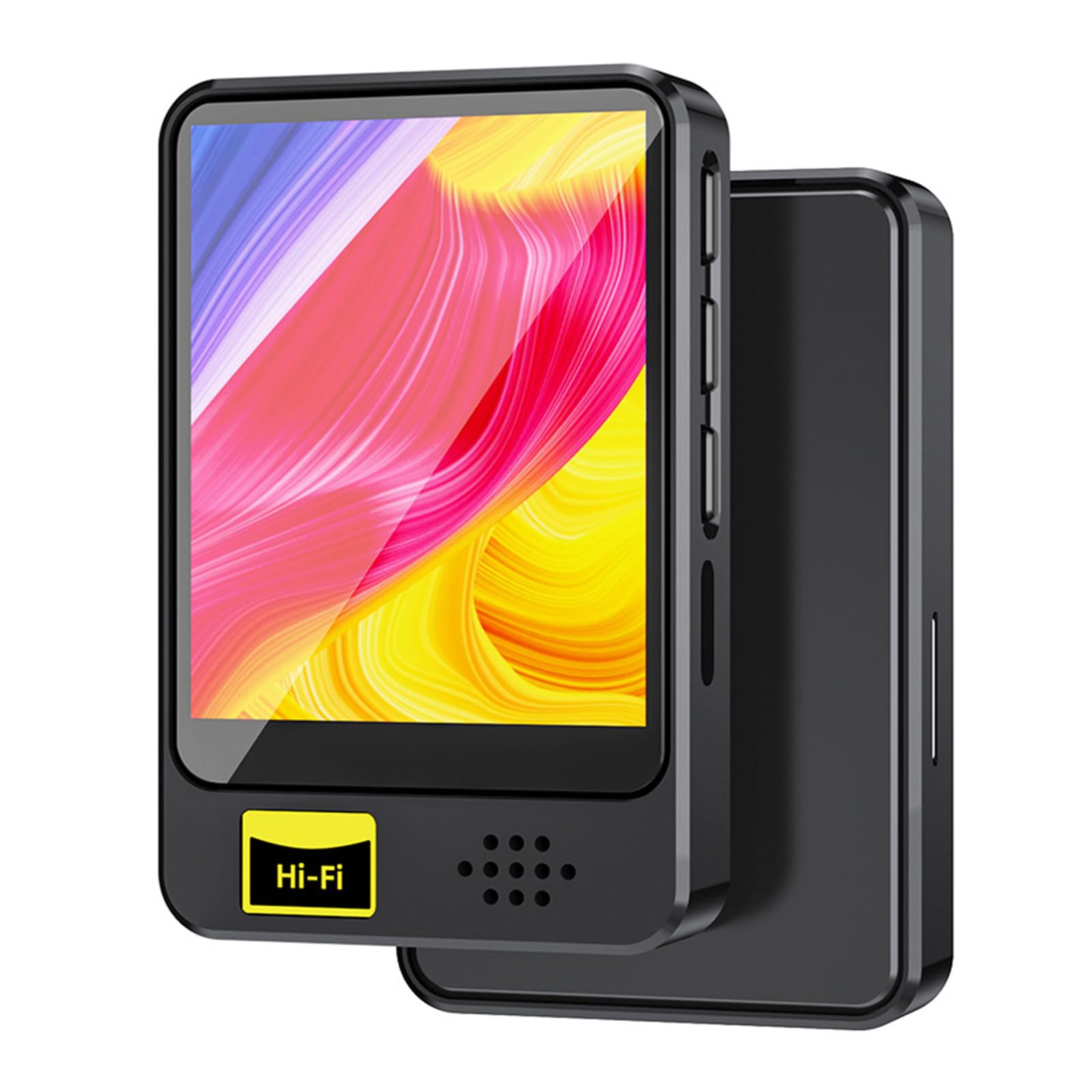
Figure 2.1: Front view of the Genérico GN-407 MP3/MP4 Player, showing the screen and control buttons.

Figure 2.2: Dimensions of the GN-407 player: 64mm height, 40mm width, and 11mm thickness.
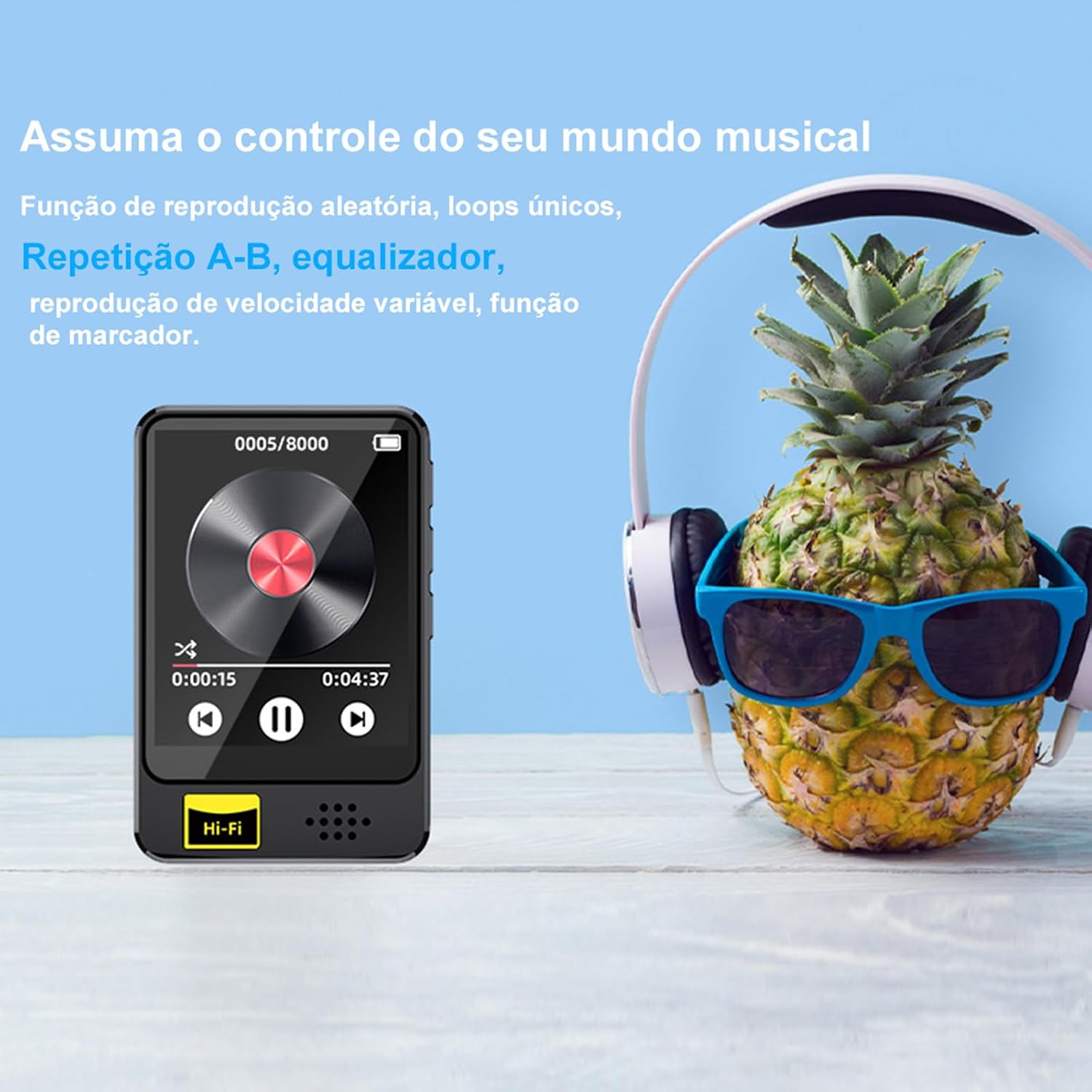
Figure 2.3: Illustration of music control features including shuffle, single loop, A-B repeat, equalizer, variable speed playback, and bookmark function.

Figure 2.4: The player offers HiFi lossless sound quality for an immersive audio experience.

Figure 2.5: Supported audio formats include OGG, ACELP, MP3, WMA, APE, FLAC, WAV, and AAC-LC.

Figure 2.6: Key features include Bluetooth 5.2, voice recorder, FM radio, and lossless music playback.
3. Package Contents
Please check the box for the following items:
- 1 x Genérico GN-407 MP3/MP4 Player
- 1 x USB Charging Cable
- 1 x Wired Headphones
- 1 x User Manual (this document)
4. Setup
4.1 Charging the Device
- Connect the provided USB cable to the player's charging port.
- Connect the other end of the USB cable to a USB power adapter (not included) or a computer's USB port.
- The device will indicate charging status on the screen.
- A full charge typically takes approximately 2 hours.
4.2 Inserting a Micro SD Card
The GN-407 player does not have internal memory. A Micro SD card (not included) is required to store music, videos, and other files.
- Locate the Micro SD card slot on the side of the player.
- Gently insert a Micro SD card (up to 64GB capacity) into the slot until it clicks into place.
- To remove the card, push it gently inward until it springs out.
Note: Ensure the Micro SD card is formatted correctly (e.g., FAT32) for optimal compatibility.
4.3 Initial Power On
Press and hold the power button (location typically on the side or top) for a few seconds until the screen lights up. The device will boot up and display the main menu.
5. Operating Instructions
Navigate through the menus using the physical buttons on the device. The screen is a TFT display and is not touch-sensitive.
5.1 Music Playback
- From the main menu, select "Music".
- Browse your music files by folder, artist, album, or genre (if metadata is available).
- Select a song to begin playback.
- Use the navigation buttons for play/pause, next/previous track, and volume control.
- Supported audio formats: MP3, WMA, APE, WAV, FLAC, OGG, ACELP, AAC-LC.
5.2 Video Playback
- From the main menu, select "Video".
- Browse and select a video file.
- The player supports video playback. Ensure video files are in a compatible format and resolution (128x160 pixels) for smooth playback.
5.3 FM Radio
- Connect the wired headphones to the 3.5mm audio jack. The headphones act as an antenna for the FM radio.
- From the main menu, select "FM Radio".
- Use the menu options to scan for stations or manually tune to a frequency.
5.4 E-book Reader
- From the main menu, select "E-book".
- The player supports TXT format e-books.
- Browse and select your desired TXT file to read.
5.5 Photo Viewer
- From the main menu, select "Photos" or "Gallery".
- The player supports JPG and GIF image formats.
- Browse and select an image to view.
5.6 Voice Recorder
- From the main menu, select "Recorder" or "Voice Record".
- Follow the on-screen prompts to start, pause, save, and playback recordings.
5.7 Bluetooth Connectivity (for Audio Output)
Reminder: Bluetooth connects only to headphones or speakers, not to phones, computers, or car systems.
- Ensure your Bluetooth headphones or speaker are in pairing mode.
- From the player's main menu, navigate to "Bluetooth".
- Turn Bluetooth ON and initiate a device search.
- Select your desired Bluetooth audio device from the list to pair.
- Once paired, audio will be routed through the connected Bluetooth device.
6. Maintenance
- Cleaning: Use a soft, dry cloth to clean the device. Do not use liquid cleaners or solvents.
- Storage: Store the player in a cool, dry place away from direct sunlight and extreme temperatures.
- Battery Care: To prolong battery life, avoid fully discharging the battery frequently. Charge the device regularly, even if not in use for extended periods.
- Water Exposure: This device is not waterproof. Avoid exposure to water or high humidity.
7. Troubleshooting
| Problem | Solution |
|---|---|
| Device does not turn on. | Ensure the battery is charged. Connect the player to a power source using the USB cable and try again. |
| Micro SD card not recognized. | Ensure the card is inserted correctly. Try re-inserting it. Verify the card is formatted to FAT32 and is not damaged. The player supports up to 64GB cards. |
| Bluetooth does not connect to my phone/PC. | This is expected behavior. The player's Bluetooth is designed only for connecting to Bluetooth headphones or speakers, not other smart devices. |
| No sound from FM Radio. | Ensure wired headphones are connected. They serve as the antenna for the FM radio function. |
| Short battery life. | Battery life is approximately 3 hours for music/video playback and 20 hours standby. Ensure the device is fully charged. Reduce screen brightness or disable unused features to conserve power. |
| Files are not playing. | Check if the files are in a supported format (e.g., MP3 for audio, TXT for e-books, JPG/GIF for images). Ensure files are stored on the Micro SD card. |
8. Specifications
| Feature | Detail |
|---|---|
| Model Name | GN-407 |
| Brand | Genérico |
| Display | 1.8-inch TFT Screen (128 x 160 pixels), Non-touchscreen |
| Internal Memory | None |
| Expandable Memory | Micro SD card up to 64 GB (not included) |
| Connectivity | USB 2.0, Bluetooth 5.0 (for audio output only) |
| Audio Formats | MP3, WMA, APE, WAV, FLAC, OGG, ACELP, AAC-LC |
| Image Formats | JPG, GIF |
| E-book Format | TXT |
| Special Features | Bluetooth, FM Radio, Voice Recorder, Built-in Speaker, Equalizer |
| Battery | 450mAh Lithium-ion |
| Charging Time | Approx. 2 hours |
| Playback Time | Approx. 3 hours (music/video), 20 hours (standby) |
| Material | ABS |
| Dimensions (L x W x H) | 9.0 cm x 4.0 cm x 0.8 cm (approx. 3.54 x 1.57 x 0.31 inches) |
| Weight | 31g (approx. 1.09 oz) |
9. Warranty and Support
9.1 Warranty Information
This product comes with a 3-month seller warranty from the date of purchase. This warranty covers manufacturing defects. Please retain your proof of purchase for warranty claims.
The warranty does not cover damage caused by misuse, accidents, unauthorized modifications, or normal wear and tear.
9.2 Customer Support
For any questions, technical assistance, or warranty claims, please contact the seller directly through the platform where the purchase was made. Please provide your order number and a detailed description of the issue for prompt assistance.
Ask a question about this manual
Ask about setup, troubleshooting, compatibility, parts, safety, or missing instructions. Manuals+ will review the question and use this page’s manual context to help answer it.