
1. Introduction
1.1 Product Overview
This manual provides detailed instructions for the safe operation, installation, maintenance, and troubleshooting of your AKIRES Portable Air Conditioner, Model AK-OL-A016JE06N3. This unit is designed to provide cooling, fan, and dehumidification functions for indoor spaces.
1.2 Key Features
- 10,000 BTU Cooling Capacity: Effectively cools areas up to 450 sq.ft.
- 3-in-1 Functionality: Offers cooling, two-speed fan, and dehumidification modes.
- Dehumidification: Removes up to 80 pints of moisture per day.
- Smart Sleep Mode: Automatically adjusts fan speed and temperature for quiet operation (under 40 dB).
- 24-Hour Timer: Programmable timer for energy-saving operation.
- Advanced Control: Features an easy-to-read LED display, keypad, and full-function remote control.
- Easy Mobility: Equipped with four 360° heavy-duty casters and an ergonomic recessed handle.
- Simple Installation: Designed for quick setup with included window kit and exhaust hose.
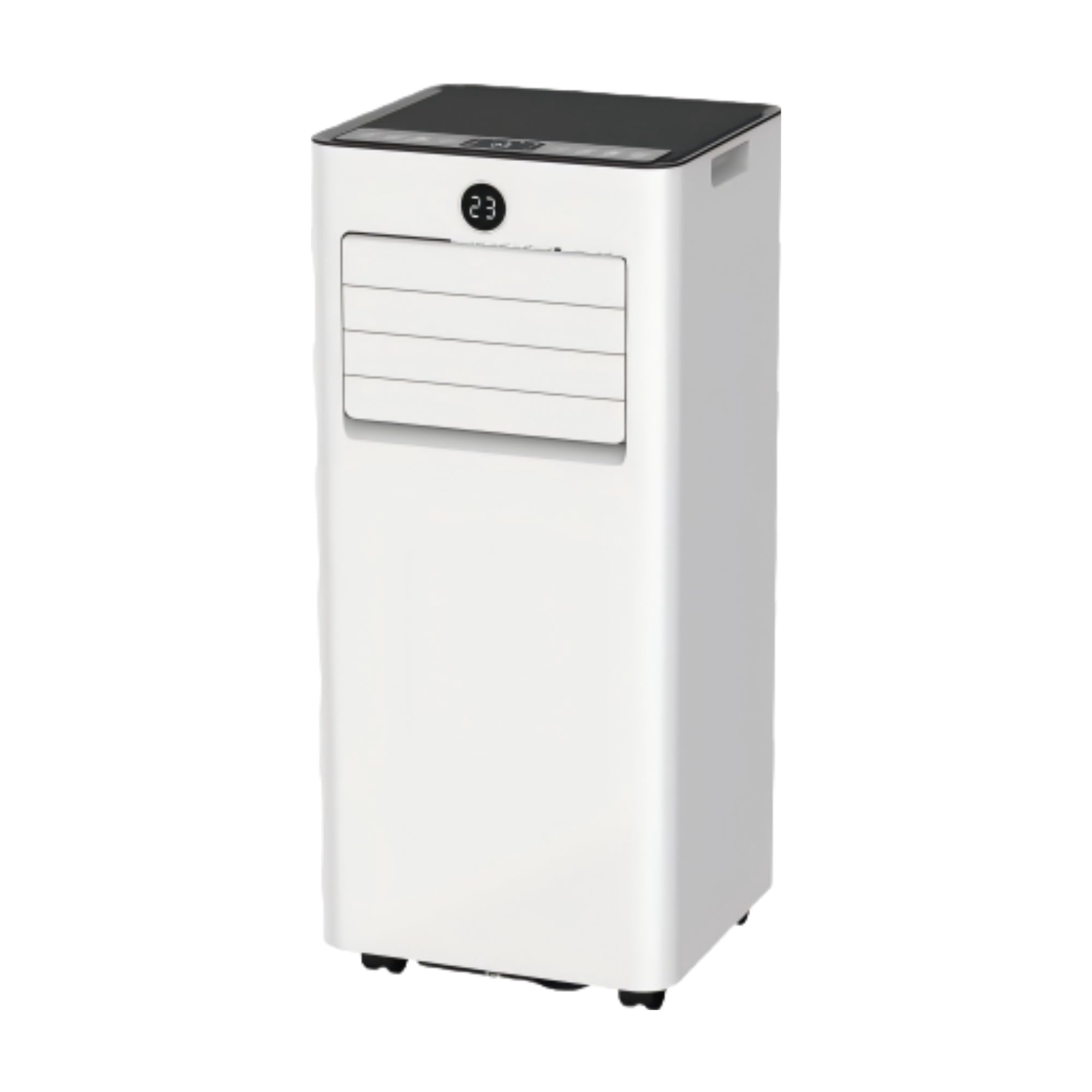
Figure 1.1: AKIRES Portable Air Conditioner, Model AK-OL-A016JE06N3.
2. Important Safety Instructions
Please read all instructions carefully before using this appliance and retain for future reference. Always follow basic safety precautions to reduce the risk of fire, electric shock, or injury.
- Ensure the power supply matches the voltage specified on the rating label.
- Do not operate the unit with a damaged cord or plug. If the supply cord is damaged, it must be replaced by the manufacturer or a qualified service agent.
- Always unplug the unit before cleaning or servicing.
- Do not block air outlets or inlets. Maintain at least 20 cm (8 inches) clearance from walls and other objects.
- Do not insert fingers or foreign objects into the air inlets or outlets.
- This appliance is not intended for use by persons (including children) with reduced physical, sensory or mental capabilities, or lack of experience and knowledge, unless they have been given supervision or instruction concerning use of the appliance by a person responsible for their safety.
- Do not use the unit in wet environments such as bathrooms or laundry rooms.
- Place the unit on a flat, stable surface to prevent tipping.
- Use only the accessories provided or recommended by the manufacturer.
3. What's in the Box
Carefully unpack your AKIRES Portable Air Conditioner and check that all items are present and in good condition. If any items are missing or damaged, contact customer support.
- Air conditioner machine
- Remote control
- Exhaust hose
- Hose connector
- Water pipe (drain hose)
- Adapter (window kit adapter)
- Window kit
- User manual
4. Setup and Installation
4.1 Unpacking and Placement
- Remove all packaging materials and ensure the unit is free from damage.
- Place the portable air conditioner on a firm, level surface.
- Ensure there is at least 20 cm (8 inches) of space around the unit for proper airflow.
4.2 Window Kit Installation (10-Minute Easy Installation)
The included window kit is designed for use with double-hung/single-hung windows and sliding windows.
- Adjust the window slide kit to the length of your window opening. Secure it with screws if necessary.
- Connect the exhaust hose to the hose connector.
- Attach the other end of the exhaust hose to the window kit adapter.
- Insert the window kit adapter into the opening of the window slide kit.
- Connect the exhaust hose assembly to the exhaust outlet on the back of the air conditioner unit.

Figure 4.1: Exhaust hose and window kit assembly.

Figure 4.2: Window kit components and installation steps.
4.3 Power Connection
- Plug the power cord into a grounded 120V AC outlet.
- Ensure the outlet is suitable for the unit's power requirements (1005 watts).
5. Operating Instructions
5.1 Control Panel and Remote Control
The unit can be operated using the LED display and keypad on the unit or the provided remote control. The remote control allows for convenient adjustment of settings from a distance.

Figure 5.1: Control panel and remote control overview.
5.2 Operating Modes
Press the 'Mode' button to cycle through the available operating modes:
- Cooling Mode: Provides powerful cooling. Set your desired temperature between 62°F and 86°F (17°C and 30°C).
- Fan Mode: Circulates air without cooling. Choose between two fan speeds.
- Dehumidification Mode: Removes excess moisture from the air, up to 80 pints per day. In this mode, the fan operates at a low speed.

Figure 5.2: Visual representation of the three operating modes.
5.3 Timer Function
The 24-hour timer allows you to program the unit to turn on or off automatically. Press the 'Timer' button and use the up/down arrows to set the desired operating duration from 0.5 to 24 hours.
5.4 Sleep Mode
Activate Sleep Mode for a quiet and comfortable night's rest. In this mode, the unit automatically adjusts fan speed and temperature to maintain a low noise level (under 40 dB) and optimal sleeping conditions.
5.5 Airflow Adjustment
The unit features a parabolic airflow design with a 0-90° angled outlet and 45-90° automatic swing angle to enhance coverage. Adjust the louvers manually or use the swing function for wider air distribution.

Figure 5.3: Parabolic airflow design for enhanced coverage.
5.6 Mobility
The unit is equipped with four 360° heavy-duty casters and an ergonomic recessed handle, allowing for easy movement between rooms.

Figure 5.4: Portable air conditioner in a living space, demonstrating ease of movement.
6. Maintenance
Regular maintenance ensures optimal performance and extends the lifespan of your air conditioner. Always unplug the unit before performing any maintenance.
6.1 Filter Cleaning
- The air filter should be cleaned every two weeks or more frequently depending on usage and air quality.
- Remove the filter from the back of the unit.
- Wash the filter with warm, soapy water. Rinse thoroughly and allow it to air dry completely before reinstalling.
- Do not operate the unit without the filter installed.
6.2 Drainage
The unit features a built-in self-evaporating system, which typically eliminates the need for manual drainage in cooling mode. However, in dehumidification mode or high-humidity environments, continuous drainage may be required.
- Connect the provided drain hose to either the middle or bottom drainage port.
- Ensure the drain hose is routed downwards to a suitable container or floor drain to allow for continuous gravity drainage.
- Periodically check the drain hose for blockages.
6.3 Cleaning the Unit
- Wipe the exterior of the unit with a soft, damp cloth.
- Do not use harsh chemicals, abrasives, or solvents.
6.4 Storage
- Before storing, drain any remaining water from the unit.
- Clean the air filter and ensure it is dry.
- Store the unit in a cool, dry place, away from direct sunlight and extreme temperatures.
7. Troubleshooting
Before contacting customer support, please refer to the following troubleshooting guide for common issues.
| Problem | Possible Cause | Solution |
|---|---|---|
| Unit does not turn on | No power supply Power cord not plugged in Circuit breaker tripped | Check power outlet Ensure power cord is securely plugged in Reset circuit breaker |
| Insufficient cooling | Air filter dirty Room size too large Windows/doors open Exhaust hose not properly installed | Clean air filter Ensure unit is suitable for room size Close all windows and doors Verify exhaust hose installation |
| Water leakage | Drain hose blocked or improperly connected Unit not level | Check drain hose for blockages and proper connection Place unit on a level surface |
| Unit is noisy | Unit not on a level surface Air filter dirty | Ensure unit is on a flat, stable surface Clean air filter |
8. Specifications
| Feature | Detail |
|---|---|
| Brand | AKIRES |
| Model Name | AK-OL-A016JE06N3 |
| Cooling Power | 10,000 BTU (ASHRAE) / 6,000 BTU (SACC) |
| Coverage Area | Up to 450 sq.ft. |
| Dehumidification Capacity | 80 pints/day |
| Temperature Range | 62°F - 86°F (17°C - 30°C) |
| Noise Level | 40 Decibels (in Sleep Mode) |
| Product Dimensions (D x W x H) | 11.39" x 11.93" x 27.36" |
| Item Weight | 52 Pounds |
| Voltage | 120 Volts (AC) |
| Wattage | 1005 watts |
| Refrigerant | R-32 |
| Controller Type | Remote Control, Touch Control |
| Installation Type | Freestanding |
| Color | White |
9. Warranty and Support
9.1 Manufacturer's Warranty
This AKIRES Portable Air Conditioner is covered by a 1-Year Manufacturer's Warranty from the date of purchase. This warranty covers defects in materials and workmanship under normal use. It does not cover damage resulting from misuse, accident, alteration, or unauthorized repair.
Please retain your proof of purchase for warranty claims.
9.2 Customer Support
If you have any questions, require technical assistance, or need to make a warranty claim, please contact AKIRES customer support. Refer to the contact information provided with your product packaging or visit the official AKIRES website for support details.
When contacting support, please have your model number (AK-OL-A016JE06N3) and purchase date readily available.