
Introduction
The Sinbo SF-7702 is a silent desktop mini fan designed to provide comfortable cooling in personal spaces. Its compact design makes it suitable for various small areas such as desks, offices, bedrooms, and student rooms. The fan features a 2400 RPM motor for powerful airflow, complemented by silent operation technology to minimize noise during daily use. It offers 3 distinct speed levels, allowing for easy adjustment of airflow to suit individual needs. Control options include a touch panel and a remote control for convenient operation from a distance. The fan also provides 45° automatic horizontal oscillation and 90° manual vertical adjustment to distribute air over a wider area. An integrated aroma chamber allows for the diffusion of pleasant scents, and its design supports wall mounting for versatile placement.
Setup Instructions
- Unpacking: Carefully remove the fan and all accessories from the packaging. Ensure all components, including the remote control, are present.
- Placement: Place the fan on a stable, flat surface such as a desk or table. For wall mounting, use appropriate hardware (not included) and ensure the mounting location is secure.
- Power Connection: Connect the power cable to the fan and then plug it into a standard electrical outlet.
- Aroma Chamber Setup: To use the aroma function, gently open the aroma chamber located on the fan's front grille. Add a few drops of your preferred essential oil or fragrance to the pad inside the chamber. Close the chamber securely.
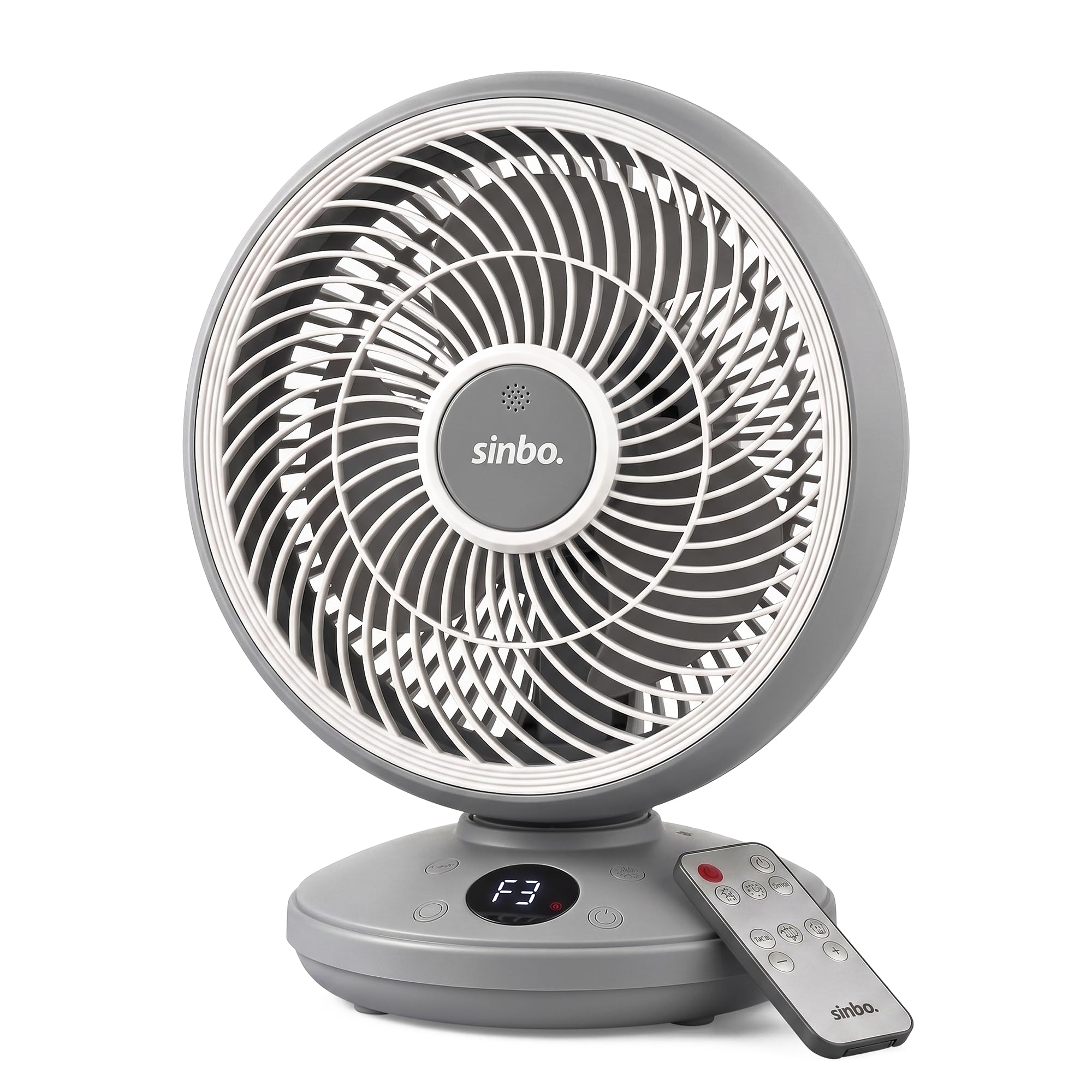
Image: The Sinbo SF-7702 fan positioned on a desk, showcasing its compact design and included remote control.
Operating Instructions
Power On/Off
Press the power button on the fan's touch control panel or on the remote control to turn the fan on or off.
Speed Settings
The fan has 3 speed levels. Press the speed button on the control panel or remote to cycle through the low, medium, and high settings.
Oscillation and Direction Adjustment
- Automatic Horizontal Oscillation: Press the oscillation button on the control panel or remote to activate the 45° automatic left-right oscillation. Press again to stop.
- Manual Vertical Adjustment: The fan head can be manually tilted up or down by 90° to direct airflow vertically.
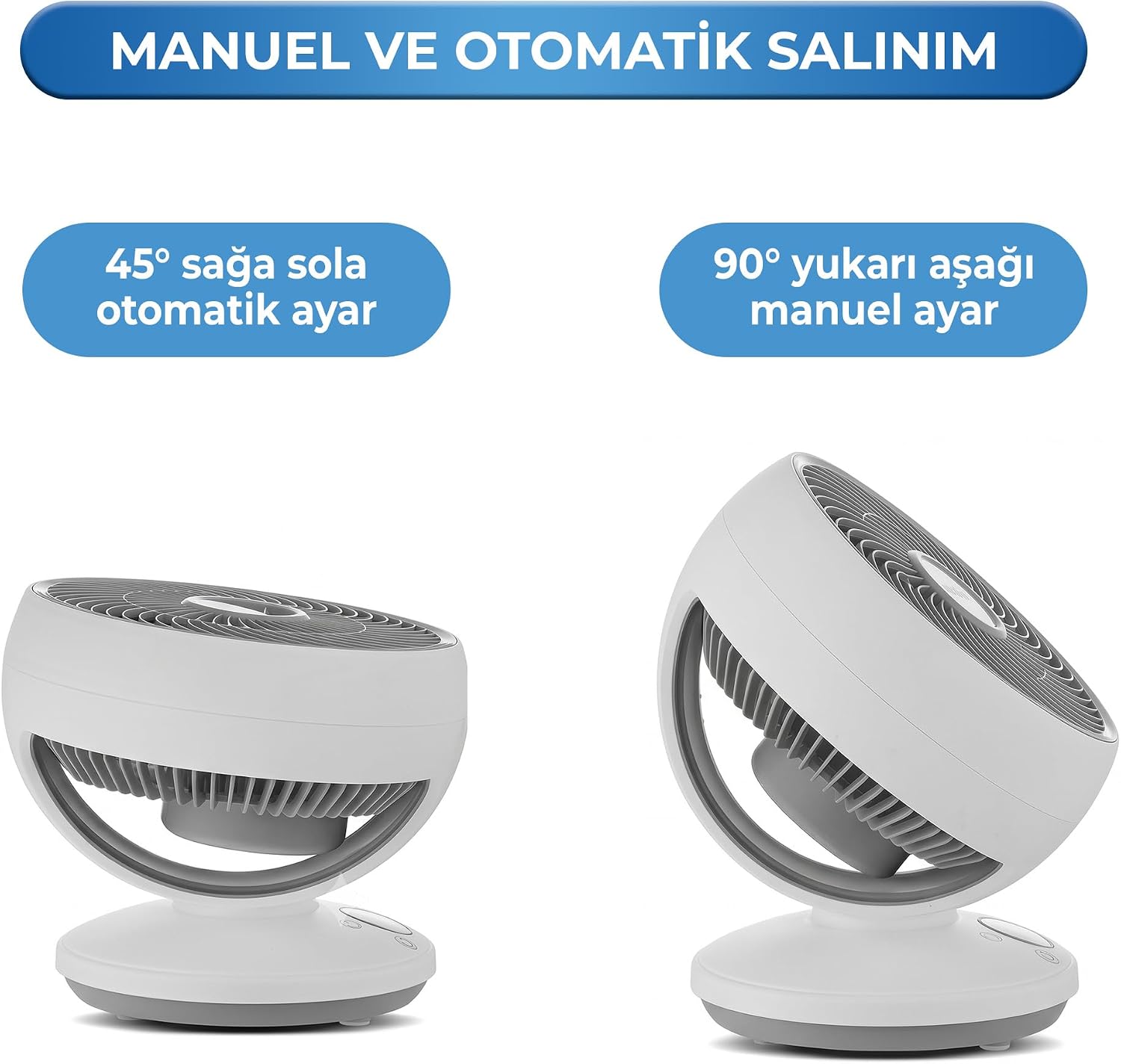
Image: Visual representation of the fan's 45-degree automatic horizontal oscillation and 90-degree manual vertical adjustment capabilities.
Remote Control Usage
The included remote control allows you to operate all fan functions from a distance, including power, speed, and oscillation. Ensure the remote has working batteries.

Image: A hand holding the remote control, demonstrating its use with the Sinbo SF-7702 fan on a desktop.
Touch Control Panel
The fan features a modern touch control panel on its base for direct operation. Tap the icons to adjust settings.

Image: A user interacting with the touch control panel on the fan's base.
Aroma Function
With the aroma chamber filled, the fan will diffuse pleasant scents into the air as it operates.

Image: The Sinbo SF-7702 fan demonstrating its aroma diffusion feature, with essential oils and natural elements.
Maintenance
Regular cleaning ensures optimal performance and extends the lifespan of your fan.
- Cleaning the Exterior: Before cleaning, always unplug the fan from the power outlet. Use a soft, damp cloth to wipe the exterior surfaces. Do not use abrasive cleaners or solvents.
- Cleaning Fan Blades: Periodically, dust may accumulate on the fan blades. To clean, carefully remove the front grille (refer to the full PDF manual for specific instructions if needed). Wipe the blades with a soft, dry or slightly damp cloth. Ensure the blades are completely dry before reattaching the grille.
- Aroma Chamber Cleaning: If using the aroma function, clean the aroma pad and chamber regularly to prevent residue buildup. Remove the pad and wash it with mild soap and water, then let it air dry completely before reinserting.
- Storage: When not in use for extended periods, unplug the fan, clean it thoroughly, and store it in a cool, dry place, preferably in its original packaging.
Troubleshooting
- Fan does not turn on:
- Ensure the power cord is securely plugged into a working electrical outlet.
- Check if the power button on the fan or remote control has been pressed.
- Weak or no airflow:
- Verify that the fan speed is set to a higher level.
- Check for any obstructions blocking the air intake or output.
- Clean the fan blades if they are dusty.
- Fan is making unusual noise:
- Ensure the fan is placed on a stable, flat surface.
- Check for any loose parts or foreign objects inside the fan grille.
- Remote control is not working:
- Replace the batteries in the remote control.
- Ensure there are no obstructions between the remote control and the fan's receiver.
Technical Specifications
| Brand | Sinbo |
| Model Number | SF-7702 |
| Color | Grey |
| Electric Fan Design | Desktop Fan |
| Power Source | Wired Electric |
| Product Dimensions (D x W x H) | 23D x 35W x 27H cm |
| Key Features | Lightweight, Silent Operation, Remote Controlled |
| Mounting Type | Desktop Mount |
| Material | Plastic |
| Number of Speeds | 3 |
| Speed | 2400 RPM |
| Control Method | Touch, Remote |
| Wireless | No |
| Included Components | Remote Control |
| Origin Country | Turkey |

Image: Detailed dimensions of the Sinbo SF-7702 fan.
Warranty Information
The purchase invoice serves as the warranty document for your Sinbo SF-7702 fan. Please retain your invoice for any warranty claims or service needs.
Customer Support
For further assistance, technical support, or inquiries regarding your Sinbo SF-7702 fan, please refer to the official Sinbo website or contact their customer service department. You can also visit the Sinbo Store on Amazon for more product information.
For a comprehensive guide, you may also download the official PDF user manual: Download PDF Manual

