
1. Product Overview
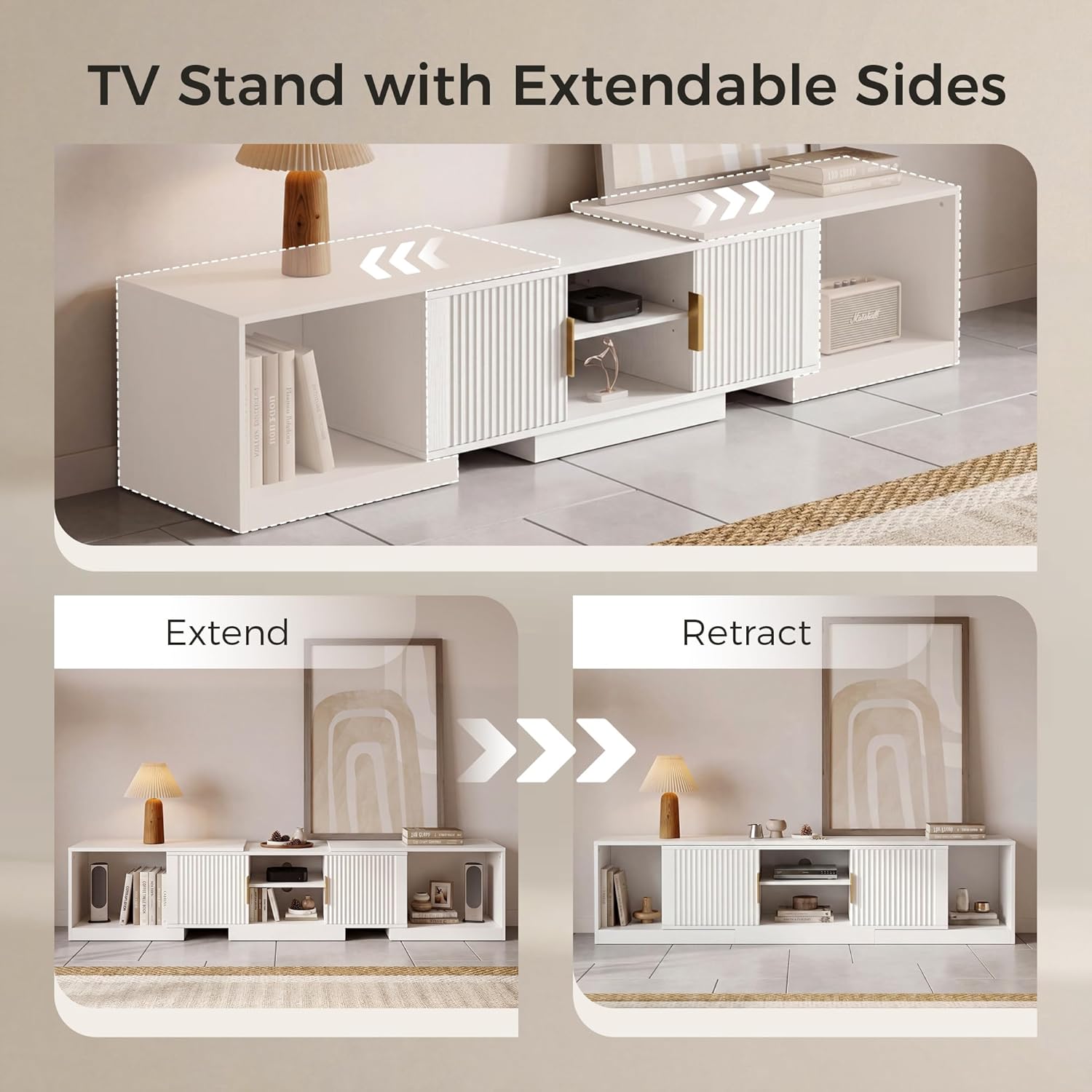
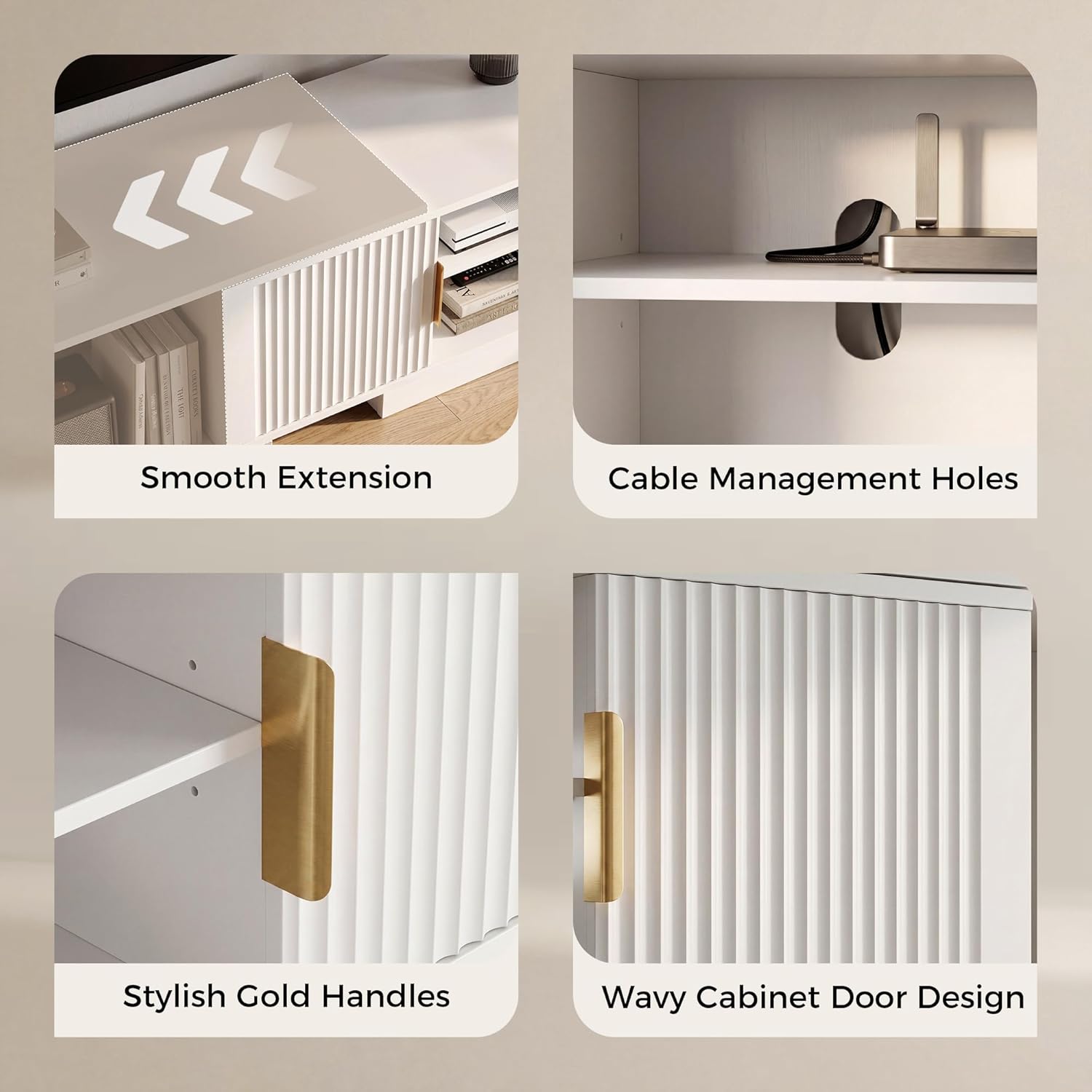
The IRONCK HK-YYAZDSG-01 is an adjustable and extendable TV stand designed to accommodate televisions ranging from 55 to 80 inches. Its versatile design allows for straight wall placement with an adjustable length from 63 to 84.6 inches, or it can be configured as a corner entertainment unit. This media console features fluted doors, integrated storage cabinets, and open shelving for organizing media devices and accessories.

2. Safety Information
- Always assemble the unit on a soft, clean surface to prevent scratches.
- Ensure all screws and fasteners are securely tightened before use. Periodically check and re-tighten as needed.
- Do not exceed the maximum weight capacity of the TV stand. The top surface is designed to support up to 66 lbs.
- For safety, it is recommended to assemble this unit with two people.
- To prevent tipping, especially with children or pets in the household, consider securing the TV stand to the wall using an anti-tip kit (not included).
- Keep small parts and packaging materials away from children.
3. Package Contents
All necessary hardware, tools, and components for assembly are included in the package. Please verify all parts are present and undamaged before beginning assembly. Refer to the included assembly diagram for a complete list of parts.
4. Setup Instructions
Follow the step-by-step instructions provided in the assembly guide included with your product. Ensure all connections are firm and stable. The stand can be configured for straight wall placement or as a corner unit.



This video provides a visual guide to the IRONCK TV Stand, showcasing its adjustable design, storage capabilities, and how it can be configured for various room layouts.
5. Operating Instructions
5.1 Adjusting Length and Configuration
The TV stand features an extendable design. To adjust the length, gently slide the side cabinet units outwards or inwards along the base. This allows the stand to extend from 63 inches to 84.6 inches for straight wall placement. For corner configurations, position the side units at an angle to the central unit, creating a suitable corner fit.
5.2 Utilizing Storage
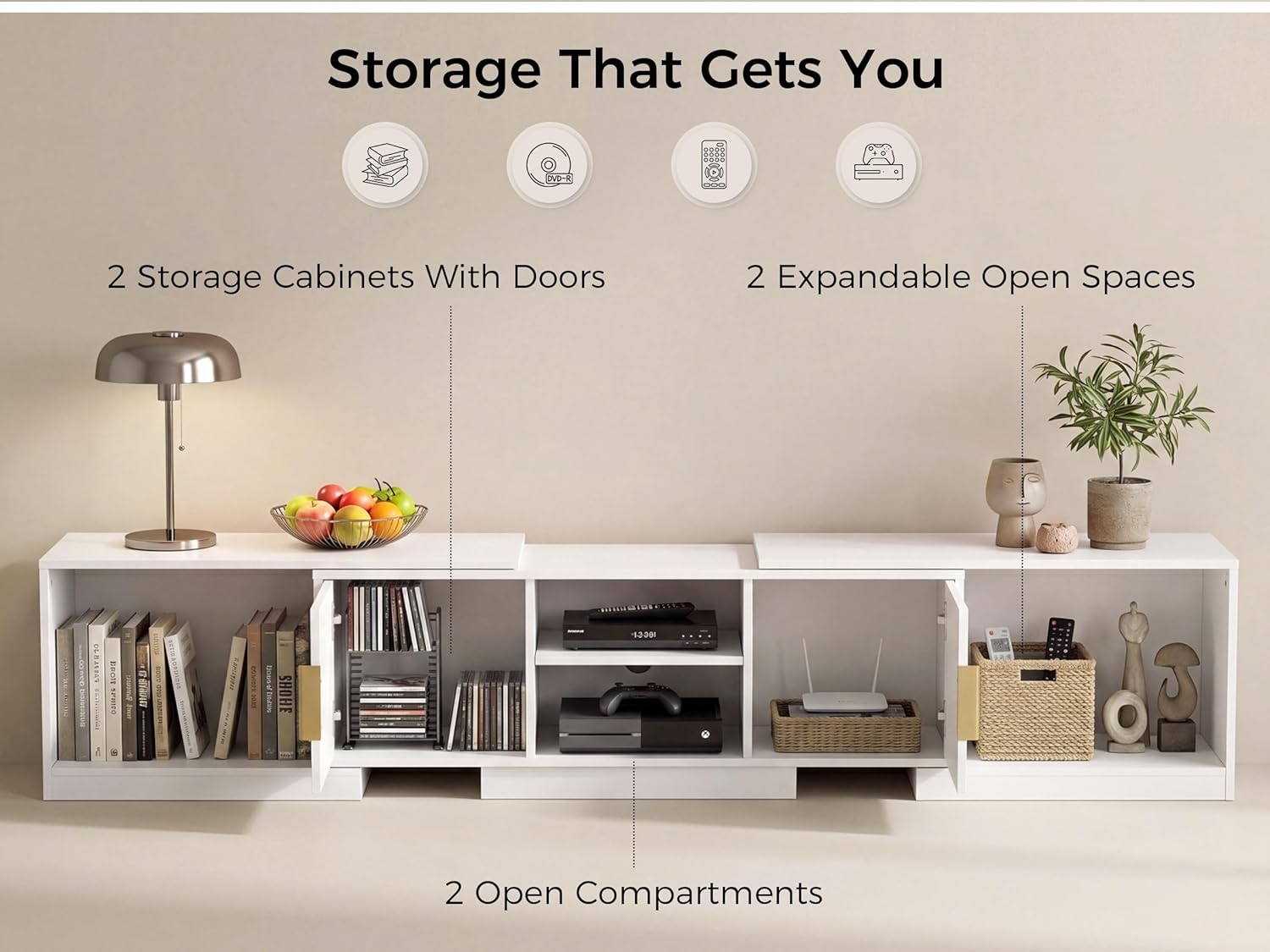
The unit includes two storage cabinets with fluted doors for concealed storage. The central section offers two open compartments ideal for media players, gaming consoles, or soundbars. Additionally, the extendable side units provide two expandable open spaces for books, decor, or other items.
6. Maintenance
- Cleaning: Wipe the surface with a damp cloth. Avoid harsh chemicals or abrasive cleaners that may damage the finish.
- Spills: Promptly wipe up any spills to prevent water stains, as the material is water-resistant but not waterproof for prolonged exposure.
- Inspection: Periodically check all hardware connections to ensure they remain tight and secure. Re-tighten if necessary.
- Placement: Avoid placing the unit in direct sunlight or near heat sources to prevent material degradation or discoloration.
7. Troubleshooting
- Wobbling: If the stand wobbles, ensure it is placed on a level surface. Check that all assembly screws are fully tightened.
- Doors not aligning: If cabinet doors are misaligned, check the hinge adjustments. Most hinges allow for minor adjustments to align doors properly.
- Difficulty extending/retracting: Ensure the sliding mechanism is clear of obstructions. Apply a small amount of silicone lubricant if movement is stiff.
- Missing parts: If any parts are missing upon unboxing, refer to the contact information in the Customer Support section.
8. Specifications
| Feature | Detail |
|---|---|
| Brand | IRONCK |
| Model Number | HK-YYAZDSG-01 |
| Color | White |
| Material Type | Engineered Wood |
| Adjustable Length | 63" - 84.6" |
| Item Dimensions (Extended) | 84.6 x 15.7 x 15.7 inches (L x W x H) |
| Item Weight | 90.3 Pounds |
| TV Size Compatibility | 55-80 Inches |
| Assembly Required | Yes |
| Water Resistant | Yes |
| Product Care Instructions | Wipe with Damp Cloth |
9. Warranty Information
This product comes with a standard manufacturer's warranty. For specific details regarding warranty coverage, duration, and terms, please refer to the warranty card included in your product packaging or contact IRONCK customer support directly.
10. Customer Support
If you have any questions, require assistance with assembly, or need to report missing/damaged parts, please contact IRONCK customer support. Contact information can typically be found on the product packaging, the IRONCK official website, or through your retailer's support channels.

