
1. Introduction
This manual provides comprehensive instructions for the TFZSRFFAX replacement remote control, designed for use with various Toshiba air conditioner models. This remote offers full functionality to manage your air conditioning unit, ensuring comfortable indoor climate control.
Compatible Toshiba Air Conditioner Models:
- RAS-B10N3KV2-E1
- RAS-B13N3K
- RAS-B13N3KV2-E
- RAS-13N3AV2-E
- RAS-M14GAV-E
- RAS-M18UAV-E
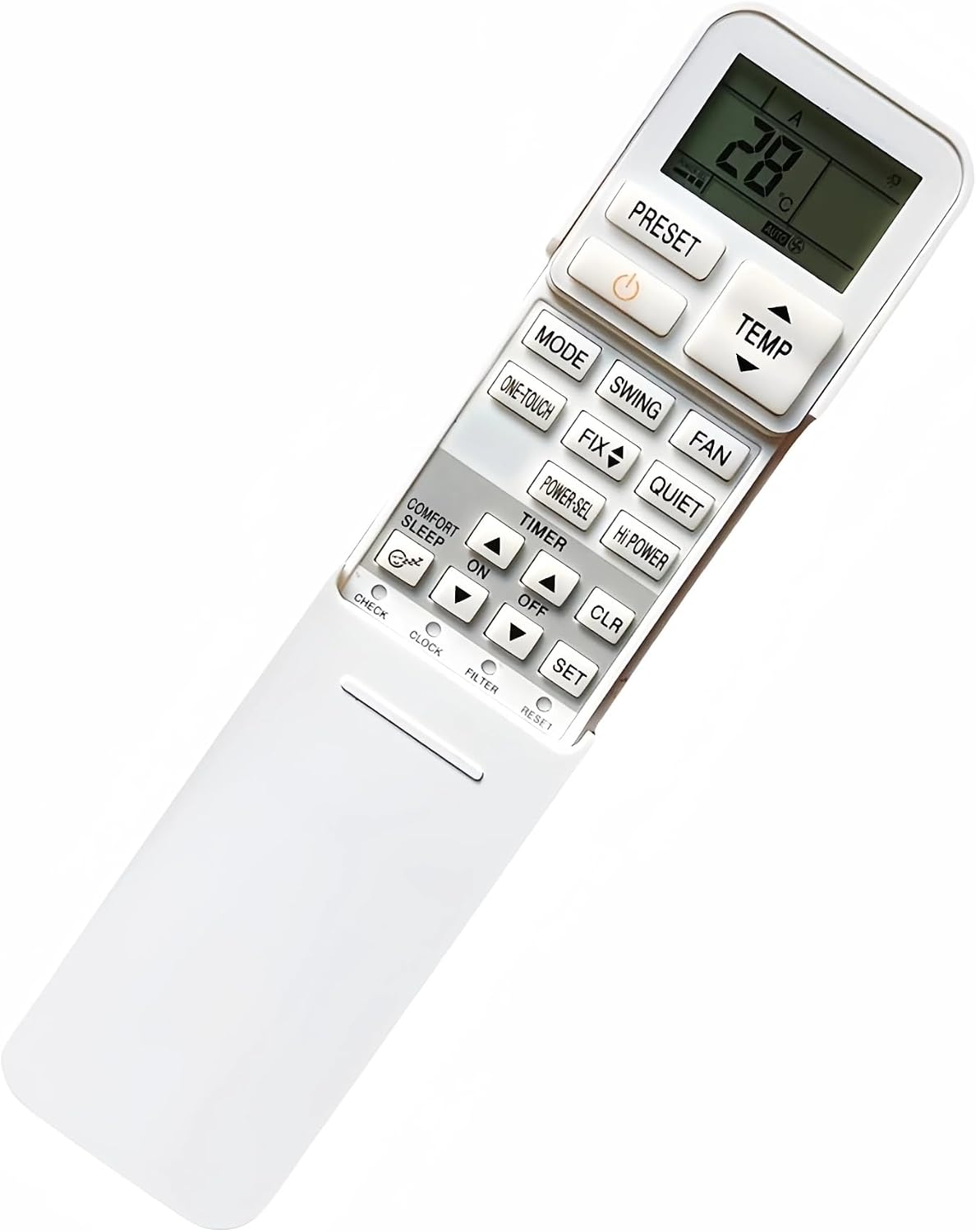
Image 1.1: Front view of the TFZSRFFAX remote control, showing the LCD screen and all control buttons.
2. Setup: Battery Installation
To begin using your remote control, you must first install batteries. This remote requires two AAA batteries (not included).
- Locate the battery compartment cover on the back of the remote control.
- Slide the cover downwards or press the latch and lift to open the compartment.
- Insert two AAA batteries, ensuring the positive (+) and negative (-) terminals align correctly with the markings inside the compartment.
- Replace the battery compartment cover by sliding it back into place until it clicks securely.
Important: Always use new batteries and replace both batteries at the same time. Do not mix old and new batteries or different types of batteries.
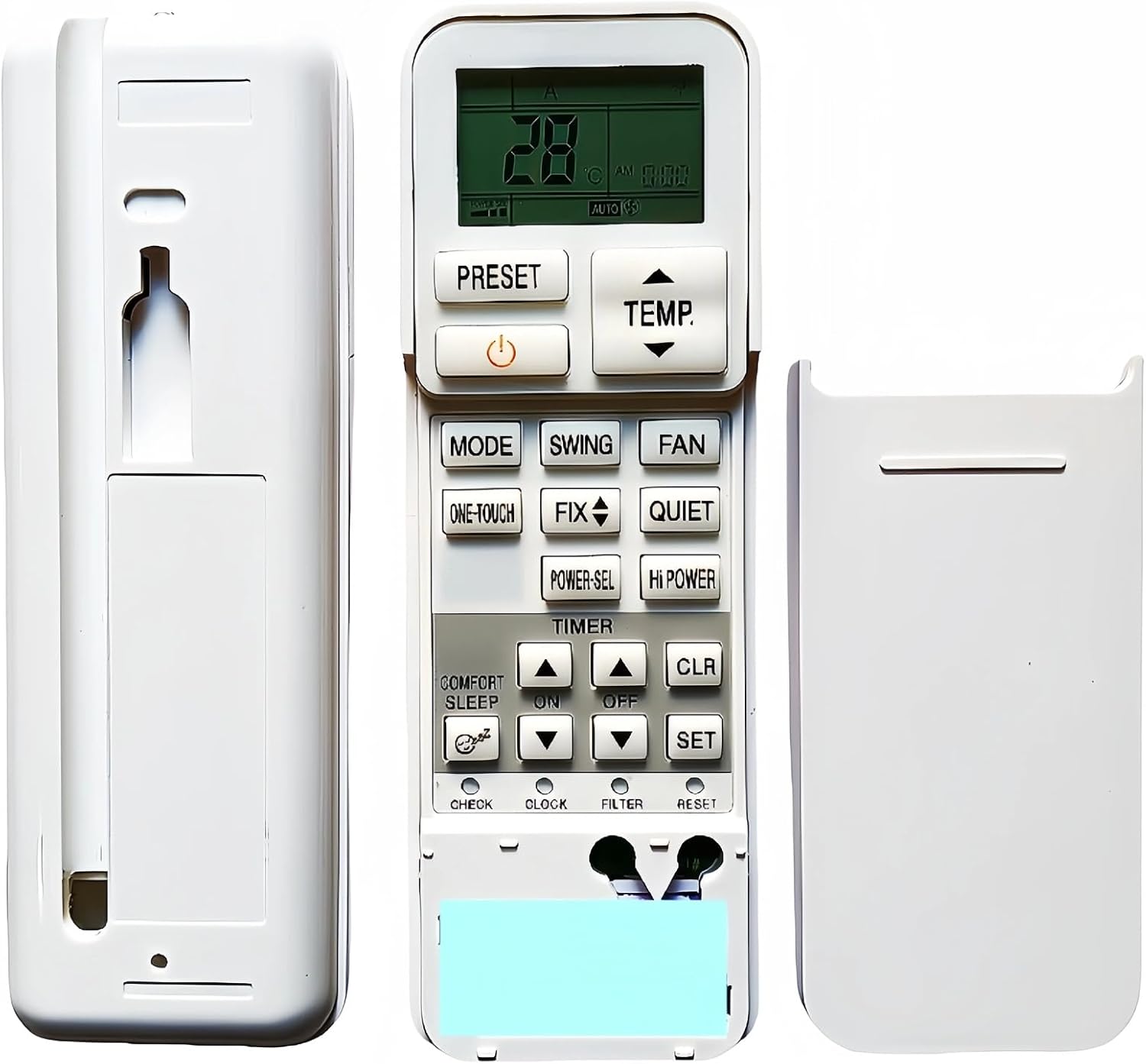
Image 2.1: Rear view of the remote control with the battery compartment open, showing where to insert AAA batteries.
3. Operating Instructions
Familiarize yourself with the buttons on your remote control to effectively operate your Toshiba air conditioner.
3.1. Basic Functions
- POWER (⌂): Press to turn the air conditioner ON or OFF.
- TEMP ▲/▼: Adjusts the desired temperature setting. Press ▲ to increase and ▼ to decrease.
- MODE: Cycles through operating modes: Auto, Cool, Dry, Fan, Heat (if applicable to your AC unit).
- FAN: Adjusts the fan speed (Auto, Low, Med, High).
- SWING: Activates or deactivates the automatic vertical louver swing function.
- FIX: Stops the louver at a desired angle during swing operation.
3.2. Advanced Functions
- PRESET: Recalls your preferred operating settings (mode, temperature, fan speed, etc.).
- ONE-TOUCH: Activates a pre-programmed comfort setting with a single press.
- POWER-SEL: Selects the power consumption level (e.g., 100%, 75%, 50%) to save energy.
- HI POWER: Activates maximum cooling or heating for rapid temperature adjustment.
- QUIET: Reduces the fan speed to minimize noise for quieter operation.
- COMFORT SLEEP: Optimizes temperature and fan settings for comfortable sleep.
3.3. Timer Functions
- TIMER ON/OFF: Sets the time for the air conditioner to automatically turn ON or OFF.
- CLR (Clear): Clears any set timer programs.
- SET: Confirms the timer settings.
- CLOCK: Sets the current time on the remote control's display.
3.4. Other Buttons
- CHECK: Used for service checks or displaying error codes (refer to your AC unit's manual for details).
- FILTER: Indicates when the air filter needs cleaning or replacement. Press after cleaning/replacing to reset.
- RESET: Resets the remote control to its factory default settings. Use a pointed object (like a paperclip) to press this recessed button.
4. Maintenance
Proper maintenance ensures the longevity and optimal performance of your remote control.
4.1. Cleaning
- Wipe the remote control with a soft, dry cloth.
- For stubborn dirt, lightly dampen the cloth with water and a mild detergent, then wipe dry immediately.
- Do not use abrasive cleaners, alcohol, or chemical solvents, as these can damage the remote's surface and internal components.
4.2. Battery Replacement
- Replace batteries when the display becomes dim or the remote's response is sluggish.
- Always replace both batteries simultaneously with new AAA batteries.
- Remove batteries if the remote will not be used for an extended period to prevent leakage.
5. Troubleshooting
If you encounter issues with your remote control, refer to the following common troubleshooting steps:
- Remote not responding:
- Check if the batteries are inserted correctly with the correct polarity.
- Replace old batteries with new ones.
- Ensure there are no obstructions between the remote control and the air conditioner's receiver.
- Make sure you are within the effective operating range of the air conditioner.
- Display is dim or blank:
- Batteries are low. Replace them.
- Air conditioner not responding to specific commands:
- Some functions may not be available on all Toshiba AC models. Refer to your specific air conditioner's manual.
- Try resetting the remote control using the RESET button.
6. Specifications
| Brand | TFZSRFFAX |
| Model Number | TFZSRFFAX |
| Power Source | 2 x AAA Batteries (not included) |
| Compatibility | Toshiba Air Conditioners (e.g., RAS-B10N3KV2-E1, RAS-B13N3K, RAS-B13N3KV2-E, RAS-13N3AV2-E, RAS-M14GAV-E, RAS-M18UAV-E) |
| Country of Origin | China |

Image 6.1: Back view of the TFZSRFFAX remote control, showing the smooth casing and battery compartment cover.
7. Warranty and Support
For warranty information and customer support, please refer to the documentation provided by your retailer or contact the point of purchase. Keep your purchase receipt as proof of purchase.