
Introduction
Thank you for choosing the Genérico GN-406 MP3 Player. This portable device features a 2.4-inch touch screen, Bluetooth 5.0 connectivity, and Hi-Fi audio quality. It supports various functions including music playback, FM radio, voice recording, video viewing, and photo display. This manual provides essential information for the proper setup, operation, and maintenance of your device.
Setup
1. Charging the Device
Before first use, fully charge the MP3 player. Connect the provided USB cable to the device's charging port and to a USB power adapter or a computer's USB port. The device features a 250mAh lithium-ion battery and typically charges completely in approximately 2 hours.
2. Inserting a TF (MicroSD) Card
The device supports TF cards up to 128GB (not included) for expanded storage. Locate the TF card slot on the side of the player. Gently insert the TF card into the slot until it clicks into place. Ensure the card is oriented correctly to avoid damage.

Image: Illustrates the insertion of a MicroSD card into the MP3 player's dedicated slot, highlighting the memory expansion capability.
3. Powering On/Off
To power on the device, press and hold the power button located on the side until the screen illuminates. To power off, press and hold the power button again until the shutdown prompt appears, then confirm.
Operating Instructions
1. Basic Navigation (Touch Screen)
The GN-406 features a 2.4-inch capacitive touch screen (320x240 resolution) for intuitive navigation. Tap icons to select functions, swipe to scroll through lists, and use the back button (if present) or swipe gestures to return to previous screens.

Image: Displays the MP3 player's main menu interface with various function icons, including music, video, recording, FM radio, e-book reader, photo viewer, Bluetooth, settings, and file folder.
2. Music Playback
Tap the "Music" icon on the main menu. Browse your music library by artist, album, genre, or folder. The player supports MP3 and WAV audio formats. Select a track to begin playback. Use the on-screen controls for play/pause, skip, and volume adjustment. The device offers Hi-Fi sound quality with an enhanced audio DSP chip and dual DAC decoder for reduced distortion.

Image: Shows the MP3 player's music playback screen, featuring song information and lyrics, with a user enjoying audio through wireless earbuds.
3. Bluetooth Connection
To connect to Bluetooth headphones or speakers, tap the "Bluetooth" icon in the main menu or navigate to "Settings" and select "Bluetooth." Turn on Bluetooth, and the player will scan for available devices. Select your desired device from the list to pair. Note: This device's Bluetooth 5.0 is for audio output only and does not support file transfer with mobile phones or computers.
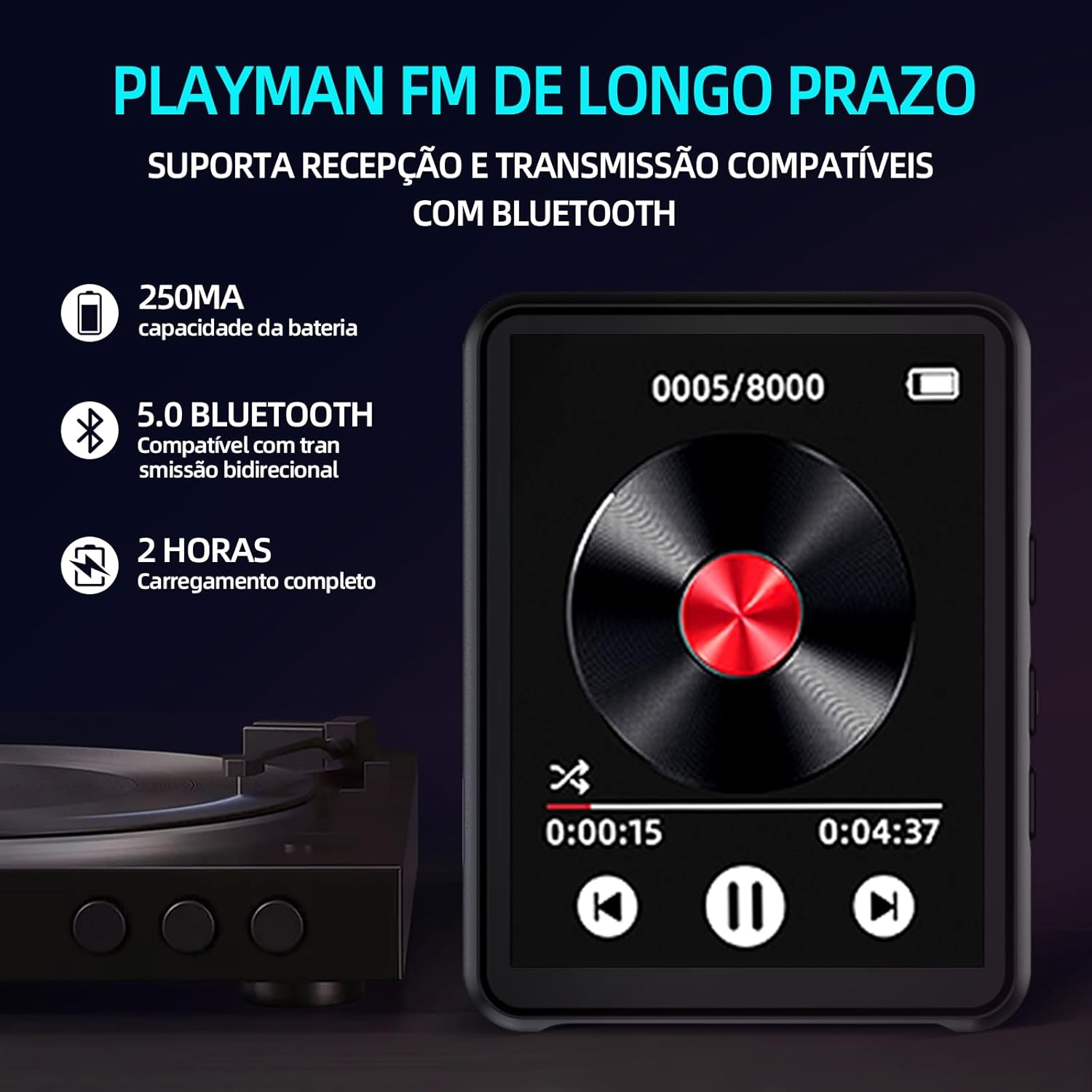
Image: Depicts the MP3 player's interface during music playback, highlighting battery capacity (250mAh), Bluetooth 5.0 connectivity, and a 2-hour full charging time.
4. FM Radio
Tap the "FM Radio" icon. You can perform an automatic scan for stations or manually tune to a specific frequency. Ensure headphones are connected as they often act as the antenna for FM reception.
5. Voice Recording
Select the "Recording" icon. Tap to start and stop recordings. Recordings are saved in MP3 or WAV format. You can access and play back your recordings from the device's file manager.
6. Video Playback and Photo Viewing
Tap the "Video" or "Photo" icons to access your media files. The player supports video and photo display on its 320x240 resolution screen. Ensure video files are in a compatible format for smooth playback.
7. E-book Reading
The device supports reading e-books in TXT format. Tap the "Read" icon to open your e-book library and select a file to read.
8. Parental Controls
The device includes parental control features. Navigate to "Settings" to set sleep timers and screen time limits, which can be useful for managing usage by children.
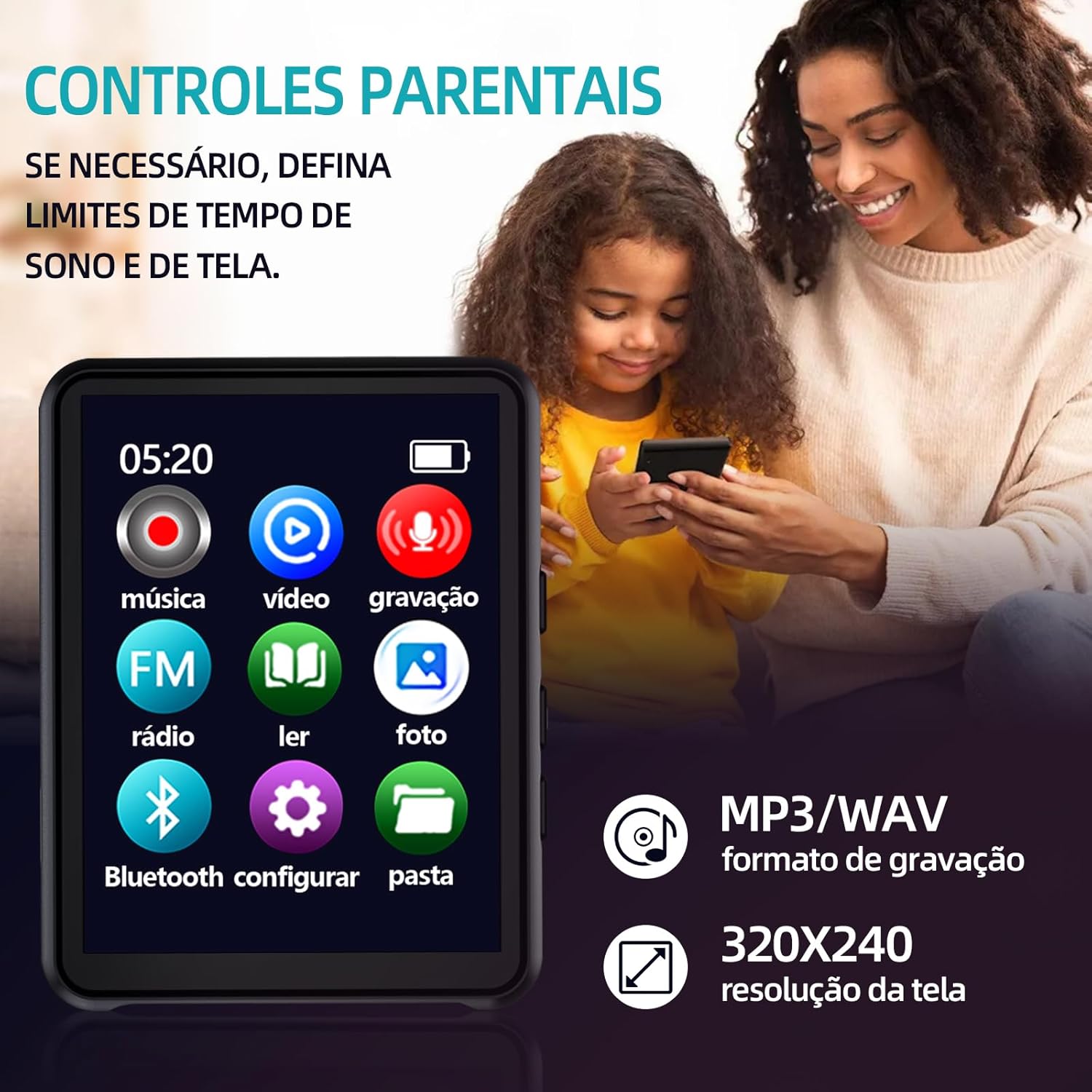
Image: Features the MP3 player's menu, emphasizing parental control options, MP3/WAV recording format, and the 320x240 screen resolution, with a parent and child in the background.
Maintenance
- Cleaning: Use a soft, dry cloth to clean the device. Avoid liquid cleaners or abrasive materials.
- Storage: Store the MP3 player in a cool, dry place away from direct sunlight and extreme temperatures.
- Battery Care: To prolong battery life, avoid fully discharging the battery frequently. Charge the device regularly, even if not in use for extended periods.
- Avoid Impact: Protect the device from drops and impacts, which can damage internal components or the screen.
Troubleshooting
- Device will not turn on:
- Ensure the battery is charged. Connect the device to a power source and try again. If the issue persists, perform a hard reset by pressing and holding the power button for 10-15 seconds.
- No sound during playback:
- Check the volume level. Ensure headphones are properly connected or that your Bluetooth audio device is paired and connected. Test with different headphones or speakers if possible.
- Bluetooth device not connecting:
- Ensure Bluetooth is enabled on both the MP3 player and the audio device. Place devices close to each other. Try unpairing and re-pairing the device. Remember, the player's Bluetooth is for audio output only.
- TF card not recognized:
- Ensure the TF card is inserted correctly and fully. Try reinserting the card. Check if the card is damaged or formatted incorrectly. The player supports cards up to 128GB.
- Screen is unresponsive:
- Restart the device. If the issue continues, ensure the screen is clean and dry. Avoid using sharp objects on the touch screen.
Specifications
| Feature | Detail |
|---|---|
| Brand | Genérico |
| Model Name | GN-406 |
| Screen Size | 2.4 Inches |
| Screen Technology | LCD, Capacitive Touch Screen |
| Connectivity Technology | Bluetooth 5.0, Micro SD, USB |
| Memory Storage Capacity | Supports up to 128 GB (TF card not included) |
| Compatible Devices | Wireless Headphones |
| Supported Media Types | FM Radio, Photo, MP3, Video, WAV, TXT (E-book) |
| Special Features | Bluetooth 5.0, Enhanced DSP Audio Chip, Dual DAC Decoder, Hi-Fi Sound Quality, DSD Support, Voice Recorder, Parental Controls |
| Item Weight | 500 Grams (Note: Product description states 30g, this might be shipping weight) |
| Dimensions (L x W x H) | 100 x 20 x 85 millimeters |
| Battery Life (Music Playback) | Up to 3 hours (with headphones) |
| Battery Life (FM Radio) | Up to 3 hours |
| Standby Time | 20 hours |
| Charging Time | Approx. 2 hours via USB |
Warranty and Support
This product comes with a 30-day warranty from the date of purchase. This warranty covers manufacturing defects. Please retain your proof of purchase for warranty claims.
For technical support or warranty inquiries, please contact your retailer or the manufacturer directly. Refer to the packaging or purchase documentation for specific contact information.