
1. Safety Guidelines
Read all instructions carefully before using the Renestar Treadmill Model 8560. Keep this manual for future reference.
General Safety Precautions
- Ensure the treadmill is placed on a flat, stable surface with adequate clearance around it (at least 2 feet on sides and 6 feet behind).
- Keep children and pets away from the treadmill during operation.
- Always wear appropriate athletic footwear.
- Do not operate the treadmill if it is damaged or malfunctioning.
- Consult a physician before starting any exercise program.
- The maximum user weight capacity for this treadmill is 300 lbs.
- Always attach the safety key clip to your clothing before starting a workout. In case of emergency, pulling the safety key will immediately stop the treadmill.

Image: The Renestar Treadmill in use, highlighting the safety key location on the console.
2. Assembly and Initial Setup
The Renestar Treadmill Model 8560 arrives 90% pre-assembled, allowing for quick setup, typically within 15 minutes.
Included Components
Verify that all components are present before beginning assembly:
- Power Cord (1 pcs)
- Screws M10*16 (2 pcs)
- Large hole plugs (2 pcs)
- Safety key (1 pcs)
- Small hole plugs (2 pcs)
- User manual (1 pcs)
- Lubricating oil (1 pcs)
- Hexagonal wrenches 8mm (1 pcs)
- Hexagonal wrenches 6mm (1 pcs)
Assembly Steps
- Carefully remove all packaging materials and place the treadmill base on a clear, level surface.
- Lift the console frame into the upright position.
- Secure the console frame to the base using the provided screws and hexagonal wrenches.
- Insert the hole plugs into the designated openings.
- Ensure all connections are secure before plugging in the power cord.

Image: Overview of the Renestar Treadmill's pre-assembled state and the tools provided for final assembly.
3. Operating Your Treadmill
Control Panel Overview
The treadmill features an extra-large 19-inch LED touchscreen display for monitoring your workout data and controlling settings. A 12-inch device holder is integrated for your tablet or phone.
- Metrics Displayed: Speed, Distance, Incline, Time, Calories Burned.
- Connectivity: AUD, Bluetooth, TYPE-C, USB ports are available for media and device charging.

Image: The treadmill's control panel, showing the LED display and device holder.
Starting a Workout
- Ensure the power cord is securely plugged into a grounded outlet.
- Stand on the side rails of the treadmill.
- Attach the safety key clip to your clothing and insert the safety key into its designated slot on the console.
- Press the 'START' button on the console. The belt will begin to move at a low speed.
- Carefully step onto the running belt and begin walking.
Adjusting Speed and Incline
- Speed: Use the 'SPEED+' and 'SPEED-' buttons to adjust the belt speed from 0.5 MPH to 8.5 MPH. Quick-select speed buttons (e.g., 2, 4, 6 MPH) may also be available.
- Incline: The treadmill features a 25% auto-incline system with 25 levels (0-25%). Use the 'INCLINE+' and 'INCLINE-' buttons to adjust the incline. Quick-select incline buttons (e.g., 3, 6, 9%) may also be available.
- Programs: Select from 24 preset programs by pressing the 'PROG.' button to vary your workout intensity.
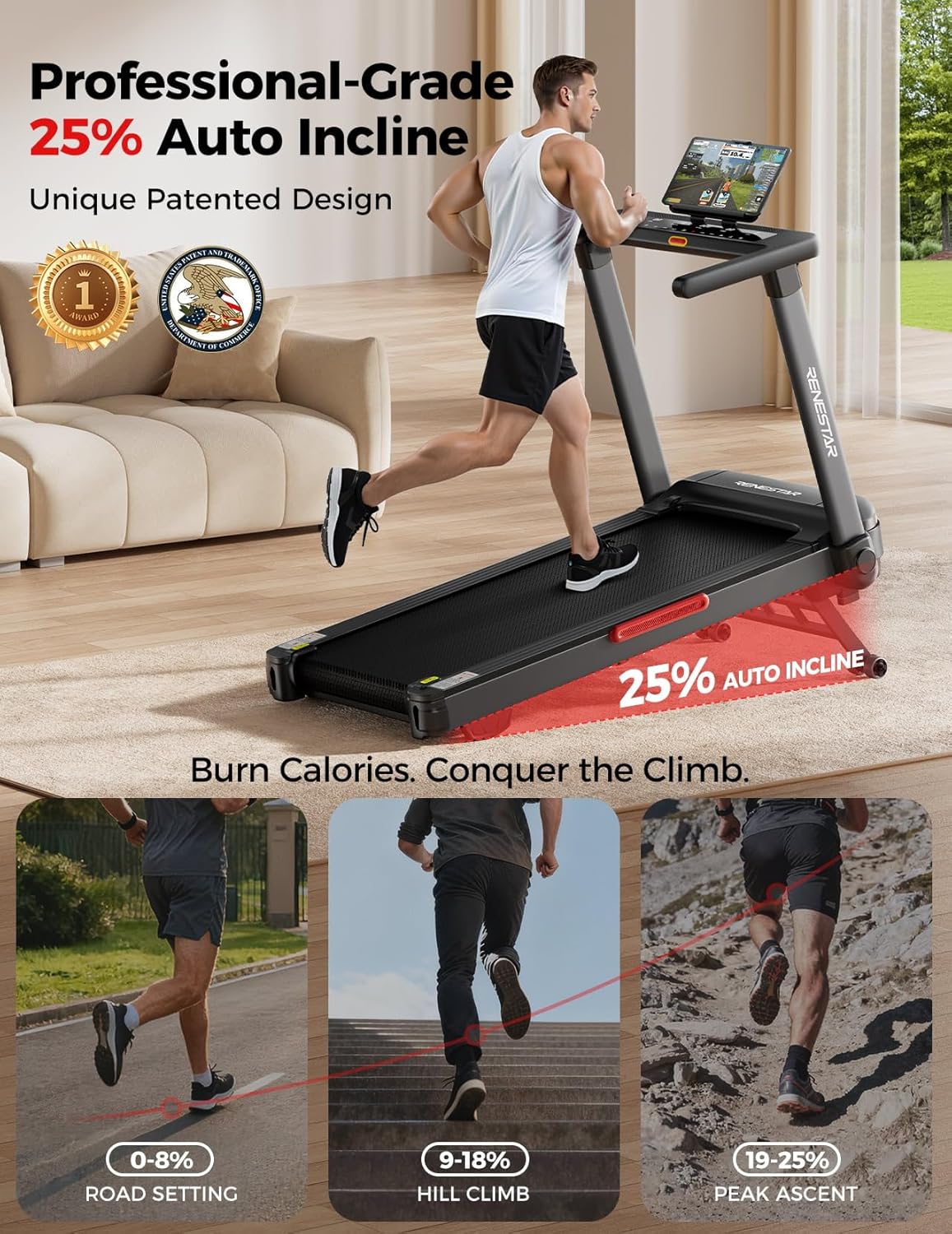
Image: Visual representation of the 25% auto-incline feature, illustrating varying levels of intensity.
Stopping a Workout
- Press the 'STOP' button to gradually bring the treadmill to a halt.
- Alternatively, pull the safety key to immediately stop the treadmill.
Using the Bluetooth Speaker
The treadmill includes a Bluetooth speaker for audio playback. To connect:
- Ensure Bluetooth is enabled on your mobile device.
- Search for available Bluetooth devices and select 'RENESTARSpeaker' (or similar name).
- Once paired, audio from your device will play through the treadmill's speakers.

Image: Illustrates the Bluetooth speaker functionality, allowing users to stream audio during workouts.
4. Maintenance and Care
Regular maintenance ensures the longevity and optimal performance of your treadmill.
Cleaning
- Wipe down the console and exterior surfaces with a damp cloth after each use. Avoid abrasive cleaners.
- Periodically vacuum underneath the treadmill to prevent dust buildup.
Lubrication
The running belt requires periodic lubrication to reduce friction and extend its lifespan. Use the provided lubricating oil or a silicone-based treadmill lubricant.
- Unplug the treadmill from the power outlet.
- Loosen the rear roller bolts to slightly lift the running belt.
- Apply a small amount of lubricant evenly under the center of the running belt.
- Tighten the rear roller bolts and plug in the treadmill.
- Run the treadmill at a low speed (e.g., 1 MPH) for 5 minutes to distribute the lubricant.
Belt Adjustment
If the running belt becomes off-center or slips, it may require adjustment. Refer to the detailed instructions in the full user manual for proper belt tracking and tension adjustment.
5. Troubleshooting Common Issues
This section addresses minor issues you might encounter. For more complex problems, contact customer support.
- Treadmill does not power on: Ensure the power cord is securely plugged in and the main power switch (if present) is in the 'ON' position. Check the circuit breaker.
- Running belt stops unexpectedly: Verify the safety key is properly inserted. If the issue persists, contact support.
- Unusual noises: Check for loose parts or foreign objects under the belt. If the noise is from the motor, discontinue use and contact support.
- Belt slippage: The running belt may need tension adjustment or lubrication. Refer to the Maintenance section or contact support.
6. Product Specifications
| Feature | Specification |
|---|---|
| Brand | Renestar |
| Model Number | 8560 |
| Product Dimensions (D x W x H) | 58"D x 46"W x 28"H |
| Item Weight | 112 Pounds |
| Material | Alloy Steel |
| Maximum Speed | 8.5 Miles per Hour |
| Minimum Speed | 0.5 Miles per Hour |
| Maximum Incline Percentage | 25% (25 levels) |
| Maximum Horsepower | 3.5 HP |
| Maximum Weight Recommendation | 300 Pounds |
| Running Belt Dimensions (L x W) | 47.3" x 17.7" |
| Display Type | 19-inch LED Touchscreen |
| Number of Programs | 24 Preset Programs |
| Connectivity Technology | AUD, Bluetooth, TYPE-C, USB |
| Noise Level | Below 45 dB |
| Shock Absorption System | 6 Shock Absorbers, Dual Non-slip Cushioning Layers |
7. Warranty and Customer Support
Warranty Information
The Renestar Treadmill Model 8560 comes with a 1-Year Manufacturer's Warranty. This warranty covers defects in materials and workmanship under normal use. Please retain your proof of purchase for warranty claims.
Customer Support
For technical assistance, troubleshooting, or warranty inquiries, Renestar offers 24/7 dedicated technical support. Please refer to the contact information provided in your purchase documentation or visit the official Renestar website for support details.