
Introduction
This manual provides essential information for the safe and effective operation, assembly, and maintenance of your YPOO T5 Foldable Treadmill. Please read all instructions carefully before first use and retain this manual for future reference.
The YPOO T5 is a versatile fitness device designed for walking and light running, featuring a foldable design, adjustable incline, and smart app connectivity. It is suitable for home and office environments.
Safety Information
- Always consult with a healthcare professional before starting any new exercise program.
- Place the treadmill on a flat, stable surface with adequate clearance around it (at least 2 feet on sides and rear).
- Ensure the safety key is properly attached to both the treadmill and your clothing before starting.
- Do not operate the treadmill if it is damaged or malfunctioning.
- Keep children and pets away from the treadmill during operation.
- Wear appropriate athletic footwear. Do not use the treadmill barefoot.
- Do not exceed the maximum weight capacity of 300 lbs (136 kg).
- Unplug the treadmill from the power outlet when not in use or before cleaning and maintenance.
- Use the handrails for balance, especially when starting or stopping the treadmill, or when adjusting speed/incline.
Package Contents
Carefully unpack all components and verify that you have received the following items:
- YPOO T5 Foldable Treadmill Unit
- L Wrench (x1)
- Screws (x2)
- Tablet Holder (x1)
- User Manual (x1)
- Height Spacer (x2)
- Pull-ring Pin (x2)
- Remote Control (x1)
- Power Cord (x1)
- Knob (x2)
- Lubricating Oil (x1)
- Tool Kit (x1)

Figure 1: All components included in the YPOO T5 Treadmill package.
Assembly Instructions
The YPOO T5 treadmill comes largely pre-assembled. Follow these steps to complete the setup:
- Unpack: Remove the treadmill and all accessories from the packaging. Place the treadmill on a flat, stable surface.
- Raise the Handlebar: Gently lift the handlebar until it locks into the upright position. Secure it with the provided pull-ring pins and knobs.
- Attach Tablet Holder: If desired, attach the tablet holder to the designated slot on the handlebar.
- Connect Power: Plug the power cord into the treadmill and then into a grounded electrical outlet.
Video 1: Official YPOO-US video demonstrating the setup and use of the 13% Walking Pad with Handle Bar. This video shows the process of unfolding the handle and preparing the treadmill for use.

Figure 2: The YPOO T5 treadmill in its folded and unfolded states, demonstrating its space-saving design.
Operating Instructions
Getting Started
- Power On: Plug in the treadmill and press the power button. The LED display will illuminate.
- Attach Safety Key: Secure the safety key clip to your clothing and place the magnetic end onto the designated area on the console. The treadmill will not operate without the safety key in place.
- Start Exercise: Press the START button on the remote control or console. The treadmill will begin at a low speed.
- Adjust Speed: Use the '+' and '-' buttons on the remote control or console to increase or decrease speed. The speed range is 0.6 to 6.2 MPH.
- Stop Exercise: Press the STOP button to gradually slow down and stop the treadmill. Alternatively, pull the safety key to immediately stop the treadmill in an emergency.
Incline Adjustment
The YPOO T5 features a manual 3-level incline with a maximum of 13%. To adjust the incline:
- Ensure the treadmill is stopped and unplugged for safety.
- Locate the incline adjustment points at the rear of the treadmill.
- Manually adjust the support legs to the desired incline level (0%, 10%, or 13%). Ensure both sides are set equally and securely.
- Reconnect power and resume operation.

Figure 3: The YPOO T5 treadmill demonstrating its multiple incline levels for varied workout intensity.
Using the YPOOFIT App
The YPOO T5 treadmill can be controlled via the YPOOFIT app, available for download on iOS and Android devices. The app allows for custom workout programs, virtual running trails, and fitness challenges.
- Download the "YPOOFIT" app from your device's app store.
- Enable Bluetooth on your mobile device.
- Open the YPOOFIT app and follow the on-screen instructions to pair with your treadmill.
- Once connected, you can control speed, monitor workout data, and access various training programs through the app.

Figure 4: The YPOOFIT app interface for controlling the treadmill and tracking workout data.
Features Overview
- 3-Level Manual Incline: Offers 0%, 10%, and 13% incline options to simulate varied terrain and increase workout intensity.
- Non-Slip Side Handlebar: Provides enhanced balance and stability, aiding in correct posture during exercise.
- 4-in-1 Under Desk Treadmill Functionality: Operates as a walking pad (0.6–2 MPH) when the handlebar is folded, or a full treadmill (up to 6.2 MPH) when the handlebar is raised.
- Dynamic RGB Lighting: Integrated light strips change color based on speed, adding a visual element to workouts.
- Wide Running Belt: A 37.5" x 15" 5-layer non-slip belt with an advanced shock-absorption system protects joints.
- Space-Saving Design: Folds to 4.1 inches thick with front rolling casters for easy storage under furniture.
- Smart App Integration: Connects to the YPOOFIT APP for workout data tracking, custom programs, and virtual experiences.

Figure 5: The YPOO T5 treadmill demonstrating its multiple operational modes.
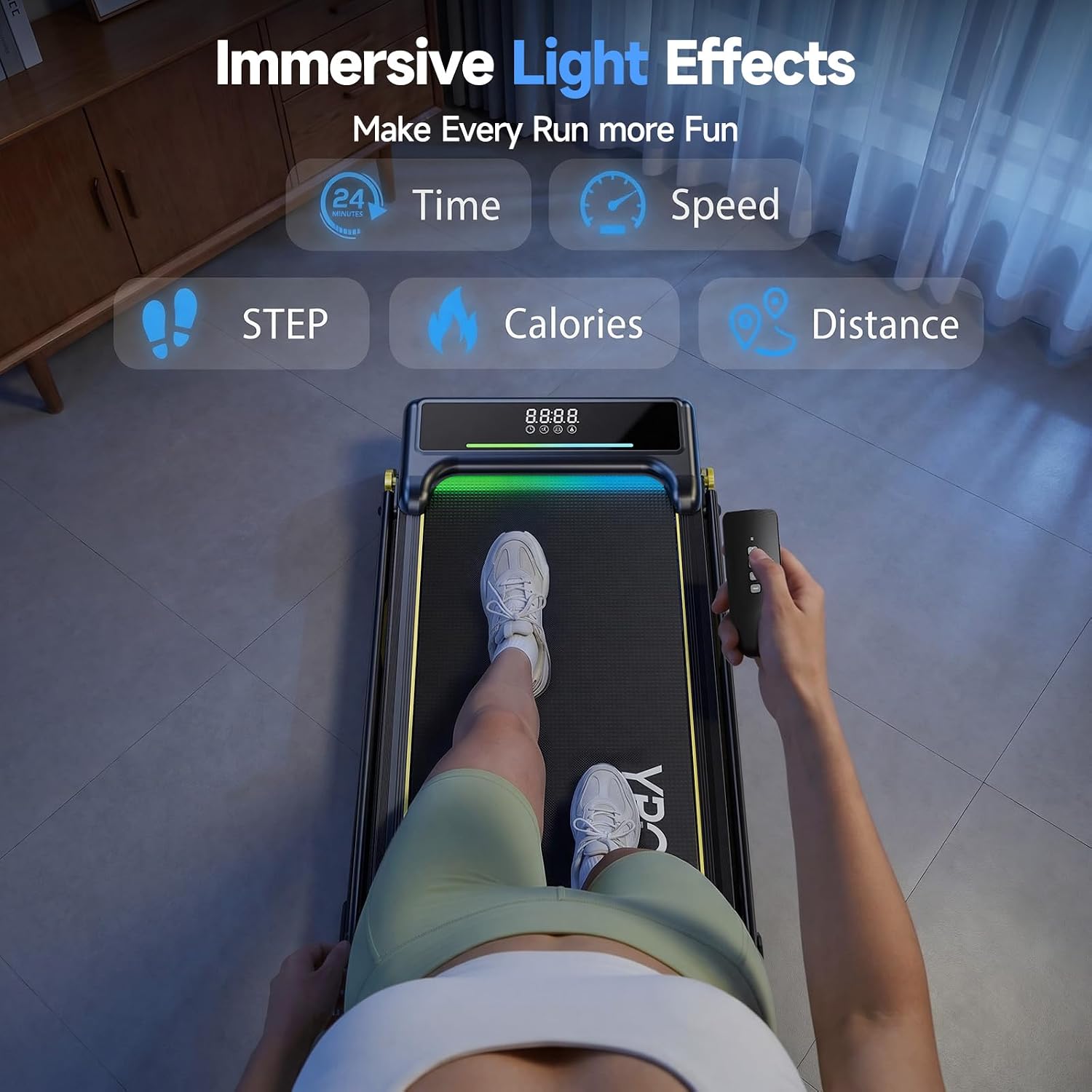
Figure 6: The YPOO T5 treadmill's display and dynamic RGB lighting effects.
Maintenance
Regular maintenance ensures the longevity and optimal performance of your treadmill.
Cleaning
- Always unplug the treadmill before cleaning.
- Wipe down the console and exterior surfaces with a soft, damp cloth. Avoid abrasive cleaners or solvents.
- Periodically vacuum under the treadmill to prevent dust and debris buildup.
Belt Lubrication
The running belt requires periodic lubrication to reduce friction and extend its lifespan. Use the provided lubricating oil.
- Unplug the treadmill.
- Loosen the rear roller bolts to slightly lift the running belt.
- Apply a small amount of silicone lubricant evenly under the center of the running belt.
- Tighten the rear roller bolts and run the treadmill at a low speed for 2-3 minutes to distribute the lubricant.
- Lubricate every 3-6 months depending on usage.
Belt Tension and Alignment
If the running belt slips or drifts to one side, it may need adjustment.
- Tension: If the belt slips, turn the rear roller bolts clockwise a quarter turn at a time, then test.
- Alignment: If the belt drifts left, turn the left rear roller bolt clockwise a quarter turn. If it drifts right, turn the right rear roller bolt clockwise a quarter turn. Run the treadmill at a low speed to check alignment after each adjustment.
Troubleshooting
| Problem | Possible Cause | Solution |
|---|---|---|
| Treadmill does not power on. | Power cord not connected; power switch off; circuit breaker tripped. | Ensure power cord is securely plugged in. Check power switch. Reset circuit breaker if necessary. |
| Treadmill starts but belt does not move. | Safety key not in place. | Ensure the safety key is correctly placed on the console. |
| Running belt slips. | Belt tension too loose; belt needs lubrication. | Adjust belt tension (see Maintenance section). Lubricate the running belt. |
| Running belt drifts to one side. | Belt alignment incorrect. | Adjust belt alignment (see Maintenance section). |
| Unusual noise during operation. | Loose components; belt friction; motor issue. | Check for loose screws. Lubricate belt. If noise persists, contact customer support. |
| Remote control not responding. | Dead batteries; remote out of range; interference. | Replace batteries. Ensure remote is pointed at the treadmill's receiver. Reduce interference. |
Specifications
| Feature | Detail |
|---|---|
| Brand | YPOO |
| Model Number | T5 |
| Product Dimensions (D x W x H) | 43.5" x 22" x 43.1" |
| Folded Size | 43.3" x 20.9" x 4.1" |
| Item Weight | 19.5 Kilograms |
| Material | Alloy Steel |
| Maximum Speed | 6.2 Miles per Hour |
| Minimum Speed | 0.6 Miles per Hour |
| Maximum Incline Percentage | 13% (3 levels, manual) |
| Maximum Horsepower | 2.5 HP |
| Maximum Weight Recommendation | 300 Pounds |
| Running Belt Dimensions | 37.5" x 15" |
| Display Type | LED (Metrics: Calories Burned, Distance, Speed, Time) |
| Power Source | Corded Electric |
| Connectivity Technology | Bluetooth (YPOOFIT App compatible) |

Figure 7: Key dimensions of the YPOO T5 Foldable Treadmill.
Warranty and Support
The YPOO T5 Foldable Treadmill comes with a 1-Year Warranty. This warranty covers manufacturing defects and malfunctions under normal use conditions.
For warranty claims, technical assistance, or any questions regarding your product, please contact YPOO customer support. Refer to the contact information provided on the product packaging or the official YPOO website.
Please have your model number (T5) and purchase date available when contacting support.