
1. Introduction
This manual provides detailed instructions for the safe and effective operation, maintenance, and troubleshooting of your Shadowhawk S1479 Standard Flashlight and S1979 UV Flashlight. Please read this manual thoroughly before using the product and retain it for future reference.
2. Product Overview
The Shadowhawk S1479 is a high-lumen standard flashlight, while the S1979 is a specialized UV flashlight. Both models are designed for durability and performance, featuring rechargeable batteries and robust construction.
2.1 S1479 Standard Flashlight Components

Figure 1: Shadowhawk S1479 Flashlight with rechargeable battery and USB charging cable.
2.2 S1979 UV Flashlight Components

Figure 2: Shadowhawk S1979 UV Flashlight with rechargeable battery, UV test card, and USB charging cable.
3. Setup
3.1 Battery Installation
- Unscrew the tail cap of the flashlight by turning it counter-clockwise.
- Insert the provided 3.7V 5000mAh rechargeable battery with the positive (+) end facing towards the flashlight head.
- Screw the tail cap back on clockwise until secure.
3.2 Charging the Battery
Before first use, fully charge the battery. The flashlight features an integrated charging port.
- Locate the USB charging port on the flashlight body (typically under a protective cover).
- Connect the provided USB charging cable to the flashlight's charging port.
- Connect the other end of the USB cable to a compatible USB power source (e.g., wall adapter, computer USB port, power bank).
- The flashlight's indicator (or LCD display for S1479) will show charging status. For the S1479, the LCD will display the battery percentage.
- Once fully charged, disconnect the charging cable and replace the protective cover if applicable.

Figure 3: Illustration of battery charging and extended runtime with two batteries.
4. Operating Instructions
4.1 S1479 Standard Flashlight Operation
- Power On/Off: Press the power button located on the flashlight body to turn the flashlight on or off.
- Mode Switching: With the flashlight on, lightly press the power button repeatedly to cycle through different lighting modes (e.g., High, Medium, Low, Strobe, SOS).
- Zoom Function: Extend or retract the flashlight head to adjust the beam focus from a wide floodlight to a narrow spotlight.
- Battery Display: The S1479 features an advanced LCD display that shows the precise battery percentage.

Figure 4: The S1479's LCD screen accurately displays battery level.
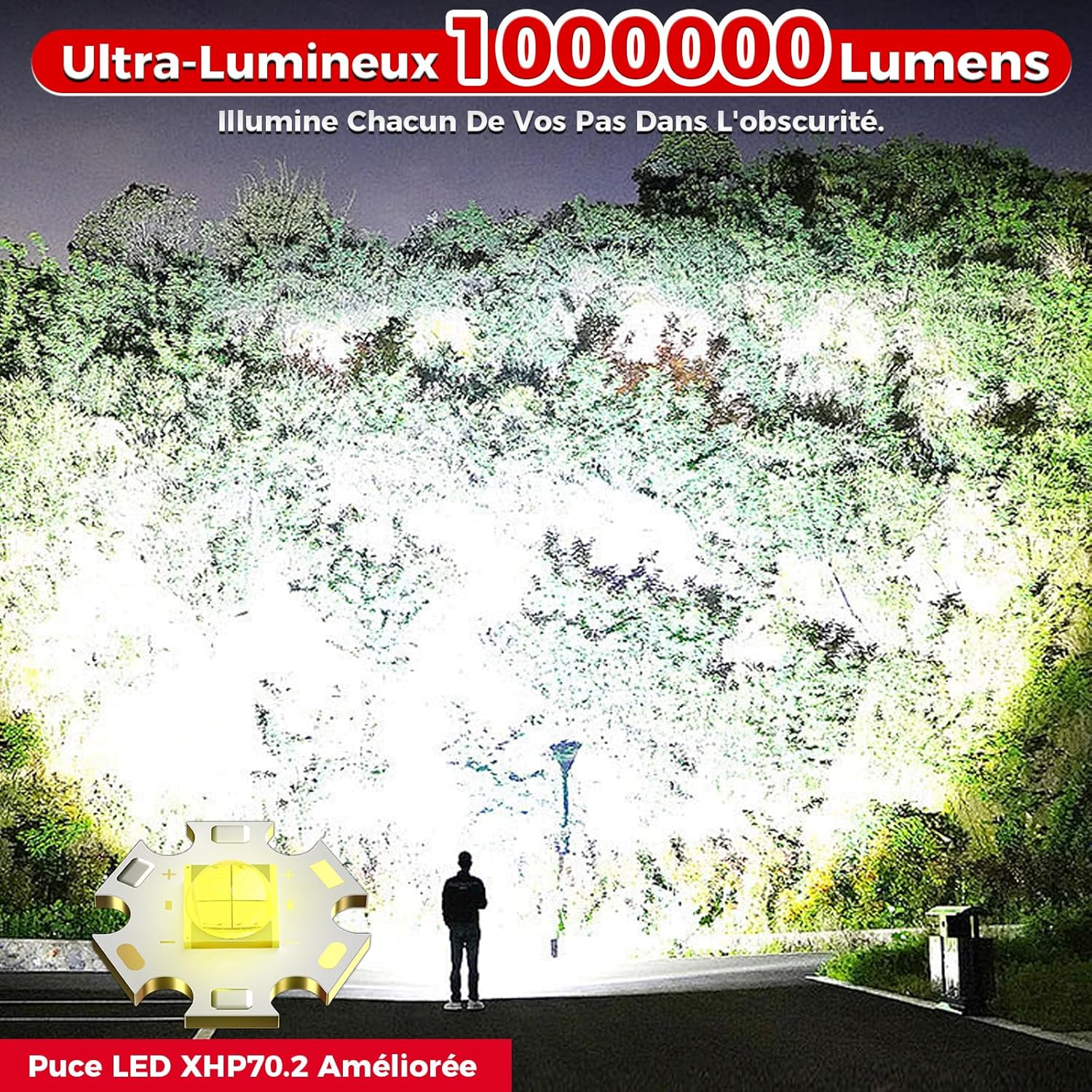
Figure 5: The S1479 flashlight provides powerful illumination.
4.2 S1979 UV Flashlight Operation
- Power On/Off: Press the power button located on the flashlight body to turn the UV light on or off.
- UV Wavelength: The S1979 emits a 365nm UV light, which is effective for revealing fluorescent materials.

Figure 6: The 365nm UV light of the S1979 provides purer and more effective illumination compared to 395nm.

Figure 7: The S1979 features an improved black UV filter lens that filters out 99% of ambient visible light for purer UV output.
4.3 Common UV Applications
- Pet Urine Detection
- Hotel Health Inspection
- Fluorescent Checking
- Rock Hunting
- Scorpion Detection
- UV Resin Curing
- Currency Authentication
- Air Conditioner Leak Detection
- Uranium Glass Detection

Figure 8: Examples of practical uses for the S1979 UV flashlight.
5. Maintenance
- Cleaning: Wipe the flashlight body with a soft, damp cloth. Do not use abrasive cleaners or solvents.
- Lens Care: Gently clean the lens with a lens cleaning cloth to maintain optimal light output. Avoid touching the lens with bare fingers.
- Battery Care: For optimal battery life, charge the battery regularly and avoid fully discharging it. If storing the flashlight for an extended period, remove the battery.
- Lubrication: Periodically apply a thin layer of silicone grease to the O-rings and threads to maintain water resistance and smooth operation.
6. Troubleshooting
| Problem | Possible Cause | Solution |
|---|---|---|
| Flashlight does not turn on | Battery is dead or incorrectly inserted. | Charge the battery or re-insert it with the correct polarity. |
| Light is dim | Low battery charge. | Recharge the battery fully. |
| Beam is inconsistent or flickers | Loose battery connection or dirty contacts. | Ensure battery is secure. Clean battery contacts with a dry cloth. |
| Water ingress | Damaged O-rings or loose components. | Check O-rings for damage and ensure all parts are tightly screwed. Replace O-rings if necessary. |
7. Specifications
- Brand: Shadowhawk
- Models: S1479 (Standard Flashlight), S1979 (UV Flashlight)
- Battery Type: 3.7V 5000mAh Rechargeable Battery (included)
- Charging: USB-C (cable included)
- S1479 Features: Multiple lighting modes, zoom function, LCD battery display
- S1979 UV Wavelength: 365nm with black UV filter lens
8. Safety Information
- Do not shine the flashlight directly into eyes, as it can cause temporary vision impairment or permanent damage.
- Keep out of reach of children.
- Do not disassemble the flashlight head or modify the internal components, as this may void the warranty and cause damage.
- Use only the recommended battery type and charging cable.
- Avoid exposing the flashlight to extreme temperatures or direct sunlight for prolonged periods.
9. Warranty and Support
For warranty information or technical support, please refer to the product packaging or contact Shadowhawk customer service through the retailer where the product was purchased. Please have your product model number (S1479 or S1979) and purchase details ready when contacting support.