
1. Introduction
The ZWO Seestar S30 Pro is an advanced smart telescope designed for astrophotography and observation. It features a 4K dual-camera system, automatic GoTo targeting, and tracking capabilities, all controlled via a smartphone application. This manual provides essential information for setting up, operating, and maintaining your Seestar S30 Pro to ensure optimal performance and longevity.
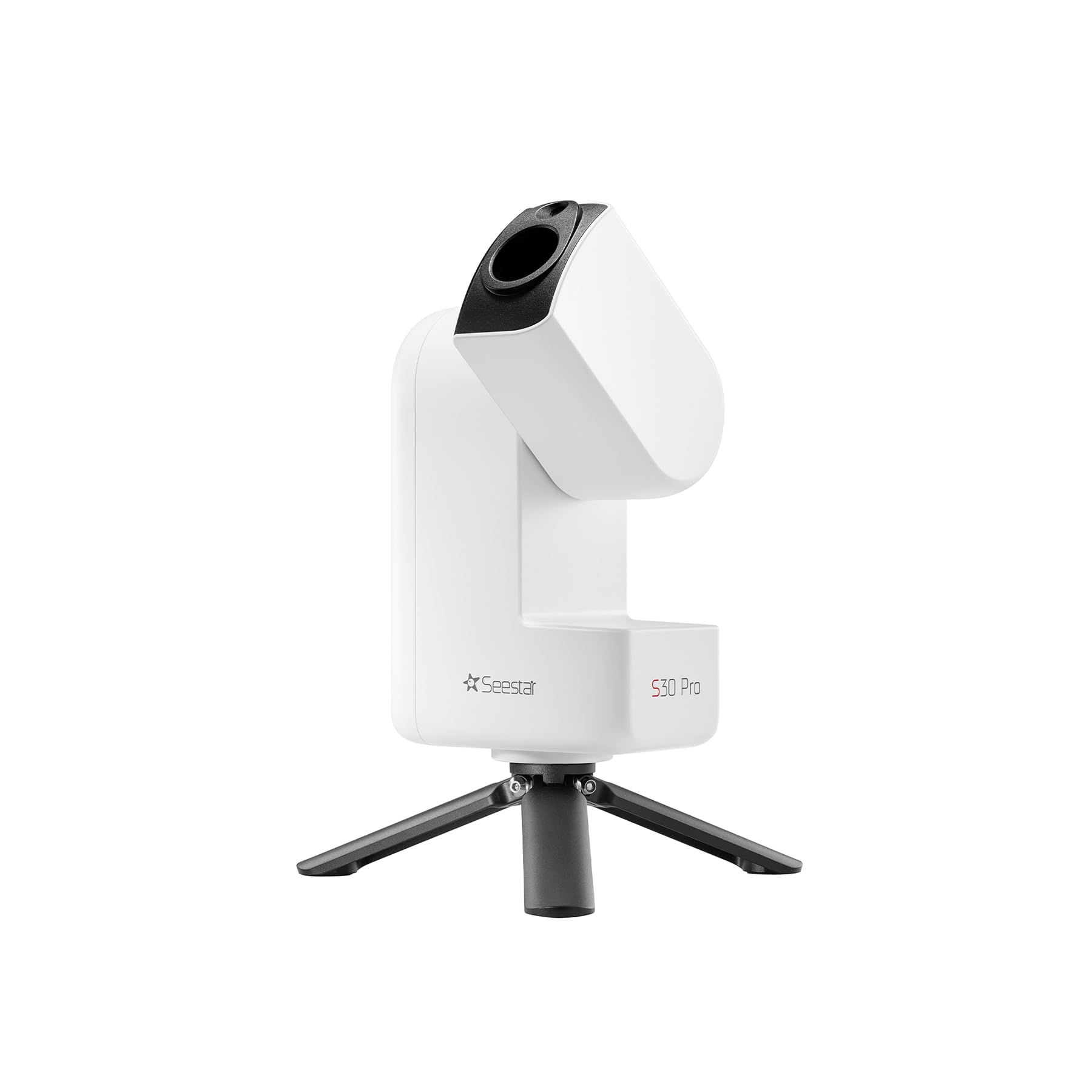
Image: The ZWO Seestar S30 Pro Smart Telescope, a compact device designed for astrophotography and observation, shown mounted on its included tripod.
2. Package Contents
Before beginning, please verify that all items are present in your package:
- Seestar S30 Pro Smart Telescope x1
- Filter x1
- Type-C Cable x1
- Tripod x1
- Quick Start Guide x1
- Safety Instructions x1
- Astronomy-themed Sticker x1

Image: A visual representation of the items included in the Seestar S30 Pro package, such as the telescope unit, solar filter, cables, tripod, and documentation.
3. Setup
The Seestar S30 Pro is designed for effortless setup, making astrophotography accessible even for beginners. Follow these steps to get started:
- Power On: Place the Seestar S30 Pro on a stable surface or its tripod. Press the power button to turn on the device.
- Connect via App: Download the official Seestar app on your smartphone or tablet. Connect to the telescope via the app, often using NFC for instant connection.
- Select Target & Capture: Use the app to select your desired celestial target. The telescope will automatically GoTo and track the object. Initiate one-tap capture to begin imaging.

Image: A visual guide illustrating the three simple steps for using the Seestar S30 Pro: Power On, Select Target via the app, and One-Click 4K Imaging.
4. Operating Instructions
4.1 Imaging Modes and Capabilities
The Seestar S30 Pro offers versatile imaging modes and advanced features for various observation scenarios:
- 4K Dual-Camera Astrophotography: Equipped with an IMX585 telephoto sensor and a wide-angle IMX586 camera, allowing capture of both detailed deep-sky objects and expansive night landscapes.
- One-Tap Milky Way & Star Trails in 8K: Utilize intelligent imaging modes to photograph the Milky Way, star trails, planets, and galaxies. Built-in mosaic stitching automatically combines multiple frames for 8K ultra-wide astrophotography.
- Four Imaging Modes: Dedicated modes for Stargazing, Milky Way, Solar System, and Scenery to optimize capture settings for different celestial and terrestrial targets.

Image: Icons representing the four primary imaging modes: Stargazing, Milky Way, Solar System, and Scenery, indicating the telescope's versatility.
4.2 Advanced Tracking and Intelligence
- Automatic GoTo and Tracking: The telescope automatically finds and follows celestial objects, simplifying the process of observing and imaging.
- Equatorial Mode: Designed to counteract Earth's rotation, this mode ensures stars remain sharp and deep-sky objects stay steady in frame during longer exposures.
- Intelligent Astrophotography Assistant: Features automatic noise reduction and AI scene recognition to enhance photos. The system can separate the night sky from the foreground, maintaining crisp Milky Way details while preserving natural landscape elements.
- Intelligent Constellation Recognition: The Seestar S30 Pro instantly identifies and labels constellations in your view, revealing how stars connect into familiar patterns.
- Plan Mode: Schedule your targets in advance. The Seestar S30 Pro will automatically locate, track, capture, and refine the night sky for you, allowing for unattended imaging sessions.

Image: The Seestar S30 Pro positioned to demonstrate its Equatorial Mode, which compensates for Earth's rotation to maintain stable tracking of celestial bodies.

Image: The Seestar S30 Pro set up for Plan Mode, allowing users to schedule and automate their astrophotography sessions.
4.3 Optics and Filters
- Professional Optics: A precision 4-element apochromatic lens reduces chromatic aberration, resulting in sharper stars and deeper contrast.
- Built-in Filters: Integrated filters reduce light pollution and unwanted infrared light, aiding in the visibility of nebulae and deep-sky objects even in suburban skies.
- Urban-Friendly Triple Filters: Includes a Dark-Field Filter for noise reduction, a UV/IR Cut Filter to block infrared light, and a Light Pollution Filter to minimize city glow.

Image: The Seestar S30 Pro positioned in an urban environment, demonstrating its capability for stargazing even with city light pollution, thanks to its advanced filters.
4.4 Daytime Observation
Beyond astrophotography, the Seestar S30 Pro functions as a powerful long-range camera for daytime observation:
- Birdwatching: Capture detailed images of distant birds.
- Landscape Photography: Ideal for capturing distant landscapes with clarity.
- Solar Observation: With the included solar filter, safely observe and image the sun.
- Lunar Observation: Capture stunning images of the moon's phases and features.

Image: An example of bird photography captured with the Seestar S30 Pro, showcasing its capability for detailed long-range daytime imaging.

Image: A landscape photograph taken with the Seestar S30 Pro, demonstrating its use for capturing distant scenery.
5. Maintenance
Proper maintenance ensures the longevity and optimal performance of your Seestar S30 Pro.
- Active Anti-Dew Control: The device features active anti-dew control to prevent condensation on the optics during observation in humid conditions. Ensure this feature is enabled when necessary.
- Cleaning: Use a soft, lint-free cloth to gently clean the exterior of the telescope. For optical surfaces, use specialized lens cleaning solutions and cloths to avoid scratches.
- Storage: Store the telescope in its carrying case in a dry, cool environment when not in use.
- Battery Care: Charge the internal battery regularly, even during periods of non-use, to maintain battery health.

Image: A visual breakdown of key features including the 4-element apochromatic lens, active anti-dew control system, triple filter mechanism, and 128GB built-in storage.
6. Troubleshooting
If you encounter issues with your Seestar S30 Pro, consider the following common solutions:
- Connection Issues: Ensure your smartphone/tablet's Wi-Fi and Bluetooth are enabled. Restart both the telescope and the app. Verify the app is updated to the latest version.
- Poor Image Quality: Check for clear skies and minimal light pollution. Ensure the optics are clean and free of dew. Verify focus settings in the app (auto or manual).
- Tracking Problems: Ensure the telescope is placed on a stable, level surface. Calibrate the GoTo system as per the app's instructions.
- Battery Not Charging: Use the provided Type-C cable and a compatible power adapter. Check for any damage to the cable or charging port.
- App Freezing/Crashing: Close and reopen the app. Clear the app's cache or reinstall it if the problem persists. Ensure your device meets the app's minimum system requirements.
For persistent issues, refer to the official ZWO support resources or contact customer service.
7. Specifications
| Feature | Description |
|---|---|
| Brand | ZWO |
| Model Name | S30 Pro |
| Objective Lens Diameter | 30 Millimeters |
| Telescope Mount Description | Alt-Azimuth Mount (Supports Equatorial Mode) |
| Product Dimensions | 3.1"D x 5.5"W x 8.3"H |
| Focus Type | Auto Focus, Manual Focus |
| Power Source | Battery Powered |
| Finderscope | Reflex |
| Item Weight | 3.96 Pounds |
| Compatible Devices | Smartphone, Tablet |
| Number of Batteries | 1 Nonstandard Battery (included) |
| Coating | Fully Multi-Coated |
| Focal Length | 160mm |
| Field Of View | 4.6 Degrees |
| Additional Features | App Controlled, Auto Tracking, EQ Mode, One-Tap Milky Way Imaging, Plan Mode |
| Manufacturer | Suzhou ZWO Co., Ltd. |

Image: A detailed comparison table highlighting the differences and enhancements between the Seestar S30 Pro and the standard Seestar S30 model.
8. Warranty and Support
8.1 Warranty Information
The ZWO Seestar S30 Pro comes with a 2-Year Warranty. Please retain your proof of purchase for warranty claims.
8.2 Customer Support
For further assistance, technical support, or warranty inquiries, please visit the official ZWO website or contact their customer service department. You can also find additional resources and FAQs on the ZWO Store on Amazon.


