
Introduction
This manual provides comprehensive instructions for the Hetoy 7-Drawer White Vanity Desk with Lighted Mirror and Dimmable LED Lights. It covers essential information regarding assembly, operation, maintenance, and troubleshooting to ensure proper use and longevity of your vanity set. Please read this manual thoroughly before assembly and use.
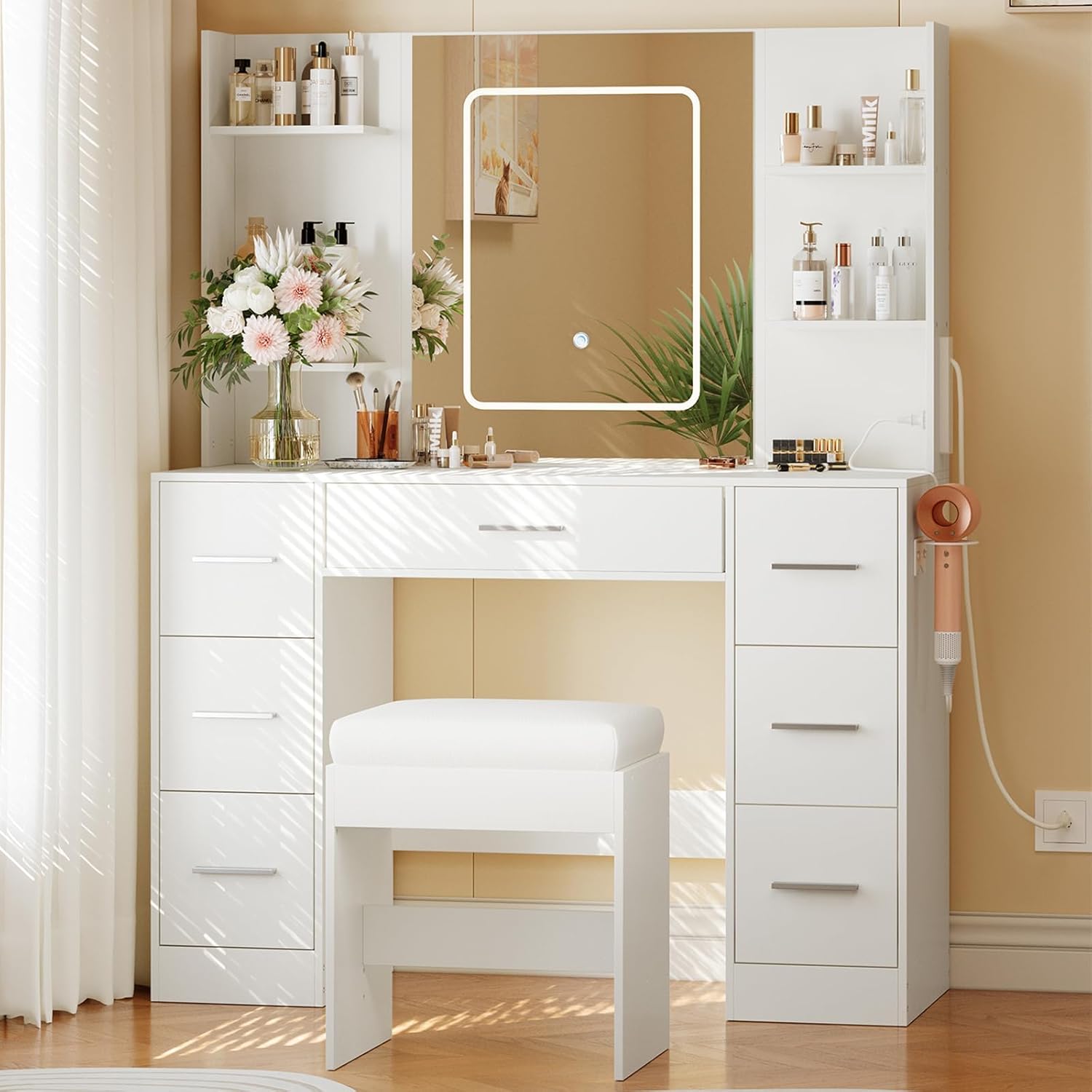
Image: The Hetoy 7-Drawer White Vanity Desk, featuring a lighted mirror, multiple drawers, and a matching stool.
Setup and Assembly
The Hetoy Vanity Desk requires assembly. Follow the included step-by-step instructions carefully. Ensure all parts are present before beginning assembly. It is recommended to assemble the unit on a soft, clean surface to prevent scratches.
Package Contents
Verify that all components listed in the assembly guide are included in your package. If any parts are missing or damaged, contact customer support.
Assembly Steps
- Unpack all components and lay them out on a protected surface.
- Identify each part using the provided diagrams.
- Follow the numerical sequence of the assembly instructions.
- Secure all fasteners tightly, but do not overtighten to avoid damaging the wood.
- Attach the lighted mirror unit to the desk base as instructed.
- Connect the power cord for the mirror and charging station to a suitable wall outlet.

Image: Detailed product dimensions for the Hetoy Vanity Desk and its components, including drawers and stool.

Image: Exploded view of the vanity desk, highlighting the lighted HD mirror, double 3-tier open storage shelves, wide separated drawer, 6 deep drawers, upholstered stool, power outlet, and hair dryer rack.
Operating Instructions
LED Mirror Operation
- Power On/Off: Short press the touch sensor on the mirror to turn the LED lights on or off.
- Change Lighting Mode: Short press the touch sensor repeatedly to cycle through the three lighting modes: Cold White, Warm White, and Warm Yellow.
- Adjust Brightness: Long press the touch sensor to dim or brighten the light. Release when the desired brightness level is reached.

Image: Visual guide demonstrating the three lighting modes (Cold White, Warm White, Warm Yellow) and the touch controls for adjusting brightness and changing modes on the LED mirror.
Built-in Charging Station
The vanity desk is equipped with a built-in power strip for convenience.
- AC Outlets: Two 125V/12A AC outlets are provided for powering hair dryers, curling irons, or other small appliances.
- USB Ports: Two 5V/2A USB ports are available for charging mobile phones, tablets, and other USB-powered devices.
- Hair Dryer Holder: Utilize the integrated holder on the side of the desk to store your hair dryer neatly.

Image: Close-up view of the built-in charging station, showing two AC outlets, two USB ports, and the hair dryer holder with a hair dryer in place. The power cord length is also indicated.
Storage Utilization
Organize your cosmetics, jewelry, and accessories using the seven drawers and six open compartments. The wide separated drawer is suitable for larger items, while the deep drawers provide ample space for various beauty products.
Maintenance
Cleaning the Vanity Desk
- Wipe surfaces with a soft, damp cloth. Avoid abrasive cleaners or harsh chemicals that may damage the finish.
- For stubborn spots, use a mild soap solution and immediately dry with a clean cloth.
- Regularly dust the vanity to prevent buildup.
Mirror Care
- Clean the mirror surface with a glass cleaner and a lint-free cloth. Spray cleaner onto the cloth, not directly onto the mirror, to prevent liquid from seeping into the edges.
- Avoid scratching the mirror surface.
Electrical Components
- Ensure the power cord is unplugged before cleaning near electrical outlets or USB ports.
- Do not expose electrical components to water or excessive moisture.
Troubleshooting
| Problem | Possible Cause | Solution |
|---|---|---|
| LED Mirror lights do not turn on. | Power cord not plugged in; loose connection; power outage; faulty sensor. |
|
| AC Outlets/USB Ports are not working. | Power cord not plugged in; circuit breaker tripped; faulty power strip. |
|
| Drawers are stiff or do not slide smoothly. | Improper assembly; debris in tracks; overtightened screws. |
|
Specifications
| Feature | Detail |
|---|---|
| Brand | Hetoy |
| Model Number | avE-PuFwxOeZk5-f1LWFoH93-XF |
| Assembled Dimensions (Approx.) | 43.3" (W) x 15.7" (D) x 55.5" (H) (Main Unit) |
| Material | Wood |
| Color | White |
| Number of Drawers | 7 |
| LED Mirror Lighting Modes | 3 (Cold White, Warm White, Warm Yellow) |
| LED Mirror Brightness | Dimmable |
| AC Outlets | 2 (125V/12A) |
| USB Ports | 2 (5V/2A) |
| Included Components | Vanity Desk, Lighted Mirror, Cushioned Stool, Hair Dryer Holder |
Warranty Information
Specific warranty details for this product are not provided in the available information. Please refer to the product packaging or contact the manufacturer directly for warranty terms and conditions.
Customer Support
For assistance with assembly, missing parts, or any other inquiries, please contact Hetoy customer support. Contact information is typically found on the product packaging or the manufacturer's official website.
You may also visit the Hetoy Store on Amazon for more information.