
Product Overview
The GTPLAYER Floor Rocker Gaming Chair is designed for an immersive gaming and lounging experience. Its ergonomic design and controlled rocking motion provide comfort and stability for various activities.
- Controlled Rocking Motion: Features a rear support foot to limit excessive tilt, ensuring a smooth and stable rocking experience for gaming or lounging.
- Low-Profile Design: Ideal for compact spaces such as bedrooms, dorms, and small gaming setups. The armless design optimizes space.
- Sturdy Construction: Assembles into a solid, durable structure, providing stability without wobbling.
- Ergonomic Support: The gently angled backrest supports a natural seating posture for extended periods of gaming, reading, or watching TV.
- Lightweight & Portable: Weighing approximately 8.6 lbs, this chair is easy to move and reposition between different rooms.
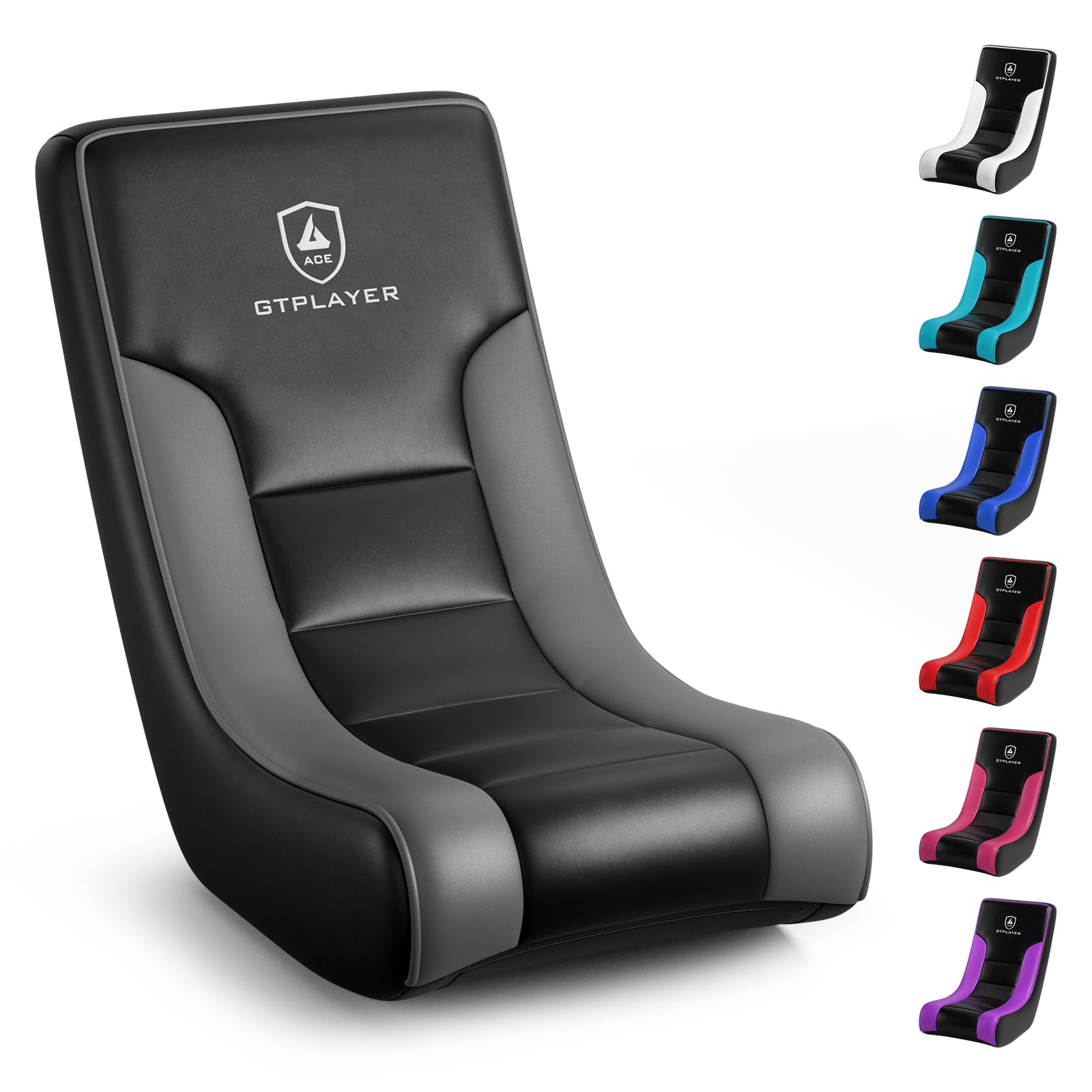
Image: The GTPLAYER Floor Rocker Gaming Chair in use by a child, demonstrating its low-profile design and suitability for gaming.
Setup and Assembly
The GTPLAYER Floor Rocker Gaming Chair requires assembly. Please follow the detailed instructions provided in this manual and the accompanying videos for a smooth setup process. It is recommended to have a clear workspace.
Assembly Steps Overview
- Unpack all components and verify against the parts list.
- Attach the support bars to the main chair frame using the provided screws.
- Ensure all connections are secure before use.

Image: A close-up of the chair's base during assembly, showing the attachment of a support bar.
Video: Detailed installation steps for the GTPLAYER Floor Rocking Gaming Chair, demonstrating how to assemble the components.

Image: A quick overview of the setup process and key features of the GTPLAYER Floor Rocker.
Video: Setup highlights and a style guide for the GTPLAYER Floor Rocker, showing its versatility.
Operating Instructions
The GTPLAYER Floor Rocker Gaming Chair is designed for intuitive use. Simply sit and lean back to engage the rocking motion.
Rocking Motion
The chair provides a gentle rocking motion. Lean back to recline and forward to return to an upright position. The integrated angle limiter prevents excessive tilting, ensuring a safe and comfortable experience.

Image: The chair in a rocking state, illustrating the smooth movement for gaming, reading, or relaxing.

Image: A diagram highlighting the angle limiter feature, which provides steady support and prevents tipping during rocking.
Video: Demonstration of the GTPLAYER Rocking Floor Game Chair, showcasing its rocking functionality and angle limiter.
Ergonomic Seating
The chair's design promotes a natural and comfortable posture. Utilize the backrest for support during long sessions of gaming or other activities.

Image: Detail of the chair's comfort features, highlighting its versatility for various activities.
Maintenance
To ensure the longevity and appearance of your GTPLAYER Floor Rocker Gaming Chair, follow these simple maintenance guidelines:
- Cleaning: Wipe clean with a damp cloth. Avoid harsh chemicals or abrasive cleaners, as these may damage the faux leather material.
- Spills: Immediately blot any spills with a clean, dry cloth.
- Inspection: Periodically check all screws and connections to ensure they remain tight. Retighten if necessary.
- Storage: Store the chair in a cool, dry place away from direct sunlight to prevent material degradation.
Troubleshooting
If you encounter any issues with your GTPLAYER Floor Rocker Gaming Chair, please refer to the following common solutions:
- Wobbling: If the chair feels unstable, check all assembly screws and ensure they are fully tightened. Refer to the assembly instructions.
- Restricted Rocking: Ensure the chair is placed on a flat, even surface. Obstructions underneath the chair may impede the rocking motion.
- Squeaking Noises: Apply a small amount of silicone lubricant to any moving parts or joints if squeaking occurs.
If problems persist, please contact customer support for further assistance.
Specifications
Detailed specifications for the GTPLAYER Floor Rocker Gaming Chair (Model GTP-450R):
| Feature | Detail |
|---|---|
| Brand | GTPLAYER |
| Model Name | Floor Rocking Chair, GTP-450R |
| Material | Faux Leather (Cover), Metal (Frame) |
| Product Dimensions (D x W x H) | 29.13" x 15.74" x 21.56" |
| Item Weight | 8.6 pounds |
| Maximum Weight Recommendation | 200 pounds |
| Back Style | High Back |
| Arm Style | Armless |
| Recommended Uses | Gaming, Reading, Relaxing, Video Game |
| UPC | 810211837407 |

Image: Detailed product dimensions and recommended user specifications for the GTPLAYER Floor Rocker Gaming Chair.
Warranty and Support
For warranty information, product support, or to inquire about replacement parts, please refer to the documentation included with your purchase or visit the official GTPLAYER website. Keep your proof of purchase for warranty claims.
Contact Information: Please refer to the contact details provided in your product packaging or on the GTPLAYER official website for customer service.