
DREO DR-HAC010S
DREO Inverter Dual-Hose Portable Air Conditioner 740S
Model: DR-HAC010S
Important Safety Instructions
Please read all instructions carefully before using this appliance. Failure to follow these instructions may result in electric shock, fire, or serious injury.
- This appliance is for indoor use only.
- Ensure the power supply matches the voltage specified on the rating label.
- Do not operate the unit with a damaged cord or plug. If the supply cord is damaged, it must be replaced by the manufacturer, its service agent, or similarly qualified persons to avoid a hazard.
- Keep the unit at least 20 inches (50 cm) away from walls or other objects to ensure proper airflow.
- Do not block air outlets or inlets.
- Always unplug the unit before cleaning or servicing.
- Do not use chemical solvents (e.g., benzene, alcohol, gasoline) to clean the unit.
- This appliance is not intended for use by persons (including children) with reduced physical, sensory or mental capabilities, or lack of experience and knowledge, unless they have been given supervision or instruction concerning use of the appliance by a person responsible for their safety.
- Children should be supervised to ensure that they do not play with the appliance.
Product Overview
The DREO Inverter Dual-Hose Portable Air Conditioner 740S (Model DR-HAC010S) is designed to provide efficient cooling, ventilation, and dehumidification for rooms up to 200-300 sq. ft. It features inverter technology for energy efficiency, a dual-hose design for faster cooling, and smart control options.
Included Components:
- 1 x DREO Portable Air Conditioner (DR-HAC010S)
- Window Panel (x4)
- Air Exhaust Hose (x2)
- Drain Hose
- Remote Control
- Other installation components
Key Features:
- Powerful Cooling Capacity: 14,000 BTU ASHRAE (10,000 BTU DOE) for rooms up to 300 sq. ft.
- Inverter Technology: Adapts output for faster cooling and improved energy efficiency (up to 32% more efficient than traditional models).
- Dual-Hose Design: Separates intake and exhaust airflow to reduce hot air backflow, resulting in faster and more efficient cooling.
- Drainage-Free Operation: Patented self-evaporating technology automatically evaporates excess water in environments under 90% humidity, eliminating the need for frequent manual drainage.
- Quiet Operation: Equipped with a noise isolation system for a low operating noise level of 42 dB.
- Smart Control: Supports control via the DREO app, remote control, and Alexa voice commands.
- 3-in-1 Functionality: Offers Cooling, Ventilation (Fan), and Dehumidification modes.
- High Dehumidification Capacity: Up to 96 pints/day.
- Easy Installation: Window kit fits both hung and sliding windows between 20-53 inches.
- Washable Filter: For easy maintenance and improved air quality.
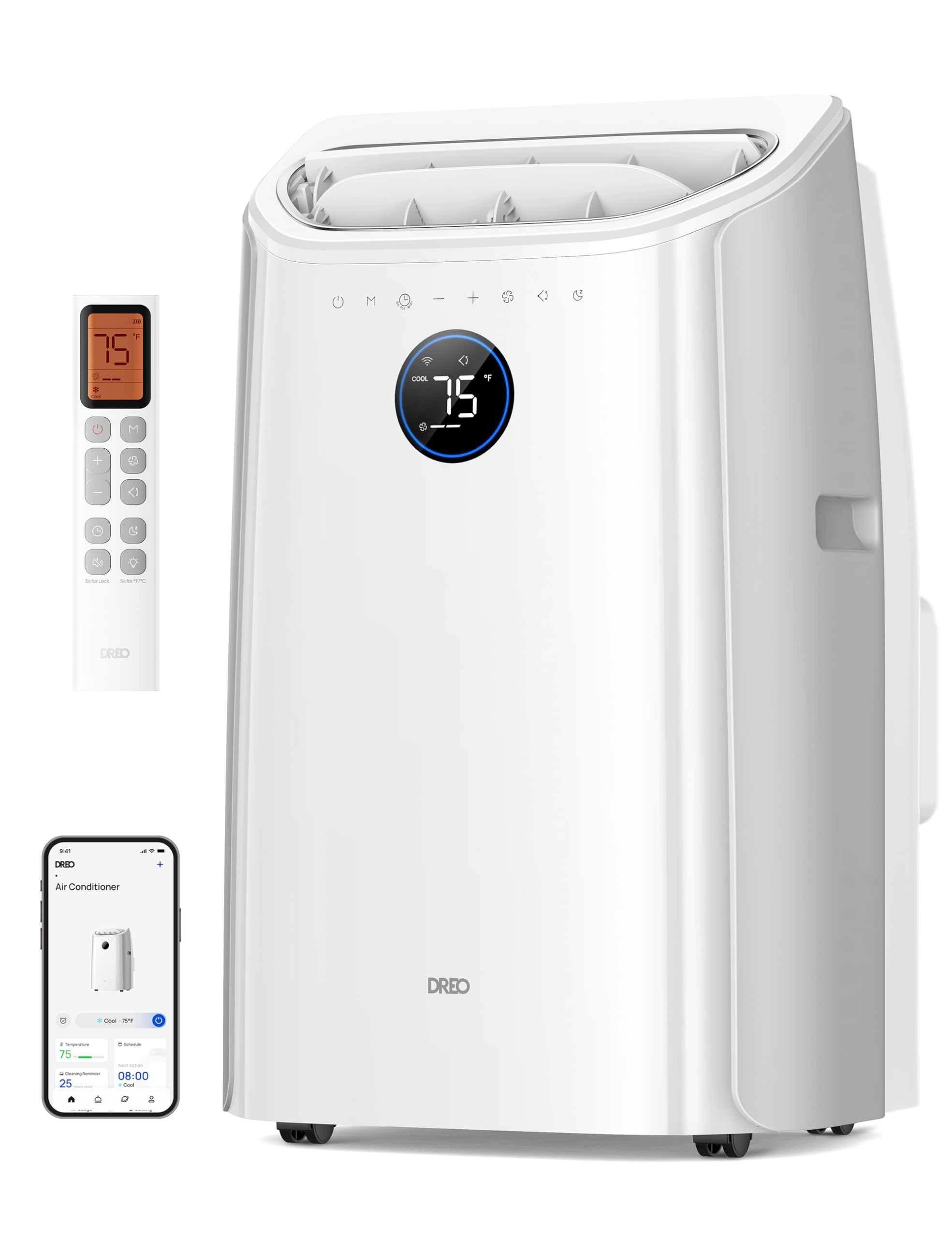
Image: DREO Inverter Dual-Hose Portable Air Conditioner 740S, front view.
Setup and Installation
Proper installation is crucial for the efficient operation of your portable air conditioner. Follow these steps carefully.
1. Window Kit Installation:
- Measure your window opening. The window panel kit is designed for windows between 20 and 53 inches wide (for sliding windows) or high (for hung windows).
- Assemble the window panels to fit your window opening. Use the provided screws to secure the panels.
- Insert the assembled window panel into the window opening. Extend the adjustable panel to fit snugly and secure it.
- Seal any gaps around the window kit with the provided non-adhesive foam to prevent air leakage.
- For wooden windows, optional security brackets can be installed by drilling pilot holes and screwing the brackets into the window frame. This is not recommended for metal-framed windows.

Image: Illustration of window kit installation for both sliding and hung window types, showing the extendable hoses.
2. Connecting the Dual Hoses:
- Attach the two air exhaust hoses to the corresponding adapters on the back of the air conditioner unit. Ensure a secure fit.
- Connect the other end of each hose to the openings in the window panel. The dual-hose system ensures efficient air exchange, drawing in fresh air and expelling hot air separately.

Image: Close-up view of the dual-hose connection to the portable air conditioner and the window panel, illustrating airflow direction.
Quick Start Guide Video:
Video: Official DREO Portable Air Conditioners Quick Start Guide. This video demonstrates the basic steps for setting up your DREO portable air conditioner, including window kit and hose installation.
Operating Instructions
Your DREO portable air conditioner offers multiple modes and control options for optimal comfort.
Control Panel and Remote Control:
The unit features an intuitive control panel on the top and comes with a remote control for convenient operation from a distance. Refer to the remote control diagram in the physical manual for button functions.
Operating Modes:
- Cool Mode: Provides powerful cooling to lower room temperature. Adjust the desired temperature using the control panel or remote.
- Fan Mode (Ventilation): Circulates air without cooling. Choose from multiple fan speeds (e.g., Low, Medium, High, Auto).
- Dry Mode (Dehumidification): Reduces humidity in the room. The unit can remove up to 96 pints of moisture per day.

Image: Visual representation of the three operating modes: Cool, Dry, and Fan, demonstrating their functions.
Smart Control (App & Voice):
Connect your DREO portable air conditioner to the DREO app for advanced control and scheduling. The unit is also compatible with Alexa for voice commands.
- Download the DREO app from your smartphone's app store.
- Follow the in-app instructions to pair your device.
- Once connected, you can adjust settings, set schedules, and monitor the unit remotely.
- For voice control, enable the DREO skill in your Alexa app and link your DREO account.

Image: A person using a smartphone to control the DREO portable AC, with logos for DREO app, Hey Google, and Alexa indicating smart control capabilities.
Smart Connection Video:
Video: Official DREO video demonstrating how to connect the DREO Smart Portable Air Conditioner to the app.
Maintenance
Regular maintenance ensures optimal performance and longevity of your air conditioner.
1. Cleaning the Air Filter:
The air filter should be cleaned regularly, typically every two weeks, or more often depending on usage and air quality.
- Unplug the air conditioner from the power outlet.
- Locate and remove the air filter from the back of the unit.
- Wash the filter with warm, soapy water. Rinse thoroughly.
- Allow the filter to air dry completely before reinstalling it. Do not expose it to direct sunlight or high heat.
- Reinsert the dry filter into the unit.

Image: A person cleaning the washable air filter under a faucet.
2. Drainage:
This unit features a drainage-free design, automatically evaporating condensed water under normal operating conditions (humidity below 90%). However, in very high humidity environments, some water may accumulate and require manual drainage.
- Unplug the air conditioner.
- Place a shallow pan or container under the drain outlet at the bottom rear of the unit.
- Remove the drain plug to allow water to flow out.
- Once all water has drained, replace the drain plug securely.
Video: Official DREO video demonstrating the drainage process for the portable AC.
3. Storage:
If storing the unit for an extended period, ensure it is completely drained and cleaned. Store it in an upright position in a dry, cool place.
Troubleshooting
Before contacting customer support, please refer to the following table for common issues and solutions.
| Problem | Possible Cause | Solution |
|---|---|---|
| Unit does not turn on. | No power supply; Power cord not plugged in; Circuit breaker tripped. | Check power outlet; Ensure plug is fully inserted; Reset circuit breaker. |
| Unit does not cool effectively. | Window kit not properly sealed; Air filter dirty; Room size too large; Doors/windows open. | Ensure window kit is sealed; Clean air filter; Verify unit capacity for room size; Close all doors and windows. |
| Unit is noisy. | Unit not on a level surface; Obstruction in fan. | Place unit on a flat, stable surface; Check for and remove any obstructions. |
| Water leaks from the unit. | Drain plug loose; High humidity causing excess condensation. | Ensure drain plug is securely in place; Manually drain the unit if necessary. |
| Remote control not working. | Batteries dead; Obstruction between remote and unit. | Replace batteries; Remove any obstructions. |
Specifications
| Feature | Detail |
|---|---|
| Brand | DREO |
| Model Number | DR-HAC010S |
| Cooling Power | 14000 British Thermal Units (ASHRAE) / 10000 British Thermal Units (DOE) |
| Coverage Area | Up to 200-300 Square Feet |
| Noise Level | 42 Decibels |
| Product Dimensions (D x W x H) | 14.37"D x 17.32"W x 28.13"H |
| Item Weight | 55.4 Pounds |
| Voltage | 115 Volts |
| Wattage | 1540 Watts |
| Refrigerant | R-32 |
| Control Method | App, Remote |
| Operating Modes | Cooling, Ventilation, Dehumidification |
| Dehumidification Capacity | 96 Pints/Day |
| Window Opening Compatibility | 20-53 Inches (Width/Height) |
| Hose Extendability | 15-71 Inches |

Image: Energy Guide label for the DREO Portable Air Conditioner DR-HAC010S, showing estimated yearly energy cost and CEER rating.
Warranty and Support
Warranty Information:
This DREO product is covered by a 12-MONTH LIMITED WARRANTY from the date of purchase. Please retain your proof of purchase for warranty claims. The warranty covers defects in materials and workmanship under normal use.
The warranty does not cover damage resulting from accident, misuse, abuse, alteration, improper installation, or failure to follow the instructions in this manual.
Customer Support:
For any questions, technical assistance, or warranty claims, please contact DREO Customer Support. Refer to the official DREO website or the contact information provided in your product packaging for the most up-to-date support details.
You can also visit the DREO Store on Amazon for more product information and resources.
Related documentsDR-HAC010S


Ask a question about this manual
Ask about setup, troubleshooting, compatibility, parts, safety, or missing instructions. Manuals+ will review the question and use this page’s manual context to help answer it.