
1. Introduction
This manual provides instructions for the proper use, setup, and maintenance of your bonoch AirSentry 16-in-1 Air Quality Monitor. This device is designed to measure various indoor air quality parameters to help you maintain a healthy living environment. Please read this manual thoroughly before operating the device.
2. Safety Information
- Do not expose the device to extreme temperatures, humidity, or direct sunlight.
- Avoid touching the external sensors or air intake holes to ensure accurate readings.
- Do not expose the device to perfumes, strong odors, or chemical sprays, as this may affect sensor accuracy.
- Use only the provided USB-C cable and charging adapter for optimal performance and to prevent damage.
- Keep the device out of reach of children.
- Do not attempt to disassemble or repair the device yourself. Contact customer support for assistance.
3. Package Contents
Verify that all items are present in the package:
- 1 x bonoch Air Quality Monitor
- 1 x Charging Adapter
- 1 x USB-C Cable
- 1 x User Manual (this document)
4. Product Overview
The bonoch AirSentry is a comprehensive indoor air quality monitor featuring a 7-inch LED display. It tracks 9 essential air quality parameters and provides 7 customizable AQI alert alarms.
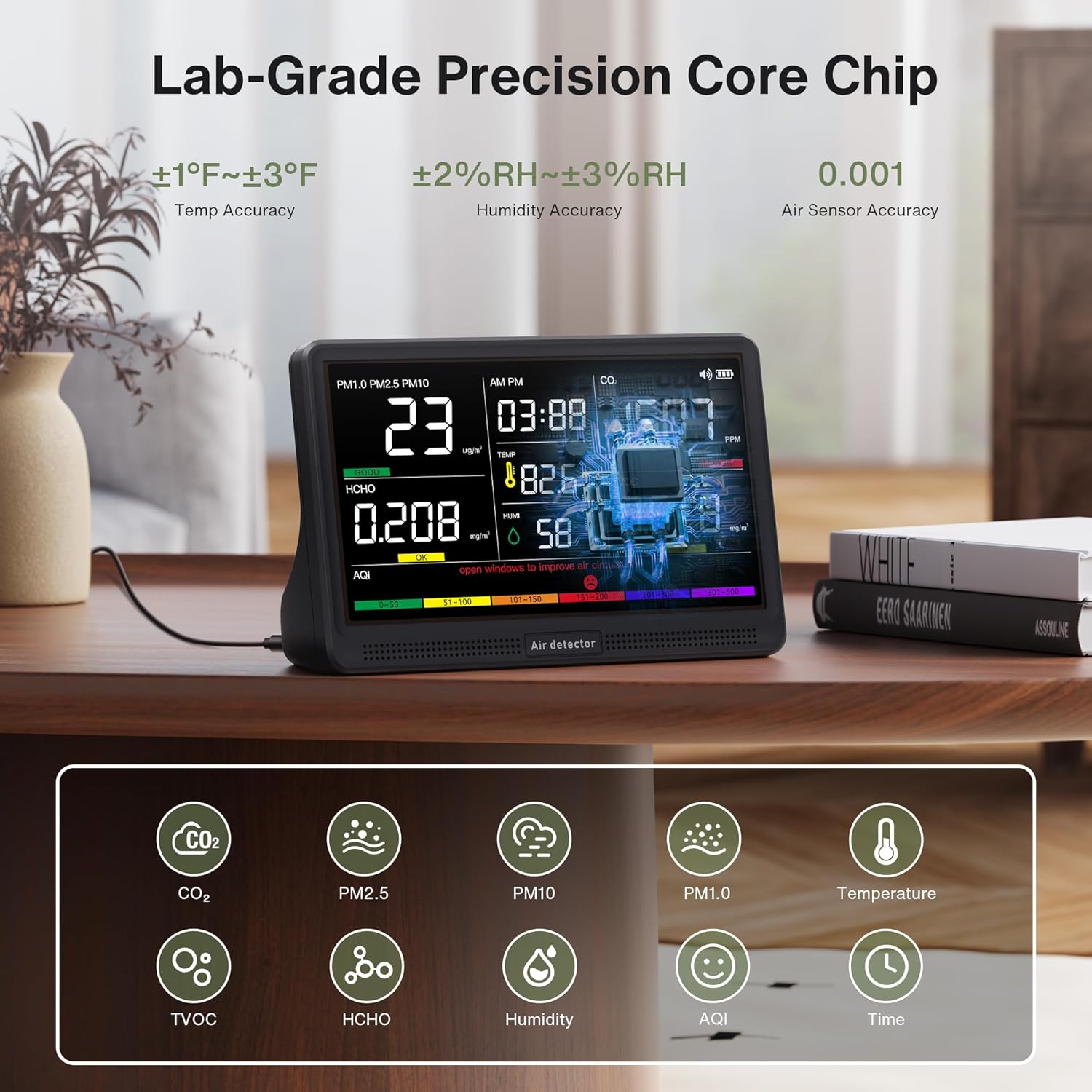
Image: The bonoch AirSentry monitor showing readings for PM1.0, PM2.5, PM10, HCHO, CO2, TVOC, Temperature, Humidity, and AQI on its 7-inch display. The image highlights the device's lab-grade precision core chip and various sensor accuracies.
Key Features:
- 16-in-1 Monitoring: Real-time tracking of CO2, PM2.5, PM1.0, PM10, HCHO (Formaldehyde), TVOC, Temperature, Humidity, and AQI.
- High-Precision Sensors: External sensors provide 0.001-level accuracy for precise measurements.
- 7-Inch LED Display: Large, clear display for instant air quality insights with 3-level adjustable brightness.
- AQI Alerts: 7 distinct alarm modes for various pollutants with a mute function.
- Portable Design: Built-in 2500mAh battery offers up to 8 hours of cordless monitoring.

Image: An exploded view diagram illustrating the AirSentry's external air sensors, core chip, display, and multi-sensor array, emphasizing its lab-grade accuracy and enhanced airflow design.
5. Setup
5.1 Initial Charging
- Connect the provided USB-C cable to the monitor's charging port.
- Plug the other end of the USB-C cable into the provided charging adapter.
- Plug the adapter into a standard wall outlet.
- A red indicator light will confirm that the device is charging. Charge the device fully before first use for optimal battery life.
5.2 Placement
Place the monitor in a central location within the area you wish to monitor. Ensure it is not obstructed and has adequate airflow. Avoid placing it near windows, vents, or direct heat sources that could affect readings.
6. Operating Instructions
6.1 Power On/Off
- To power on, press and hold the Power button until the display illuminates.
- To power off, press and hold the Power button until the display turns off.
6.2 Display Overview
The 7-inch LED display shows real-time readings for all monitored parameters, including CO2, PM2.5, PM1.0, PM10, HCHO, TVOC, Temperature, Humidity, AQI, and the current Time. Color-coded indicators on the AQI bar provide a quick visual assessment of air quality levels.
6.3 Time Adjustment
- Switch Time Format: Click the Time button to toggle between 12-hour and 24-hour formats.
- Set Hours: Long press the Time button to enter setting mode. Use the Alarm button or Brightness button to adjust the hour value.
- Set Minutes: Click the Time button again. Use the Alarm button or Brightness button to adjust the minute value.
- Confirm: Click the Time button once more to save the settings and exit.
6.4 Temperature Unit Switching
To switch between Fahrenheit (°F) and Celsius (°C), simply click the Power button once while the device is on.
6.5 AQI Alerts and Muting
The monitor provides real-time alerts for elevated levels of CO2, PM2.5, PM1.0, PM10, HCHO, TVOC, and AQI. There are 7 distinct alarm modes. When an alert is active, a buzzer will sound.

Image: The bonoch AirSentry display showing high CO2 (1507 PPM) and TVOC (0.618 mg/m³) readings, indicating 'POOR' air quality with a red bell icon for an active alert. The image also shows the color-coded AQI scale (Good, OK, Poor).
- To silence an active alert, press the Alarm button.
6.6 Brightness Adjustment
The display has 3 adjustable brightness levels. Press the Brightness button to cycle through the available levels.
6.7 Auto Recalibration / One-Click Reset
The device features auto-recalibration to maintain precision. For a quick reset and recalibration, long-press the Power button. This can be useful if you suspect readings are inaccurate or after moving the device to a new environment.

Image: The back of the bonoch AirSentry monitor, showing ventilation grilles and a warning to avoid touching external sensors or air intake holes to ensure accuracy. It also illustrates the one-click reset function via the power button.
7. Maintenance
7.1 Cleaning
Wipe the device with a soft, dry cloth. Do not use abrasive cleaners, solvents, or spray directly onto the device. Ensure no liquid enters the sensor openings or charging port.
7.2 Sensor Care
To maintain the accuracy of the external high-precision sensors, avoid touching them or exposing them to perfumes, strong odors, or chemical fumes. Keep the air intake and exhaust vents clear of dust and obstructions.
8. Troubleshooting
- Device does not power on: Ensure the device is fully charged. Connect it to the charger and try again.
- Inaccurate readings:
- Perform a one-click reset by long-pressing the Power button.
- Ensure the device is not near strong odors, chemicals, or in an area with poor airflow.
- Avoid touching the sensors.
- Display is too dim/bright: Adjust the brightness using the Brightness button.
- Alarm sounds frequently: Check the displayed air quality parameters. If levels are high, ventilate the area. You can mute the alarm by pressing the Alarm button.
9. Specifications
| Brand | bonoch |
| Model | AirSentry B0GYF3WCLF |
| Display | 7-inch LED |
| Monitored Parameters | CO2, PM2.5, PM1.0, PM10, HCHO, TVOC, Temperature, Humidity, AQI, Time |
| Temperature Accuracy | ±1-3°F |
| Humidity Accuracy | ±2-3% RH |
| Air Sensor Accuracy | 0.001 level |
| Battery Capacity | 2500mAh |
| Battery Life | Up to 8 hours (cordless) |
| Power Source | Battery Powered (USB-C charging) |
| Product Dimensions | 2.95 x 5.59 x 7.91 inches |
| Product Weight | 1.48 Pounds |
10. Warranty and Customer Support
bonoch provides customer support for its products. If you encounter any issues or have questions regarding your AirSentry monitor, please contact the bonoch support team. Refer to the product packaging or the official bonoch website for contact information. Our support team aims to respond within 24 hours.