
1. Product Overview
The ZYHKON Z9pro AI Translation Earbuds are designed to provide real-time language translation, high-fidelity audio, and active noise cancellation. They feature a multi-function touchscreen charging case and Bluetooth 5.4 connectivity for stable performance.

Image: ZYHKON Z9pro AI Translation Earbuds and their charging case.
Package Contents
- Headphones (Left/Right) x 2
- USB-C charging cable x 1
- Portable charging box x 1
- User manual x 1
2. Setup
2.1 App Download and Installation
To utilize the full translation features, download the "NebulaBuds" application.
- Method 1: Scan QR Code
Scan the QR code with your phone's camera, WeChat, or a browser to download the app. - Method 2: Search App Stores
Search for "NebulaBuds" on major app stores (Google Play Store, Apple App Store) to find and install the application. - Grant Permissions
To set up your NebulaBuds, allow the necessary permissions, including access to Bluetooth devices and wireless data (Wi-Fi and cellular data).

Image: Steps for downloading and installing the NebulaBuds application.
For direct download, visit: www.nebulabuds.com/download/index.html
2.2 Bluetooth Pairing and Device Activation
The earbuds utilize Bluetooth 5.4 for a stable and fast connection.
- Open Charging Case
Open the charging case. The earbuds will automatically enter pairing mode. - Enable Bluetooth on Device
On your phone or tablet, go to Settings > Bluetooth. - Select Device
From the list of available devices, select "Z9 Pro" to complete pairing. - Activate in App
Open the NebulaBuds app and select "Activate Device." Wait for the device to connect. Once activated, you can access the app's home page.

Image: Bluetooth pairing and app activation process for the Z9pro earbuds.
3. Operating Instructions
3.1 Power On/Off
- Power On: The earbuds power on automatically when removed from the charging case.
- Power Off: Place the earbuds back into the charging case to power them off and begin charging.
3.2 Smart Touch Controls
The earbuds feature high-sensitivity touch controls for various functions:
- Play/Pause: Click 1 time
- Next Song: Click 2 times (Right earbud)
- Previous Song: Click 2 times (Left earbud)
- Activate Voice Assistant: Long press for 2 seconds
- Answer/Hang Up Call: Click 1 time
- Reject Call: Click 4 times
- ANC Mode Switching: Click 3 times

Image: Smart touch control gestures for the Z9pro earbuds.
3.3 Translation Modes
The earbuds support real-time two-way translation in 164 languages without subscription fees. Multiple modes are available:
- Free Talk Mode: Enables automatic real-time conversation translation without requiring phone interaction.
- Headset + Phone Mode: One person wears the earbuds, while the other taps the translate button on the phone. The system captures speech, translates it, and facilitates two-way conversation.
- Simultaneous Interpretation: Provides real-time, two-way translation as both parties speak naturally, powered by advanced AI language processing.
- Photo Translation: Translate text from images.
- Voice Memo: Record and translate voice notes.
- AI Chat Mode: An intelligent assistant that provides answers to questions and enhances dialogue.
- Scene Recording: Transcribes classroom lectures, videos, audio, and other content into text.

Image: Overview of the six operational modes for various scenarios.
3.4 Audio Features
- Hi-Fi Stereo Sound: 14.2mm dynamic drivers deliver clear audio for music, calls, and videos.
- Active Noise Cancellation (ANC): Hybrid ANC reduces up to 38dB of ambient noise. ENC technology filters background noise during calls.
- 5 EQ Modes: Fine-tune sound with Rock, Jazz, Normal, Classics, and Pop equalization modes.
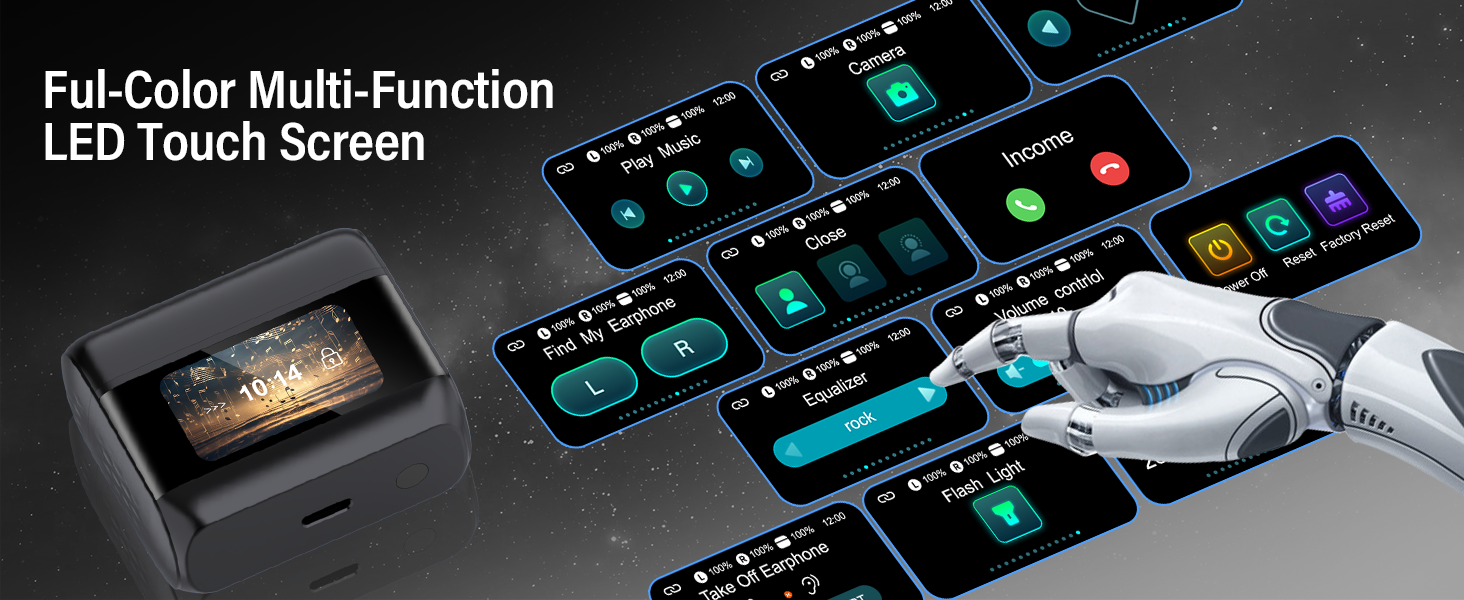
Image: Noise cancellation capabilities of the earbuds.
3.5 Multi-Function Touch Screen Case
The charging case features a full-color LED touch screen for convenient control:
- Control music playback and volume.
- Manage calls and translation features.
- Set alarms.
- View battery display for both earbuds and case.
- Swipe left and right to switch interfaces.
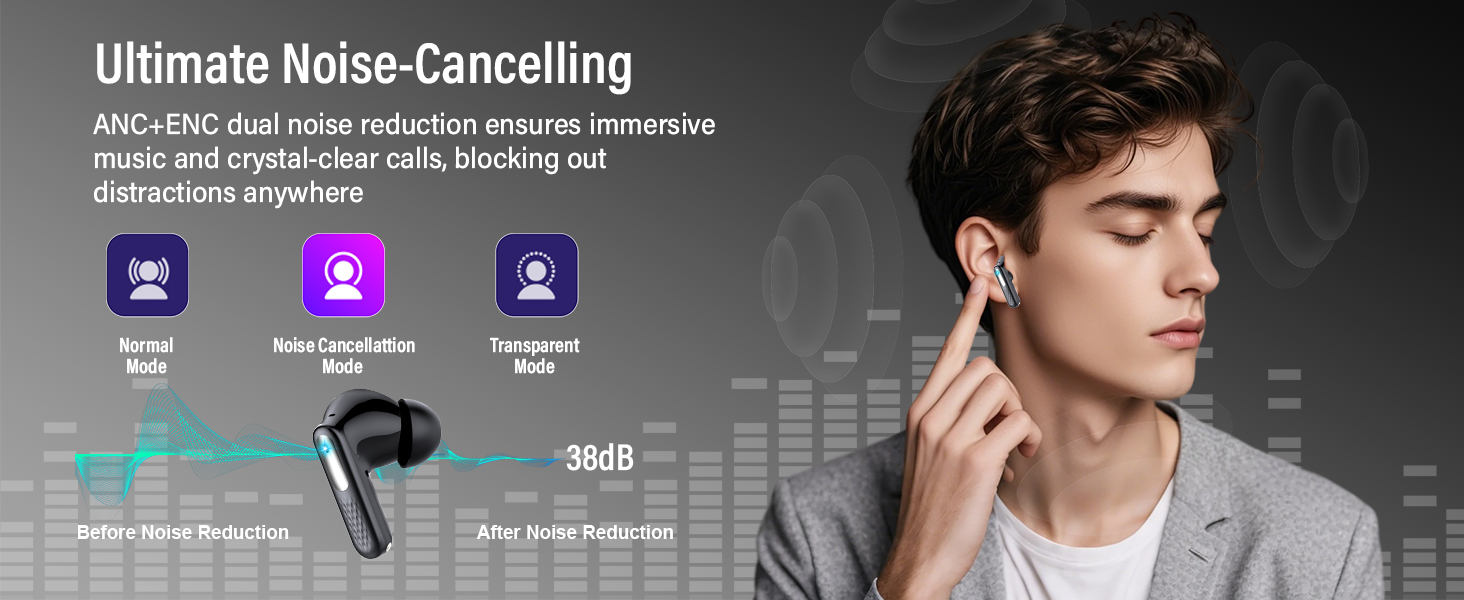
Image: The full-color multi-function LED touch screen on the charging case.
3.6 Additional Functions
- Find My Earbuds: A search function to locate misplaced earbuds.
- Take Photos: Camera control function for remote photo capture.
- Flashlight Function: Transforms the device into a portable flashlight.
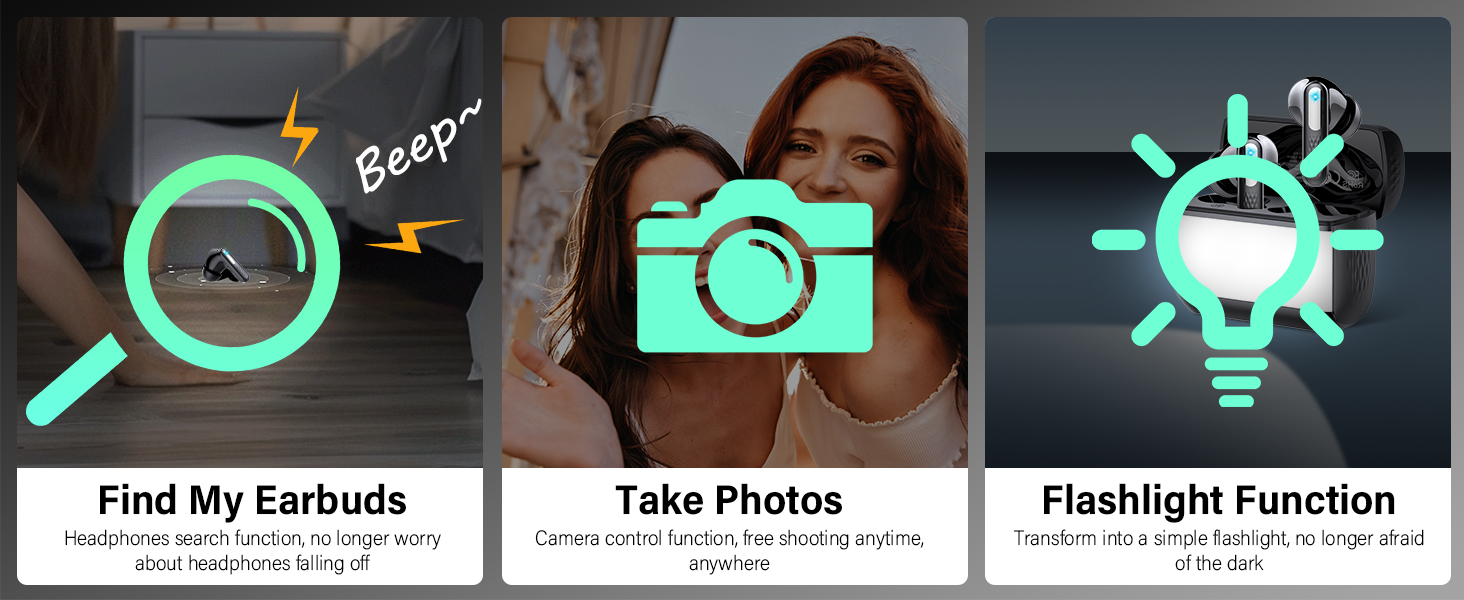
Image: Additional functions including 'Find My Earbuds', 'Take Photos', and 'Flashlight Function'.
4. Maintenance
4.1 Cleaning
- Regularly clean the earbuds and charging case with a soft, dry, lint-free cloth.
- Do not use abrasive cleaners, alcohol, or chemical solvents.
- Ensure charging contacts on both earbuds and case are clean and free of debris.
4.2 Storage
- Store the earbuds in their charging case when not in use to protect them and maintain battery life.
- Avoid exposing the device to extreme temperatures, humidity, or direct sunlight.
5. Troubleshooting
5.1 Common Issues and Solutions
| Issue | Possible Cause | Solution |
|---|---|---|
| Earbuds not connecting via Bluetooth | Bluetooth is off on your device, earbuds are not in pairing mode, or connection error. | Ensure Bluetooth is enabled on your device. Place earbuds in case, close, then reopen to re-enter pairing mode. Forget device in Bluetooth settings and re-pair. |
| Translation not working in real-time | Incorrect mode selected, app not running, or internet connectivity issues. | Ensure you are in the correct translation mode (e.g., Free Talk Mode). Verify the NebulaBuds app is open and has an active internet connection. |
| Touch controls are too sensitive or unresponsive | Accidental touches, dirty touch surface, or software glitch. | Ensure fingers are clean and dry. Try to use precise taps. Restart earbuds by placing them in the case and taking them out. |
| Earbuds fall out of ears | Improper fit. | Adjust the earbuds for a secure fit. If multiple ear tip sizes are provided (not specified in package contents, but common), try a different size. |
| Battery not charging | Charging cable or adapter issue, dirty charging contacts. | Use the provided USB-C cable and a compatible power adapter. Clean the charging contacts on both earbuds and the case. |
5.2 Important Clarifications
- No Subscription Required: The ZYHKON Z9pro earbuds support real-time two-way translation in 164 languages without any monthly subscription fees.
- Real-Time Translation: The earbuds are designed for real-time translation with a response time under 2 seconds, facilitating natural conversations.
6. Specifications
| Feature | Detail |
|---|---|
| Brand | ZYHKON |
| Model Number | Z9pro |
| Color | Black |
| Ear Placement | In Ear |
| Form Factor | In Ear |
| Noise Control | Active Noise Cancellation (ANC) |
| Connectivity Technology | Wireless (Bluetooth) |
| Bluetooth Version | 5.4 |
| Audio Driver Type | Dynamic Driver (14.2mm) |
| Battery Life (Earbuds) | 6-8 hours (listening) |
| Total Battery Life (with case) | Up to 48 hours |
| Charging Time | 1.5 hours (case) |
| Compatible Devices | Cellphones, Tablets, Computers, TVs (Bluetooth enabled) |
| Additional Features | AI Dialogue Mode, Hands-Free Mode, Headphones + Phone Mode, Translation Device Mode, Photo Translation, AI Chat Mode, Scene Recording, Find My Earbuds, Take Photos, Flashlight Function |
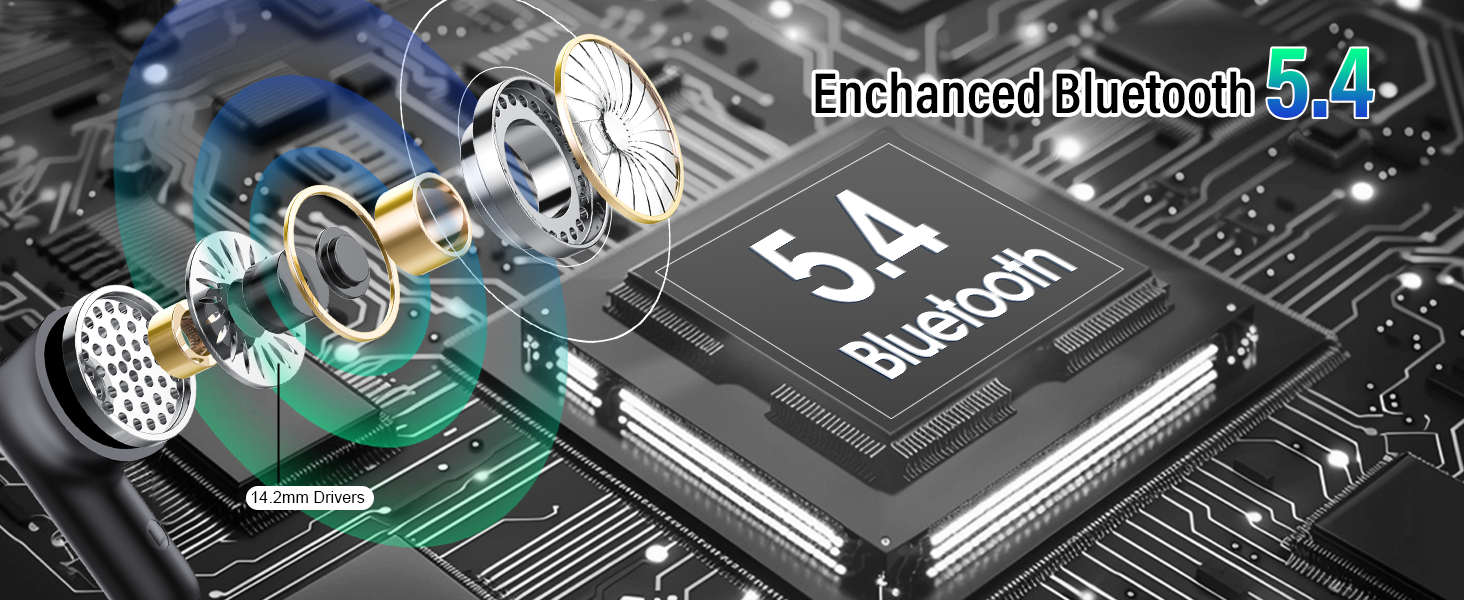
Image: Enhanced Bluetooth 5.4 technology and 14.2mm drivers.
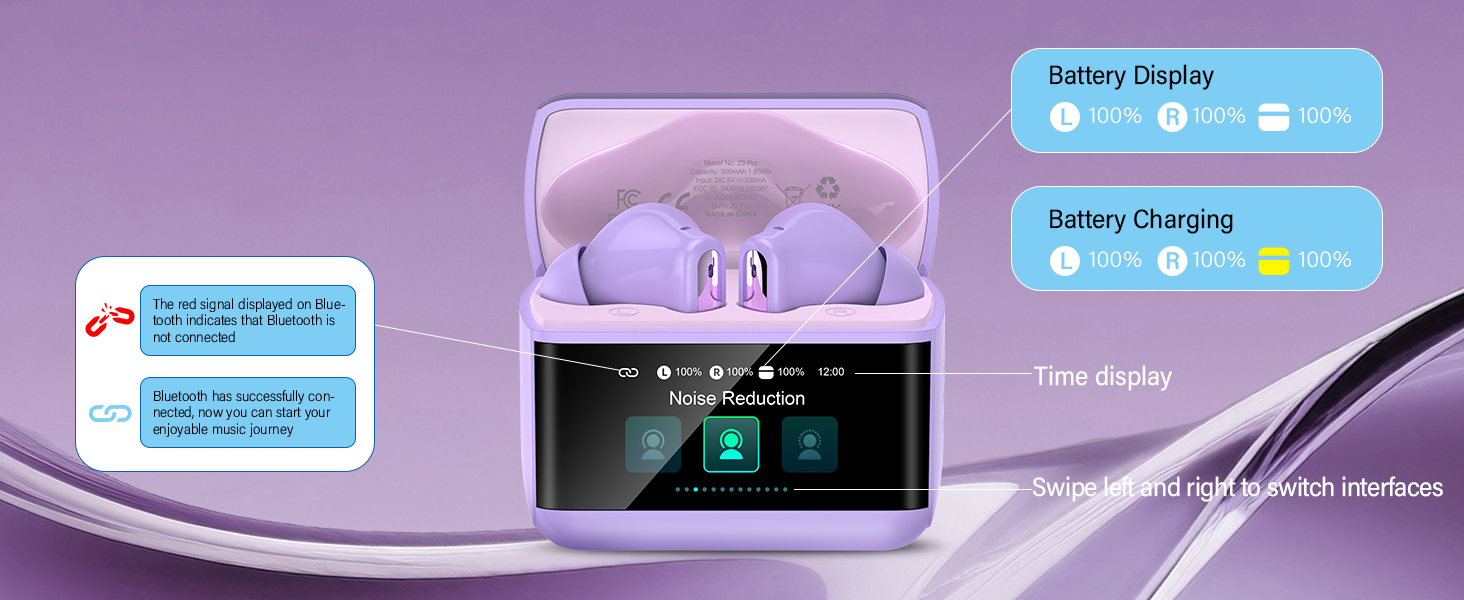
Image: Battery life and charging details.
7. Warranty Information
The ZYHKON Z9pro AI Translation Earbuds come with a 2-year warranty from the date of purchase. This warranty covers manufacturing defects and malfunctions under normal use. Please retain your proof of purchase for warranty claims.
For warranty service, please contact customer support.
8. Support
For further assistance, technical support, or inquiries, please refer to the following resources:
- Online Support: Visit the official ZYHKON website for FAQs and support documentation.
- Email Support: Contact customer service via email (specific email address not provided in product data).
- App Support: The NebulaBuds app may offer in-app support or troubleshooting guides.