
Introduction
The YINMIK YK-CL2BEU is a versatile 7-in-1 water quality tester designed for accurate measurement of various parameters in water. This device allows for simultaneous measurement of pH, residual chlorine, salt content, redox potential (ORP), total dissolved solids (TDS), electrical conductivity (EC), and temperature. It is suitable for a wide range of applications including pools, aquariums, hydroponics, drinking water, and brewing facilities.
This manual provides detailed instructions for the proper setup, operation, maintenance, and troubleshooting of your YINMIK YK-CL2BEU tester to ensure optimal performance and longevity.
Product Features
- 7-in-1 Measurement: Measures pH, residual chlorine, salt content, ORP, TDS, EC, and temperature.
- Pool Monitoring: Accurately measures acid, alkaline, and residual chlorine levels for pool maintenance. Ideal free chlorine: 1-3 ppm; ideal pH: 7.2-7.8.
- Saltwater Pool Compatibility: Provides precise salt content values for optimal saltwater chlorinator operation. Ideal salt content: 2400-3000 ppm for chlorinated pools, 2700-3400 ppm for saltwater pools.
- Aquarium Use: Monitors pH, TDS, salt content, and temperature for maintaining stable aquarium conditions.
- Backlit Digital Display: Ensures clear readings and avoids complicated color comparisons.
- Easy Calibration: Includes pH calibration solution for quick and accurate pH calibration.
- Compact Design: Portable and easy to carry for on-the-go measurements.
Package Contents
Please check the package contents upon receipt to ensure all items are present:
- 1 x YINMIK YK-CL2BEU 7-in-1 Water Quality Tester
- 1 x pH Calibration Kit (calibration solutions)
- 3 x AAA Batteries (pre-installed or included separately)
- 1 x User Manual (this document)
Specifications
| Model Number | YK-CL2BEU |
| Power Source | 3 x AAA Batteries (included) |
| Product Dimensions (L x W x H) | 5 x 5 x 14.5 cm |
| Product Weight | 520 grams |
| Recommended Uses | Pool, Aquarium, Hydroponics, Drinking Water |
Setup
1. Battery Installation
The YINMIK YK-CL2BEU tester typically comes with AAA batteries pre-installed. If not, or if replacement is needed:
- Locate the battery compartment cover on the back or bottom of the device.
- Open the cover by sliding or unscrewing it.
- Insert 3 AAA batteries, ensuring correct polarity (+/-).
- Close the battery compartment cover securely.
2. Initial Preparation
Before first use, gently rinse the electrode probe with distilled water and pat dry with a clean, soft cloth. Do not touch the electrode glass directly.
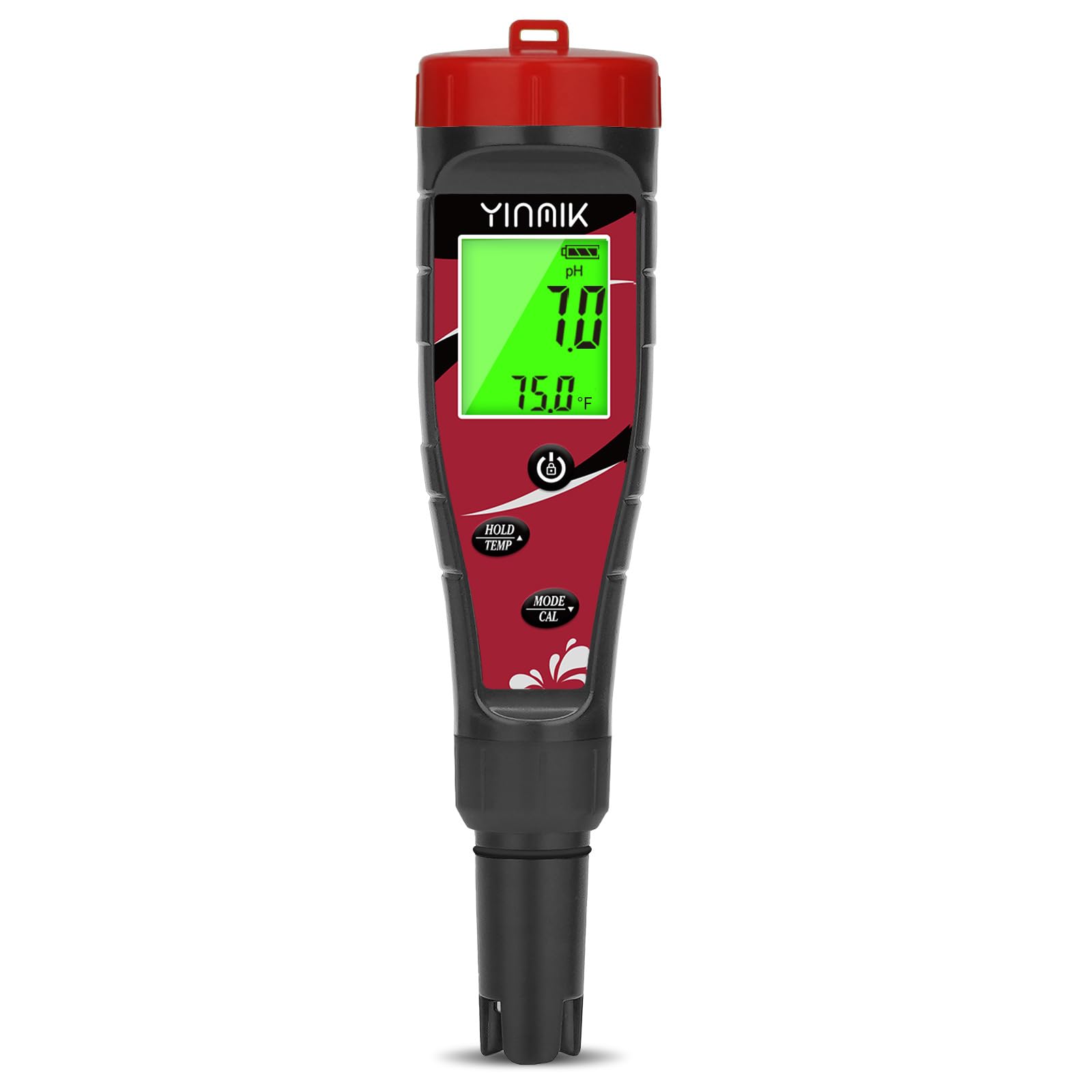
This image displays the YINMIK 7-in-1 Water Quality Tester, highlighting its digital screen and the probe used for water measurements. The device is compact and designed for handheld use.
Calibration
Accurate calibration is crucial for precise measurements. The YK-CL2BEU supports pH calibration. Refer to the specific instructions below for pH calibration.
pH Calibration
It is recommended to calibrate the pH function regularly, especially before critical measurements or if readings appear inconsistent.
- Prepare the pH calibration solutions (e.g., pH 4.00, pH 6.86, pH 9.18) provided in the kit. Ensure they are at room temperature.
- Turn on the tester.
- Rinse the electrode with distilled water and gently blot dry.
- Immerse the electrode into the first calibration solution (e.g., pH 6.86) up to the immersion line.
- Press and hold the CAL button (or equivalent, refer to device buttons) until the calibration mode is activated (usually indicated by a flashing reading or 'CAL' on the display).
- Wait for the reading to stabilize. The device will automatically recognize the solution and calibrate.
- Once calibrated, the device may prompt for the next calibration point (e.g., pH 4.00 or pH 9.18). Rinse the electrode with distilled water, blot dry, and immerse it into the next solution.
- Repeat the calibration process for all required pH points.
- After completing calibration, rinse the electrode with distilled water and store it properly.
Operating Instructions
Follow these steps for general operation and specific measurements:
General Measurement Procedure
- Turn on the tester by pressing the power button.
- Select the desired measurement mode (pH, EC, TDS, SALT, ORP, CL, TEMP) by pressing the 'MODE' button or cycling through the options.
- Rinse the electrode with distilled water and gently blot dry.
- Immerse the electrode into the sample solution up to the immersion line. Ensure no air bubbles are trapped around the electrode.
- Gently stir the solution and wait for the reading to stabilize on the display.
- Record the stable reading.
- After measurement, rinse the electrode thoroughly with distilled water and turn off the device.
Specific Measurement Notes
- pH: Ensure proper calibration before measuring. Ideal range for pools is 7.2-7.8.
- Chlorine (CL): Measure residual chlorine. Ideal free chlorine for pools is 1-3 ppm.
- Salt (SALT): For saltwater pools, ideal range is 2700-3400 ppm.
- EC/TDS: These are related measurements. EC (Electrical Conductivity) measures the ability of water to conduct electricity, while TDS (Total Dissolved Solids) estimates the total concentration of dissolved substances.
- ORP (Oxidation-Reduction Potential): Measures the water's ability to break down contaminants.
- Temperature (TEMP): The device automatically compensates for temperature in other measurements.
Maintenance
Electrode Cleaning
Regular cleaning of the electrode is essential for accurate readings.
- After each use, rinse the electrode thoroughly with distilled water to remove any sample residue.
- If the electrode is visibly dirty or readings become sluggish, soak the electrode in a mild cleaning solution (e.g., electrode cleaning solution or diluted detergent) for 10-15 minutes, then rinse thoroughly with distilled water.
- Never use abrasive materials to clean the electrode.
Storage
- Always store the electrode with its protective cap filled with electrode storage solution or pH 4.00 buffer solution. Do not store dry.
- Store the tester in a cool, dry place, away from direct sunlight and extreme temperatures.
- If the device will not be used for an extended period, remove the batteries to prevent leakage.
Troubleshooting
| Problem | Possible Cause | Solution |
| Inaccurate readings | Uncalibrated or improperly calibrated; dirty electrode; expired calibration solutions. | Perform calibration; clean electrode; use fresh calibration solutions. |
| No display or device won't turn on | Dead or improperly installed batteries. | Replace batteries; check battery polarity. |
| Slow or unstable readings | Dirty or damaged electrode; low battery; temperature fluctuations. | Clean electrode; replace batteries; allow sample to reach room temperature. |
| Error message on display | Calibration error; sensor issue. | Repeat calibration carefully; if persistent, contact customer support. |
Safety Information
- Keep the device out of reach of children.
- Do not disassemble or modify the device.
- Avoid dropping the device or subjecting it to strong impacts.
- Do not immerse the entire device in water; only the electrode probe is designed for immersion.
- Handle calibration solutions and water samples with care, following safety guidelines for any chemicals involved.
- Dispose of batteries and the device according to local regulations.
Warranty and Support
YINMIK products are designed for reliability and performance. For warranty information, technical support, or service inquiries, please refer to the contact information provided with your purchase or visit the official YINMIK website. Please have your model number (YK-CL2BEU) and purchase date ready when contacting support.


