
Introduction
Thank you for purchasing the PELONIS 12-inch Wall Mount Oscillating Fan. This fan is designed to provide efficient and quiet air circulation for various indoor spaces. Please read this instruction manual thoroughly before use to ensure proper installation, operation, and maintenance. Keep this manual for future reference.
Important Safety Instructions
When using electrical appliances, basic safety precautions should always be followed to reduce the risk of fire, electric shock, and injury to persons, including the following:
- Read all instructions before using this fan.
- Ensure the power source matches the electrical requirements of the fan (120V).
- Do not operate any fan with a damaged cord or plug. Discard fan or return to an authorized service facility for examination and/or repair.
- Do not run cord under carpeting. Do not cover cord with throw rugs, runners, or similar coverings. Arrange cord away from traffic area and where it will not be tripped over.
- Do not insert or allow fingers or foreign objects to enter any ventilation or exhaust opening as this may cause an electric shock or fire, or damage the fan.
- Do not block air intakes or exhaust in any manner.
- Do not use outdoors. This fan is designed for indoor use only.
- Always unplug the fan before moving, cleaning, or servicing.
- Do not operate the fan in the presence of explosive and/or flammable fumes.
- Do not place the fan or any parts near an open flame, cooking or other heating appliance.
- Avoid contact with moving parts.
- This appliance is not intended for use by persons (including children) with reduced physical, sensory or mental capabilities, or lack of experience and knowledge, unless they have been given supervision or instruction concerning use of the appliance by a person responsible for their safety.
Package Contents
Carefully unpack your fan and ensure all items are present:
- PELONIS 12-inch Wall Mount Oscillating Fan Unit
- Remote Control
- Mounting Hardware (screws, drywall anchors)
- Instruction Manual
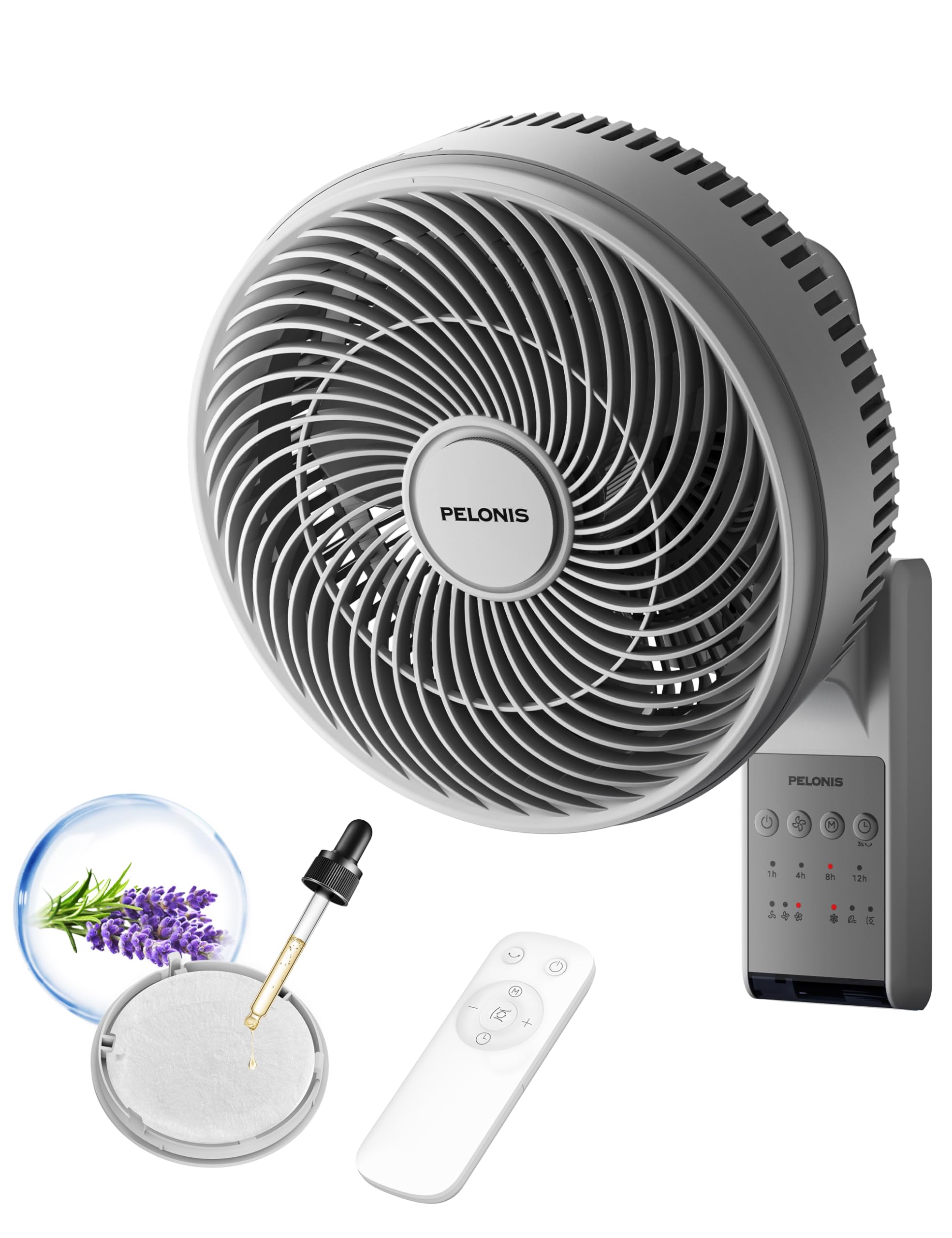
Image: PELONIS 12-inch Wall Mount Oscillating Fan, remote control, and aroma pad.
Product Features
- Powerful Airflow: Delivers a wind speed of 15 ft/s and an airflow range of 33 ft, with an air flow capacity of 549 CFM.
- Wide Oscillation: Features 90° horizontal and 60° vertical auto-oscillation for comprehensive air distribution.
- Customizable Cooling: Offers 3 speed settings and 3 distinct modes (Normal, Circulating, and Natural) to suit your preference.
- Quiet Operation: Operates at a low noise level of 36 dB, ideal for bedrooms and quiet environments.
- Convenient Timer: Includes a timer function for automatic shut-off, with settings for 1, 4, 8, or 12 hours.
- Remote Control: Full control over fan settings from a distance.
- Aroma Pad Container: Integrated compartment for adding essential oils to diffuse fragrance.
- Easy Assembly & Cleaning: Designed for straightforward setup and maintenance, including a detachable grille for cleaning.

Image: Fan demonstrating wide oscillation capabilities.
Setup and Installation
This fan is designed for wall mounting. Follow these steps for secure installation:
- Choose Location: Select a suitable wall location, preferably near an electrical outlet. Ensure the wall material can support the fan's weight (5.9 lbs). If mounting on drywall, use appropriate wall anchors.
- Mark Drilling Points: Hold the mounting bracket against the wall at the desired height. Use a level to ensure it is straight, then mark the drilling points for the screws.
- Drill Holes: Drill pilot holes at the marked points. For drywall, use a 3/8 inch drill bit and insert the provided drywall anchors. For wood studs, drill smaller pilot holes suitable for the screws.
- Attach Bracket: Secure the mounting bracket to the wall using the provided screws. Ensure it is firmly attached.
- Mount Fan: Carefully align the fan unit with the mounting bracket and slide it into place until it locks securely.
- Connect Power: Plug the fan's power cord into a 120V electrical outlet. Note that the cord length may require an extension cord depending on your mounting height and outlet location.

Image: A PELONIS wall-mounted fan effectively circulating air in a room.
Operating Instructions
Your fan can be operated using the control panel on the unit or the included remote control.
Control Panel / Remote Control Functions:
- Power Button: Press to turn the fan ON or OFF.
- Speed Button: Cycle through 3 fan speeds (Low, Medium, High).
- Mode Button: Select from 3 operating modes: Normal, Circulating, or Natural.
- Oscillation Button: Activate or deactivate the automatic 90° horizontal and 60° vertical oscillation.
- Timer Button: Set the fan to automatically turn off after 1, 4, 8, or 12 hours.
- Turbo Mode (Remote Only): Press for an immediate boost to maximum airflow.
Using the Aroma Pad:
To use the aroma pad feature:
- Locate the aroma pad container on the fan unit.
- Gently pull out the aroma pad tray.
- Add a few drops of your preferred essential oil onto the pad.
- Slide the tray back into the fan. The fan's airflow will diffuse the scent.

Image: Overview of fan features and controls, including the aroma pad container.
Maintenance
Regular cleaning will help maintain your fan's performance and extend its lifespan.
- Always unplug the fan from the power outlet before cleaning.
- Exterior Cleaning: Use a soft, damp cloth to wipe the exterior surfaces of the fan. Do not use abrasive cleaners or solvents.
- Grille Cleaning: The front grille is detachable for easier cleaning. Gently twist or unclip the grille as indicated in the assembly instructions to remove it. Wipe the blades and the inside of the grille with a soft cloth. Ensure all parts are completely dry before reattaching the grille.
- Aroma Pad: Replace the aroma pad periodically or when the scent diminishes.
- Storage: If storing the fan for an extended period, clean it thoroughly and store it in a cool, dry place, preferably in its original packaging.
Troubleshooting
If you experience issues with your fan, refer to the following common problems and solutions:
| Problem | Possible Cause | Solution |
|---|---|---|
| Fan does not turn on. | No power supply. | Ensure the fan is plugged into a working electrical outlet. Check household fuse/circuit breaker. |
| Weak airflow. | Fan blades or grille are dirty. | Unplug the fan and clean the blades and grilles as described in the Maintenance section. |
| Fan does not oscillate. | Oscillation function is not activated. | Press the oscillation button on the control panel or remote. |
| Remote control not working. | Batteries are dead or incorrectly inserted. Obstruction between remote and fan. | Replace batteries. Ensure there is a clear line of sight between the remote and the fan's receiver. |
Specifications
| Feature | Detail |
|---|---|
| Model Number | PSFW16R2AWK |
| Dimensions (D x W x H) | 13.38" x 11.65" x 18" |
| Item Weight | 5.9 pounds |
| Power Source | Corded Electric |
| Voltage | 120 volts |
| Wattage | 35 watts |
| Noise Level | 36 dB |
| Number of Speeds | 3 |
| Air Flow Capacity | 549 CFM |
| Wind Speed | 15 feet/second |
| Oscillation | 90° Horizontal, 60° Vertical |
| Material | Plastic |
| UPC | 810049712877 |
Warranty
This PELONIS fan comes with a 1 Year Manufacturer Warranty from the date of purchase. This warranty covers defects in materials and workmanship under normal use. It does not cover damage resulting from misuse, accident, alteration, or unauthorized repair. Please retain your proof of purchase for warranty claims.
Customer Support
For technical assistance, warranty claims, or general inquiries, please contact PELONIS customer support:
- Website: Visit the official PELONIS website for FAQs and support resources.
- Email: Refer to your product packaging or the official website for customer service email.
- Phone: Refer to your product packaging or the official website for customer service phone number.
Please have your model number (PSFW16R2AWK) and proof of purchase ready when contacting support.

