
1. Introduction
The Amazfit Bip Max is a versatile smartwatch designed for daily use and fitness tracking. It features a large AMOLED display, extended battery life, and comprehensive health monitoring capabilities. This manual provides essential information for setting up, operating, maintaining, and troubleshooting your device.
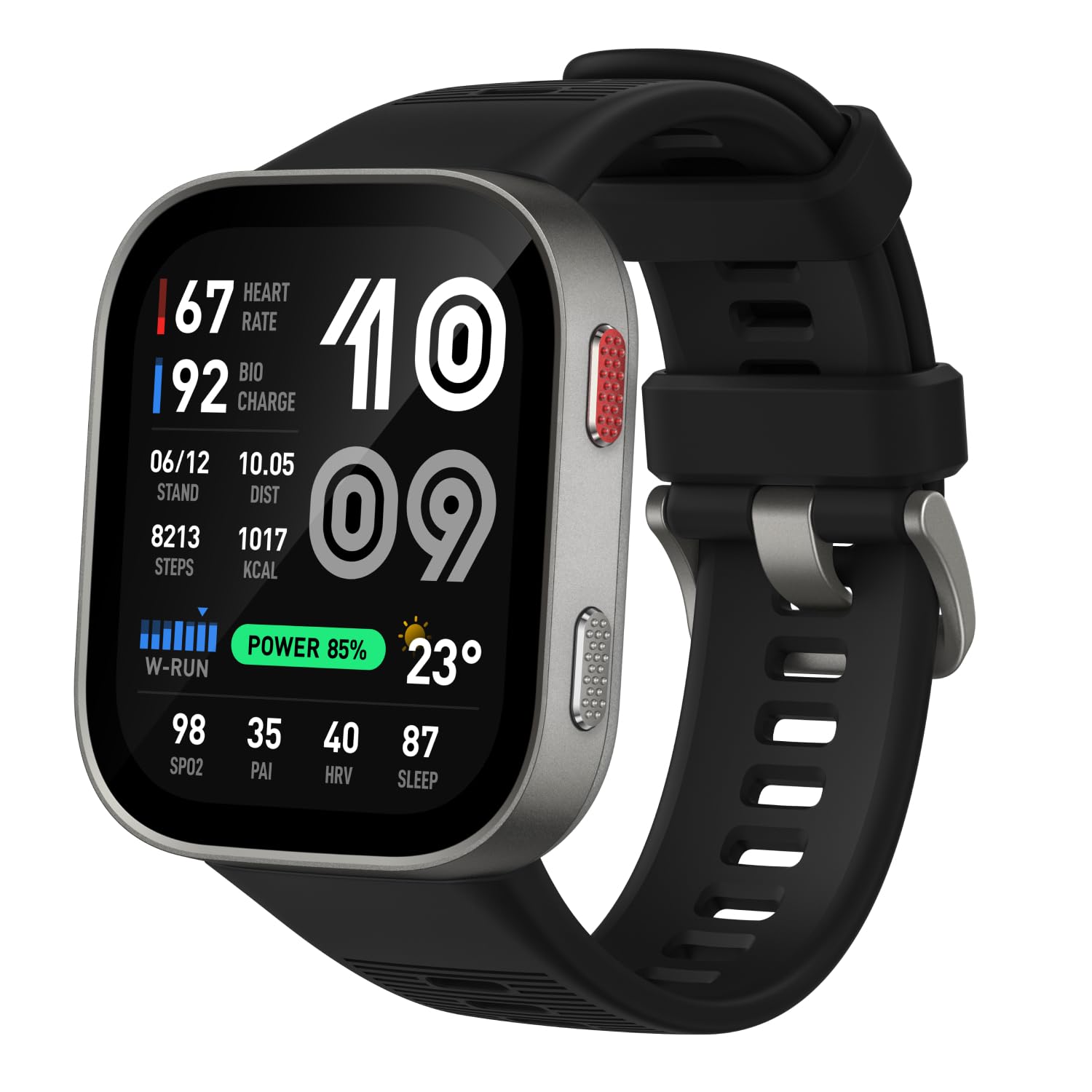
Figure 1: Amazfit Bip Max Smart Watch
2. What's in the Box
Verify that all components are present upon unboxing:
- Amazfit Bip Max Smart Watch
- Magnetic Charging Base (USB Type-C compatible, cable not included)
- User Manual

Figure 2: Packaging contents of the Amazfit Bip Max
3. Setup
3.1 Initial Charging
Before first use, fully charge your Amazfit Bip Max. Connect the magnetic charging base to a USB Type-C power adapter (not included) and attach the watch to the base. The watch display will indicate charging status.
3.2 Band Attachment
To attach the watch bands, align the spring bar with the lug holes on the watch body and slide the pin into place. Ensure both ends of the spring bar are securely seated.
Video 1: Demonstration of watch band attachment.
3.3 Pairing with Zepp App
- Download the Zepp App from your device's app store (available for iOS and Android).
- Open the Zepp App and create an account or log in.
- Follow the on-screen instructions in the app to pair your Amazfit Bip Max. This typically involves scanning a QR code displayed on the watch screen.
Video 2: Quick guide on setting up the Amazfit Bip Max.
4. Operating Instructions
4.1 Display and Navigation
The Amazfit Bip Max features a 2.07-inch AMOLED display for clear visibility. Navigate the watch interface using touch gestures and the two physical buttons on the side.
- Swipe Up/Down: Scroll through notifications or widgets.
- Swipe Left/Right: Access quick functions or different watch faces.
- Top Button: Access the app list or return to the home screen.
- Bottom Button: Customizable shortcut for frequently used functions.

Figure 3: The vibrant 2.07-inch AMOLED display of the Bip Max.
4.2 Health Monitoring
The watch provides continuous health tracking:
- Heart Rate: Monitor your heart rate during workouts and throughout the day.
- Blood Oxygen (SpO2): Measure your blood oxygen saturation levels.
- Stress Levels: Track your stress and receive alerts for high stress.
- Sleep Tracking: Analyze sleep stages, quality, and breathing patterns.
- BioCharge Monitoring: Understand your body's energy levels based on sleep, workouts, and stress.
- Menstrual Cycle Tracking: For female users, track and predict menstrual cycles.

Figure 4: 24/7 Health Monitoring features.
4.3 Fitness and Sports Modes
Access over 150 sports modes, including dedicated options for hybrid training, HYROX, strength training, yoga, and more. The Zepp Coach provides personalized workout plans and tracks metrics like VO₂ Max and Training Load.

Figure 5: Over 150 sports modes available on the Bip Max.
4.4 GPS and Offline Maps
The watch features built-in GPS with support for 5 satellite systems for accurate route tracking. Download free offline maps via the Zepp App for turn-by-turn navigation and off-track alerts, allowing you to leave your phone behind during outdoor activities.

Figure 6: GPS tracking and offline map functionality.
4.5 Onboard Storage
With 4GB of onboard storage, you can store offline maps, music, and podcasts directly on your watch for convenient access without needing your smartphone.

Figure 7: Onboard storage for maps and media.
4.6 Zepp App Integration
The Zepp App serves as your central hub for managing watch settings, viewing detailed health and fitness data, and accessing training resources. It is subscription-free and offers personalized insights.

Figure 8: The Zepp App interface.
4.7 Voice Control
Utilize Zepp Flow™ for voice commands to adjust settings, send message replies (Android only), record voice memos, and more, enhancing hands-free control.
5. Maintenance
5.1 Cleaning
Regularly clean your watch and band to prevent skin irritation and maintain device functionality. Use a soft, damp cloth to wipe the screen and watch body. For the silicone band, mild soap and water can be used. Ensure the watch is completely dry before wearing or charging.
5.2 Water Resistance
The Amazfit Bip Max is water-resistant up to 50 meters. It is suitable for swimming and showering but not recommended for diving or high-pressure water activities. Avoid exposing the watch to hot water or steam, as this may compromise the water seal.
5.3 Charging
Charge the watch using the provided magnetic charging base. Avoid using third-party chargers that are not certified, as this may damage the device or pose a safety risk. The watch offers up to 20 days of battery life with typical usage.

Figure 9: The Amazfit Bip Max charging and highlighting its 20-day battery life.
6. Troubleshooting
If you encounter issues with your Amazfit Bip Max, refer to the following common solutions:
- Watch not turning on: Ensure the watch is fully charged. Connect it to the charging base for at least 30 minutes.
- Cannot pair with phone: Make sure Bluetooth is enabled on your phone and the watch is within range. Restart both the watch and your phone, then try pairing again through the Zepp App.
- Inaccurate health data: Ensure the watch is worn snugly on your wrist, not too tight or too loose. Clean the sensor on the back of the watch.
- Display issues (e.g., dimness): Check the brightness settings on the watch. If auto-brightness is enabled, try adjusting it manually.
- App synchronization problems: Verify your phone has an active internet connection. Close and reopen the Zepp App.
For further assistance, consult the help section within the Zepp App or visit the official Amazfit support website.
Video 1: Detailed review of the Amazfit Bip Max, which may assist with troubleshooting and understanding features.
7. Specifications
| Feature | Detail |
|---|---|
| Model Name | Bip Max |
| Model Number | A2568 |
| Display Type | AMOLED |
| Screen Size | 2.07 inches |
| Resolution | 416 x 416 |
| Maximum Display Brightness | 3000 nit |
| Operating System | Zepp OS |
| Memory Storage Capacity | 64 MB |
| Onboard Storage | 4GB (for offline maps, music, podcasts) |
| Connectivity Technology | Bluetooth |
| GPS | Built-in GPS (5 satellite systems) |
| Battery Life (Average) | 20 days |
| Battery Cell Composition | Lithium Polymer |
| Water Resistance Level | Water Resistant (50 meters) |
| Case Material Type | Aluminum |
| Band Material Type | Silicone |
| Item Weight | 1.86 ounces |
| Supported Phone Models | Android Devices, iOS Devices |
| Metrics Measured | Distance, Heart Rate, Sleep Duration, Step Count, SpO2, Stress |
8. Warranty Information
The Amazfit Bip Max comes with a 1-Year Manufacturer's Limited Warranty. This warranty covers defects in materials and workmanship under normal use. It does not cover damage caused by accidents, misuse, unauthorized modifications, or external causes.
For detailed warranty terms and conditions, please refer to the official Amazfit website or contact customer support.
9. Customer Support
For technical support, product inquiries, or warranty claims, please utilize the following resources:
- Zepp App: Access the help section within the Zepp App for FAQs and troubleshooting guides.
- Online Support: Visit the official Amazfit support website for comprehensive resources and contact options.
- Brand Store: Explore additional products and information at the Amazfit Brand Store.


