
PRAISUN 63 inch
PRAISUN 63 Inch Computer Office Desk User Manual
Model: 63 Inch Computer Office Desk with Power Outlets and USB-C Port
Introduction
Thank you for choosing the PRAISUN 63 Inch Computer Office Desk. This desk is designed to provide a spacious and functional workspace for various activities, including working, studying, and gaming. It features an integrated charging station, reversible configuration, and ample storage with four fabric drawers. This manual provides detailed instructions for assembly, operation, maintenance, and troubleshooting to ensure you get the most out of your new desk.
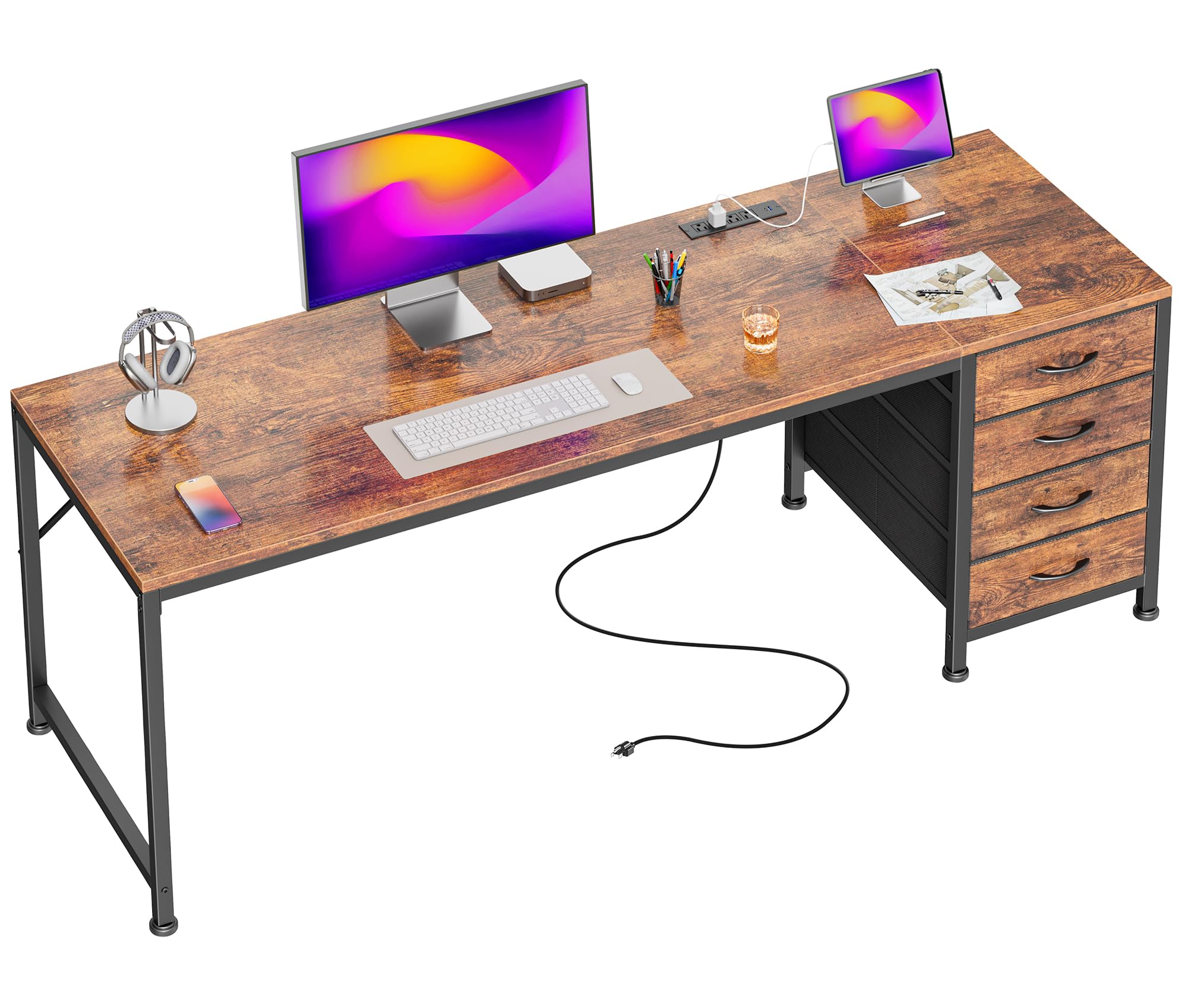
Image: The PRAISUN 63 Inch Computer Office Desk, showcasing its spacious design and integrated features.
Setup and Assembly
Before you begin assembly, please ensure all parts are present and undamaged. Refer to the included assembly guide for a detailed list of components. Assembly is designed to be straightforward, with all parts clearly labeled.
General Assembly Steps:
- Unpack all components and verify against the parts list.
- Identify the main frame components and begin attaching them according to the numerical sequence in your assembly guide.
- Attach the desktop surface to the assembled frame.
- Install the power outlet module into the designated slot on the desktop.
- Assemble the fabric drawers and insert them into the drawer unit.
- Adjust the leveling feet at the bottom of the desk to ensure stability on uneven floors.
Reversible Design:
The desk features a reversible design, allowing you to install the drawer unit on either the left or right side of the desk to best suit your space and workflow. Follow the specific instructions in your assembly guide for reversible component placement.

Image: Illustration highlighting the ease of assembly for the desk.

Image: Visual representation of the desk's reversible design, showing drawer placement on either side.
Operating Instructions
Integrated Charging Station:
The PRAISUN desk includes a convenient charging station built into the desktop. This station provides power access for your electronic devices directly from your workspace.
- 4 AC Outlets (125V/12A): Use these standard outlets for laptops, monitors, lamps, and other AC-powered devices.
- 1 USB Port (5V/2A): Ideal for charging smartphones, tablets, and other USB-powered accessories.
- 1 USB-C Port (5V/2A): Provides faster charging for compatible USB-C devices.
To use, simply plug your device's power cable into the appropriate port on the charging station. Ensure the desk's main power cord is securely plugged into a wall outlet.

Image: The integrated charging station with AC, USB, and USB-C ports, powering various devices.
Fabric Drawers:
The four removable fabric drawers offer organized storage for your office supplies, documents, cables, and personal items. Each drawer is designed to hold various items, helping to keep your workspace tidy.
- To open, gently pull the handle.
- To remove, pull the drawer completely out of its slot.
- Ensure not to overload drawers to maintain smooth operation and prevent damage.

Image: The four fabric drawers, demonstrating their capacity for books, headphones, stationery, and other essentials.
Care and Maintenance
Proper care will extend the life and appearance of your PRAISUN desk.
- Cleaning the Desktop: The desktop surface is waterproof and wear-resistant. Wipe with a soft, damp cloth and mild detergent. Avoid abrasive cleaners or harsh chemicals that could damage the finish.
- Cleaning the Frame: The steel frame can be wiped clean with a damp cloth. Dry immediately to prevent rust.
- Fabric Drawers: For minor spills, spot clean with a damp cloth and mild soap. Allow to air dry completely. For deeper cleaning, the drawers can be removed.
- Regular Checks: Periodically check all screws and fasteners to ensure they are tight. Retighten if necessary to maintain stability.
- Adjustable Feet: Ensure the adjustable feet are properly set to prevent wobbling and protect your floor.

Image: Details highlighting the desk's waterproof and wear-resistant surface, reinforced strut for stability, and adjustable feet.
Troubleshooting
Common Issues and Solutions:
-
Desk is wobbly:
- Ensure all screws and bolts are securely tightened.
- Adjust the leveling feet at the bottom of the desk to compensate for uneven flooring.
-
Charging station is not working:
- Verify that the desk's main power cord is firmly plugged into a functional wall outlet.
- Check if the power switch on the charging station (if present) is in the 'ON' position.
- Test the wall outlet with another device to confirm it has power.
- Ensure your device's charging cable is properly connected to the charging station.
-
Drawers are difficult to open/close:
- Check if the drawers are overloaded. Remove some items if necessary.
- Ensure the fabric drawers are correctly inserted into their slots and not misaligned.
Product Specifications
| Feature | Detail |
|---|---|
| Brand | PRAISUN |
| Model | 63 Inch Computer Office Desk |
| Product Dimensions | 63"D x 19.7"W x 29.5"H |
| Color | Rustic Brown |
| Top Material Type | Engineered Wood |
| Base Material | Metal |
| Number of Drawers | 4 (Fabric Drawers) |
| Charging Station | 4 AC Outlets (125V/12A), 1 USB Port (5V/2A), 1 USB-C Port (5V/2A) |
| Special Features | Reversible Configuration, Adjustable Feet, Waterproof & Wear-Resistant Surface |

Image: Detailed product dimension diagram, including overall desk size and drawer measurements.
Warranty Information
PRAISUN products are manufactured to high-quality standards. For specific warranty details regarding your 63 Inch Computer Office Desk, please refer to the warranty card included in your packaging or visit the official PRAISUN website. Keep your proof of purchase for any warranty claims.
Customer Support
If you have any questions, require assistance with assembly, or encounter any issues not covered in this manual, please contact PRAISUN customer support. You can typically find contact information (email, phone, or website) on the packaging, in the included documentation, or by visiting the PRAISUN brand store online.
For online support, you may visit the PRAISUN Store on Amazon.
Ask a question about this manual
Ask about setup, troubleshooting, compatibility, parts, safety, or missing instructions. Manuals+ will review the question and use this page’s manual context to help answer it.