
1. Introduction
Thank you for choosing the PRAISUN 47.2 Inch Computer Office Desk. This manual provides essential information for the safe assembly, operation, maintenance, and troubleshooting of your new desk. Please read these instructions carefully before beginning assembly and retain them for future reference.
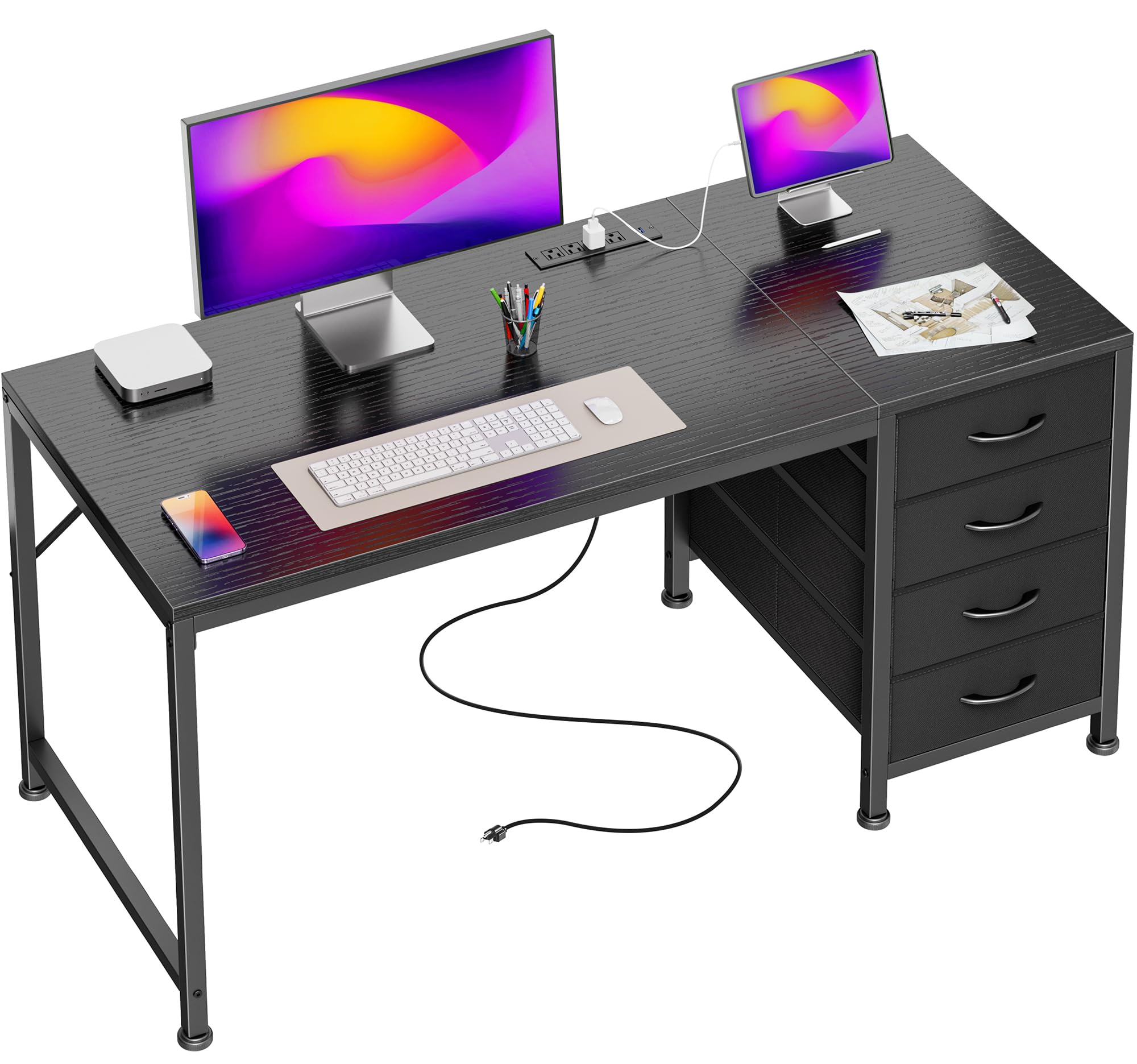
Image 1.1: The PRAISUN 47.2 Inch Computer Office Desk, showcasing its spacious design and integrated features.
2. Safety Information
Please observe the following safety precautions to prevent injury or damage to the product:
- Keep all packaging materials, especially plastic bags, away from children.
- Assemble the desk on a soft, clean surface to prevent scratches.
- Ensure all screws and fasteners are securely tightened before use. Periodically check and re-tighten as necessary.
- Do not overload the desk or drawers. Refer to the specifications for weight limits.
- When using the integrated power outlets, ensure that the total power consumption of connected devices does not exceed the rated capacity (125V/12A).
- Do not expose the power outlets to liquids or excessive moisture.
- Keep children and pets away from the desk during assembly.
- If any parts are missing or damaged, do not proceed with assembly. Contact customer support.
3. Package Contents
Before assembly, verify that all components are present and undamaged. If any parts are missing or defective, please contact PRAISUN customer service.
- Desktop Surface
- Desk Frame Components (Legs, Support Bars)
- Integrated Power Strip (4 AC Outlets, 1 USB-A, 1 USB-C)
- 4 Fabric Drawers
- Drawer Frame/Supports
- Adjustable Feet
- Assembly Hardware (Screws, Allen Wrench, etc.)
- Instruction Manual
4. Assembly Instructions
Follow these steps carefully for proper assembly. It is recommended to have two people for certain steps.
- Prepare the Workspace: Clear a spacious area and lay down a blanket or cardboard to protect the desk components and your floor.
- Assemble the Desk Frame: Attach the desk legs to the main support bars using the provided hardware. Do not fully tighten screws until all components are aligned.
- Install the Drawer Frame: The desk features a reversible design. Decide whether you want the drawers on the left or right side of the desk. Attach the drawer frame components to the main desk frame according to your preferred orientation.
- Attach the Desktop: Carefully place the desktop onto the assembled frame. Align the pre-drilled holes and secure the desktop with the appropriate screws.
- Install the Power Strip: Insert the integrated power strip into the designated slot on the desktop. Ensure it is flush and secure.
- Insert Fabric Drawers: Unfold the four fabric drawers and insert the bottom panels. Place them into the drawer frame.
- Adjust Feet: Once the desk is assembled and in its final position, adjust the leveling feet at the bottom of the legs to ensure stability and prevent wobbling on uneven floors.
- Final Tightening: Once all parts are in place and aligned, go back and fully tighten all screws.

Image 4.1: Illustration of the desk's reversible design for flexible drawer placement.
5. Operating Instructions
5.1 Integrated Power Outlets and USB Ports
Your PRAISUN desk is equipped with a convenient power strip featuring 4 AC outlets, 1 USB-A port, and 1 USB-C port to power and charge your devices directly from your workspace.
- Connecting to Power: Plug the desk's power cord into a standard wall outlet.
- Using AC Outlets: Plug your computer, monitor, lamps, or other AC-powered devices into the 4 AC outlets (125V/12A).
- Using USB Ports: Connect your smartphones, tablets, or other USB-powered devices to the USB-A (5V/2A) or USB-C (5V/2A) ports for charging.
- Cable Management: Utilize the integrated cable management features to keep your cords tidy and prevent clutter.

Image 5.1: Detail of the integrated charging station with AC and USB ports.
5.2 Fabric Drawers
The four removable fabric drawers provide organized storage for your office supplies, documents, and personal items.
- Storage: Use the drawers to store books, headphones, stationery, files, and other essentials.
- Removal: The drawers can be easily removed for cleaning or reorganization.

Image 5.2: The four large fabric drawers for varied storage needs.
6. Care and Maintenance
Proper care will extend the life and appearance of your desk.
- Cleaning the Desktop: Wipe the desktop surface with a soft, damp cloth. Avoid harsh chemicals or abrasive cleaners. The surface is designed to be waterproof and wear-resistant.
- Cleaning Fabric Drawers: The fabric drawers can be spot cleaned with a mild detergent and a damp cloth. Allow to air dry completely.
- Frame Maintenance: Periodically check all screws and connections to ensure they remain tight. Re-tighten if necessary.
- Adjustable Feet: Ensure the adjustable feet are properly set to maintain desk stability.

Image 6.1: Features highlighting the desk's durability and adjustable components.
7. Troubleshooting
If you encounter any issues with your desk, refer to the following common problems and solutions:
- Desk is Wobbly:
- Ensure all assembly screws are fully tightened.
- Adjust the leveling feet at the bottom of the desk legs to compensate for uneven flooring.
- Power Outlets/USB Ports Not Working:
- Check if the desk's main power cord is securely plugged into a functional wall outlet.
- Verify that the power strip is correctly seated in its slot on the desktop.
- Ensure that the total power draw of connected devices does not exceed the rated capacity (125V/12A). Unplug some devices if overloaded.
- Test the wall outlet with another device to confirm it is supplying power.
- If the issue persists, the power strip may be faulty. Contact customer support for assistance.
- Drawers are Sticking or Not Sliding Smoothly:
- Ensure the fabric drawers are correctly assembled and not overloaded.
- Check for any obstructions within the drawer frame.
8. Product Specifications
| Feature | Detail |
|---|---|
| Brand | PRAISUN |
| Model | 47.2 Inch Computer Office Desk |
| Shape | Rectangular |
| Product Dimensions (D x W x H) | 47.2" x 19.7" x 29.5" (120cm x 50cm x 75cm) |
| Color | Black |
| Style | Modern |
| Base Material | Metal |
| Top Material Type | Engineered Wood |
| Finish Type | Polished |
| Number of Drawers | 4 (Fabric) |
| Integrated Power Outlets | 4 AC Outlets (125V/12A) |
| Integrated USB Ports | 1 USB-A (5V/2A), 1 USB-C (5V/2A) |
| Special Features | Reversible Configuration, Adjustable Feet, Cable Management Tray |
| Recommended Uses | Gaming, Office, Working |

Image 8.1: Product dimensions overview.
9. Warranty and Support
For warranty information, please refer to the documentation provided at the time of purchase or contact your retailer. If you require technical support, have questions about assembly, or need replacement parts, please contact PRAISUN customer service through the retailer's platform or the official PRAISUN website.
Please have your purchase details and product model number ready when contacting support.