
1. Introduction
This manual provides essential information for the safe and efficient operation, maintenance, and troubleshooting of your iRobot Roomba Plus 575 Combo robot vacuum and mop with AutoWash Base. Please read this manual thoroughly before using the product and retain it for future reference.
The iRobot Roomba Plus 575 Combo is designed to provide comprehensive floor cleaning, combining powerful vacuuming with effective mopping. Its AutoWash Base offers automated maintenance, including self-emptying, mop washing, and drying, for extended autonomous operation.
2. Package Contents
Verify that all items are present in the package before proceeding with setup.
- iRobot Roomba Plus 575 Combo Robot
- AutoWash Base
- Power Adapter
- Battery (pre-installed in robot)
- Side Brushes
- Filter
- 2 Pairs of DualClean Mopping Pads
- 2 AllergenLock Bags

Image: The box contents include the Roomba robot, AutoWash Base, two pairs of DualClean mopping pads, a side brush, and two AllergenLock bags.
3. Setup
3.1 Unpacking and Placement
- Remove all packaging materials from the robot and the AutoWash Base.
- Place the AutoWash Base on a hard, level surface against a wall, ensuring there are no obstacles within 0.5 meters (1.5 feet) on either side and 1.2 meters (4 feet) in front of the base. This area should have a clear Wi-Fi signal.
- Connect the power adapter to the AutoWash Base and plug it into a wall outlet. Ensure the cable is neatly tucked away to prevent the robot from tangling.
3.2 Initial Charging
- Place the Roomba robot onto the AutoWash Base. The robot will automatically align and begin charging.
- Allow the robot to charge completely before its first use. This may take several hours. The indicator light on the robot will change to indicate a full charge.
3.3 Connecting to the iRobot Home App
- Download the iRobot Home app from your device's app store.
- Follow the in-app instructions to connect your Roomba Plus 575 Combo to your home Wi-Fi network. This enables smart features, scheduling, and remote control.
- Ensure your Wi-Fi network is 2.4 GHz for optimal connectivity.
4. Operating Instructions
4.1 Starting a Cleaning Cycle
- Using the Robot Button: Press the CLEAN button on the robot to start a cleaning cycle. Press it again to pause, and a third time to send the robot back to its base.
- Using the iRobot Home App: Open the app and select "CLEAN" to start a cleaning cycle. You can also schedule cleanings, select specific rooms, or adjust cleaning preferences.
- Voice Control: If connected to a compatible smart home device (e.g., Amazon Echo, Google Home, Siri), use voice commands to start or stop cleaning.
4.2 Cleaning Modes and Features
- Vacuuming and Mopping: The robot performs both functions simultaneously. Ensure the mopping pads are attached and the water tank is filled for mopping.
- SmartScrub Technology: For stubborn stains, the DualClean mops apply additional pressure. This feature is managed via the app.
- PerfectEdge Technology: The articulated mop arm extends to clean corners and edges more effectively.
- Carpet Detection: The robot automatically detects carpets and lifts its mopping pads by 10mm to prevent wetting them during a cleaning cycle.
- PrecisionVision with AI: The ClearView Pro LiDAR system maps your home in 3D, identifying and avoiding obstacles like cables, shoes, and pet waste.
- SmartClean: The robot identifies dirtier areas and cleans them more thoroughly.
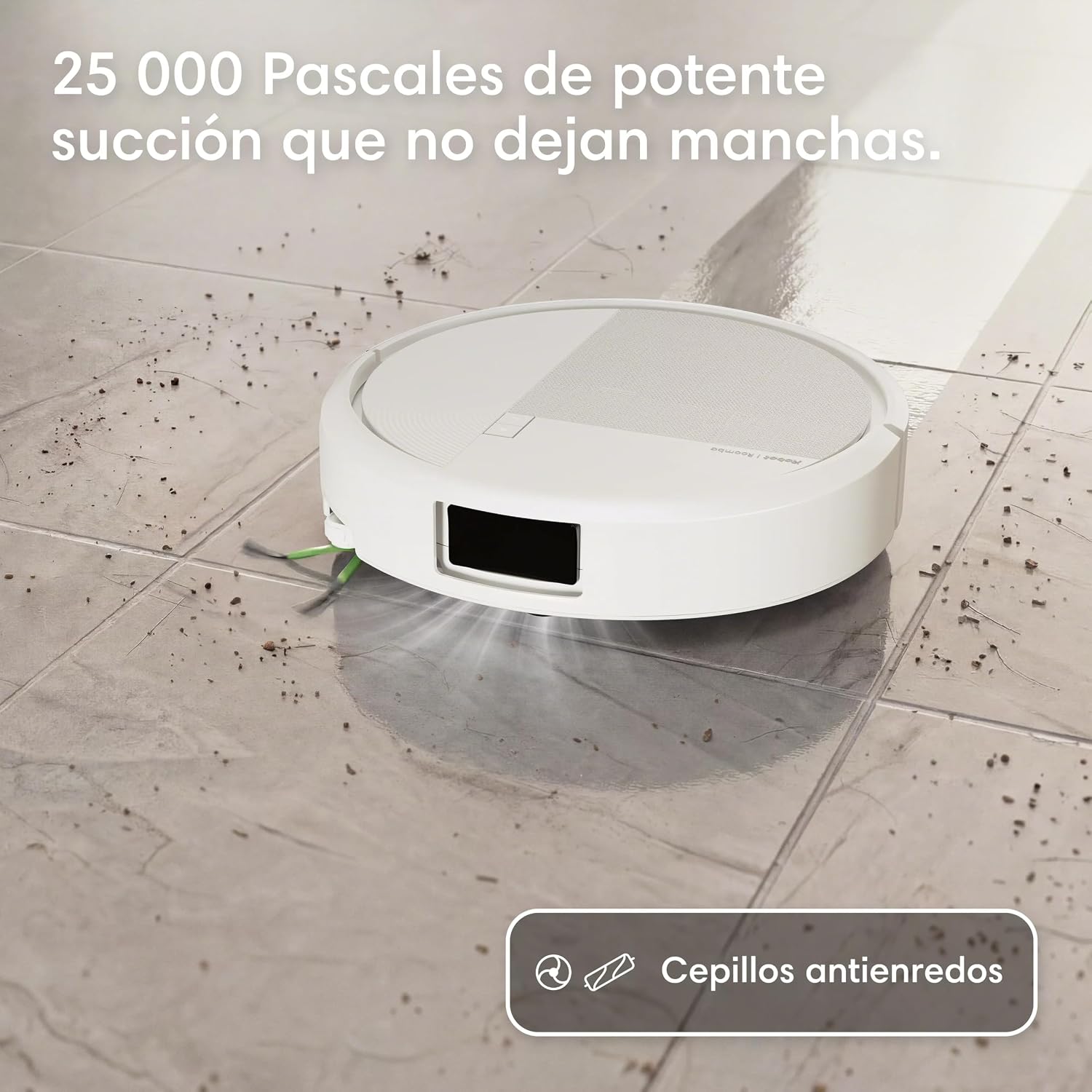
Image: The robot vacuum and mop demonstrating its 25,000 Pascal suction power on a dirty tiled floor, effectively removing debris.
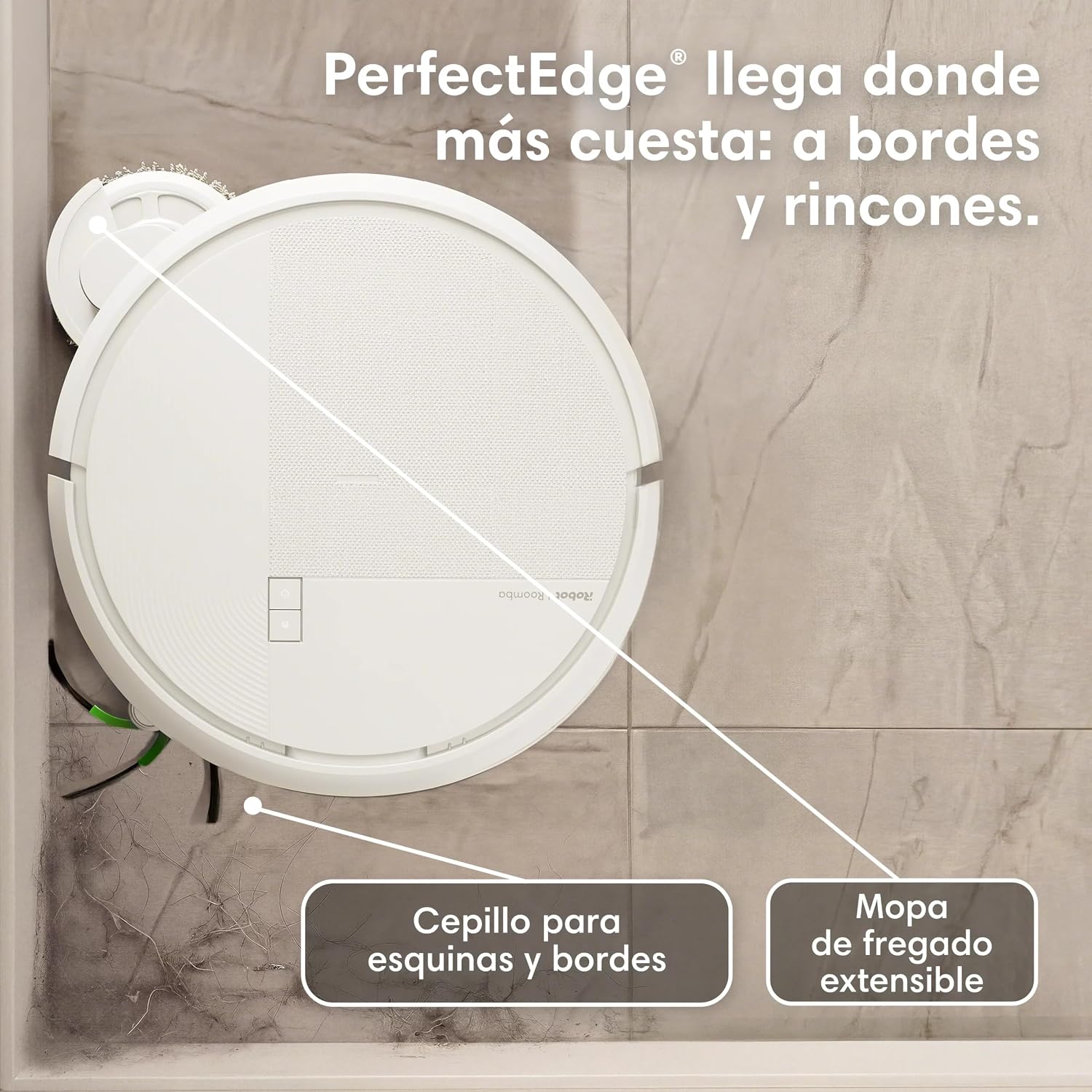
Image: A top-down view of the robot showing its PerfectEdge technology, with an extending mop and side brush reaching into corners and along edges for thorough cleaning.

Image: The robot transitioning from a hard floor to a carpet, illustrating its ability to lift the mop pads by 10mm to keep carpets dry.

Image: The robot demonstrating adaptive cleaning by recognizing and avoiding a dog toy and a simulated liquid spill on the floor, showcasing its obstacle avoidance capabilities.
5. Maintenance
Regular maintenance ensures optimal performance and extends the lifespan of your robot.
5.1 AutoWash Base Maintenance
- Self-Emptying: The AutoWash Base automatically empties the robot's dustbin into an AllergenLock bag, providing up to 90 days of autonomous cleaning. Replace the bag when full.
- Mop Washing and Drying: The base washes the mopping pads with 75°C hot water and dries them with 45°C hot air after each cleaning cycle.
- Water Tank Refill: The base automatically refills the robot's integrated water tank for mopping, providing up to 40 days of mopping autonomy.
- Cleaning the Base: Periodically wipe down the exterior of the AutoWash Base with a dry cloth. Clean the charging contacts and the debris evacuation port as needed.

Image: The AutoWash Base highlighting its capabilities: up to 90 days of autonomous cleaning, automatic dry residue emptying, hot water mop washing and drying, automatic cleaning solution dispensing, and a self-cleaning cycle.

Image: A close-up view of the DualClean rotating mopping pads, showing their design for deeper cleaning with SmartScrub technology and the integrated water tank for continuous wet mopping.
5.2 Robot Component Cleaning
- Main Brushes: The robot features tangle-free rubber brushes. Periodically remove and clean them to remove any hair or debris.
- Side Brush: Remove and clean the side brush regularly to ensure effective edge cleaning. Replace if worn.
- Filter: The filter should be cleaned weekly and replaced every 2-3 months, or as indicated by the app.
- Sensors: Wipe the robot's sensors (cliff sensors, wall-following sensor, charging contacts) with a clean, dry cloth to maintain optimal navigation.
- Mopping Pads: While the base washes them, it is recommended to occasionally hand wash or machine wash the mopping pads for thorough cleaning.
6. Troubleshooting
If your robot encounters an issue, consult the following common troubleshooting steps. For more detailed assistance, refer to the iRobot Home app or iRobot support website.
| Problem | Possible Cause | Solution |
|---|---|---|
| Robot not charging | Charging contacts are dirty or not aligned. Power adapter not connected. | Clean charging contacts on both robot and base. Ensure power adapter is securely plugged in. Reposition robot on base. |
| Robot gets stuck frequently | Obstacles (cables, rugs, furniture) in cleaning path. Sensors are dirty. | Clear the cleaning area of small objects. Clean all sensors on the robot. Use the app to define "Keep Out Zones" if needed. |
| Poor cleaning performance | Dustbin full. Brushes or filter are dirty/worn. Mopping pads are dirty. | Empty the dustbin/replace AllergenLock bag. Clean or replace brushes and filter. Clean or replace mopping pads. |
| Robot not connecting to Wi-Fi | Incorrect Wi-Fi password. Robot too far from router. Router issues. | Verify Wi-Fi password. Move robot closer to router. Restart router and robot. Ensure 2.4 GHz network is used. |
| Base not emptying dustbin or washing mops | AllergenLock bag full. Debris in evacuation port. Water tanks empty. | Replace AllergenLock bag. Clear any blockages in the base's evacuation port. Ensure clean water tank is filled and dirty water tank is empty. |
7. Specifications
- Brand: iRobot
- Model Name: Roomba Plus 575 Combo robot + AutoWash™ dock
- Model Number: R285240
- Color: White
- Product Dimensions (L x W x H): 33 cm x 34 cm x 48.5 cm
- Special Features: Self-emptying, Zone exclusion, Multi-floor mapping, Smart mapping, LiDAR Navigation, Automatic mop lifting
- Controller Type: App Control, Button Control, Voice Control
- Compatible Devices: Amazon Echo, Google Home, Siri, Smartphones, Tablets
- Battery Composition: Lithium Ion
- Filter Type: Cartridge
- Power Source: Corded Electric
- Output Capacity (Water Tank): 180 ml
- Surface Recommendation: Carpet, Hard Floors
- Usage: Indoor
8. Warranty and Support
For warranty information, please refer to the documentation included with your product or visit the official iRobot website. For technical support, troubleshooting assistance, or to order replacement parts, please contact iRobot Customer Service or use the iRobot Home app.
Keep your purchase receipt as proof of purchase for warranty claims.


