
Introduction
Thank you for choosing the ar T10 Ultra Smart Watch. This device is designed to enhance your daily routine with its 2.09-inch infinite display, Bluetooth calling capabilities, and comprehensive fitness tracking features. This manual provides essential information for setting up, operating, maintaining, and troubleshooting your smartwatch to ensure optimal performance and longevity.
What's in the Box
Please check the contents of your package. If any items are missing or damaged, contact customer support.
- ar T10 Ultra Smart Watch
- Charging Cable
- User Manual (this document)
- Battery (pre-installed)
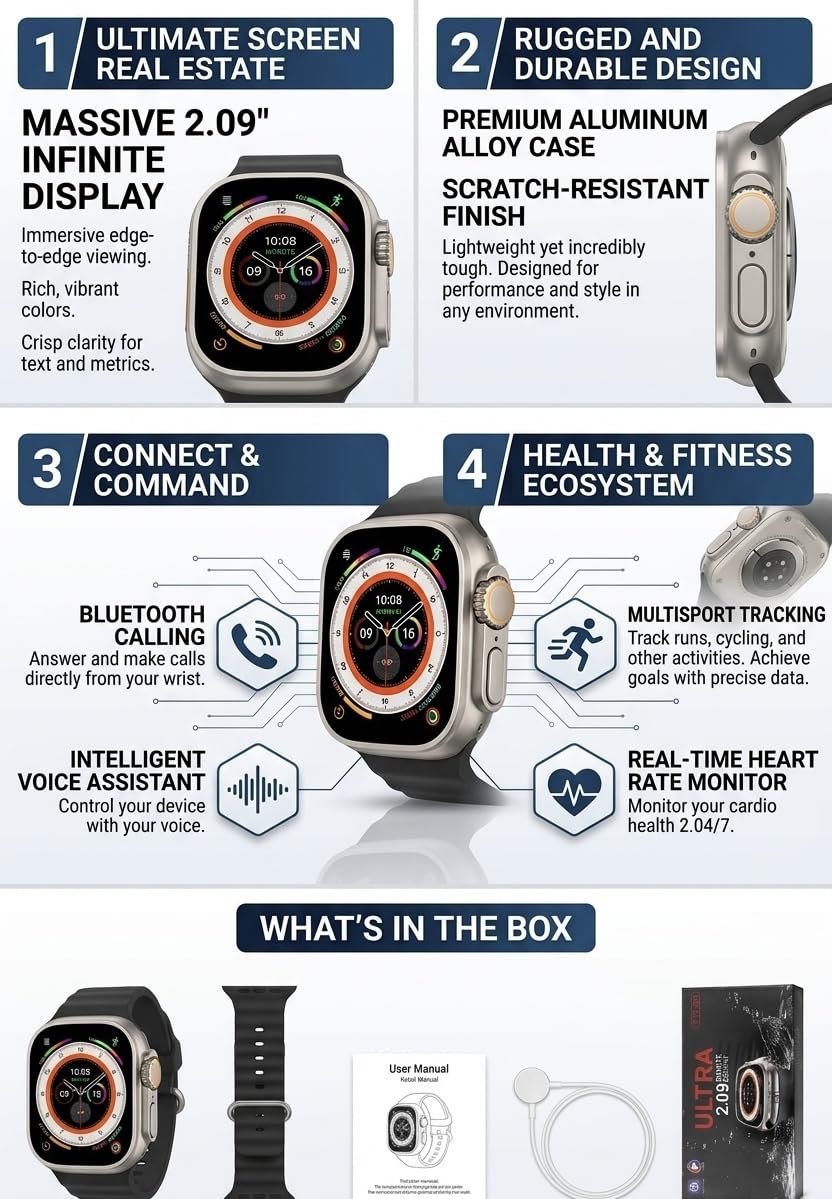
Image: The ar T10 Ultra Smart Watch, an additional strap, the user manual, and a charging cable, as typically found in the product packaging.
Setup
1. Charging the Smart Watch
Before initial use, fully charge your smartwatch. Connect the provided charging cable to the charging port on the back of the watch and plug the USB end into a standard USB power adapter (not included) or a computer's USB port. The watch display will indicate charging status.
- Charging Time: Approximately 2-3 hours for a full charge.
- Battery Life: Days of standard use and weeks of standby.
2. Powering On/Off
- Power On: Press and hold the side button for a few seconds until the screen lights up.
- Power Off: Press and hold the side button, then select the 'Power Off' option on the screen.
3. Pairing with Your Smartphone (Bluetooth)
- Ensure your smartphone's Bluetooth is enabled.
- Download and install the companion app (refer to the watch screen or packaging for app name) from your phone's app store.
- Open the app and follow the on-screen instructions to create an account or log in.
- In the app, navigate to 'Device' or 'Add Device' and select your T10 Ultra Smart Watch from the list of available devices.
- Confirm the pairing request on both your phone and the smartwatch.

Image: The ar T10 Ultra Smart Watch displaying health data, highlighting the vibrant 2.09-inch infinite display and the side button for navigation and control.
Operating Instructions
1. Navigating the Interface
- Touchscreen: Swipe left, right, up, or down to access different menus and features. Tap to select.
- Side Button: Press to return to the home screen or wake the device. Long press for power options.
- Digital Crown (if applicable): Rotate to scroll through menus or adjust settings.
2. Bluetooth Calling
Once paired with your smartphone, you can make and receive calls directly from your smartwatch.
- Making a Call: Access the 'Dialer' or 'Contacts' app on your watch, then dial a number or select a contact.
- Receiving a Call: When a call comes in, the watch will display the caller ID. Tap the green icon to answer or the red icon to reject.
3. Health and Fitness Tracking
The T10 Ultra Smart Watch monitors various health metrics and supports multiple sports modes.
- Heart Rate Monitoring: The watch continuously monitors your heart rate. Access the 'Heart Rate' app to view real-time data and historical trends. Note: This device is not a medical device and data should not be used for medical diagnosis.
- Step Count: Tracks your daily steps, distance, and calories burned.
- Sports Modes: Select from various sports modes (e.g., running, walking, cycling) to track specific workout data.
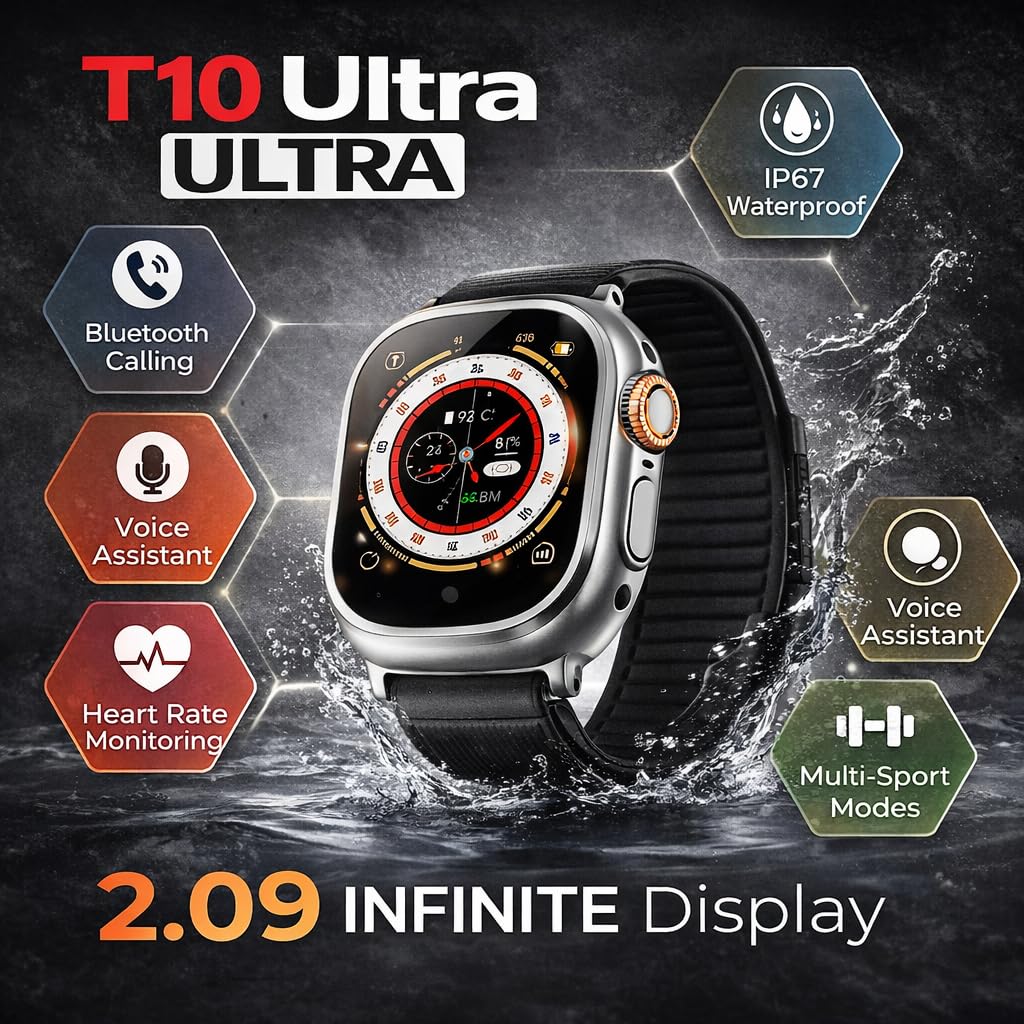
Image: The ar T10 Ultra Smart Watch showcasing its key features including IP67 waterproofing, Bluetooth calling, voice assistant, heart rate monitoring, and multi-sport modes, all displayed around the watch face.
4. Smart Notifications
Receive alerts for calls, messages, and app notifications directly on your wrist. Ensure notification permissions are enabled in both your phone's settings and the companion app.
5. Voice Assistant
Activate your smartphone's voice assistant (e.g., Siri, Google Assistant) directly from your watch for hands-free control. Refer to the watch's settings for voice assistant activation methods.
6. Water Resistance
The ar T10 Ultra Smart Watch is water resistant. It is suitable for daily use and can withstand splashes, sweat, and light rain. Avoid prolonged submersion, hot water, or use during swimming/diving, as this may damage the device.

Image: The ar T10 Ultra Smart Watch worn on a wrist, with water droplets visible on the watch and skin, indicating its water-resistant design suitable for active lifestyles.
Maintenance
1. Cleaning the Watch
- Wipe the watch screen and body with a soft, lint-free cloth.
- For stubborn dirt, slightly dampen the cloth with water. Avoid using harsh chemicals or abrasive materials.
- Ensure the charging contacts are clean and dry before charging.
2. Battery Care
- Avoid fully discharging the battery frequently.
- Do not expose the watch to extreme temperatures (hot or cold) as this can affect battery life.
- If storing the watch for an extended period, charge it to about 50% before storage.
3. Strap Replacement
The watch strap can be replaced. Refer to the specific mechanism on your watch for detaching and attaching new straps. Ensure the new strap is compatible with the T10 Ultra model.
Troubleshooting
| Problem | Possible Solution |
|---|---|
| Watch not turning on | Ensure the watch is fully charged. Press and hold the side button for at least 10 seconds to force a restart. |
| Cannot pair with phone | Check if Bluetooth is enabled on your phone. Ensure the watch is in pairing mode. Restart both the watch and phone. Clear previous pairings. |
| Notifications not received | Verify notification permissions in your phone's settings and the companion app. Ensure the watch is connected via Bluetooth. |
| Inaccurate health data | Ensure the watch is worn snugly on your wrist, not too tight or too loose. Clean the sensor on the back of the watch. |
| Charging issues | Check the charging cable for damage. Ensure the charging contacts on the watch and cable are clean and properly aligned. Try a different USB power source. |
Specifications
- Display: 2.09-inch Infinite Display, Full-touch
- Connectivity: Bluetooth
- Special Features: Bluetooth Calling, Voice Assistant
- Health Tracking: Heart Rate Monitor, Step Count, Activity Tracking
- Sports Modes: Multiple (supports various workout activities)
- Notifications: Calls, Messages, Apps
- Water Resistance: Water Resistant (suitable for splashes, sweat, light rain)
- Human Interface Input: Touchscreen
- Weight: 120 Grams
- Manufacturer: AR INFOTECH
- Country of Origin: India
Warranty and Support
The ar T10 Ultra Smart Watch typically comes with a manufacturer's warranty. Please refer to the warranty card included in your package or contact the seller for specific warranty terms and conditions. For technical support or further assistance, please contact AR INFOTECH customer service.
Manufacturer Contact Information: AR INFOTECH
Note: Warranty terms may vary by region and retailer. Keep your purchase receipt for warranty claims.