
Introduction
Thank you for choosing Naroote Bluetooth 6.0 Wireless Headphones. These open-ear headphones are designed for comfort, stability, and clear audio transmission, making them suitable for sports, work, and daily use. This manual provides detailed instructions to help you get the most out of your device.
Package Contents
Please check the package for the following items:
- 1 Pair of Naroote Wireless Headphones
- 1 Charging Case
- 1 USB Type-C Charging Cable
- 1 User Manual (this document)

Image: Package contents including headphones, charging case, and charging cable.
Product Overview
The Naroote wireless headphones feature a minimalist design with an open-ear fit for comfort and stability. The charging case is compact and includes a mirror for convenience. The headphones utilize advanced dual anti-leakage technology for clear sound and Bluetooth 6.0 for stable connectivity.
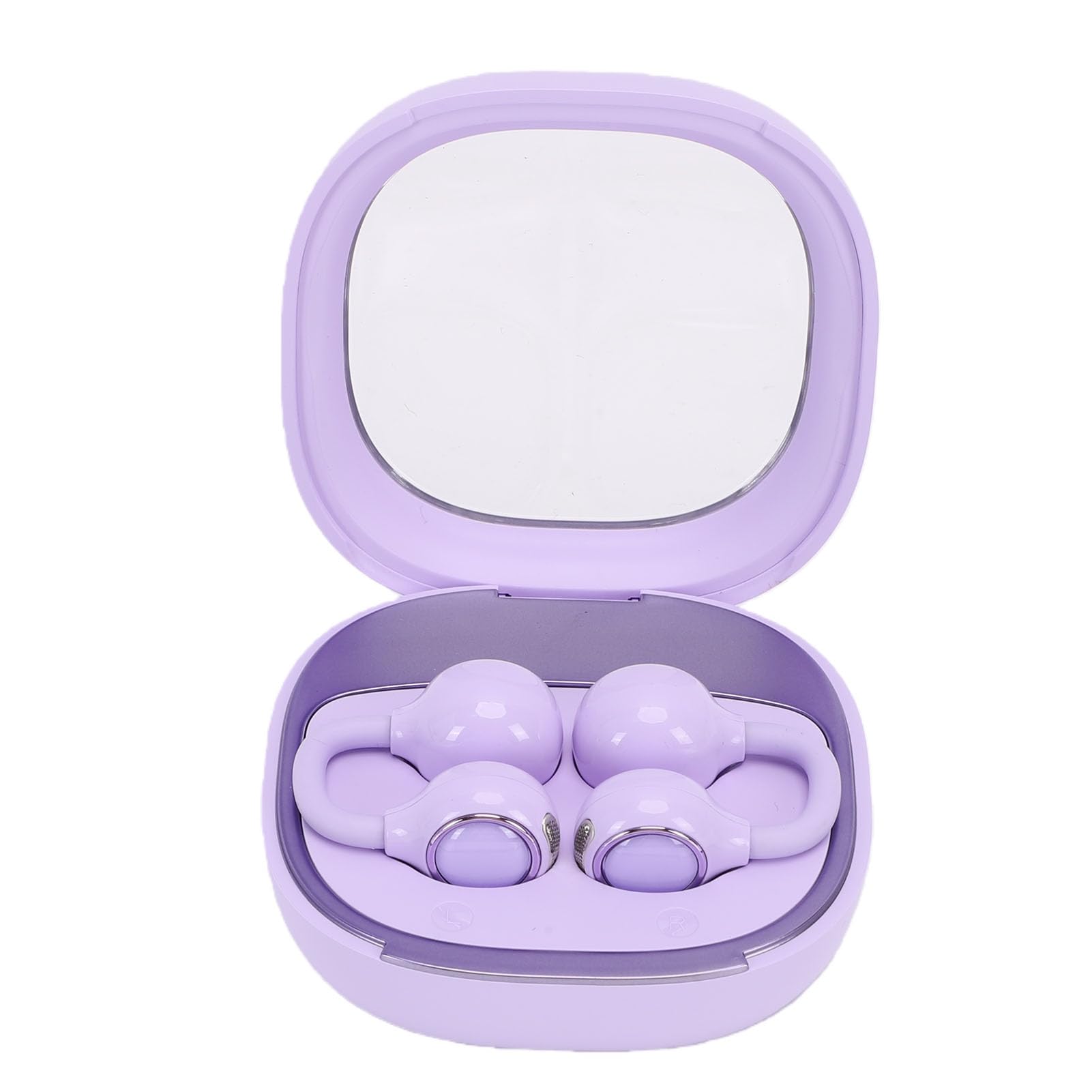
Image: Naroote wireless headphones shown with their open charging case, which features a built-in mirror.

Image: A closer view of the Naroote wireless headphones securely placed inside their open charging case.
Setup
1. Charging the Headphones and Case
Before first use, fully charge the headphones and the charging case.
- Place the headphones into the charging case.
- Connect the USB Type-C charging cable to the charging port on the case and plug the other end into a USB power adapter (not included) or a computer's USB port.
- The indicator lights on the case will show the charging status. Once fully charged, the lights will indicate completion or turn off.
2. Bluetooth Pairing
To connect your headphones to a device:
- Ensure the headphones are charged.
- Open the charging case. The headphones will automatically enter pairing mode, indicated by flashing lights (refer to product for specific light patterns).
- On your device (smartphone, tablet, computer), enable Bluetooth.
- Search for available Bluetooth devices and select "Naroote Headphones" (or similar name) from the list.
- Once connected, a voice prompt will confirm successful pairing, and the indicator lights will change (e.g., turn off or solid blue).
Operating Instructions
The Naroote headphones feature intuitive touch controls. Refer to the diagram below for specific functions:

Image: Operation Manual diagram illustrating touch control functions for the headphones.
Music Playback
- Play/Pause: Double-click either earbud.
- Adjust Volume: Click either earbud (specific earbud for up/down may vary, refer to diagram).
- Next Song: Triple-click the right earbud.
- Previous Song: Triple-click the left earbud.
Call Management
- Answer Call: Double-click either earbud.
- Reject Call: Long press either earbud.
- End Call: Double-click either earbud during a call.
Voice Assistant
- Activate Voice Assistant: Long press either earbud (when not on a call).
Wearing the Headphones
These open-ear headphones are designed to fit securely and comfortably around your ear. Gently place each earbud over your ear, ensuring the speaker is positioned correctly for optimal sound and the ear hook rests comfortably behind your ear. Adjust for a snug fit that remains stable during movement.
Maintenance
Cleaning
- Wipe the headphones and charging case with a soft, dry, lint-free cloth.
- Do not use abrasive cleaners, alcohol, or chemical solvents.
- Avoid getting moisture in any openings.
Storage
- Store the headphones in their charging case when not in use to protect them and keep them charged.
- Keep the device in a cool, dry place, away from extreme temperatures and direct sunlight.
Battery Care
- To preserve battery life, charge the headphones regularly, even if not used frequently.
- Avoid fully discharging the battery for extended periods.
Troubleshooting
- No Sound/Cannot Pair:
Ensure headphones are charged. Turn off and on your device's Bluetooth. Place headphones back in the case, close, then reopen to re-enter pairing mode. - One Earbud Not Working:
Try resetting the headphones by placing both back in the case and ensuring they are charging. Re-pair with your device. - Charging Issues:
Check the charging cable and port for damage. Ensure the power source is working. Clean the charging contacts on the headphones and case. - Poor Sound Quality:
Ensure the headphones are within the 10m transmission distance of your device. Check for interference from other wireless devices.
Specifications
| Feature | Value |
|---|---|
| Item Type | Wireless Bluetooth Headphones |
| Material | ABS |
| Bluetooth Version | V6.0 |
| Transmission Distance | 10m |
| Frequency Range | 20Hz-20KHz |
| Sensitivity | 115dB±3dB |
| Charging Port | Type-C |
| Earbud Battery Type | 2 x 30 mAh Lithium-ion batteries (built-in) |
| Charging Case Battery Type | 300 mAh Lithium-ion battery (built-in) |
| Package Dimensions | 12 x 9 x 4 cm |
| Weight | 89 g |
| Model Number | Narooteg5r8zk6tvl |
| Country of Origin | China |
Warranty and Support
Your Naroote Bluetooth 6.0 Wireless Headphones are covered by a manufacturer's warranty for 90 days from the date of sale. Please retain your proof of purchase for warranty claims.
For technical support or warranty inquiries, please contact your retailer or the Naroote customer service channel specified at the point of purchase.