
Introduction
Thank you for choosing the SWEETFULL S62 Mini Portable Fan with Ice Cooling. This compact and versatile device is designed to provide instant cooling relief with its advanced semiconductor cooling pad and powerful airflow. Its lightweight, foldable design and long-lasting battery make it ideal for various situations, from travel to outdoor activities. Please read this manual carefully to ensure proper use and maintenance of your fan.
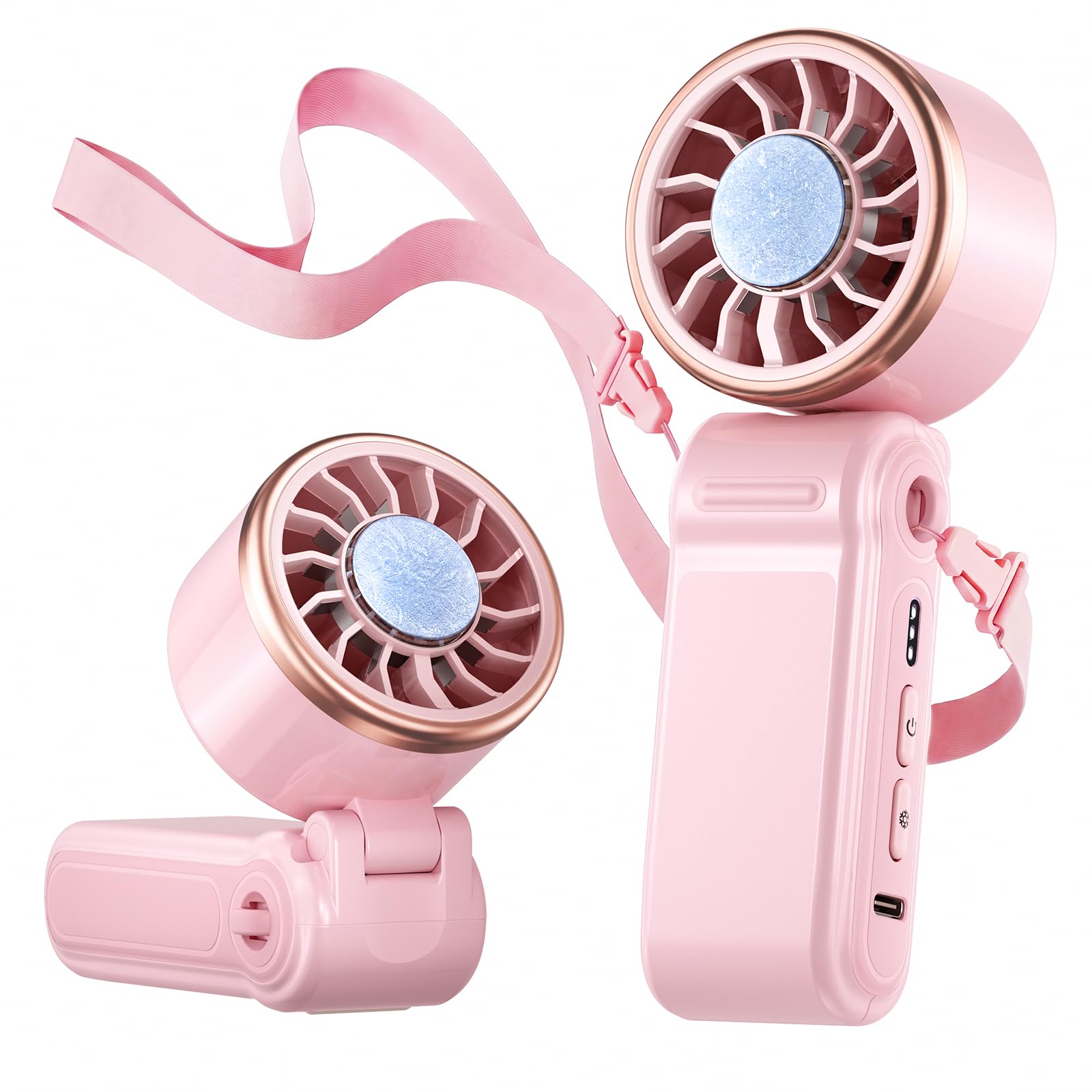
Image: The SWEETFULL S62 Mini Portable Fan, highlighting its compact and ergonomic design.
Setup
Package Contents
- SWEETFULL S62 Mini Portable Fan
- USB Charging Cable
- Lanyard
- User Manual
Initial Charging
Before first use, fully charge the fan. Connect the provided USB charging cable to the fan's charging port and to a compatible USB power source (e.g., wall adapter, computer USB port). The 4000mAh battery typically recharges fully in approximately 3 hours. The indicator lights will show the charging status and battery level.
Attaching the Lanyard
To use the fan in neck mode, attach the included lanyard to the designated loop on the fan's body. Ensure it is securely fastened.

Image: The SWEETFULL S62 Mini Portable Fan, illustrating its compact size for easy portability in a pocket or purse.
Operating Instructions
Power On/Off and Fan Speed Adjustment
- To power on the fan, press the power button once. It will start at the lowest speed.
- Press the power button repeatedly to cycle through the 3 available fan speeds (Low, Medium, High).
- To power off the fan, press the power button after the highest speed setting, or press and hold the power button for 2 seconds at any speed.

Image: An internal diagram illustrating the powerful turbo airflow generated by the fan's high-speed brushless motor.
Ice Cooling Mode Activation
The fan features an advanced semiconductor cooling pad for instant cooling. To activate the ice cooling mode:
- With the fan powered on, press the dedicated cooling mode button (usually indicated by a snowflake icon).
- The cooling pad will rapidly become cold, reaching 60°F in approximately 3 seconds.
- To deactivate the ice cooling mode, press the cooling mode button again.

Image: The fan's ice cooling plate, demonstrating its use for direct skin cooling.
Battery Indicator
The fan is equipped with indicator lights that display the current battery level, selected fan speed, and whether the cooling mode is active. Refer to the specific icons on your device for detailed information.

Image: The fan displaying its battery life and cooling mode indicators, along with estimated run times for different settings.
Usage Modes
The SWEETFULL S62 fan offers three versatile usage modes:
- Handheld Mode: Hold the fan comfortably in your hand for direct cooling.
- Desktop Mode: Fold the handle to create a stable base, allowing the fan to stand on a flat surface.
- Neck Mode: Attach the lanyard and wear the fan around your neck for hands-free cooling.

Image: Demonstrations of the fan being used in desktop, neck, and handheld configurations.
Maintenance
Cleaning the Fan
- Ensure the fan is powered off before cleaning.
- Use a soft, dry cloth to wipe the exterior of the fan.
- For dust accumulation on the fan blades or cooling plate, use a soft brush or cotton swab. Do not use water or harsh chemicals.
- Avoid getting moisture into the charging port or any openings.
Storage
When not in use for extended periods, store the fan in a cool, dry place away from direct sunlight and extreme temperatures. Ensure the battery is partially charged (around 50%) before storage to prolong its lifespan.
Battery Care
To maximize battery life, avoid completely draining the battery frequently. Recharge the fan when the battery indicator shows low power. Use only the provided USB cable or a certified equivalent for charging.
Troubleshooting
| Problem | Possible Cause | Solution |
|---|---|---|
| Fan does not turn on. | Battery is depleted. | Charge the fan using the provided USB cable. |
| Charging cable or adapter is faulty. | Try a different USB cable or power adapter. | |
| Weak airflow. | Fan speed is set too low. | Increase the fan speed by pressing the power button. |
| Obstruction in the fan grille. | Ensure the fan grilles are clear of debris. Clean if necessary. | |
| Cooling plate is not cold. | Cooling mode is not activated. | Press the dedicated cooling mode button. |
| Battery is low. | Charge the fan. Cooling mode may be restricted at very low battery levels. | |
| Short battery life. | Using high fan speed or cooling mode continuously. | Lower fan speed or use cooling mode intermittently to extend battery life. |
| Battery degradation over time. | This is normal for rechargeable batteries. Ensure proper charging habits. |
Specifications
| Feature | Detail |
|---|---|
| Brand | SWEETFULL |
| Model Name | S62 |
| Product Dimensions | 2.15"D x 1.44"W x 5.63"H |
| Item Weight | 5.28 ounces |
| Power Source | Battery Powered |
| Battery Capacity | 4000mAh |
| Charging Time | Approximately 3 hours |
| Fan Speeds | 3 Levels |
| Cooling Mode Temperature | 60°F (Instant Cooling) |
| Motor Type | Brushless |
| Noise Level | 55 dB (Max) |
| Special Features | Foldable, Lightweight, Portable, Ice Cooling |
| Usage Modes | Handheld, Desktop, Neck |
| Included Components | Lanyard, Mini Portable Fan, USB Cable, User Manual |
Warranty Information
The SWEETFULL S62 Mini Portable Fan is covered by a manufacturer's warranty against defects in materials and workmanship. Please refer to the product packaging or contact SWEETFULL customer support for specific warranty terms and conditions, including duration and claim procedures. Keep your purchase receipt as proof of purchase.
Customer Support
For any questions, technical assistance, or warranty claims regarding your SWEETFULL S62 Mini Portable Fan, please contact SWEETFULL customer support. You can typically find contact information on the product packaging, the official SWEETFULL website, or through your retailer's support channels.


