
1. Introduction
Thank you for choosing the Generic Solar Clip Light with Motion Sensor. This portable outdoor LED light is designed for versatile illumination in various settings such as gardens, fences, walls, and camping areas. It features solar charging, motion detection, and multiple lighting modes for energy-efficient and convenient use.
This manual provides detailed instructions for setup, operation, maintenance, and troubleshooting to ensure optimal performance and longevity of your device.

Figure 1: The Solar Clip Light offers versatile installation options, easily clipping onto fences, walls, branches, or other outdoor structures to provide illumination.
2. Package Contents
The package includes the specified quantity of Solar Clip Lights. Please verify all components are present upon unboxing.
- Solar Clip Light with Motion Sensor (quantity as purchased)
- User Manual (this document)
3. Setup and Installation
- Initial Charge: Before first use, place the solar light in direct sunlight for at least 8 hours to ensure the internal battery is fully charged.
- Placement: Choose a location where the solar panel receives maximum direct sunlight throughout the day. Avoid shaded areas.
- Mounting: Use the integrated clip to securely attach the light to a fence, wall, branch, or other suitable outdoor structure. No drilling or permanent fixtures are required. Ensure the light is stable and facing the desired illumination area.
- Activation: The light features smart light control, automatically charging during the day and turning on at night. Ensure the light is switched to the desired operating mode (see Section 4: Operating Instructions).

Figure 2: The light automatically charges during the day and activates at night, demonstrating its smart light control feature.
4. Operating Instructions
The Solar Clip Light offers three adjustable lighting modes to suit various needs. A button on the device allows you to cycle through these modes.
Lighting Modes:
- Mode 1: Motion-Triggered Brighter Light
The light remains off until motion is detected, then illuminates at full brightness for a set duration. - Mode 2: Motion-Triggered Brighter Light with Low Background Glow
The light maintains a low-level glow. When motion is detected, it switches to full brightness for a set duration, then returns to the low glow. - Mode 3: Constant Steady Light
The light stays on at a constant brightness throughout the night, without motion detection.
To select a mode, press the mode button located on the light. Each press will cycle to the next mode. The light will indicate the selected mode.

Figure 3: Illustration of the three available lighting modes and the integrated solar panel for efficient charging.
5. Maintenance
Regular maintenance ensures the longevity and optimal performance of your solar clip light.
- Cleaning the Solar Panel: Periodically wipe the solar panel with a soft, damp cloth to remove dust, dirt, or debris. A clean panel ensures efficient solar charging.
- Battery Care: The integrated battery is designed for long-term use. If the light's performance diminishes over time, ensure it receives adequate direct sunlight for charging. The battery is not user-replaceable.
- Environmental Protection: The light is constructed from durable ABS material and is IP65 waterproof, designed to withstand rain, snow, and heat. However, avoid submerging the device in water.
- Storage: If storing the light for an extended period, ensure it is fully charged and store it in a cool, dry place.

Figure 4: The light's durable ABS construction provides resistance against water, sun, and freezing conditions.
6. Troubleshooting
| Problem | Possible Cause | Solution |
|---|---|---|
| Light does not turn on at night. | Insufficient solar charge. | Ensure the solar panel is in direct sunlight for 8+ hours. Clean the solar panel. |
| Light stays on during the day. | Sensor obstructed or faulty. | Ensure no external light source is interfering with the sensor. Reposition the light. |
| Motion sensor not detecting movement. | Sensor range obstructed or incorrect mode. | Check for obstructions. Ensure the light is in Mode 1 or Mode 2. |
| Light is dim or flickers. | Low battery charge. | Allow the light to charge fully in direct sunlight. |
7. Specifications
- Product Name: Solar Clip Light with Motion Sensor
- Brand: Generic
- Model Number: solar clamp lights
- Material: ABS Plastic
- Color: Black
- Dimensions: 11.2 cm (L) x 7.6 cm (W) x 7.6 cm (H) / 4.41 in (L) x 2.99 in (W) x 2.99 in (H)
- Weight: Approximately 143g
- Battery Type: 14500 Battery
- Solar Panel: 5.5V 250mA
- Charging Method: Solar / Type-C (USB)
- Waterproof Rating: IP65
- Illumination Range: 10-30 m²
- Country of Origin: China
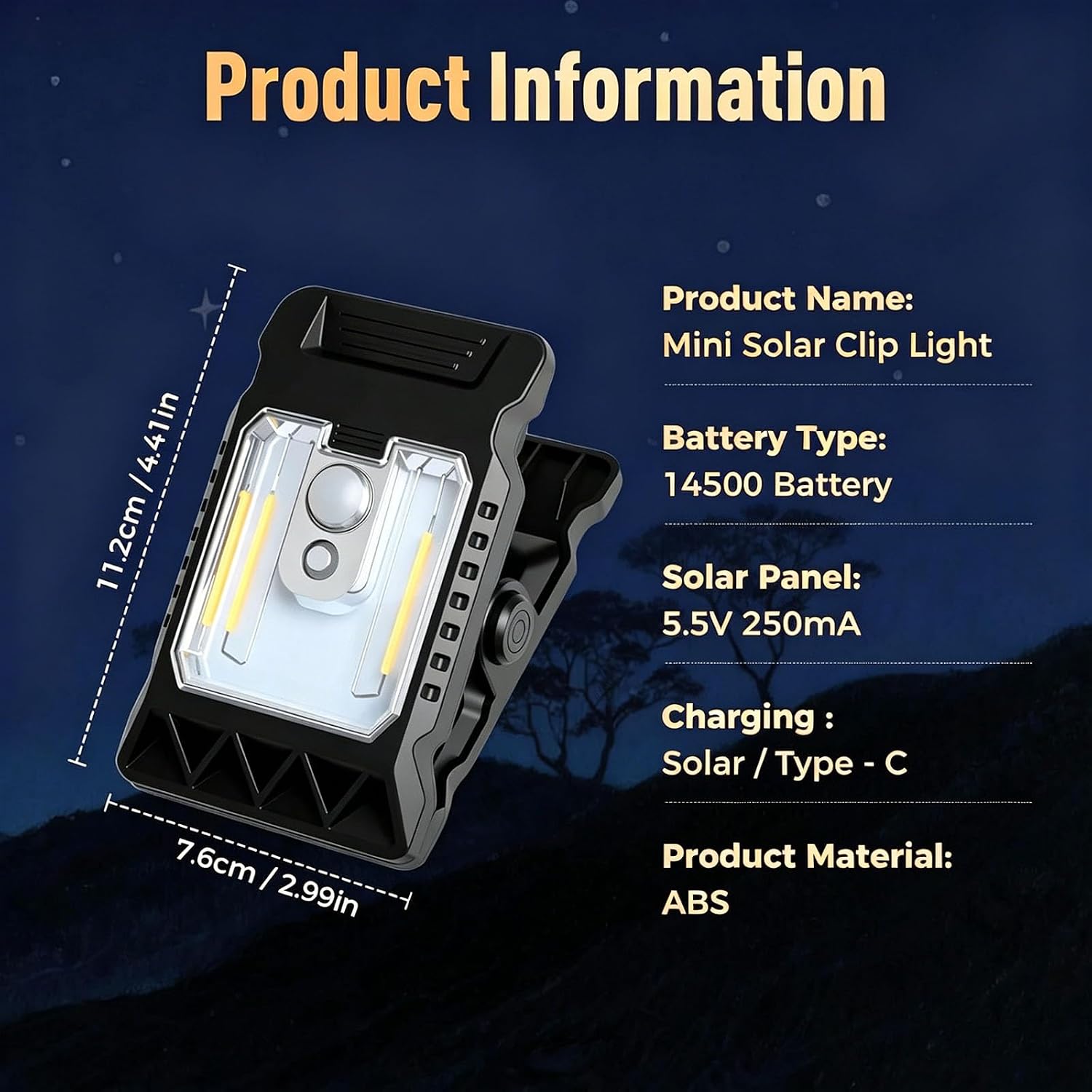
Figure 5: Detailed product specifications including dimensions, battery, and charging information.
8. Warranty and Support
This product typically comes with a manufacturer's warranty of 1 year from the date of purchase, covering defects in materials and workmanship under normal use. Please retain your proof of purchase for warranty claims.
For technical support, warranty inquiries, or any questions regarding the product, please contact the seller or retailer from whom you purchased the item. They will be able to provide assistance or guide you through the warranty process.
Note: Extended warranty plans may be available from third-party providers and are separate from the manufacturer's warranty.


