
Introduction
The Acer Pro Golf Rangefinder is a versatile laser device designed for accurate distance measurement in golf, hunting, and outdoor surveying. It features a slope switch, pin lock vibration, 7X magnification, and a rechargeable battery for extended use.
This manual provides detailed instructions for setting up, operating, and maintaining your rangefinder to ensure optimal performance and longevity.
Product Features
- 1200 Yards Range: Measures distances up to 1200 yards with ±0.5yd accuracy.
- Slope Switch: Provides compensated distance for inclines and declines, essential for golf.
- Pin Lock Vibration: Confirms target acquisition with a short vibration.
- 7X Magnification: Offers clear and magnified views for precise targeting.
- Rechargeable Battery: Built-in USB-C rechargeable Lithium-Ion battery.
- Magnetic Stripe: Allows convenient attachment to metal surfaces like a golf cart.
- IP54 Waterproof: Designed to withstand splashes and light rain.
- 6-in-1 Modes: Includes modes for distance, speed, angle, height, and horizontal distance.
Setup
1. Charging the Device
Before first use, fully charge the rangefinder. Connect the provided USB Type-C cable to the charging port on the device and to a compatible USB power source. The charging indicator light will show the charging status (e.g., red for charging, green for fully charged).

Image: The Acer Pro Golf Rangefinder showing its USB-C charging port, indicating the device is ready for charging.
2. Adjusting the Eyepiece
Rotate the focusing rotary knob on the eyepiece to adjust the focus until the display and target appear clear and sharp.
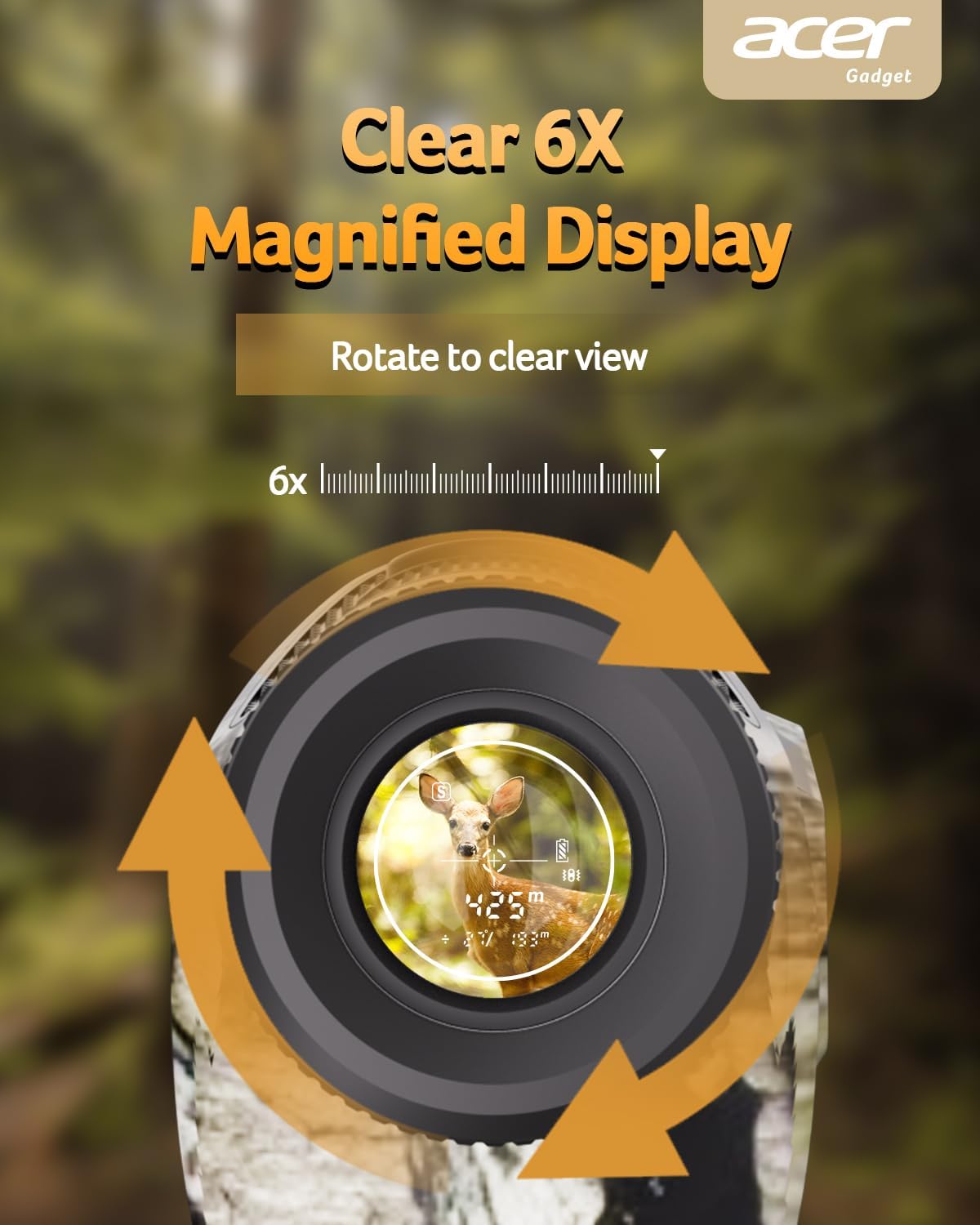
Image: A close-up of the rangefinder's eyepiece, illustrating how to rotate it for clear focus.
Operating Instructions
1. Power On/Off
Press the Power/Measure button to turn on the device. The device will automatically power off after a period of inactivity to conserve battery.
2. Switching Measurement Units (Meters/Yards)
To switch between meters and yards, press and hold the Mode/Set button until the unit changes on the display.
3. Mode Selection
Press the Mode/Set button repeatedly to cycle through the available measurement modes:
- Standard Distance Mode: Measures direct line-of-sight distance.
- Golf Mode (Slope Compensation): Provides adjusted distance based on incline/decline. Activate/deactivate slope compensation using the dedicated slide switch on the side of the device.
- Pin Lock with Vibration: Identifies and locks onto the nearest target (e.g., flagpole) and vibrates upon successful lock.
- Speed Mode: Measures the speed of a moving object.
- Height and Level Mode: Measures the height and horizontal distance to a target.
- Scanning Mode: Continuously scans and displays distances to multiple targets.
- Azimuth Mode: Provides angular measurements.

Image: The rangefinder displaying different measurement modes including speed, height, azimuth, and scanning.
4. Measuring Distance
Look through the eyepiece and align the crosshairs with your target. Press the Power/Measure button once to get a reading. For continuous scanning, press and hold the Power/Measure button.

Image: A person using the Acer Pro Golf Rangefinder to measure distance on a golf course.
5. Using the Magnetic Stripe
The integrated magnetic stripe on the side of the rangefinder allows for convenient attachment to metal surfaces, such as a golf cart frame, for easy access during play.

Image: The rangefinder magnetically attached to a golf cart, demonstrating the convenience of the magnetic stripe.
Maintenance
- Cleaning: Use the provided lens cleaning cloth to gently wipe the lenses. Do not use abrasive materials or chemical cleaners.
- Storage: Store the rangefinder in its portable soft case when not in use. Keep it in a cool, dry place away from direct sunlight and extreme temperatures.
- Battery Care: Recharge the battery regularly, even if not in frequent use, to maintain battery health. Avoid fully depleting the battery for extended periods.
Troubleshooting
- No Power: Ensure the battery is charged. Connect the USB-C cable and charge the device.
- Inaccurate Readings:
- Check if the eyepiece is properly focused.
- Ensure the target is within the effective range (3-1200 yards).
- Verify that the correct measurement unit (yards/meters) is selected.
- Environmental factors like heavy fog or rain can affect accuracy.
- Unit Not Switching (Meters/Yards): Press and hold the Mode/Set button for a few seconds until the unit changes. A quick press might only cycle through modes.
Specifications
| Brand | Acer |
| Model Number | SW-1000E-Camo |
| Measuring Range | 1200 yards |
| Magnification | 6X |
| Battery Type | Rechargeable, USB-C, Lithium-Ion |
| Water Resistance | IP54 |
| Item Weight | 7.26 Ounces |
| Material | Polycarbonate (PC) |
What's in the Box
- Laser Rangefinder
- Gift box
- Portable soft case
- USB Type-C Cable
- Lens Cleaning Cloth
- User Manual
- Hand Strap
Warranty and Support
This product comes with a 1-year warranty. For support, please refer to the contact information provided in the product packaging or visit the official Acer support website.
Official Product Video
Video: An official seller video demonstrating the Acer Pro Golf Rangefinder's features and how to get precise readings.