
1. Introduction
Thank you for choosing the Riuiio G01Lite Electric Scooter. This manual provides essential information for the safe operation, maintenance, and troubleshooting of your scooter. Please read it thoroughly before your first ride and keep it for future reference.
2. Safety Guidelines
Your safety is paramount. Always wear a helmet and appropriate protective gear (knee pads, elbow pads) when riding. Observe all local traffic laws and regulations. Do not ride under the influence of alcohol or drugs. Avoid riding in heavy rain, on slippery surfaces, or at night without proper lighting.
- Always check the scooter before each ride for any loose parts, tire pressure (if applicable), and brake functionality.
- Maintain a safe distance from other vehicles and pedestrians.
- Do not perform stunts or sudden maneuvers.
- The maximum weight limit for this scooter is 264 lbs (120 kg).
- Recommended age for riders is adult.
3. Setup and Initial Preparation
3.1 Unboxing and Assembly
Carefully remove all components from the packaging. The scooter typically comes partially folded. Unfold the stem until it locks into place. Attach the handlebars, ensuring all screws are tightened securely. Refer to the quick start guide included in the box for specific assembly steps.
3.2 Initial Charging
Before your first ride, fully charge the scooter's battery. Connect the charger to the charging port and then to a power outlet. The charging indicator on the charger will change (e.g., from red to green) when charging is complete. A full charge takes approximately 5 hours.

Image: The scooter's battery compartment, illustrating its long-range capabilities, fast charging time, maximum range, and large capacity.
3.3 App Connection (Optional)
Download the Riuiio app from your smartphone's app store. Enable Bluetooth on your phone and pair it with your scooter. The app allows for features such as anti-theft lock, cruise control, speed adjustment, and real-time diagnostics.

Image: The Riuiio app interface on a smartphone, displaying various control options for the scooter including locking, lighting, cruise control, speed adjustment, start-up mode, and riding mode.
4. Operating Instructions
4.1 Power On/Off
Press and hold the power button on the display to turn the scooter on or off. The LCD display will show current speed, battery level, and riding mode.

Image: A detailed view of the scooter's LCD display, indicating Bluetooth connectivity, lighting status, real-time speed, and the selected speed mode.
4.2 Riding Modes
The G01Lite offers 4 speed modes, adjustable via the app or scooter controls:
- Walk Mode: 3 MPH (for pedestrian areas)
- ECO Mode: 7 MPH (for extended range)
- Drive Mode: 11 MPH (balanced performance)
- Sport Mode: 19 MPH (maximum speed)

Image: An illustration of the four distinct speed modes available on the scooter, ranging from a slow 'Walk' mode to a fast 'Sport' mode, with corresponding speed limits.
4.3 Acceleration and Braking
Use the throttle lever to accelerate. To brake, use the dual braking system which combines a drum brake and EABS anti-lock for responsive and safe stopping. Always apply brakes smoothly to avoid sudden stops.
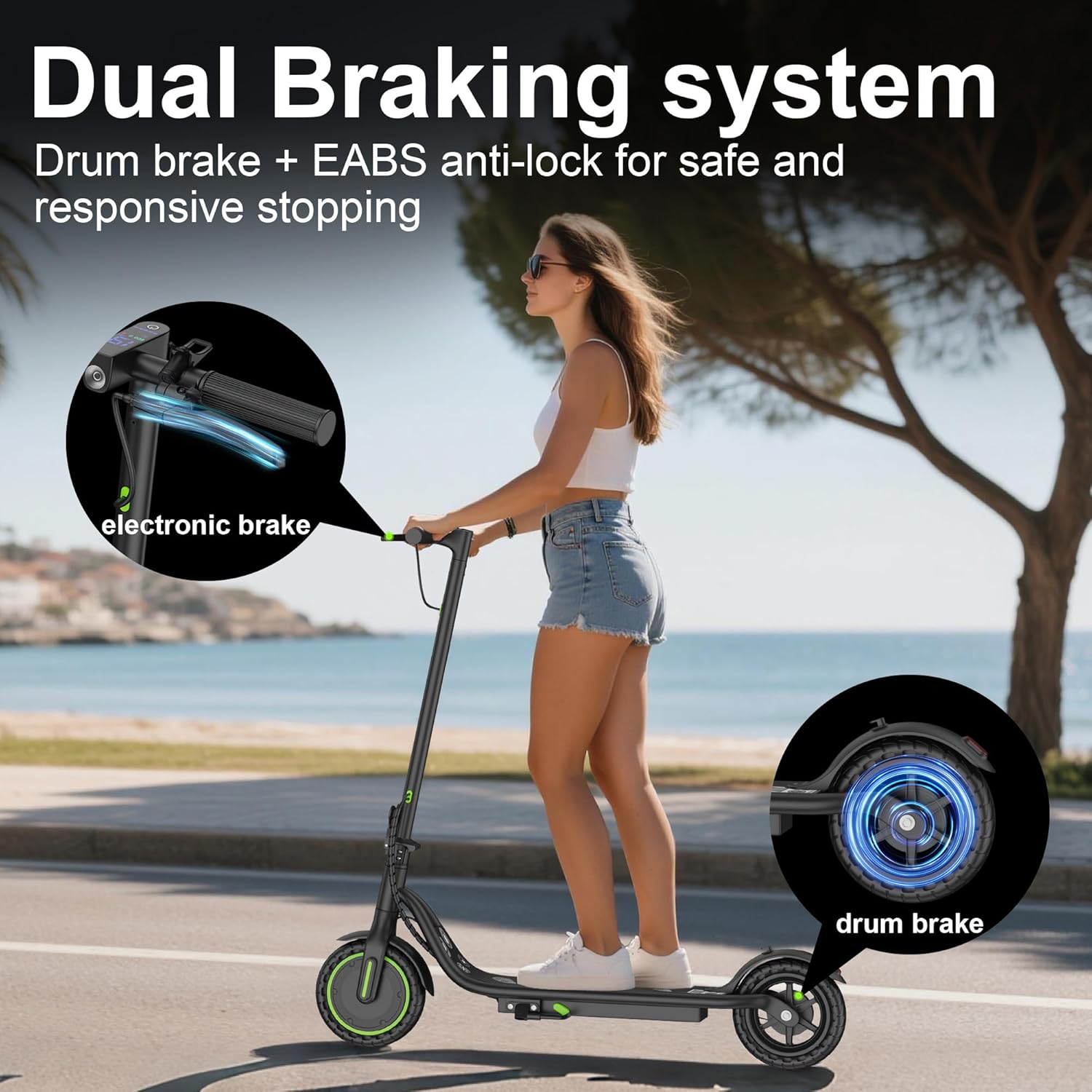
Image: A visual representation of the scooter's dual braking system, detailing the electronic brake control on the handlebar and the mechanical drum brake on the rear wheel for enhanced safety.
4.4 Folding and Portability
The scooter features a 3-second folding system for easy transport and storage. Locate the folding mechanism on the stem, release the latch, and fold the scooter until it clicks into place. It weighs approximately 27.8 lbs (12.6 kg).

Image: A person demonstrating the portability of the folded scooter by carrying it, emphasizing its lightweight design and ease of transport.
5. Maintenance
5.1 Battery Care
To prolong battery life:
- Charge the battery regularly, even if not in use, to maintain a charge level between 20% and 80%.
- Avoid completely draining the battery.
- Store the scooter in a cool, dry place away from direct sunlight and extreme temperatures.
5.2 Tire Inspection
The scooter is equipped with 8.5-inch solid tires, which are maintenance-free. However, regularly inspect them for any signs of wear, cuts, or damage. Replace tires if significant damage is observed.
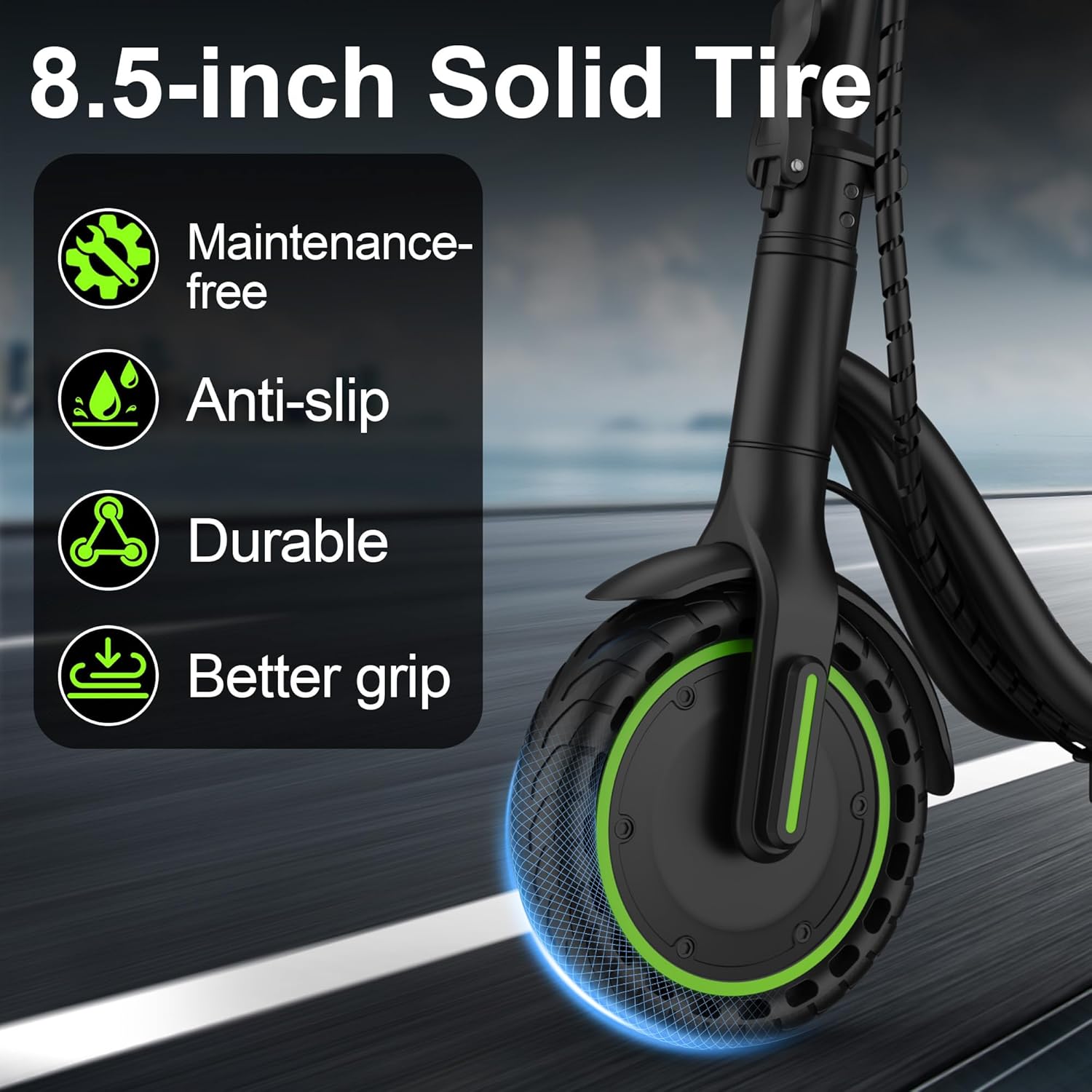
Image: A close-up view of the scooter's 8.5-inch solid tire, emphasizing its key attributes such as being maintenance-free, anti-slip, durable, and providing superior grip.
5.3 Brake Check
Periodically check the responsiveness of both the electronic and drum brakes. Ensure brake levers are not loose and that braking is effective. Adjust or seek professional service if brakes feel weak or inconsistent.
5.4 Cleaning and Storage
Clean the scooter with a damp cloth. Do not use high-pressure water or immerse the scooter in water. Store the scooter in a dry, secure location when not in use. The scooter has an IPX4 water resistance rating, meaning it is resistant to splashing water from any direction, but it is not waterproof.
6. Troubleshooting
| Problem | Possible Cause | Solution |
|---|---|---|
| Scooter does not power on | Low battery; Loose connections; Power button malfunction | Charge the battery; Check all visible connections; Contact support if issue persists |
| Scooter not charging | Charger not connected properly; Faulty charger or charging port; Battery issue | Ensure secure connection; Try a different outlet; Contact support |
| Reduced speed or range | Low battery; Heavy load; Uphill riding; Incorrect speed mode selected | Fully charge battery; Reduce load; Select Sport mode for maximum speed |
| Brakes feel weak | Brake cable adjustment needed; Worn brake pads | Adjust brake cable tension; Inspect and replace brake pads if necessary; Contact support |
| App connectivity issues | Bluetooth off; App not updated; Scooter not in pairing mode | Ensure Bluetooth is on; Update app; Restart scooter and app; Re-pair device |
7. Specifications
| Feature | Detail |
|---|---|
| Brand | Riuiio |
| Model Name | G01Lite |
| Motor Power | 350W Brushless Motor |
| Top Speed | Up to 19 MPH (30.5 km/h) |
| Maximum Range | Up to 19 Miles (30.5 km) |
| Battery | 36V 5.2Ah Lithium Battery (UL2272 certified) |
| Charging Time | Approximately 5 Hours |
| Tire Type | 8.5-inch Solid Tires |
| Braking System | Dual Braking (Drum brake + EABS) |
| Weight Limit | 264 Pounds (120 kg) |
| Scooter Weight | 27.8 Pounds (12.6 kg) |
| Frame Material | Aluminum |
| Water Resistance | IPX4 |
| Special Features | Smart APP Control, Cruise Control, LED Headlight & Taillight, Foldable Design |
| Recommended Age | Adult |
| Included Components | Electric Scooter, Charger, User Manual |
8. Warranty Information
The Riuiio G01Lite Electric Scooter comes with a 1-year limited warranty from the date of purchase. This warranty covers manufacturing defects in materials and workmanship. It does not cover damage caused by misuse, accidents, unauthorized modifications, or normal wear and tear. Please retain your proof of purchase for warranty claims.
9. Customer Support
For technical assistance, warranty claims, or any questions regarding your Riuiio G01Lite Electric Scooter, please contact Riuiio customer support. Refer to the contact information provided in your product packaging or visit the official Riuiio website.
You can also visit the Riuiio Store on Amazon for more product information and support resources.