
1. Overview
This manual provides instructions for the Baseus 20000mAh 45W Portable Charger, Model E00311. This compact power bank features a 20,000mAh capacity, 45W fast charging capabilities, and dual built-in USB-C cables for convenient power delivery to various devices. It is designed for portability and includes multiple safety features to ensure reliable operation.
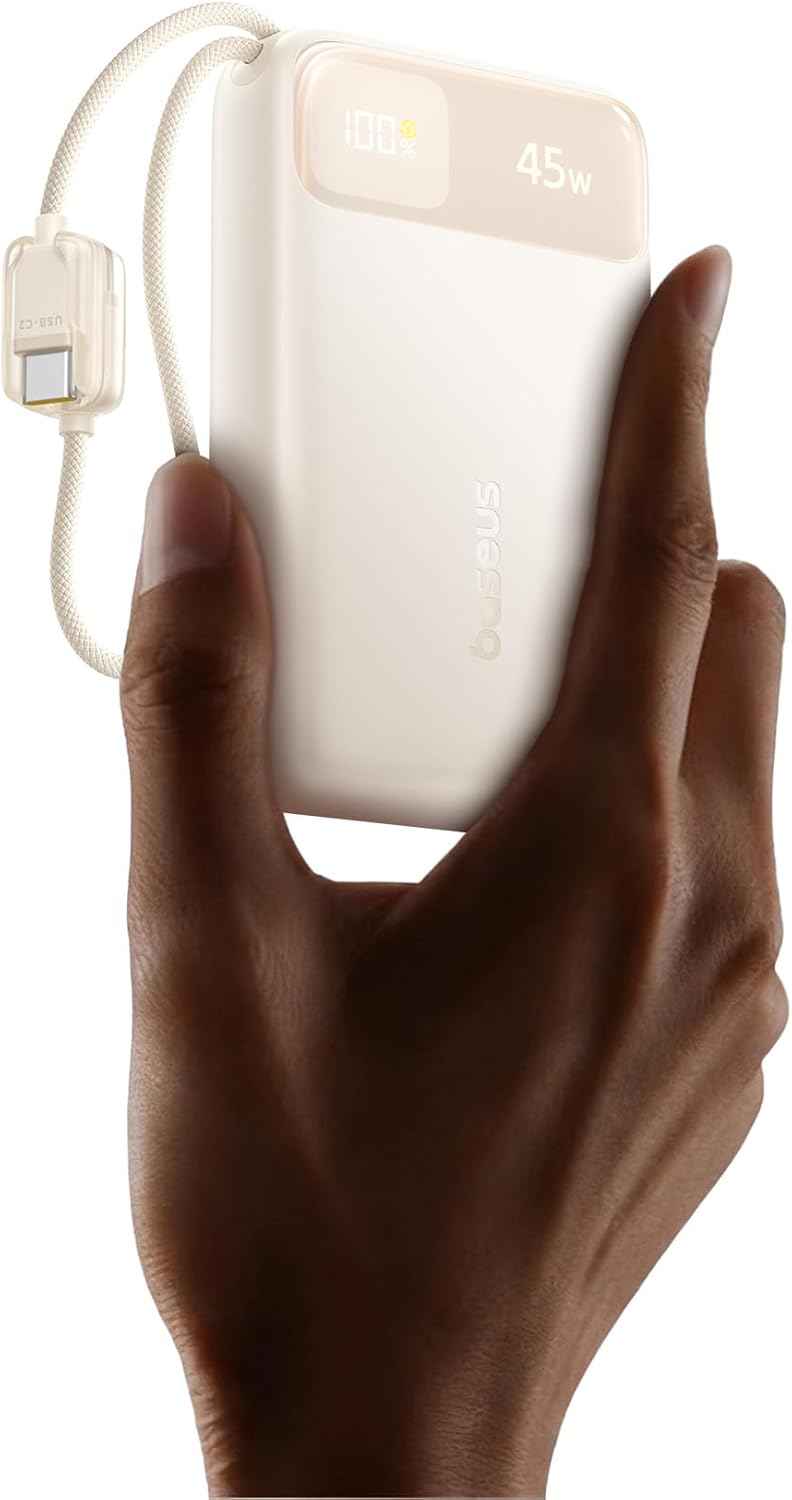
Image 1.1: The Baseus 20000mAh 45W Portable Charger, showcasing its compact design.

Image 1.2: The power bank's compact dimensions (4.3 x 2.6 x 1.2 inches) and integrated USB-C cables.
2. Setup
2.1 Initial Charging of the Power Bank
Before first use, fully charge the power bank. Connect the built-in USB-C1 cable or an external USB-C cable to a compatible 30W (or higher) USB-C power adapter. The digital display will show the charging progress. A full charge ensures optimal performance.

Image 2.1: Recharging the power bank using its built-in USB-C cable and a wall adapter.
3. Operating Instructions
3.1 Charging Your Devices
The power bank supports charging up to four devices simultaneously using its various output options:
- Built-in USB-C1 Cable: Provides up to 45W output for fast charging compatible devices.
- Built-in USB-C2 Cable: Provides up to 45W output for fast charging compatible devices.
- USB-C Port: Offers up to 45W output for devices requiring a USB-C connection.
- USB-A Port: Delivers up to 33W output for devices compatible with USB-A.
Simply connect your device to the appropriate port or built-in cable. The power bank will automatically begin charging.

Image 3.1: The power bank simultaneously charging a tablet, two smartphones, and wireless earbuds.

Image 3.2: Demonstrating 45W high-speed charging, capable of charging an iPhone 17 Pro to 67% and a Samsung S25 Ultra to 70% in 30 minutes.
3.2 Digital Display
The integrated digital display shows the remaining battery percentage of the power bank and the current charging wattage. This allows for real-time monitoring of power levels and charging speed.
4. Safety Information
The Baseus 20000mAh 45W Portable Charger incorporates multiple safety features to protect both the device and your connected electronics:
- NTC Temperature Control: Built-in NTC sensors monitor temperature 300 times per minute to prevent overheating during charging and discharging.
- Overcurrent Protection: Safeguards against excessive current flow.
- Overvoltage Protection: Protects against voltage spikes.
- Over-discharge Protection: Prevents battery damage from complete discharge.
- Overcharge Protection: Stops charging once the battery is full to prevent overcharging.
- Short Circuit Protection: Automatically cuts power in case of a short circuit.
- Extreme Temperature Protection: Operates safely within specified temperature ranges.
This power bank is CCC Certified and airline-approved for travel, adhering to safety standards for portable electronic devices.

Image 4.1: Visual representation of the NTC temperature control and comprehensive safety protections.
5. Maintenance
To ensure the longevity and optimal performance of your Baseus portable charger, follow these maintenance guidelines:
- Storage: Store the power bank in a cool, dry place away from direct sunlight and extreme temperatures.
- Cleaning: Use a soft, dry cloth to clean the exterior of the power bank. Avoid using harsh chemicals or abrasive materials.
- Avoid Drops: Protect the device from drops and impacts, which can damage internal components.
- Regular Use: For best battery health, use and recharge the power bank periodically, even if not used frequently.
- Water Exposure: Do not expose the power bank to water or other liquids.
6. Troubleshooting
If you encounter issues with your power bank, refer to the following table for common problems and solutions:
| Problem | Possible Cause | Solution |
|---|---|---|
| Power bank not charging | Low battery; Faulty charging cable/adapter; Loose connection | Ensure power bank is connected to a working power source. Try a different cable or adapter. Check all connections. |
| Device not charging from power bank | Power bank battery depleted; Faulty device cable; Incompatible device; Loose connection | Recharge the power bank. Try a different charging cable. Ensure your device is compatible. Check all connections. |
| Slow charging | Using a low-power adapter/cable; Multiple devices charging; Device not supporting fast charge | Use a 30W or higher power adapter for the power bank. Ensure your device and cable support fast charging. Charging multiple devices may reduce individual charging speeds. |
| Digital display not working | Power bank off; Internal fault | Press the power button to activate the display. If the issue persists, contact customer support. |
7. Specifications
| Feature | Detail |
|---|---|
| Model Number | E00311 |
| Brand | Baseus |
| Battery Capacity | 20000mAh |
| Battery Cell Type | Lithium Polymer |
| Maximum Output Power | 45W |
| Input (USB-C1 Cable / USB-C Port) | 30W Max |
| Output (USB-C1 Cable / USB-C2 Cable / USB-C Port) | 45W Max |
| Output (USB-A Port) | 33W Max |
| Dimensions (L x W x Thickness) | 4.3 x 2.6 x 1.2 inches (10.9 x 6.6 x 3.0 cm) |
| Weight | 12.8 oz (363g) |
| Special Features | Built-in Dual USB-C Cables, CCC Certified, Smart Digital Display, NTC Temperature Control, Multi-Protection Safety System |
| Compatible Devices | Smartphones (iPhone, Samsung, Google Pixel), Tablets (iPad), Laptops (MacBook, Chromebook), Earbuds, Smartwatches, Gaming Consoles (Steam Deck, Rog Ally) |
8. Warranty and Support
8.1 Warranty Information
This Baseus portable charger comes with a 2-year warranty from the date of purchase. This warranty covers manufacturing defects and issues arising from normal use. It does not cover damage caused by misuse, accidents, unauthorized modifications, or natural disasters.
8.2 Customer Support
For technical assistance, warranty claims, or any questions regarding your Baseus product, please visit the official Baseus website or contact their customer support team through the contact information provided on their website or product packaging. Please have your model number (E00311) and proof of purchase ready when contacting support.


